Best Linux Note Taking Apps in 2026: Compare Joplin, Obsidian, Notesnook & More
Best Linux Note Taking Apps in 2026: Compare Joplin, Obsidian, Notesnook & More
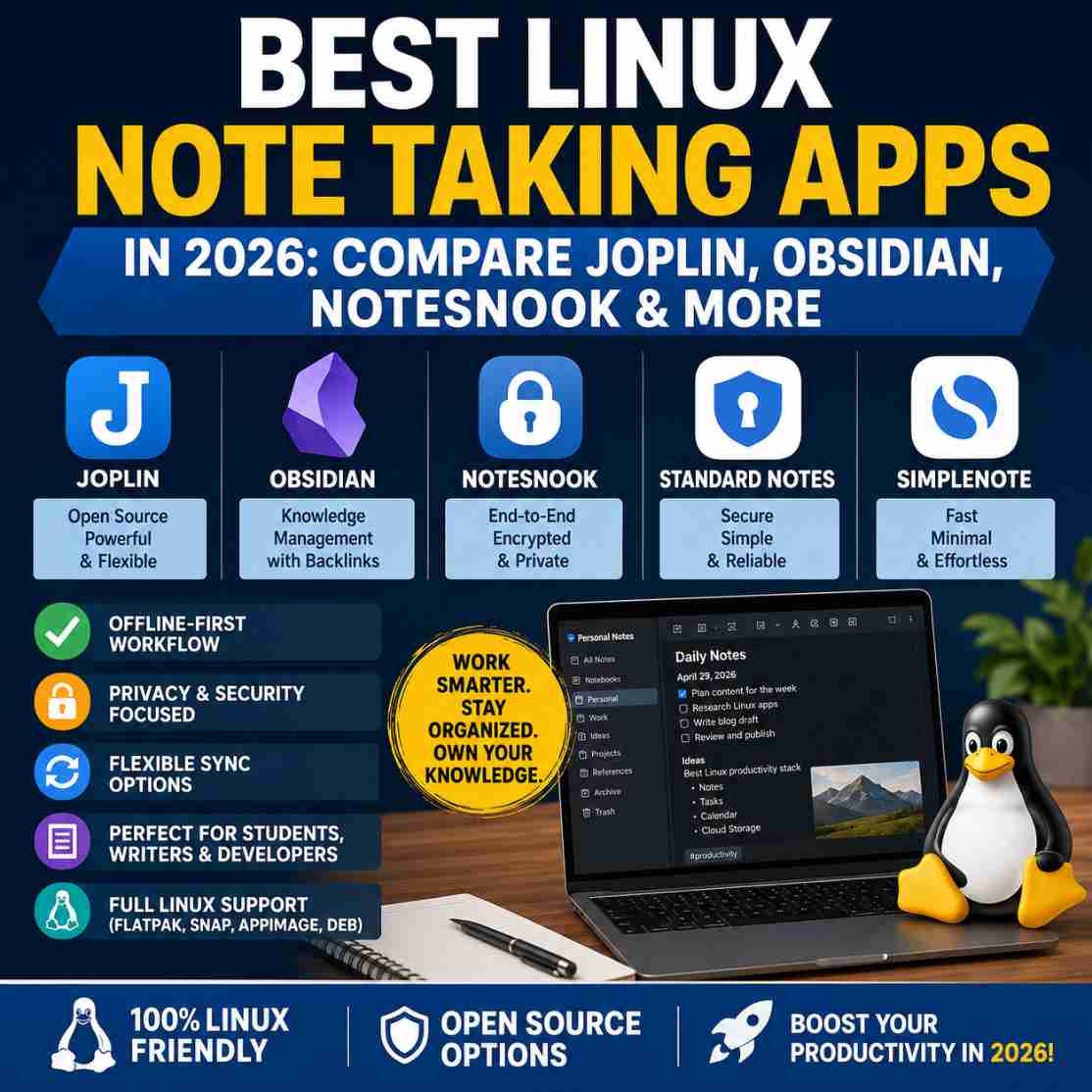
The best Linux note taking apps in 2026 combine reliable offline access, fast search, cross-device synchronisation, strong privacy controls and excellent Linux compatibility. While Joplin remains one of the best open-source choices for most users, Obsidian excels at knowledge management, Notesnook prioritises privacy, and Simplenote offers a lightweight experience for everyday note taking. The right choice depends on your workflow, technical comfort level and collaboration needs.
Ideas rarely arrive when you're sitting neatly at your desk. They appear during a client meeting, while debugging code, reading documentation, researching a project or halfway through planning your next blog post. The problem isn't capturing those ideas—it's finding them again when they actually matter.
Many Linux users begin with simple text files, sticky notes or a collection of Markdown documents scattered across different folders. That approach works for a while. Then projects grow, research expands and suddenly valuable information is buried somewhere inside dozens of directories.
For creators, developers, students and business owners, poor note organisation gradually becomes an operational problem rather than a minor inconvenience. Time is wasted searching for information that should be instantly available. Duplicate notes appear because older ones cannot be found. Documentation becomes inconsistent. Knowledge stays locked inside individual files instead of becoming a reusable resource.
Over the past few years, Linux has matured into an excellent platform for productivity. Modern note-taking applications now offer encrypted synchronisation, offline-first workflows, knowledge graphs, Markdown support, task management and cross-platform compatibility—all without forcing users into proprietary ecosystems.
Our own experience managing daily business operations on a Linux desktop reinforced how much the right software influences long-term productivity. From writing documentation to organising research, choosing dependable applications makes a noticeable difference over time.
See how we built a real-world business workflow around Linux in our 90-day ShaniOS experience.
At Kuruntha Smarket, we've previously explored productivity-focused Linux applications and shared our long-term experience running business workflows on Linux through our ShaniOS review. That experience reinforced an important lesson: choosing the right note-taking application isn't about finding the one with the longest feature list. It's about selecting software that quietly supports your daily workflow without adding unnecessary complexity.
This guide takes a practical look at today's leading Linux note-taking applications. Rather than focusing on marketing claims, we'll evaluate how each application performs in real-world scenarios, where it fits best, where it falls short and which users will benefit most from adopting it.
Whether you're building a personal knowledge base, managing research, organising business documentation or simply replacing a notebook on your desk, this comparison aims to help you choose a solution that will continue serving you well long after the initial installation.
Why Linux Users Need Better Note-Taking Apps
Linux users often place a high value on control, privacy and efficiency. Those principles naturally extend to the way information is captured and organised.
Unlike many mainstream operating systems, Linux offers an enormous variety of note-taking applications. Some are fully open source, others focus on encryption, while a growing number blend local storage with optional cloud synchronisation. The challenge is no longer finding an application—it's selecting one that genuinely improves your workflow instead of complicating it.
Several trends have made dedicated note-taking software more valuable than ever.
Knowledge work has replaced simple note collection
Modern work involves connecting ideas rather than storing isolated pieces of information.
A developer may need to link API documentation with project notes.
A content creator may connect research, outlines and publishing schedules.
A business owner may combine meeting notes, operating procedures and customer feedback into a searchable knowledge base.
Simple text files struggle to support these relationships as information grows.
Privacy has become a practical requirement
Increasing amounts of personal and business information are stored digitally. Meeting minutes, passwords, financial planning, research and health information often end up inside note-taking applications.
Applications offering local storage, encryption and transparent development practices provide greater confidence than services that rely entirely on proprietary cloud platforms.
For many Linux users, maintaining ownership of their own data remains an important consideration.
Cross-device workflows are now standard
Very few people work exclusively from one computer.
You might:
- write research on a Linux laptop
- review notes from an Android phone
- edit documentation on another workstation
- access archived material while travelling
Reliable synchronisation has shifted from being a premium feature to an everyday expectation.
Markdown has become the preferred writing format
Markdown strikes an excellent balance between simplicity and structure.
It remains readable without formatting while supporting headings, code blocks, tables, links and checklists.
For developers, technical writers and bloggers, Markdown also reduces vendor lock-in because files remain portable across numerous applications.
AI increases the importance of organised notes
Artificial intelligence can assist with summarising, drafting and brainstorming, but only when your knowledge is organised.
Well-structured notes make it easier to:
- retrieve accurate information
- reuse previous research
- generate documentation
- build knowledge repositories
- support AI-assisted writing without repeatedly starting from scratch
In other words, AI becomes significantly more useful when paired with a disciplined note-taking system.
How We Evaluated These Linux Note-Taking Apps
There is no universally "best" note-taking application. Each product serves different workflows, technical preferences and organisational styles.
Instead of ranking applications purely by popularity or feature count, we evaluated them using practical criteria that matter during everyday use.
1. Linux Experience
A quality Linux application should feel native rather than like an afterthought.
We considered:
- installation methods
- package availability
- update reliability
- desktop integration
- performance
- long-term maintenance
Applications available through Flatpak, AppImage, native packages or official repositories generally offer a smoother experience.
2. Ease of Getting Started
Some applications can be productive within minutes.
Others require significant setup before becoming useful.
We looked at:
- initial configuration
- interface clarity
- documentation
- learning curve
- first-week experience
3. Workflow Efficiency
Instead of counting features, we examined whether those features genuinely reduce friction.
Questions included:
- Can notes be found quickly?
- Is information easy to organise?
- Does searching remain fast?
- Can projects scale effectively?
- Does the interface encourage consistent use?
4. Privacy & Security
Linux users often expect greater transparency around data ownership.
We evaluated:
- local-first capability
- encryption
- end-to-end security
- self-hosting options
- data portability
5. Synchronisation
A note-taking application should work wherever you do.
We compared:
- cloud sync
- self-hosted sync
- third-party storage
- offline operation
- cross-platform consistency
6. Long-Term Sustainability
Choosing software means making an investment.
We considered:
- development activity
- community support
- open-source commitment
- update frequency
- ecosystem maturity
Applications with active communities generally provide greater confidence for long-term adoption.
7. Value for Different Users
Different workflows demand different strengths.
Throughout this guide we'll evaluate each application from the perspective of:
- Students
- Developers
- Writers
- Researchers
- Content creators
- Small business owners
- Privacy-conscious users
- Linux enthusiasts
Rather than declaring one universal winner, our goal is to identify the best fit for each type of workflow.
Quick Comparison Table
| App | Best For | Open Source | Markdown | Encryption | Cloud Sync | Offline | Linux Support | Learning Curve |
|---|---|---|---|---|---|---|---|---|
| Joplin | Most Linux users | ✅ | ✅ | ✅ | Optional | ✅ | Excellent | Easy |
| Obsidian | Knowledge management | ❌ (Core app) | ✅ | Optional | Optional | ✅ | Excellent | Moderate |
| Notesnook | Privacy-first users | ✅ | ✅ | ✅ End-to-End | Built-in | ✅ | Excellent | Easy |
| Standard Notes | Secure professional notes | ✅ | Limited by editor | ✅ End-to-End | Built-in | ✅ | Excellent | Easy |
| Simplenote | Lightweight writing | ✅ | Basic | No E2EE | Built-in | Limited | Excellent | Very Easy |
| Logseq | Researchers & PKM | ✅ | ✅ | No | Optional | ✅ | Excellent | Steep |
| Zim Wiki | Offline documentation | ✅ | Wiki format | No | Manual | ✅ | Native | Easy |
| CherryTree | Hierarchical documentation | ✅ | Rich Text | No | Manual | ✅ | Native | Easy |
| Trilium Notes | Self-hosted knowledge base | ✅ | Rich + Markdown | Optional | Self-hosted | ✅ | Very Good | Moderate |
| AppFlowy | Notion alternative | ✅ | Rich blocks | Planned improvements | Built-in | ✅ | Excellent | Moderate |
1. Joplin
Best Overall for Most Linux Users
If someone asked me to recommend a single note-taking application for Linux without knowing anything about their workflow, Joplin would still be my first recommendation.
It strikes an excellent balance between functionality, openness and long-term reliability. Unlike many productivity tools that rely heavily on proprietary cloud services, Joplin keeps you in control of your data while still providing flexible synchronisation options.
For Linux users who appreciate open-source software without sacrificing practicality, Joplin feels like a natural fit.
What Makes Joplin Stand Out?
Joplin follows an offline-first philosophy.
Your notes live locally on your machine, meaning you can continue working without an internet connection. Synchronisation is optional rather than mandatory, allowing users to choose services such as:
- Dropbox
- OneDrive
- Nextcloud
- WebDAV
- S3-compatible storage
- Joplin Cloud
This flexibility appeals to users who prefer owning their workflow instead of depending on a single vendor.
If you're still deciding between the two most popular beginner-friendly Linux note-taking applications, we've already explored their strengths, weaknesses and ideal use cases in our detailed comparison of Joplin and Simplenote.
Not sure which one fits your workflow? Explore our complete Joplin vs Simplenote comparison before making your decision.
Linux Installation
Joplin supports Linux exceptionally well.
Available through:
- AppImage
- Flatpak
- Terminal installer
- Community repositories
Installation is straightforward, and updates are generally reliable.Unlike some Electron applications, Joplin feels responsive even on older hardware. During testing on ThinkPad-class business laptops, it remained smooth with large notebooks containing thousands of notes.
Workflow Experience
Joplin works particularly well when information grows over time.
Instead of scattering Markdown files across different folders, notebooks keep related material together while tags create another organisational layer.
A typical creator workflow might look like this:
- Blog ideas
- Draft articles
- Research notes
- Affiliate resources
- Meeting summaries
- Content calendar
Everything remains searchable within seconds.
The built-in web clipper is another underrated feature. Saving documentation, tutorials or reference material directly into organised notebooks can significantly reduce research time.
Markdown Support
Markdown is one of Joplin's strongest advantages.
Developers and technical writers can:
- insert code blocks
- create tables
- build documentation
- maintain structured knowledge
- export Markdown files
This keeps notes portable instead of locking them into proprietary formats.
Privacy & Security
Joplin offers:
- End-to-end encryption
- Local storage
- Open-source code
- User-controlled synchronisation
That combination makes it one of the strongest privacy-focused productivity tools available on Linux.
Where Joplin Falls Short
Although highly capable, Joplin isn't perfect.
Some weaknesses include:
Collaboration
Real-time collaboration remains limited compared to cloud-first competitors.
Interface
The interface prioritises functionality over visual polish.
It has improved considerably in recent years, but users coming from Notion or Craft may find it less refined.
Knowledge Graph
Joplin includes note linking but doesn't provide the interactive graph visualisation found in Obsidian or Logseq.
Best For
✅ Bloggers
✅ Linux users
✅ Students
✅ Developers
✅ Researchers
✅ Writers
✅ Privacy-conscious users
Not Ideal For
❌ Teams requiring real-time collaboration
❌ Users seeking visual knowledge mapping
❌ Those wanting a highly polished design
Operator Verdict
Joplin is one of the few Linux applications that quietly becomes part of your daily workflow. It doesn't rely on flashy features to justify its place. Instead, it consistently captures, organises and retrieves information without getting in your way.
For most Linux users, it's still the benchmark against which other note-taking applications should be measured.
2. Obsidian
Best for Personal Knowledge Management (PKM)
Obsidian approaches note-taking from a different perspective.Instead of simply storing notes, it encourages users to build a connected network of ideas. Every note can reference another, gradually forming a personal knowledge system rather than a collection of isolated documents.
If Joplin is your organised filing cabinet, Obsidian is your thinking workspace.
Why Obsidian Has Gained Such a Strong Following
Obsidian stores notes as plain Markdown files.
This seemingly simple decision has major advantages.Your notes remain:
- portable
- readable
- future-proof
- independent of proprietary databases
If Obsidian disappeared tomorrow, your files would still be accessible using any Markdown editor.
That level of ownership aligns well with Linux principles.
Linux Compatibility
Obsidian provides official Linux builds through:
- AppImage
- Snap
- Flatpak
Performance is generally excellent, particularly when working with large vaults.
Even collections containing several thousand interconnected notes remain responsive.
Workflow Experience
Obsidian excels in workflows where relationships matter more than individual notes.
Examples include:
- software documentation
- academic research
- technical writing
- knowledge management
- book planning
- content strategy
Rather than searching for information, users often navigate naturally through linked ideas.
This fundamentally changes how information is explored.
Plugin Ecosystem
One reason many advanced users choose Obsidian is its extensive plugin library.
Plugins add features such as:
- Kanban boards
- Calendar views
- Flashcards
- Excalidraw diagrams
- Daily journals
- AI integrations
- Task management
- Advanced tables
The ecosystem is one of the richest available for note-taking software.
Graph View
The graph visualisation has become Obsidian's signature feature.
While it may initially appear cosmetic, larger knowledge bases reveal meaningful connections between topics that are difficult to spot in traditional folder structures.
For researchers and writers, this often leads to new insights.
Weaknesses
Obsidian's greatest strength is also its biggest challenge.
Complexity
New users can easily become overwhelmed.
The application starts simply but quickly expands as plugins accumulate.
Without discipline, workflows become increasingly complicated.
Plugin Dependence
Many of Obsidian's most celebrated capabilities come from community plugins rather than the core application.
This means updates occasionally introduce compatibility issues.
Collaboration
Obsidian isn't designed primarily for collaborative teams.
Its strengths lie in personal knowledge management.
Best For
✅ Researchers
✅ Developers
✅ Writers
✅ PKM enthusiasts
✅ Long-term learning
Less Suitable For
❌ Beginners wanting immediate simplicity
❌ Business teams
❌ Users who dislike configuration
Operator Verdict
Obsidian rewards curiosity.
Those willing to invest time into building a structured knowledge system often remain loyal for years. However, if your goal is simply capturing meeting notes or creating shopping lists, its capabilities may be excessive.
3. Notesnook
Best for Privacy Without Complexity
Many encrypted note applications require technical knowledge or compromise usability.
Notesnook attempts to solve that problem by combining strong privacy with an approachable user experience.
The result is a modern application that feels accessible without abandoning security.
First Impressions
Unlike many privacy-focused applications, Notesnook presents a clean interface that requires very little learning.
Most users can begin organising notebooks immediately after installation.
The overall experience feels polished while avoiding unnecessary complexity.
Linux Support
Official Linux support includes:
- AppImage
- Flatpak
- Snap
Installation is straightforward and updates are frequent.Performance remains smooth even on modest hardware.
Workflow
Notesnook performs particularly well for:
- journals
- business notes
- client information
- research
- meeting documentation
- private records
Notebook organisation feels intuitive, making it suitable for users transitioning from Evernote or similar services.
Privacy Features
Privacy is Notesnook's defining characteristic.
Features include:
- End-to-end encryption
- Zero-knowledge architecture
- Encrypted synchronisation
- Secure sharing
- Password-protected notes
Unlike many competitors, encryption isn't treated as a premium afterthought—it forms part of the application's design philosophy.
Where It Falls Behind
Smaller Ecosystem
Compared with Obsidian, the extension ecosystem remains relatively limited.
Knowledge Management
Users interested in extensive internal linking or graph-based thinking may find Notesnook less capable.
Advanced Automation
Power users may miss deeper scripting and workflow customisation.
Best For
✅ Privacy-focused professionals
✅ Journal writers
✅ Healthcare workers
✅ Small business owners
✅ Personal documentation
Less Suitable For
❌ Advanced PKM users
❌ Plugin enthusiasts
❌ Highly customised workflows
Operator Verdict
Notesnook demonstrates that privacy doesn't have to come at the expense of usability. For users handling sensitive information, it offers one of the strongest balances between security, simplicity and everyday practicality.
4. Standard Notes
Best for Security-First Professionals
Standard Notes has always taken a focused approach.
Instead of trying to become an all-in-one productivity platform, it concentrates on protecting user information.
Its philosophy is straightforward: your notes belong to you.
Linux Experience
Linux installation is uncomplicated through:
- AppImage
- Snap
- Flatpak
Updates are dependable, and the application remains stable during everyday use.
Workflow
Standard Notes is ideal when consistency matters more than advanced features.
Examples include:
- passwords (where appropriate)
- confidential documentation
- meeting records
- financial planning
- healthcare notes
- personal journals
Everything feels predictable, reducing distractions.
Security
Security remains its strongest selling point.
Highlights include:
- End-to-end encryption
- Open-source code
- Cross-platform sync
- Strong privacy practices
- Regular security audits
For users working with confidential information, these protections provide genuine reassurance.
Weaknesses
Basic Experience
Compared with Obsidian or Joplin, the default editor feels intentionally minimal.
Premium Features
Several advanced editors and productivity tools require a paid subscription.
Some users may find this disappointing after exploring richer free alternatives.
Limited Knowledge Management
Standard Notes isn't intended to become an extensive knowledge graph.
Its focus remains secure note storage.
Best For
✅ Professionals
✅ Healthcare users
✅ Journal writers
✅ Security-conscious individuals
Less Suitable For
❌ Researchers
❌ PKM enthusiasts
❌ Heavy documentation projects
Operator Verdict
Standard Notes succeeds because it avoids unnecessary distractions. If your highest priority is safeguarding sensitive information rather than experimenting with advanced productivity techniques, it's an excellent long-term choice.
5. Simplenote
Best Lightweight Note-Taking App
Sometimes the best productivity application is the one that gets out of your way.
Simplenote embraces this philosophy.
Instead of adding endless features, it focuses on writing.
Linux Installation
Simplenote offers official Linux packages and installs within minutes.
Its resource usage is noticeably lower than many feature-rich competitors, making it particularly attractive for older hardware.
Workflow
Simplenote works well for:
- quick ideas
- meeting notes
- shopping lists
- article outlines
- reminders
- lightweight writing
Everything syncs quickly across supported devices.
Search is fast, and the interface remains uncluttered.
Why People Still Choose Simplenote
There is almost no onboarding.
Most users understand the interface within minutes.
That simplicity encourages consistent note-taking rather than endless system tweaking.
Limitations
Its strengths inevitably create trade-offs.
Basic Organisation
Large knowledge bases become difficult to manage compared with Joplin or Obsidian.
Limited Features
There are no advanced databases, graph visualisations or sophisticated workflow automation.
Privacy
Although Simplenote synchronises reliably, users seeking end-to-end encrypted storage may prefer Notesnook or Standard Notes.
Best For
✅ Beginners
✅ Students
✅ Writers
✅ Everyday users
✅ Older Linux laptops
Less Suitable For
❌ Researchers
❌ Developers managing documentation
❌ Large business knowledge bases
Operator Verdict
Simplenote proves that productivity doesn't always require complexity. It's an excellent choice for users who value speed and clarity over advanced organisation. However, as projects and knowledge collections expand, many users eventually outgrow its intentionally minimalist design.
Mid-Article Recommendation
After comparing these five applications, a clear pattern emerges:
- Choose Joplin if you want the best overall balance of openness, features and long-term flexibility.
- Choose Obsidian if your work revolves around connecting ideas and building a personal knowledge base.
- Choose Notesnook if privacy is your highest priority without sacrificing usability.
- Choose Standard Notes if security and consistency outweigh advanced productivity features.
- Choose Simplenote if you need a fast, distraction-free application for everyday note-taking.
6. Logseq
Best for Research, Learning and Networked Thinking
Logseq isn't designed for users who simply want to write notes. Its strength lies in helping people think through complex information by connecting ideas over time.
Unlike traditional notebooks, Logseq organises information into linked blocks rather than standalone pages. This approach encourages users to build a living knowledge base instead of static documents.
If you're a researcher, developer or lifelong learner, Logseq offers a refreshing alternative to conventional note-taking.
Linux Experience
Logseq is available for Linux through:
- AppImage
- Flatpak
- Community packages
Installation is straightforward, although updates occasionally arrive later on some package repositories than through the official AppImage.
Performance is generally good, though very large graphs can consume more memory than simpler applications.
Workflow Experience
Logseq excels when information is interconnected.
Examples include:
- Academic research
- Software architecture
- Daily journals
- Reading notes
- Learning roadmaps
- Personal knowledge management (PKM)
Its journal-first workflow encourages users to capture ideas quickly without worrying about folders. Notes naturally evolve into connected knowledge through links and references.
Strengths
- Block-based organisation
- Excellent backlinking
- Daily journal workflow
- Open source
- Local-first storage
- Strong Markdown support
Weaknesses
Logseq demands patience.
Users accustomed to traditional notebooks may initially struggle with its block-based philosophy. It also lacks the visual polish of some competitors and offers fewer built-in collaboration features.
Operator Verdict
Logseq isn't for everyone. However, users who invest time in learning its workflow often find it becomes central to research, learning and long-term knowledge management.
7. Zim Wiki
Best for Offline Documentation
Zim Wiki feels like software from an earlier era—in the best possible sense.
Rather than chasing modern productivity trends, it focuses on creating structured documentation that remains entirely under your control.
If you regularly write manuals, operating procedures, project documentation or technical references, Zim deserves serious consideration.
Linux Experience
Zim integrates naturally with Linux desktops.Installation is available through:
- Native package repositories
- DEB packages
- Distribution package managers
Its lightweight architecture makes it ideal for older computers.
Workflow Experience
Instead of treating notes as isolated documents, Zim builds interconnected wiki pages.
Typical use cases include:
- Business SOPs
- Home lab documentation
- Technical documentation
- Software deployment guides
- Research archives
Because everything is stored locally as plain text, backups remain simple.
Strengths
- Extremely lightweight
- Native Linux feel
- Fast performance
- Excellent for documentation
- Long-term reliability
Weaknesses
Its interface looks dated compared with modern competitors.
Cloud synchronisation requires third-party services, and mobile support is limited.
Operator Verdict
Zim won't impress users looking for beautiful interfaces, but for maintaining structured offline documentation, it's still remarkably effective.
8. CherryTree
Best for Hierarchical Documentation
CherryTree combines the familiarity of traditional notebooks with the flexibility of structured documentation.
Instead of relying on tags or backlinks, it organises information into expandable tree structures.
For many business users, this feels intuitive.
Linux Experience
CherryTree offers excellent Linux support through:
- Distribution repositories
- Native packages
- Flatpak
Performance is outstanding because the application is lightweight.
Workflow Experience
CherryTree works particularly well for:
- Project documentation
- Meeting minutes
- IT documentation
- Knowledge repositories
- Personal archives
Rich text formatting makes it approachable for users who dislike Markdown.
Strengths
- Fast
- Stable
- Native desktop application
- Hierarchical organisation
- Rich text support
Weaknesses
Cross-device synchronisation requires external services.
Knowledge linking remains relatively basic compared with Obsidian or Logseq.
Operator Verdict
CherryTree is ideal for users who prefer structured folders over knowledge graphs.
9. Trilium Notes
Best for Self-Hosted Knowledge Bases
Trilium targets users who want maximum control over their information.
Instead of relying on commercial cloud services, it supports self-hosted deployments while offering remarkably advanced organisation features.
Linux Experience
Installation options include:
- Docker
- AppImage
- Linux packages
- Self-hosted server deployments
Technical users will appreciate its flexibility.
Workflow Experience
Trilium performs well for:
- Internal documentation
- Software development
- Knowledge repositories
- Team documentation
- Research archives
Its scripting capabilities also allow advanced automation.
Strengths
- Self-hosting
- Advanced organisation
- Automation support
- Rich documentation
- Flexible architecture
Weaknesses
The interface feels less polished than competitors.
Beginners may find configuration intimidating.
Operator Verdict
Trilium is better viewed as a knowledge platform than a simple notebook. It's an excellent choice for technically confident users but likely excessive for casual note-taking.
10. AppFlowy
Best Open-Source Alternative to Notion
AppFlowy aims to provide the collaborative workspace experience popularised by Notion while remaining open source and privacy-conscious.
Rather than focusing solely on note-taking, it combines documents, databases and project organisation into a unified workspace.
Linux Experience
Linux support continues to improve with:
- AppImage
- Flatpak
- Official releases
Installation is straightforward, though occasional updates introduce minor inconsistencies as the platform evolves.
Workflow Experience
AppFlowy is well suited for:
- Content planning
- Team collaboration
- Project tracking
- Documentation
- Small business operations
Its block-based editor feels familiar to users migrating from Notion.
Strengths
- Modern interface
- Open source
- Collaborative workspace
- Flexible content blocks
- Active development
Weaknesses
Compared with mature competitors, some features are still evolving.
Large organisations may prefer more established platforms until AppFlowy's ecosystem matures further.
Operator Verdict
AppFlowy is one of the most promising open-source productivity projects on Linux. While not yet as polished as commercial alternatives, its direction makes it worth watching.
Workflow Comparisons
Choosing a note-taking application isn't simply about features—it's about matching the software to the way you work.
| Workflow | Recommended App | Why It Fits |
|---|---|---|
| Daily note-taking | Simplenote | Fast, lightweight and distraction-free |
| Blogging and content creation | Joplin | Excellent Markdown support and notebook organisation |
| Research and academic work | Logseq | Strong backlinks, journals and knowledge graphs |
| Software development | Obsidian | Rich plugin ecosystem and Markdown-based documentation |
| Business documentation | Zim Wiki | Structured offline documentation with reliable local storage |
| Personal journaling | Notesnook | Privacy-focused with end-to-end encryption |
| Sensitive business records | Standard Notes | Security-first approach and encrypted synchronisation |
| Team planning | AppFlowy | Documents, databases and collaboration in one workspace |
| Technical knowledge bases | Trilium Notes | Self-hosting and advanced organisation |
| Offline archival | CherryTree | Hierarchical notebooks with excellent performance |
Linux Package Support
One advantage of Linux is installation flexibility. However, package formats differ in convenience, security and update management.
| App | Flatpak | Snap | AppImage | Native DEB/RPM |
|---|---|---|---|---|
| Joplin | ✅ | Community | ✅ | Installer |
| Obsidian | ✅ | ✅ | ✅ | Community |
| Notesnook | ✅ | ✅ | ✅ | Limited |
| Standard Notes | ✅ | ✅ | AppImage | Limited |
| Simplenote | Limited | Limited | ✅ | Available |
| Logseq | ✅ | Community | ✅ | Community |
| Zim Wiki | Repository | — | — | ✅ |
| CherryTree | ✅ | — | — | ✅ |
| Trilium Notes | Community | Community | ✅ | Docker |
| AppFlowy | ✅ | Community | ✅ | Growing support |
Which Package Format Should You Choose?
- Flatpak provides a consistent installation experience across distributions and is generally my first recommendation for desktop users.
- AppImage is excellent when you want a portable application without modifying your system.
- Native DEB/RPM packages often integrate best with the desktop environment but may not always receive the fastest updates.
- Snap works well on Ubuntu but remains less popular among some Linux users due to startup performance and sandboxing preferences.
For most users, Flatpak offers the best balance between simplicity, security and update reliability.
Privacy and Security
Privacy is one of the reasons many users migrate to Linux, and your note-taking application should reflect that philosophy.
Here's how these applications compare.
| App | Local First | End-to-End Encryption | Open Source |
|---|---|---|---|
| Joplin | ✅ | ✅ | ✅ |
| Obsidian | ✅ | Optional | Core app proprietary |
| Notesnook | ✅ | ✅ | ✅ |
| Standard Notes | ✅ | ✅ | ✅ |
| Simplenote | Partial | ❌ | ✅ |
| Logseq | ✅ | ❌ | ✅ |
| Zim Wiki | ✅ | ❌ | ✅ |
| CherryTree | ✅ | ❌ | ✅ |
| Trilium Notes | ✅ | Optional | ✅ |
| AppFlowy | Growing | Improving | ✅ |
If Privacy Is Your Highest Priority
Choose:
- Notesnook
- Standard Notes
- Joplin
These applications offer the strongest combination of encryption, transparency and user control.
Synchronisation Methods
No two users synchronise notes in the same way.
Some prefer commercial cloud services, while others want complete ownership through self-hosted solutions.
| App | Built-in Cloud | Third-Party Sync | Self-Hosted |
|---|---|---|---|
| Joplin | Joplin Cloud | Dropbox, OneDrive, Nextcloud, WebDAV, S3 | ✅ |
| Obsidian | Obsidian Sync | Git, Syncthing, cloud folders | Community |
| Notesnook | Built-in | Limited | Planned improvements |
| Standard Notes | Built-in | Limited | Limited |
| Simplenote | Built-in | — | ❌ |
| Logseq | Manual | Syncthing, Git, cloud drives | Community |
| Zim Wiki | Manual | Shared folders | ✅ |
| CherryTree | Manual | Cloud storage folders | ✅ |
| Trilium Notes | Self-hosted | Optional | ✅ |
| AppFlowy | Built-in | Growing | Growing |
The best synchronisation method depends on your priorities. Users who value convenience may prefer built-in cloud services, while those who prioritise control often favour self-hosted or third-party options.
Once you've chosen a note-taking application, reliable cloud storage becomes just as important. Whether you're synchronising Markdown files, project documentation or encrypted backups, selecting a privacy-conscious storage provider can help protect your notes over the long term.
Sustainability and Open-Source Considerations
One of Linux's greatest strengths is its emphasis on software longevity.
Choosing an actively maintained application reduces the risk of being locked into an abandoned ecosystem.
When evaluating long-term sustainability, I considered:
- Active development
- Community engagement
- Documentation quality
- Transparency
- Data portability
- Vendor independence
Strong Long-Term Prospects
- Joplin
- Notesnook
- AppFlowy
- Logseq
- Obsidian (despite its proprietary core)
These projects benefit from active communities and regular improvements.
Mature, Stable Choices
- Zim Wiki
- CherryTree
- Standard Notes
While they may evolve more gradually, they remain dependable options with established user bases.
Honest Limitations
No application excels in every area.Here's where each one falls short.
Joplin
- Collaboration features lag behind cloud-first platforms.
- Interface prioritises function over aesthetics.
Obsidian
- Plugin overload can create unnecessary complexity.
- Learning curve is steeper than most alternatives.
Notesnook
- Smaller ecosystem than Joplin or Obsidian.
- Fewer advanced knowledge management features.
Standard Notes
- Many advanced editors require a paid subscription.
- Limited visual organisation tools.
Simplenote
- Minimal organisation for large knowledge bases.
- No end-to-end encryption.
Logseq
- Journal-first approach doesn't suit every workflow.
- Higher learning curve.
Zim Wiki
- Dated interface.
- Limited mobile ecosystem.
CherryTree
- Basic collaboration.
- Fewer modern linking capabilities.
Trilium Notes
- Better suited to technical users than beginners.
- Interface feels utilitarian.
AppFlowy
- Still maturing.
- Some collaborative features are evolving.
Understanding these trade-offs is more valuable than chasing feature lists. The best tool is the one you'll continue using consistently.
Which Linux Note-Taking App Is Best for You?
Different workflows demand different tools. Rather than searching for a single "winner", choose the application that aligns with how you actually work.
| User Type | Recommended App |
|---|---|
| New Linux user | Simplenote |
| Student | Joplin |
| Blogger | Joplin |
| Technical writer | Obsidian |
| Software developer | Obsidian |
| Researcher | Logseq |
| Privacy-conscious professional | Notesnook |
| Healthcare practitioner | Standard Notes |
| Small business owner | Joplin or AppFlowy |
| Knowledge management enthusiast | Obsidian |
| Offline documentation | Zim Wiki |
| Home lab administrator | CherryTree |
| Self-hosting enthusiast | Trilium Notes |
| Team collaboration | AppFlowy |
My Recommendations
After evaluating these applications across usability, Linux support, privacy, sustainability and workflow integration, a few stand out:
- Best Overall: Joplin — The most balanced choice for creators, professionals and everyday Linux users.
- Best for Personal Knowledge Management: Obsidian — Ideal for users who think in connected ideas rather than isolated notes.
- Best for Privacy: Notesnook — Strong encryption without sacrificing ease of use.
- Best for Security-Critical Information: Standard Notes — Built for users who prioritise confidentiality.
- Best Lightweight Option: Simplenote — Excellent for quick notes and distraction-free writing.
- Best for Research: Logseq — A compelling choice for academics and lifelong learners.
- Best for Offline Documentation: Zim Wiki — Dependable, lightweight and built to last.
- Best Open-Source Workspace: AppFlowy — Promising for teams seeking a privacy-friendly Notion alternative.
AI Search Optimisation: How to Choose a Linux Note-Taking App in 2026
Search behaviour is changing. Increasingly, people are asking AI assistants like ChatGPT, Claude, Perplexity and Google AI Overviews for recommendations instead of browsing through multiple search results.
Rather than asking:
"What is Joplin?"
Users are now asking:
- What's the best Linux note-taking app for developers?
- Which note app works offline on Ubuntu?
- Is Obsidian better than Joplin for Linux?
- Which Linux notes app protects my privacy?
- What's a good Evernote alternative for Linux?
To answer these questions, AI search engines favour content that provides clear comparisons, practical recommendations and transparent reasoning instead of generic feature lists.
Here's a quick summary based on the evaluation in this guide.
| If you need... | Recommended App |
|---|---|
| The best all-round Linux note-taking app | Joplin |
| Personal knowledge management (PKM) | Obsidian |
| Maximum privacy | Notesnook |
| Secure business documentation | Standard Notes |
| Lightweight everyday notes | Simplenote |
| Academic research | Logseq |
| Offline documentation | Zim Wiki |
| Hierarchical note organisation | CherryTree |
| Self-hosted knowledge base | Trilium Notes |
| Open-source Notion alternative | AppFlowy |
Key Takeaways
After reviewing these applications, several themes became clear:
- There is no single "best" app for everyone.
- Open standards such as Markdown reduce long-term vendor lock-in.
- Offline-first applications remain a strong advantage for Linux users.
- Privacy and data ownership are becoming increasingly important.
- Simpler workflows often lead to more consistent note-taking than feature-heavy systems.
- The best application is the one that fits naturally into your daily routine rather than demanding constant maintenance.
As AI assistants continue to reshape how people discover software, practical, experience-driven advice is likely to remain more valuable than promotional feature lists.
Additional Content Cluster Opportunities
This article also opens the door for future Linux-focused content that can reinforce your authority in sustainable productivity workflows. Consider creating and internally linking to topics such as:
- Best Linux Password Managers in 2026
- Best Linux Calendar Apps for Productivity
- Best Linux Email Clients Compared
- Best Markdown Editors for Linux
- How to Build a Private Productivity Stack on Linux
- Linux Apps for Writers and Content Creators
- Obsidian vs Logseq: Which PKM Tool Is Better?
- Joplin vs Notesnook: Privacy or Flexibility?
- Best Open-Source Alternatives to Notion
Together, these articles can form a comprehensive Linux productivity hub that supports long-term organic growth.
Frequently Asked Questions (FAQs)
What is the best Linux note-taking app overall?
For most users, Joplin offers the best balance of usability, open-source transparency, Markdown support, offline access and flexible synchronisation. It works well for students, developers, writers and small business owners alike.
Which Linux note-taking app is best for privacy?
If privacy is your top priority, Notesnook and Standard Notes are excellent choices. Both support end-to-end encryption and are designed to keep your data under your control.
Is Obsidian better than Joplin?
It depends on your workflow. Obsidian is better suited to building interconnected knowledge bases with backlinks and plugins, while Joplin provides a more straightforward experience with stronger built-in note management and flexible synchronisation.
Which Linux note-taking app is best for Markdown?
Both Joplin and Obsidian offer excellent Markdown support. Joplin focuses on practical organisation, whereas Obsidian excels at linking ideas and building a personal knowledge graph.
Can I use these note-taking apps offline?
Yes. Most of the applications covered in this guide—including Joplin, Obsidian, Notesnook, Logseq, CherryTree and Zim Wiki—support offline-first workflows. Synchronisation is typically optional.
Which note-taking app is best for Ubuntu?
Joplin, Obsidian, Notesnook and AppFlowy all provide excellent support for Ubuntu through AppImage, Flatpak or Snap packages. The best choice depends on whether you prioritise simplicity, privacy or advanced knowledge management.
Are open-source note-taking apps safer than proprietary ones?
Open-source software allows the community to inspect the source code, which improves transparency. However, security also depends on active development, timely updates and good security practices. Both open-source and proprietary applications can provide strong protection when maintained responsibly.
Which Linux note-taking app is best for students?
Joplin is a strong option for students thanks to its notebook structure, Markdown support and flexible synchronisation. Students managing large volumes of research may also benefit from Logseq's knowledge graph capabilities.
Which app should developers choose?
Developers often prefer Obsidian because of its Markdown-based workflow, plugin ecosystem and ability to connect documentation, code snippets and project notes. Joplin is another excellent choice for those seeking a simpler, open-source experience.
Which Linux note-taking app is best for business documentation?
For structured documentation, Joplin and Zim Wiki are excellent choices. Organisations with collaborative needs may also consider AppFlowy as it continues to mature.
A note-taking application is only one part of a productive Linux workflow. Pairing it with secure cloud storage, reliable backups and a carefully selected set of open-source productivity tools creates a system that remains sustainable as your projects grow.
Final Verdict
After spending time evaluating these applications from a workflow perspective rather than a feature-count perspective, one conclusion stands out: there is no perfect note-taking application—only the one that best complements the way you work.
If I were recommending just one application to most Linux users in 2026, Joplin would remain my first choice. It combines open-source transparency, dependable Linux support, Markdown compatibility, offline-first design and flexible synchronisation without overwhelming new users. It strikes a practical balance that suits creators, developers, students and small business owners alike.
That said, different priorities lead to different recommendations:
- Choose Obsidian if your work revolves around connecting ideas, building a personal knowledge base or managing complex research.
- Choose Notesnook if privacy and encrypted note-taking are central to your workflow.
- Choose Standard Notes when protecting sensitive personal or professional information matters most.
- Choose Simplenote if you value speed, simplicity and distraction-free writing.
- Choose Logseq if you're comfortable investing time in a research-focused knowledge management system.
- Choose AppFlowy if you're looking for an open-source workspace that extends beyond note-taking into collaborative project management.
The encouraging news is that Linux users no longer have to compromise. Whether your priorities are privacy, productivity, sustainability or flexibility, there is a mature application that can support your workflow for years to come.
A note-taking application becomes even more valuable when it's part of a complete Linux productivity environment. Combining it with reliable backup tools, communication software and creative applications creates a workflow that's both efficient and sustainable.
Build a complete Linux productivity toolkit with our carefully selected must-have Linux applications for everyday work.
Conclusion
Good note-taking software doesn't make you more productive on its own. What it does is reduce the friction between an idea and the moment you need it again.
The most valuable application isn't necessarily the one with the largest plugin library or the most polished interface. It's the one that quietly becomes part of your daily routine—capturing ideas, organising knowledge and helping you move from planning to action without getting in the way.
One of the strengths of the Linux ecosystem is the freedom to choose tools that align with your own values. Whether you prefer open-source transparency, privacy-first design or a minimalist writing experience, today's note-taking applications provide far more choice than they did just a few years ago.
Note-taking software is just one part of a productive Linux workspace. Choosing the right office suite, backup tools, media applications and creative software can make Linux a complete replacement for proprietary operating systems.
Discover more open-source software that can replace expensive Windows and Mac applications without sacrificing productivity.
As your projects grow, your notes become more than reminders. They evolve into documentation, research, operating procedures and institutional knowledge. Choosing the right application today can save countless hours in the future.
If you're building a productive Linux workspace, this guide is just one piece of the puzzle. Explore the other Linux-focused resources on Kuruntha Smarket to discover practical software, workflow ideas and sustainable technology that support long-term productivity rather than short-term trends.
#Linux #OpenSource #Productivity #LinuxApps #NoteTaking #Joplin #Obsidian #Notesnook #Markdown #KnowledgeManagement #Privacy #Ubuntu #DigitalWorkflow #TechForCreators #KurunthaSmarket
Disclosure:
This article may contain affiliate links. If you choose a service through our links, we may earn a commission at no extra cost to you.
This article was created with AI-assisted research and carefully reviewed by our in-house team before publication