New Podia 2026: Latest Updates, New Features & What Creators Need to Know
New Podia 2026: Latest Updates, New Features & What Creators Need to Know
New Podia 2026 is a significant evolution of the platform, bringing courses, digital products, coaching, events, memberships, email and community activity into a more connected creator experience. The biggest changes include a new Home feed, built-in community, Spaces with more flexible access controls, member and group chat, updated Plans and a Shop that helps existing customers discover additional products. For creators who want to run several parts of an online business from one platform, these changes make Podia worth reassessing in 2026.
There is a difference between adding features to a product and changing what the product is designed to do.
That distinction is important when looking at New Podia 2026.
The platform has long appealed to creators who wanted to sell online courses, digital downloads, memberships, coaching and other products without assembling a complicated collection of software.
The latest development goes further.
The focus is increasingly on what happens after someone discovers or buys a creator's product.
A customer can become a member. A member can participate in a community. That person can attend an event, discover another product and continue receiving relevant communication.
That may sound like a small change in direction, but it matters if you're trying to build a business around an audience rather than simply selling individual products.
So, what's actually new, and should these changes influence your buying decision?
Let's look at it from a creator's perspective.
👉 Start your 30-day free Podia trial and explore the new platform before committing to a paid plan. Podia says no credit card is required to start the trial.
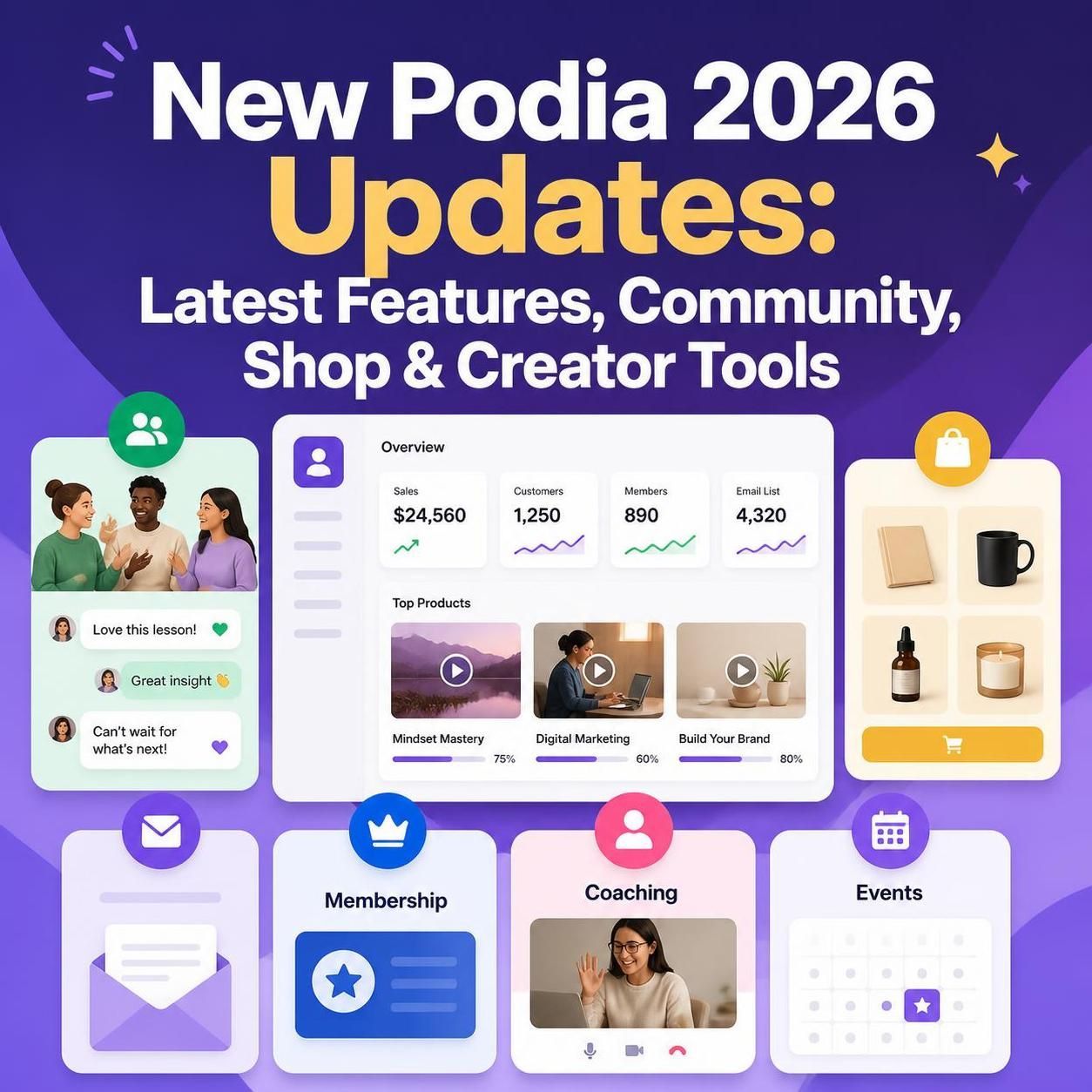
What Is New in Podia in 2026?
The current version brings together several changes rather than one isolated feature.
The most important developments include:
- A new Home experience
- Built-in community
- Community Spaces
- More flexible access permissions
- Private member conversations
- Group chat
- Changes to Plans
- A clearer Join pathway
- Improved member notifications
- Greater connection between products and community
- Events integrated into the member experience
- A new Shop for discovering additional products
The interesting part is not the list itself.
It is how these pieces fit together.
For someone selling a single downloadable guide, some of these improvements may not make much difference.
For a course creator with several products and a growing audience, the story is different.
The platform is becoming more useful when your business involves multiple products and an ongoing relationship with customers.
The Biggest Change: Podia Is Putting the Member Experience First
A creator platform can be judged in two ways.
The first question is:
What can I sell?
The second is:
What happens to the customer after they buy?
The second question is often overlooked.
Selling a course is only one part of running an education business. You also have to keep students engaged, answer questions, create additional offers, communicate updates and give people reasons to return.
The new experience puts more of those activities closer together.
That creates a potentially more natural customer journey:
Discover → Buy → Learn → Participate → Return → Buy again
It doesn't guarantee repeat sales, of course.
But the infrastructure can make that journey easier to build.
1. The New Home Feed Creates a More Connected Starting Point
One of the first things members encounter is the new Home experience.
Instead of thinking of the platform simply as a place where customers retrieve something they purchased, the newer approach gives members a broader starting point for interacting with the creator's business.
Depending on how the creator has configured the account, members can encounter products, updates, community activity, conversations and other relevant information.
That matters because a customer's relationship with a creator doesn't have to end after a purchase.Imagine purchasing an online course.
The old mindset is:
I bought it → I use it → I'm finished.
A stronger membership-style relationship looks more like:
I bought it → I learn → I ask questions → I join discussions → I attend an event → I discover something else.
For creators trying to build recurring revenue, the second model is much more attractive.
2. Community Is Now Much More Closely Connected to the Business
Community is one of the most important areas of the new experience.
Rather than treating community as something that sits beside the creator's products, the newer structure connects community activity more closely with members and what they have access to.
This is particularly relevant for:
- Online course creators
- Coaches
- Consultants
- Membership businesses
- Educators
- Digital-product sellers
- Personal brands
- Knowledge-based businesses
Consider a language teacher.
The course provides lessons.
The community provides conversation.
An event provides live practice.
Email keeps students informed.
Additional products provide deeper learning.
That is a business ecosystem rather than a collection of unrelated products.
That is where the new direction becomes commercially interesting.
3. Spaces Make Community Organization More Practical
A community becomes difficult to manage when every customer sees the same thing.
That's where Spaces become useful.
Instead of putting every discussion into one large area, a creator can organize conversations around different groups or purposes.
For example:
Free community Space
Introductions, general discussion and announcements.
Course Space
Questions and conversations for students.
Premium Space
Content and discussions for paying members.
Coaching Space
Private conversations for coaching clients.
This type of structure can also help creators think about access as part of their product strategy.
A free audience can receive one level of access.
A paying customer can receive more.
A premium customer can receive something more specialized.
That is a much more useful way to think about community than simply asking whether a platform has a discussion board.
4. Member Chat Adds Another Way to Build Relationships
Community discussions are not suitable for every conversation.
Sometimes people want to speak privately or in a smaller group.
The updated experience adds member-to-member conversations and group chat, giving users another communication layer.
This could be useful for:
- Course study groups
- Coaching cohorts
- Small membership groups
- Collaborative projects
- Private member conversations
The distinction is straightforward:
Spaces are for shared community activity.
Chat is for more focused conversations.
Giving members both options can make the overall experience feel less rigid.
5. Courses Can Become Part of a Larger Learning Community
An online course doesn't necessarily have to be the final product.
For many creators, it is the beginning of a longer relationship.
Think about a course business built around photography.
A customer might start with a beginner course.
Then they could:
- Join a student community
- Participate in a photography challenge
- Attend a live workshop
- Purchase a specialized preset pack
- Take an advanced course
- Join a premium membership
That progression is commercially valuable because the creator isn't dependent on repeatedly finding completely new customers.
The new platform structure supports this broader model by bringing products and community closer together.
6. The New Shop Could Be Particularly Valuable for Multi-Product Creators
Of all the newer developments, the Shop deserves special attention.
Why?
Because creators often have an audience-discovery problem.
A customer might purchase one product without realizing that five other useful products exist.
Suppose a creator sells:
- A beginner course
- A workbook
- A template collection
- A live workshop
- An advanced course
- A membership
The customer who purchased the beginner course is already familiar with the creator.
The challenge is making the next relevant offer visible.
A Shop inside the member environment creates another opportunity to do exactly that.
The commercial logic is simple:
Existing customer → discovers relevant product → considers another purchase
That's potentially more powerful than showing the same products to a completely cold visitor.
For creators with several complementary offers, this is one of the changes I would watch most closely.
7. Events Can Become Another Step in the Customer Journey
Events are useful because they can sit between free content and higher-value products.
A creator could use a free session to introduce a subject.
That could lead to a paid workshop.
The workshop could lead to a course.
The course could lead to a membership.
For example:
Free webinar↓Paid workshop↓Online course↓Community↓Membership
The exact structure depends on the business, but the principle is sound.
An event doesn't have to be a standalone product.
It can be part of a broader customer journey.
8. Email Still Matters Even in a Community-First Platform
Community is useful, but it shouldn't replace email.
A creator doesn't want to depend entirely on whether members happen to log in at the right moment.
Email provides another direct communication channel.
The built-in email tools can be used for broadcasts and automated campaigns, while audience information can help creators make communications more relevant.
For example, you don't necessarily want to send the same message to:
- Someone who has never purchased
- A new customer
- An active course student
- A long-term member
- Someone who attended your webinar
Different audiences often need different messages.
That is where segmentation becomes more useful than simply sending more emails.
9. The Join Pathway Makes Membership Easier to Understand
Membership businesses have one recurring problem:
People need to know how to join.
It sounds obvious, but unclear calls to action can create unnecessary friction.
The newer experience provides a clearer route for visitors who want to become members.
This is a relatively small change compared with community and Shop functionality.
But small conversion improvements can matter when they occur at the point where someone is ready to take action.
A visitor shouldn't have to search through five pages to figure out how to become a customer.
10. Some Changes Require Existing Users to Pay Attention
The new experience isn't simply a collection of additions.
Some existing functionality has changed.
For example, the newer structure no longer uses separate free community plans in the same way as before. Creators can instead use a free product when they want to provide free access.
The handling of community topics has also changed as the platform moves toward Spaces.
This is particularly important for existing users.
Before changing your setup, review:
- Existing community members
- Free access
- Spaces
- Product permissions
- Paid plans
- Free products
- Public-facing content
New users don't have the same migration concerns.
They can simply build their community around the current structure.
Podia Pricing in 2026: What Does It Really Cost?
Price comparisons can be misleading when they focus only on the monthly subscription.
The more useful question is:
What will this platform cost relative to the revenue and complexity of my business?
With annual billing, the currently listed plans work out to approximately:
- Mover: $42 per month
- Shaker: $84 per month
- Earthquaker: $150 per month
There is an important difference between the tiers.
The entry-level option includes a 5% platform transaction fee, while the two higher plans don't add that particular platform fee to sales. Payment-processing charges can still apply.
That changes the calculation for a growing business.
For example, if you're making $1,000 in sales, a 5% platform fee represents $50.
At $10,000 in sales, the same percentage becomes $500.
So the cheapest subscription isn't automatically the cheapest solution.
Who might prefer the lower tier?
Someone validating a new business idea or generating relatively modest sales may prioritize lower fixed costs.
Who should examine the higher tiers?
A creator with established sales should compare the additional subscription cost against the transaction-fee savings and the extra functionality included in the higher plans.
That's the financially sensible way to evaluate pricing.
Always check the current pricing page before purchasing because software pricing and plan limits can change.
Is There a Podia Free Trial?
Yes.
A 30-day trial gives prospective customers enough time to do something more useful than simply browse the dashboard.
Build a small version of your actual business.
During the trial, try creating:
- A landing page
- A free resource
- A paid digital product
- A course
- A community Space
- An email campaign
- An event
- A second offer
Then ask yourself:
Could I realistically run my business this way?
That is the test that matters.
👉 Try Podia free for 30 days and test it with a real business workflow.
Who Is the New Podia Best For?
The answer depends heavily on your business model.
Course creators
If you want your course to be connected to community discussions, events and additional offers, the new structure is worth exploring.
Coaches
Coaching businesses can benefit from having products, events, community and communication tools in one environment.
Digital-product sellers
The Shop becomes more interesting if you have multiple related products rather than one standalone download.
Membership businesses
The combination of Plans, community and Spaces is naturally relevant to recurring-revenue businesses.
Solo entrepreneurs
This may be the strongest use case.
When you're running a business without a large technical team, every additional software connection creates work.
If one platform can handle enough of your requirements, reducing complexity has real value.
Who May Not Need the New Podia?
An all-in-one platform isn't automatically the best answer.
If you're selling one or two simple digital downloads, you may not need a platform with such a broad feature set.
Likewise, a business requiring highly specialized enterprise functionality may be better served by dedicated software.
And established creators who already have an effective collection of tools may not see enough benefit from switching.
The question should therefore be:
Does the platform simplify my business, or am I paying for functionality I won't use?
That is a better buying question than simply asking which platform has the longest feature list.
If you're considering moving beyond a simple storefront, our guide to the best Gumroad alternatives for 2026 compares different approaches for digital downloads, courses and creator businesses before you commit to a platform.
Compare your options before switching platforms and choose the setup that matches your next stage of growth.
New Podia vs. Separate Creator Tools
There are two legitimate ways to build an online business.
Option one: Build your own stack
You might combine:
Website + course software + email platform + community platform + event software + checkout
This can provide specialized functionality.
But every service introduces another subscription and another integration.
Option two: Use an integrated platform
You accept some limitations in exchange for having more business functions in one environment.
For many solo businesses, that trade-off makes sense.
There is an underrated benefit here:
Fewer systems mean fewer things to maintain.
That doesn't mean an all-in-one platform is always superior.
It means simplicity should be treated as a business advantage, not merely a convenience.
A Practical New Podia Sales Funnel for Creators
If you're considering using the platform, here's a straightforward model.
Step 1: Attract an audience
Use SEO content, social media, video, newsletters or other channels.
Step 2: Offer something free
Give potential customers a useful reason to join your audience.
Step 3: Make the first sale
Start with a practical, accessible product.
Step 4: Build trust
Use your course, coaching, event or content to deliver real value.
Step 5: Develop community
Give customers a reason to stay connected.
Step 6: Introduce additional offers
Use relevant products and the Shop experience to expose existing customers to the next logical solution.
Step 7: Create recurring revenue
Where appropriate, offer a membership or subscription.
The important point is that you're not trying to sell everything to everyone.
You're creating a logical progression.
Should You Choose New Podia Over Gumroad?
That depends on what you're selling.
If your primary objective is straightforward digital-product sales, a simpler storefront can be enough.
If you're building a broader creator business around courses, memberships, community, events and multiple products, an all-in-one platform becomes more compelling.
If you're choosing between a lightweight storefront and a broader creator platform, our Podia vs Gumroad 2026 comparison looks at where each approach makes sense.
If your focus is online education, you can also compare Podia with LearnWorlds in our dedicated guide.
And if website building and digital selling are your main priorities, see our existing Podia website guide.
For the broader buying decision, our Podia Review 2026 provides a more comprehensive evaluation.
Is New Podia Worth It in 2026?
For the right creator, absolutely worth testing.
But I wouldn't recommend choosing it simply because the platform has added more features.
The stronger argument is the way those capabilities fit together.
You can potentially build a business around:
Content→ Audience→ Digital product→ Course→ Community→ Event→ Additional product→ Membership
That is a more complete creator-business model than simply putting a checkout button on a website.
The Shop, community Spaces and member experience are particularly interesting for creators who already have—or intend to build—multiple offers.
On the other hand, if your needs are very simple, you may be better off with a simpler solution.
The right platform is the one that supports the business you actually want to operate.
If you're past the research stage and want a broader look at the platform's pricing, features, strengths and limitations, our detailed Podia Review 2026 takes a closer look before you make a buying decision.
Ready to see whether Podia fits your business? Explore the full review before starting your trial.
Final Verdict
The most important thing about the new Podia isn't any single feature.
It is the direction of the platform.
The emphasis is shifting toward a connected relationship between creator, customer, product and community.
That is significant.
A course doesn't have to be the end of the customer relationship.
A digital download can lead to another product.
An event can lead to a course.
A course can lead to community.
A community can lead to membership.
And an existing customer can discover another useful offer through the Shop.
For creators building a knowledge-based business, that connected approach can be more valuable than having dozens of unrelated features.
There are changes existing users need to understand, particularly around community access and the transition toward Spaces.
But if you're starting from scratch in 2026, you can build around the current structure from day one.
My take
If you are building a serious creator business with courses, digital products, community, coaching, events or memberships, the new Podia deserves a place on your shortlist.
If you're only selling a couple of simple downloads, you probably don't need all of it.The best way to find out is not to read another ten reviews.
Build your business inside the 30-day trial and see whether the workflow makes sense for you.
👉 Start your 30-day Podia trial and decide based on your own business—not someone else's feature checklist.
Frequently Asked Questions About New Podia 2026
What is New Podia 2026?
New Podia 2026 refers to the platform's updated creator and member experience, including its redesigned Home area, integrated community, Spaces, chat, updated Plans and Shop functionality.
What are the biggest new Podia features in 2026?
The major developments include the new Home experience, built-in community, Spaces, more flexible permissions, private and group chat, updated Plans, improved member notifications and the Shop experience.
What changed in the new Podia community?
Community is now much more closely integrated with the wider member experience. Creators can organize conversations using Spaces and control access according to their business model.
What are Podia Spaces?
Spaces are organized areas for community discussions. They can be used to separate different audiences, courses, membership levels or other groups.
Does Podia have member chat?
Yes. The updated experience supports private member conversations as well as smaller group chats.
What is the new Podia Shop?
The Shop provides a way for members to discover additional products from within their member environment. This can be particularly useful for creators selling several related products.
Can I sell courses with Podia?
Yes. Online courses are one of the platform's core creator-business use cases, and the newer community experience can connect learning with member interaction.
Can I sell digital products with Podia?
Yes. Digital downloads can be sold alongside other creator products such as courses, coaching, events and memberships.
Is Podia good for membership businesses?
It can be a strong option for creators who want membership access, community and other products within one platform. Your requirements and desired level of customization should determine whether it is the right fit.
Does Podia offer a free trial?
Yes. A 30-day trial is available, allowing prospective customers to test the platform before committing to a paid plan.
How much does Podia cost in 2026?
With annual billing, the currently listed pricing works out to approximately $42 per month for Mover, $84 per month for Shaker and $150 per month for Earthquaker. The entry-level plan includes a 5% platform transaction fee, while the higher tiers do not add that particular Podia fee.
Is Podia worth it in 2026?
It can be, especially if you want to combine courses, digital products, community, coaching, events and memberships. The platform is less compelling if you only need a very basic digital storefront.
Is Podia better than Gumroad?
Neither platform is automatically better for every creator. A simple digital-product business may prefer a lightweight storefront, while a creator building courses, memberships and community may benefit more from an integrated platform.
Who should use the new Podia?
Course creators, coaches, educators, digital-product sellers, membership businesses and solo entrepreneurs are among the groups most likely to benefit from the platform's broader capabilities.
Frequently Asked Buyer Questions
Can I test Podia before paying?
Yes. The 30-day trial is the easiest way to determine whether the platform fits your workflow.
Does an all-in-one platform save money?
It can, but don't assume it automatically does. Compare the subscription cost, transaction fees and functionality against the separate tools you would otherwise need.
Is the cheapest Podia plan necessarily the best value?
Not necessarily. If your sales volume grows, transaction fees can become more significant than the difference in monthly subscription cost.
Should an existing Podia user immediately change their setup?
Not without checking how the new structure affects their community, Plans, permissions and existing members. Migration-related changes deserve some planning.
Conclusion
The new Podia is worth watching because it is addressing a problem that many creators eventually encounter:
their business grows, but their software stack becomes harder to manage.
More products often mean more tools.
More customers often mean more systems.
More community activity can mean more integrations.
The newer approach is to bring more of those experiences together.
That won't be the right answer for every business.
But for a creator who wants to sell knowledge, build an audience, develop a community and create several revenue streams without managing a maze of disconnected services, New Podia 2026 is a development worth taking seriously.
Don't choose it because someone says it's the “best.”
Don't reject it because another platform has one feature you prefer.
Build your actual business during the trial. Then make the decision based on the workflow, economics and customer experience.
👉 Try Podia free for 30 days and see whether it can become the foundation for the creator business you're building.
#NewPodia #Podia2026 #PodiaUpdates #PodiaNewFeatures #Podia #CreatorBusiness #CreatorTools #OnlineCourseCreator #DigitalProducts #MembershipBusiness #CommunityPlatform #DigitalCreator #CourseCreator #KnowledgeBusiness #OnlineBusinessTools #CreatorEconomy #DigitalEntrepreneur #OnlineCoursePlatform #GumroadAlternative #PodiaReview #PodiaPricing #PodiaFreeTrial
Disclosure:
This article may contain affiliate links. If you choose a service through our links, we may earn a commission at no extra cost to you.
This article was created with AI-assisted research and carefully reviewed by our in-house team before publication