Passpack Review 2026: A Practical Password Manager for Small Businesses
Passpack Review 2026: A Practical Password Manager for Small Businesses
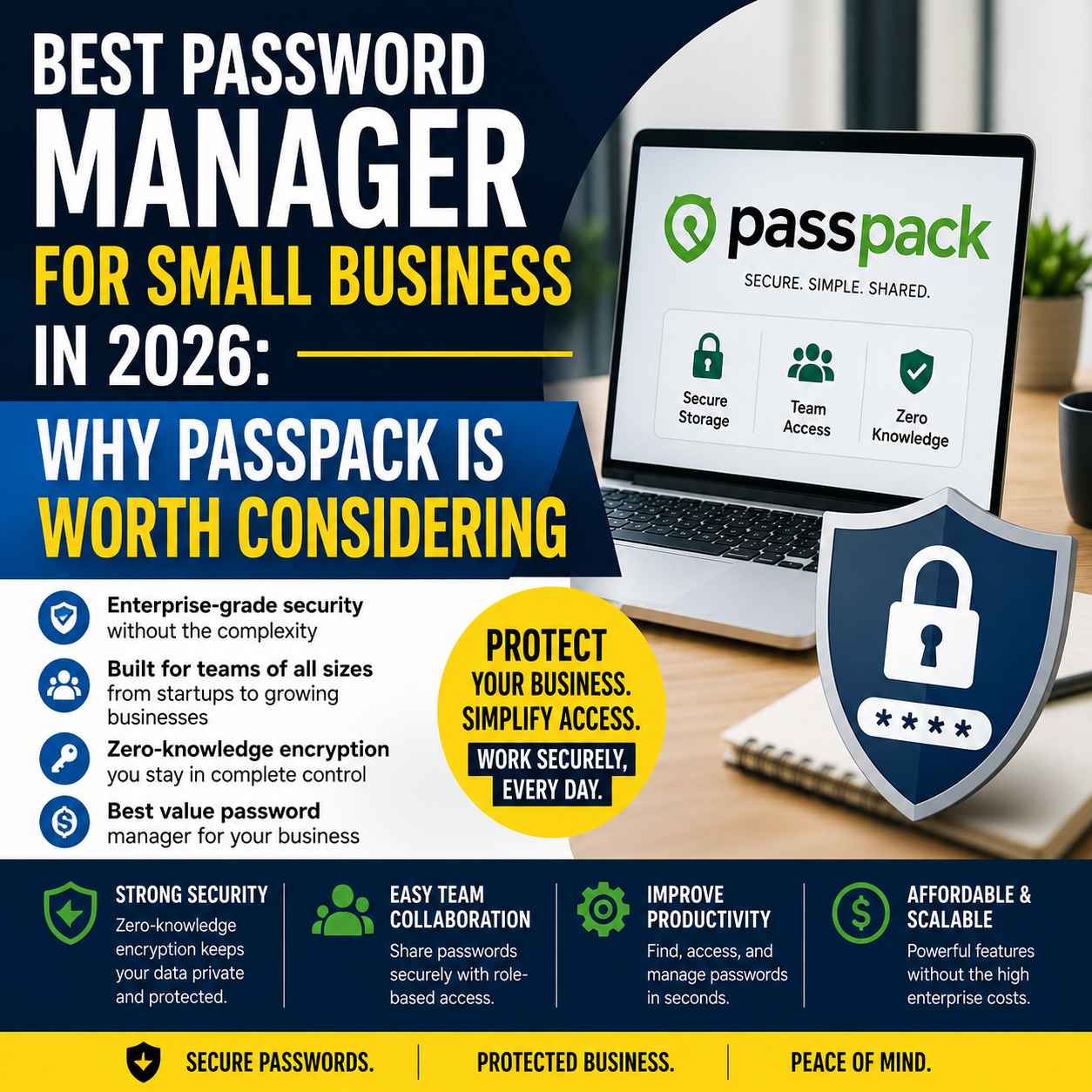
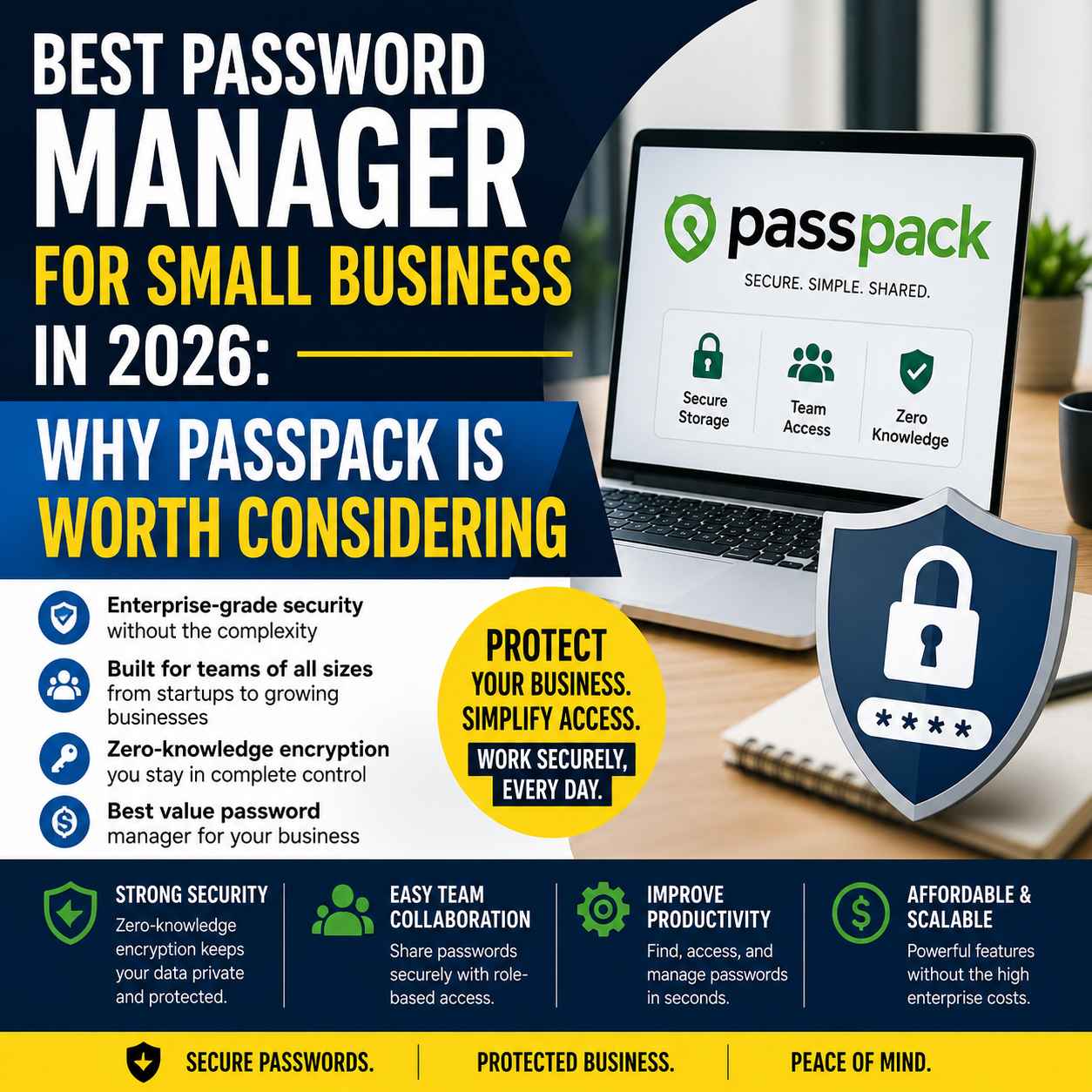
Passpack is a cloud-based password manager designed for businesses that need secure password sharing without the complexity of traditional enterprise identity platforms. Using a zero-knowledge encryption model, it enables teams to store, organize, and share credentials while maintaining strong access controls. For small businesses and growing teams, Passpack offers a practical balance between security, collaboration, and affordability.
Introduction
Most small businesses don't think about password management until something goes wrong.
It often starts with a shared spreadsheet, a browser that remembers every login, or a messaging app where team members exchange credentials whenever someone needs access. These methods may feel convenient during the early stages of growth, but they become increasingly difficult to manage as more employees, contractors, and software subscriptions are added.
The operational cost isn't limited to cybersecurity. Poor password management slows onboarding, complicates offboarding, creates uncertainty about who has access to critical systems, and increases the likelihood of accidental mistakes. Even routine tasks—such as updating a shared password or granting temporary access to a freelancer—can become unnecessarily time-consuming without a structured system in place.
Modern businesses rely on dozens of cloud applications to manage finance, marketing, customer support, project management, and communication. Each additional account introduces another credential that needs to be stored securely and shared responsibly. Relying on memory, spreadsheets, or browser-based password storage is no longer a sustainable approach for organizations that expect to grow.
This is where business-focused password managers enter the picture. Rather than acting as simple digital vaults, they provide centralized credential management, controlled sharing, audit visibility, and stronger security practices without disrupting everyday workflows.
Passpack's positioning is more interesting than simply being a lightweight password manager for small companies. The platform combines business-focused credential management with capabilities that can support more complex organizations, including Single Sign-On (SSO), advanced multi-administrator support, API integration, Active Directory, device registration, and advanced reporting on higher-tier plans.That broader capability matters because a business password manager should not become a dead end as the organization grows. Passpack is designed to provide a straightforward experience while still offering a path toward more structured administration and enterprise-oriented controls.The company has also strengthened its enterprise positioning through its strategic partnership with HENNGE, a Japanese cloud-security provider. HENNGE announced its business alliance with Passpack in November 2025, and Passpack says its technology is being used as the foundation for HENNGE Password Manager.
In this review, we'll examine Passpack from an operational perspective. Rather than repeating marketing claims or feature lists, we'll explore how it fits into real business workflows, where it adds measurable value, and where competing password managers may still offer advantages.
If your business has outgrown spreadsheets, browser password storage, or shared chat messages for managing credentials, it's worth taking a closer look at how Passpack approaches secure password sharing for growing teams. Reviewing its features now can help you decide whether it fits your current workflow before security gaps become operational problems.
Explore Passpack's business features and see whether its zero-knowledge approach fits your team's workflow.
Why Password Management Matters for Growing Businesses
Password management is often viewed as an IT concern, but for small businesses it is equally an operational challenge.
Every SaaS subscription, banking portal, cloud storage service, customer relationship management platform, and social media account introduces another set of credentials. As companies grow, the number of shared accounts increases much faster than many business owners expect.
Consider a marketing agency with ten employees. The team may collectively access:
- Website hosting accounts
- Analytics platforms
- Client social media profiles
- Email marketing software
- Graphic design tools
- Project management applications
- Domain registrars
- Cloud storage services
- Advertising platforms
Within a short period, hundreds of passwords may be circulating across the organization.
Without a centralized system, businesses typically fall back on familiar but risky habits:
- Saving passwords in spreadsheets.
- Sharing credentials through email or messaging apps.
- Using browser password managers across multiple employees.
- Reusing passwords across different services.
- Keeping former employees' access active long after they leave.
These practices may appear harmless during the early stages of growth, but they create significant operational and security risks over time.
The Hidden Cost of Poor Password Management
The consequences extend beyond the possibility of a data breach.
When credentials are scattered across multiple locations, employees spend unnecessary time searching for logins, requesting access, or confirming which password is current. Managers lose visibility into who can access critical systems, making routine administration more difficult than it needs to be.
Offboarding presents another challenge. If a departing employee knows dozens of shared passwords, changing every affected account manually becomes both tedious and error-prone.
From an operational standpoint, this translates into lost productivity, increased administrative overhead, and avoidable security concerns.
Password Managers as Workflow Infrastructure
Many people think of password managers as security software, but their role extends much further.
In practice, they function as part of a company's operational infrastructure by providing:
- A centralized location for business credentials.
- Controlled access based on roles and responsibilities.
- Secure password sharing without exposing plaintext credentials.
- Simplified onboarding for new team members.
- Faster credential updates across shared accounts.
- Reduced dependence on individual employees' knowledge.
Viewed through this lens, password management becomes less about remembering passwords and more about creating repeatable, scalable business processes.
What Is Passpack?
Passpack is a cloud-based password management platform built for businesses that need secure credential storage and team collaboration without investing in large-scale enterprise identity systems.
At its core, Passpack provides a secure digital vault where organizations can store passwords, organize them into logical groups, and share access with team members according to their responsibilities.
One of its defining characteristics is its zero-knowledge security architecture. In practical terms, this means encrypted password data is designed so that only authorized users with the correct credentials can decrypt it. The service itself is not intended to have access to customers' plaintext passwords, reducing the risk associated with centralized password storage.
This approach has become an important consideration for businesses evaluating cloud-based security services, particularly as organizations become more conscious of data privacy and credential protection.
If you'd like to explore Passpack's complete feature set, supported business plans, and current offers before continuing, you can review our dedicated Passpack resource page.
Built for Practical Business Use
Unlike enterprise identity platforms that often require dedicated IT teams, Passpack focuses on organizations seeking a straightforward deployment experience.
Passpack is a cloud-based business password management platform designed to help organizations securely generate, store, organize, and share credentials and other sensitive information.
Its audience is broader than small businesses alone. Passpack supports teams ranging from smaller organizations and startups to more complex businesses that need centralized administration, access controls, reporting, API integration, Active Directory, and Single Sign-On. Its current plans include Teams, Business, and Enterprise tiers, giving organizations a route to add more administrative and security capabilities as their requirements become more sophisticated.
That makes Passpack's value proposition slightly different from a typical consumer-first password manager. The emphasis is on business operations: controlling access, managing shared credentials, maintaining visibility over password-related activity, and giving administrators tools to manage users and organizational policies.
Its target audience includes:
- Small businesses
- Startups
- Growing teams
- Marketing and professional-service agencies
- IT service providers and MSPs
- Remote organizations
- Organizations managing client credentials
- Larger businesses requiring centralized credential administration
Rather than replacing every aspect of identity management, Passpack addresses a specific operational need: securely managing and sharing passwords across teams.
For many businesses, that narrower focus can be an advantage. Teams often need reliable credential management long before they require complex single sign-on ecosystems or advanced identity governance.
Core Features Explained
A feature list alone rarely tells you whether a tool will improve your workflow. The more useful question is how those capabilities affect daily operations.
Secure Password Vault
The foundation of Passpack is its encrypted password vault.
Instead of scattering credentials across browsers, notebooks, spreadsheets, or messaging applications, businesses gain a centralized repository that can be searched and organized efficiently.
For organizations managing dozens—or even hundreds—of accounts, this significantly reduces the friction involved in locating the correct credentials.
Secure Password Sharing
One of the strongest operational benefits is controlled password sharing.
Rather than sending passwords through email or chat applications, administrators can grant access directly through the platform. Team members receive the access they need without unnecessary exposure of sensitive information.
This becomes especially valuable when working with contractors, freelancers, or temporary staff whose permissions may need to change frequently.
Zero-Knowledge Encryption
Security claims are common in the password management market, but zero-knowledge architecture deserves particular attention.
The concept is straightforward: password data is encrypted before it reaches the provider's servers, and the encryption keys remain under the control of authorized users rather than the service itself.
While no cloud service can eliminate every possible security risk, this design significantly reduces the amount of trust customers must place in the provider.
For businesses handling sensitive financial, healthcare, or client information, that architectural choice provides an additional layer of confidence.
Password security is only one part of protecting business information. Sensitive contracts, financial documents, and client records also require strong encryption. If your organization is building a privacy-first security stack, our guide on Internxt's zero-knowledge cloud storage explains how encrypted document storage complements password management and strengthens your overall security workflow.
Explore how encrypted cloud storage completes your business security strategy →
Role-Based Access Control
As organizations expand, not every employee requires access to every account.
Passpack allows administrators to organize credentials and assign access according to roles, departments, or project teams.
This principle of least privilege helps reduce unnecessary exposure while making permission management easier to maintain over time.
Single Sign-On (SSO)
One important correction to the earlier assessment of Passpack is that it does support Single Sign-On.
SSO is available on the Passpack Business plan and allows team members to sign in using Google or Microsoft credentials. Passpack's documentation notes that the email address used for the SSO provider must match the email address registered with the Passpack account. Users still need their Passpack Packing Key, which remains part of the platform's security model.
This makes Passpack more relevant to organizations that have already standardized employee authentication around Google or Microsoft accounts. It also reduces another password employees would otherwise have to remember.
There is an important operational distinction, though: SSO does not replace Passpack's credential vault. Instead, it simplifies authentication into Passpack while the vault continues to protect the business credentials and sensitive records managed inside the platform.
For organizations with established identity infrastructure, this makes Passpack a more credible option than its simpler interface might initially suggest.
Password Generation
Weak or reused passwords remain one of the most common security vulnerabilities.
Built-in password generation encourages stronger credential practices by producing long, random passwords that are difficult to guess yet easy to store within the encrypted vault.
For businesses managing multiple SaaS subscriptions, this removes the temptation to reuse familiar passwords across different services.
Browser Accessibility
Because many business workflows take place within web browsers, browser accessibility plays an important role in daily usability.
Having password management integrated into browser-based work reduces interruptions and minimizes the need to search manually for credentials throughout the day.
For teams that primarily rely on cloud software, this contributes to a smoother and more consistent experience.
Operator's First Impressions
After evaluating Passpack from the perspective of operational efficiency rather than feature count, one characteristic stands out immediately: its emphasis on clarity over complexity.
Many password management platforms attempt to serve everyone—from individual consumers to global enterprises—which often results in interfaces crowded with advanced options that smaller organizations may never use. Passpack takes a more focused approach. Its design encourages teams to centralize credentials, organize access logically, and reduce reliance on informal sharing methods without introducing unnecessary administrative overhead.
That focus makes the platform particularly appealing for businesses that are transitioning away from spreadsheets or browser-based password storage. The learning curve appears approachable, and the core workflows—storing, organizing, and sharing credentials—are presented in a way that supports day-to-day operations rather than demanding extensive configuration.
That said, simplicity should not be mistaken for universal suitability. Organizations with mature identity and access management requirements, complex single sign-on environments, or extensive compliance obligations may find that broader enterprise platforms offer deeper integration and governance capabilities. Passpack is designed to solve a specific operational problem well, not to replace every layer of enterprise identity management.
For small businesses, agencies, consultants, and growing teams, however, the initial impression is positive. The platform addresses a genuine operational bottleneck with a measured balance of usability, security, and administrative control—qualities that often matter more in practice than an exhaustive list of enterprise features.
Workflow Analysis: Where Passpack Fits Into Daily Business Operations
A password manager should do more than protect credentials—it should remove friction from everyday work.
That's where many reviews fall short. They evaluate password managers based on feature checklists while overlooking the operational reality of how teams actually use them.
From an operator's perspective, the question isn't whether Passpack can store passwords. Nearly every password manager can do that. The real question is:
Does Passpack reduce operational overhead as a business grows?
After analyzing its workflow, the answer is generally yes—particularly for small businesses and service-based teams. Passpack doesn't attempt to become an all-encompassing identity management platform. Instead, it focuses on solving one recurring operational problem exceptionally well: helping teams manage shared credentials in a secure, organized, and repeatable way.
Workflow Analysis
Replacing Informal Password Sharing
One of the first operational improvements businesses notice is the elimination of ad hoc password sharing.
Many small organizations still rely on communication tools such as Slack, Microsoft Teams, WhatsApp, or email to exchange login credentials. While convenient in the moment, these methods quickly become difficult to manage.Consider a typical workflow:
- A new marketing executive needs access to Google Analytics.
- The SEO consultant requires WordPress administrator credentials.
- Finance must update payment gateway settings.
- A freelancer needs temporary access to social media accounts.
Without centralized password management, each request becomes a manual process that often lacks documentation or access controls.
Passpack replaces this with a structured workflow where administrators assign access directly within the platform. Credentials remain organized, permissions are easier to manage, and sensitive information no longer needs to circulate through multiple communication channels.
Many organizations begin by securing passwords but overlook where business files are stored. Evaluating both your password manager and cloud storage together creates a far stronger operational security foundation. Our comparison of pCloud and Tresorit explores which approach better fits modern business workflows.
Compare secure cloud storage options before building your complete security stack →
Faster Employee Onboarding
Employee onboarding frequently exposes weaknesses in operational processes.
A new team member may require access to:
- Email platforms
- CRM systems
- Project management software
- Cloud storage
- Marketing tools
- Website administration
- Design software
- Accounting platforms
Without a password management system, onboarding often involves multiple managers sending credentials individually over several days.
With Passpack, onboarding becomes significantly more structured. Once a user's account is created, administrators can grant access to the appropriate credential groups based on their role. This reduces delays, minimizes confusion, and helps new employees become productive more quickly.
The improvement is not merely technical—it directly affects operational efficiency.
Simplifying Offboarding
Employee departures are often overlooked until they become urgent.
Imagine a sales manager leaves the company after several years. During that time, they accumulated access to CRM platforms, advertising accounts, financial systems, and shared business services.
If passwords were shared informally, administrators may not even know which credentials need to be changed.
Passpack provides a more controlled environment where administrators can review shared access, revoke permissions, and rotate passwords as part of a structured offboarding process. This reduces both administrative effort and security risk.
For organizations handling client accounts, this level of visibility becomes especially valuable.
Organizing Credentials at Scale
As businesses grow, password management shifts from storing credentials to organizing them effectively.
Passpack allows teams to structure credentials by:
- Department
- Client
- Project
- Software platform
- Business unit
This organizational flexibility helps prevent credential sprawl, where passwords accumulate without any consistent structure.
For agencies managing multiple client accounts, logical organization can significantly reduce the time spent searching for the correct credentials during everyday work.
Security Deep Dive
Security is often reduced to marketing terminology, but the underlying architecture deserves closer examination.
Passpack emphasizes a zero-knowledge security model, which fundamentally changes the trust relationship between the provider and its customers.
Understanding Zero-Knowledge Security
In traditional cloud services, providers may technically have the ability to access customer data.
A zero-knowledge model is designed differently.
Passwords are encrypted before they leave the user's device, meaning the service is not intended to possess the information required to decrypt customer credentials.
For businesses, this approach offers several practical advantages:
- Reduced exposure if provider infrastructure is compromised.
- Greater privacy over stored credentials.
- Lower dependence on trusting the service provider with plaintext passwords.
While no security model eliminates every possible threat, zero-knowledge architecture is widely regarded as one of the strongest approaches for cloud-based password management.
Security Beyond the Vault
The stronger story is that Passpack does not rely on encryption alone. Its current business offering combines the zero-knowledge model with authentication and administrative controls such as two-factor authentication, YubiKey support, password history, login IP and address history, activity reporting, and organization-level controls. Higher-tier plans add capabilities including Single Sign-On, Active Directory, device registration, API integration, and advanced reporting.
That combination is important for businesses because credential security is ultimately an access-management problem as much as a storage problem. A secure vault is useful; knowing who can access it, how they authenticate, and what administrators can see is what turns password storage into a business security workflow.
Encryption Is Only Part of Security
Encryption protects stored passwords, but operational security also depends on user behavior.
Businesses should still adopt practices such as:
- Enabling multi-factor authentication.
- Using unique passwords for every service.
- Rotating critical credentials periodically.
- Restricting administrator privileges.
- Removing inactive accounts promptly.
Passpack supports these practices, but organizations remain responsible for establishing sensible security policies.
Technology improves security—it cannot replace good governance.
Balancing Security and Usability
One challenge facing every password manager is balancing strong security with ease of use.
If security controls become overly complex, employees may bypass them altogether by writing passwords in notebooks or storing them in unsecured files.
Passpack generally maintains a practical balance. Security mechanisms remain robust without making routine access unnecessarily cumbersome.
For small businesses without dedicated IT departments, that balance can be more valuable than having every enterprise security feature available.
Team Collaboration
Many password managers are built primarily for individual users.
Business password managers face a different challenge: enabling collaboration without sacrificing control.
This is where Passpack demonstrates one of its strongest operational advantages.
Shared Credential Management
Instead of everyone maintaining personal copies of passwords, teams can access centralized credentials maintained by administrators.
This reduces several common problems:
- Outdated password copies.
- Duplicate records.
- Forgotten credential updates.
- Inconsistent documentation.
When passwords change, everyone accesses the latest version from a single source.
That alone removes a surprising amount of daily friction.
Role-Based Permissions
Not every employee needs unrestricted access.
For example:
Marketing should not automatically access accounting systems.
Finance may not require social media credentials.
Developers should not necessarily manage payroll accounts.
Role-based permissions allow organizations to align system access with actual responsibilities.
From an operational standpoint, this supports the principle of least privilege while simplifying long-term administration.
Working with Freelancers and Contractors
Modern businesses increasingly depend on external collaborators.
Designers.
SEO specialists.
Developers.
Video editors.
Copywriters.
Each may require temporary access to business systems.
Passpack enables organizations to grant appropriate permissions without permanently exposing sensitive credentials or relying on insecure messaging applications.
When projects conclude, administrators can simply remove access rather than changing every associated password manually.
Passwords are only one part of secure collaboration. Teams also exchange contracts, proposals, customer records, and confidential project files every day. If your business regularly shares sensitive documents, our Tresorit review explains how encrypted file sharing complements secure password management for distributed teams.
See how encrypted document sharing strengthens your collaboration workflow →
Linux & Browser Experience
Although Passpack is platform-independent, browser compatibility is particularly important for Linux users.
Unlike software that relies heavily on proprietary desktop applications, Passpack's browser-centric approach fits naturally into Linux-based workflows.
Whether using:
- Firefox
- Chromium
- Brave
- Vivaldi
most daily interactions occur within the browser, reducing platform-specific friction.
For organizations adopting Linux desktops, this browser-first design simplifies deployment because there is less dependence on operating system-specific software.
Passpack takes a platform-agnostic approach, with its current plans supporting access across platforms, browsers, and devices, which makes it a practical fit for Linux-based teams as well as mixed-device organizations.
Cloud Accessibility
Remote work has changed expectations around software availability.
Employees increasingly work from:
- Office desktops
- Home computers
- Laptops
- Temporary workstations
- Client locations
Cloud-based password management allows authorized users to access credentials wherever business operations take place, provided security policies are followed.
For distributed teams, this flexibility supports continuity without requiring complex VPN infrastructure for every routine login.
Productivity Impact
Security investments often struggle to demonstrate measurable business value.
Password management is different.Its productivity gains become visible almost immediately.
Less Time Searching
Employees no longer waste time looking through spreadsheets, emails, notebooks, or chat history for the latest credentials.
The correct login information is stored in a single, searchable location.
Reduced Interruptions
Managers receive fewer messages asking questions like:
- "What's the password for our LinkedIn account?"
- "Has the AWS login changed?"
- "Who has access to the hosting dashboard?"
These interruptions may seem minor individually, but they accumulate over months of operation.
Reducing them allows technical and managerial staff to focus on higher-value work.
More Consistent Operations
Standardized credential management creates repeatable operational processes.
Instead of relying on institutional memory or individual employees, businesses develop documented systems that continue functioning even as team members change.
This is one of the clearest signs that an organization is maturing operationally.
Real-World Business Scenarios
Technology becomes meaningful only when applied to real work. Passpack's value is easiest to understand through practical business situations rather than abstract feature lists.
Scenario 1: Digital Marketing Agency
A digital agency manages advertising accounts, website dashboards, analytics platforms, and social media profiles for dozens of clients.
Before adopting a password manager, credentials are scattered across spreadsheets, emails, and chat messages. Team members frequently interrupt one another to request logins, and updating a shared password means notifying everyone manually.
With Passpack, credentials can be organized by client, shared only with the relevant account team, and updated centrally. New hires receive access to the clients they support, while departing employees lose access without requiring every client password to be redistributed. The result is a more organized workflow and fewer operational interruptions.
Scenario 2: SaaS Startup
A growing software company relies on cloud services for development, customer support, accounting, and infrastructure. Each department depends on a different set of credentials, and responsibilities evolve quickly as the team expands.
Passpack helps establish structured access from the beginning. Developers can manage infrastructure credentials, finance retains control of payment systems, and customer support accesses only the tools needed for their role. This creates a scalable operational foundation without introducing the complexity of enterprise identity platforms.
Scenario 3: IT Consultant Managing Multiple Clients
Independent consultants and managed service providers often juggle credentials for many client environments. Keeping those accounts separated is essential to avoid mistakes and maintain trust.
By organizing passwords into distinct client groups, Passpack makes it easier to locate the correct credentials while reducing the risk of accessing or sharing the wrong account. Centralized organization also simplifies routine maintenance and client transitions.
Scenario 4: Remote Professional Services Firm
A consulting firm with employees working from different locations needs reliable access to shared business applications without relying on office-based infrastructure.
Because Passpack is cloud-based, authorized team members can securely access credentials wherever they work. Combined with strong authentication practices, this supports remote collaboration while maintaining visibility over who has access to business-critical systems.
Passpack vs 1Password
Choosing the right password manager isn't about finding a universally "best" product—it's about selecting the one that aligns with your organization's size, workflow maturity, security expectations, and budget.
User Experience
1Password is widely recognized for its polished interface and intuitive onboarding. It caters to both individuals and businesses, offering a refined user experience with minimal learning curve.
Passpack, on the other hand, prioritizes straightforward team credential management. Its interface is more functional than visually modern, but that simplicity can be an advantage for organizations that value clarity over extensive customization.
Business Features
Both Passpack and 1Password offer SSO capabilities, but their broader feature ecosystems and administrative approaches differ. Passpack includes SSO on its Business plan, alongside capabilities such as Active Directory, API integration, advanced reporting, and device registration.
For growing businesses without enterprise identity requirements, Passpack's focused approach often feels less overwhelming.
Best Choice
Choose Passpack if:
- You're a small business.
- You want straightforward password sharing.
- Budget matters.
- You don't need enterprise identity management.
Choose 1Password if:
- You're scaling rapidly.
- You need advanced integrations.
- Your IT environment is becoming increasingly complex.
Passpack vs Bitwarden
Bitwarden has become one of the strongest competitors in the password management market, particularly among security-conscious users and open-source advocates.
Security Philosophy
Both platforms emphasize:
- Zero-knowledge architecture
- Strong encryption
- Multi-factor authentication
- Secure password generation
Bitwarden has a particularly strong appeal for organizations that prioritize open-source transparency and technical flexibility. Passpack takes a more managed, business-oriented approach, with capabilities such as SSO, Active Directory, API integration, organizational reporting, and centralized administration available at higher tiers.
Ease of Administration
Passpack generally offers a simpler administrative experience for non-technical teams.
Bitwarden provides greater flexibility but also introduces more configuration options that may require additional familiarity.
Linux Support
Both platforms work well within Linux environments.
Bitwarden offers dedicated desktop applications alongside browser extensions, while Passpack's browser-centric approach integrates naturally into Linux workflows without requiring operating system-specific software.
Best Choice
Choose Bitwarden if your organization:
- prefers open-source software,
- has technical administrators,
- wants extensive deployment flexibility.
Choose Passpack if your priority is:
- rapid deployment,
- uncomplicated team collaboration,
- straightforward administration.
Passpack vs Keeper
Keeper has traditionally focused on enterprise security and compliance.
Enterprise Readiness
Keeper remains compelling for organizations looking for a broader enterprise security ecosystem and extensive privileged-access capabilities. Passpack is more focused on business credential management while still providing enterprise-oriented controls such as SSO, Active Directory, API integration, advanced reporting, and device registration.
Operational Complexity
Greater capability often brings additional complexity.
Smaller businesses without dedicated IT staff may find Passpack significantly easier to implement and maintain.
Cost Considerations
Keeper's advanced enterprise capabilities generally command higher subscription costs.
Passpack emphasizes practical value for organizations seeking strong password management without enterprise pricing.
Passpack vs LastPass
LastPass remains one of the most recognizable names in password management.
However, recent security incidents have caused many organizations to reassess their long-term password management strategy.
Trust Considerations
Security software ultimately depends on trust.
Many businesses now evaluate vendors not only on feature sets but also on transparency, security architecture, and incident response history.
Passpack's zero-knowledge design and narrower operational focus may appeal to organizations looking for an alternative centered on secure team collaboration.
User Experience
LastPass generally offers:
- broader consumer familiarity,
- numerous integrations,
- mature ecosystem.
Passpack offers:
- cleaner business-focused credential management,
- less feature overload,
- easier adoption for smaller teams.
Strengths
After evaluating Passpack through an operational lens, several strengths consistently stand out.
Practical Team Collaboration
Password sharing is organized rather than improvised.
Employees receive appropriate access without passwords circulating through emails or chat applications.
Zero-Knowledge Security
Passpack's security architecture reduces dependence on trusting the provider with plaintext credentials.
For many businesses, this remains one of its strongest differentiators.
Simple Deployment
Unlike enterprise identity platforms, implementation does not require extensive planning.
Smaller organizations can establish structured password management relatively quickly.
Centralized Credential Organization
Departments, projects and client accounts remain organized within a single system.
This reduces duplication and operational confusion.
Suitable for Growing Businesses
Passpack scales comfortably for organizations moving beyond spreadsheets and browser password storage.
It solves a genuine operational problem without introducing unnecessary complexity.
Enterprise Path Without Enterprise Bloat
Passpack's Business and Enterprise plans provide a progression beyond basic team password storage, including SSO, Active Directory, API integration, advanced reporting, device registration, and additional administrator controls.
HENNGE Strategic Partnership
Its strategic relationship with HENNGE adds credibility to Passpack's enterprise ambitions, particularly because HENNGE operates in the cloud-security market and announced the alliance specifically around Passpack's B2B password-management capabilities.
Weaknesses
No software is perfect, and acknowledging limitations builds trust.
Interface Design
Passpack's interface is functional and business-oriented, but users who prioritize a highly polished consumer-style experience may prefer competitors with more visually refined interfaces.
Limited Enterprise Ecosystem
Organizations requiring:
- advanced SSO,
- identity governance,
- privileged access management,
- developer secret management,
may eventually outgrow Passpack.
Smaller Integration Library
Compared with enterprise-focused competitors, Passpack integrates with fewer third-party services.
This is unlikely to concern smaller businesses but may influence larger organizations.
Limited Consumer Features
Individuals seeking family plans, extensive personal vault features, or consumer lifestyle tools may find better options elsewhere.
Passpack is clearly designed with business collaboration in mind.
Ecosystem Depth
Passpack provides a meaningful set of business and enterprise capabilities, but organizations with extremely broad identity, privileged-access, or security-platform requirements should still compare its ecosystem against larger security vendors.
Product Complexity at Higher Tiers
Passpack's simplicity is an advantage for smaller teams, but organizations adopting advanced administration features may need additional planning to configure policies, authentication, reporting, and organizational controls effectively.
Who Should Use Passpack?
Passpack is particularly well suited for:
- Small businesses
- Marketing agencies
- Remote teams
- Consultants
- Freelancers managing client accounts
- IT service providers
- Nonprofit organizations
- Startups building operational maturity
- Businesses replacing spreadsheet-based credential management
If your organization values straightforward administration over enterprise complexity, Passpack deserves serious consideration.
Who Should Consider Other Options?
Passpack's current Business and Enterprise capabilities make it a more scalable option than a basic SMB password manager. It supports SSO, Active Directory, API integration, advanced reporting, device registration, multiple administrators, and enterprise-level support options.
That does not mean it will be the right fit for every organization.
Larger enterprises should still compare Passpack against established identity and privileged-access platforms if they require highly specialized identity governance, extensive third-party integrations, unusually complex compliance frameworks, or a broader security platform extending far beyond password and credential management.
The decision should therefore be based on the organization's actual requirements rather than company size alone.
The better question isn't "Is Passpack enterprise-ready?" It's "Does Passpack's security and administration model match the complexity of our environment?"
Pricing & Return on Investment
Software pricing changes over time, so evaluating long-term value is more useful than focusing on specific subscription amounts.
The real return on investment comes from reducing operational inefficiencies and lowering security risks.Consider the following benefits:
- Faster employee onboarding
- Simpler contractor management
- Structured offboarding
- Reduced password-related support requests
- Lower likelihood of credential reuse
- Improved visibility over shared business accounts
For many small businesses, these operational improvements outweigh the subscription cost, particularly as the number of employees and software subscriptions grows.
Rather than viewing Passpack as another monthly expense, it is more accurate to see it as part of the organization's security and operational infrastructure.
Frequently Asked Questions
Is Passpack suitable for small businesses?
Yes. Passpack is designed with small and growing businesses in mind, offering secure password management and team collaboration without the complexity of many enterprise-focused identity platforms.
Is Passpack secure?
Passpack uses a zero-knowledge encryption model, meaning customer passwords are encrypted before reaching the provider's servers. This architecture is widely regarded as a strong approach to protecting sensitive credentials.
Does Passpack work well for remote teams?
Yes. Because it is cloud-based, authorized users can securely access shared credentials from different locations while administrators maintain centralized control over permissions.
Can Passpack replace spreadsheets for password management?
Absolutely. Replacing spreadsheets with a centralized password manager improves organization, reduces security risks, and simplifies onboarding and offboarding processes.
Is Passpack better than browser password managers?
For businesses, generally yes. Browser password managers are useful for individual convenience, but they lack the centralized administration, secure sharing, and role-based access controls that growing teams typically require.
Does Passpack support Linux users?
Yes. Since Passpack operates primarily through modern web browsers, it integrates well into Linux workflows without depending on operating system-specific desktop software.
How does Passpack compare with Bitwarden?
Bitwarden offers an open-source ecosystem with greater flexibility for technically inclined teams. Passpack emphasizes ease of administration and straightforward collaboration, making it an attractive option for organizations seeking simplicity.
Is Passpack a good investment for startups?
For startups managing multiple SaaS platforms, Passpack provides a practical way to centralize credentials, improve security practices, and establish scalable operational processes early in the company's growth.
Strong password management isn't just about protecting accounts—it creates a more organized, scalable way for teams to work together. If Passpack aligns with the way your business manages shared credentials today, taking the next step now could save hours of administrative effort and reduce unnecessary security risks as your organization grows.
See how Passpack can simplify password management for your business and evaluate the plan that best matches your team's needs.
Final Verdict
Password management is no longer just an IT concern—it's an operational necessity. As businesses adopt more cloud services, remote collaboration, and client-facing platforms, the number of credentials requiring secure management grows rapidly. Continuing to rely on spreadsheets, browser storage, or messaging apps introduces unnecessary risks and inefficiencies.
Passpack approaches this challenge with a clear focus. Rather than competing to be the most feature-rich enterprise identity platform, it delivers a streamlined solution for secure password storage, controlled sharing, and team collaboration. Its zero-knowledge security model, role-based access controls, and straightforward deployment make it particularly well suited for small businesses, agencies, consultants, and growing teams that need stronger credential management without enterprise-level complexity.
Passpack's biggest strength is not simply that it is easy to use. It is that the platform attempts to bridge the gap between straightforward password management and more structured business security. Teams can start with centralized credential management and then move into capabilities such as SSO, Active Directory, API integration, advanced reporting, device registration, and multi-administrator controls as requirements become more sophisticated.
The company's relationship with HENNGE also adds an important dimension to the evaluation. HENNGE announced a strategic business alliance with Passpack in 2025, and Passpack says its technology is being used as the foundation for HENNGE Password Manager. That partnership provides additional evidence that the underlying platform is being developed with larger organizational requirements in mind.
The result is a product that deserves to be evaluated on more than its simplicity. For small businesses, it can replace fragmented password-sharing practices. For growing organizations, it can provide a more structured credential-management foundation. And for larger organizations, its Business and Enterprise capabilities make it a legitimate candidate for evaluation rather than a product to dismiss simply because it is approachable.
For its target audience, however, Passpack strikes a thoughtful balance between usability, security, and affordability. It addresses a genuine operational bottleneck with practical tools that are easy to adopt and maintain.
Kuruntha Smarket Rating: 4.6/5
What We Liked
- Strong zero-knowledge security architecture.
- Simple, business-focused collaboration.
- Straightforward onboarding and administration.
- Effective replacement for spreadsheet-based credential management.
- Good value for small and growing teams.
Where It Could Improve
- Interface feels more functional than modern.
- Fewer enterprise integrations than some competitors.
- Limited advanced identity management capabilities for large organizations.
Recommendation: If you're a small business, startup, agency, or consultant looking for a secure and manageable way to organize shared credentials, Passpack is a solution worth evaluating. It delivers meaningful operational value without overwhelming teams with features they may never use.
#PasswordManagement #CyberSecurity #SmallBusiness #BusinessProductivity #TeamCollaboration #DigitalWorkflows #SaaS #CloudSecurity #BusinessTechnology #ITManagement #StartupTools #RemoteWork #BusinessGrowth #TechForBusiness
Disclosure:
This article may contain affiliate links. If you choose a service through our links, we may earn a commission at no extra cost to you.
This article was created with AI-assisted research and carefully reviewed by our in-house team before publication