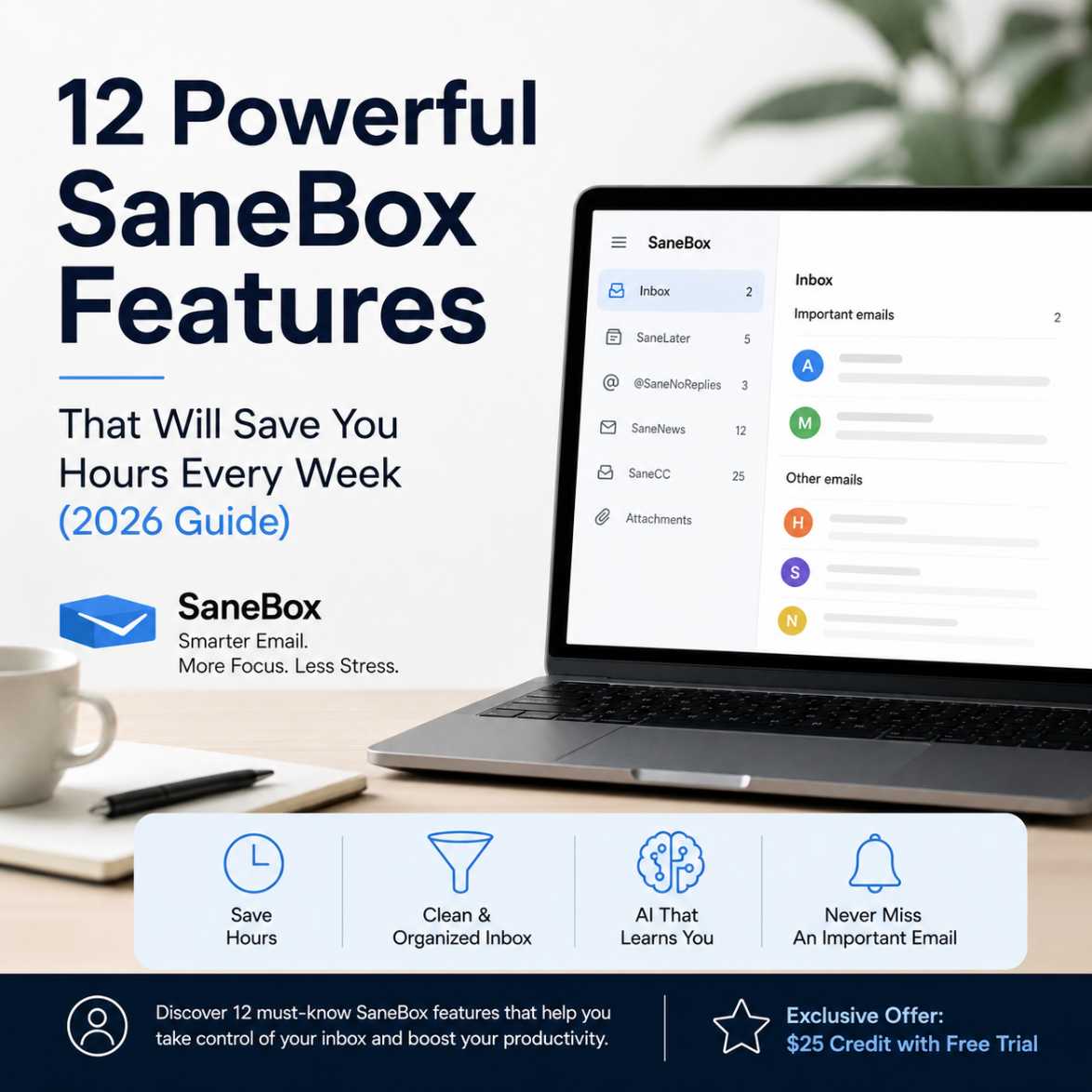
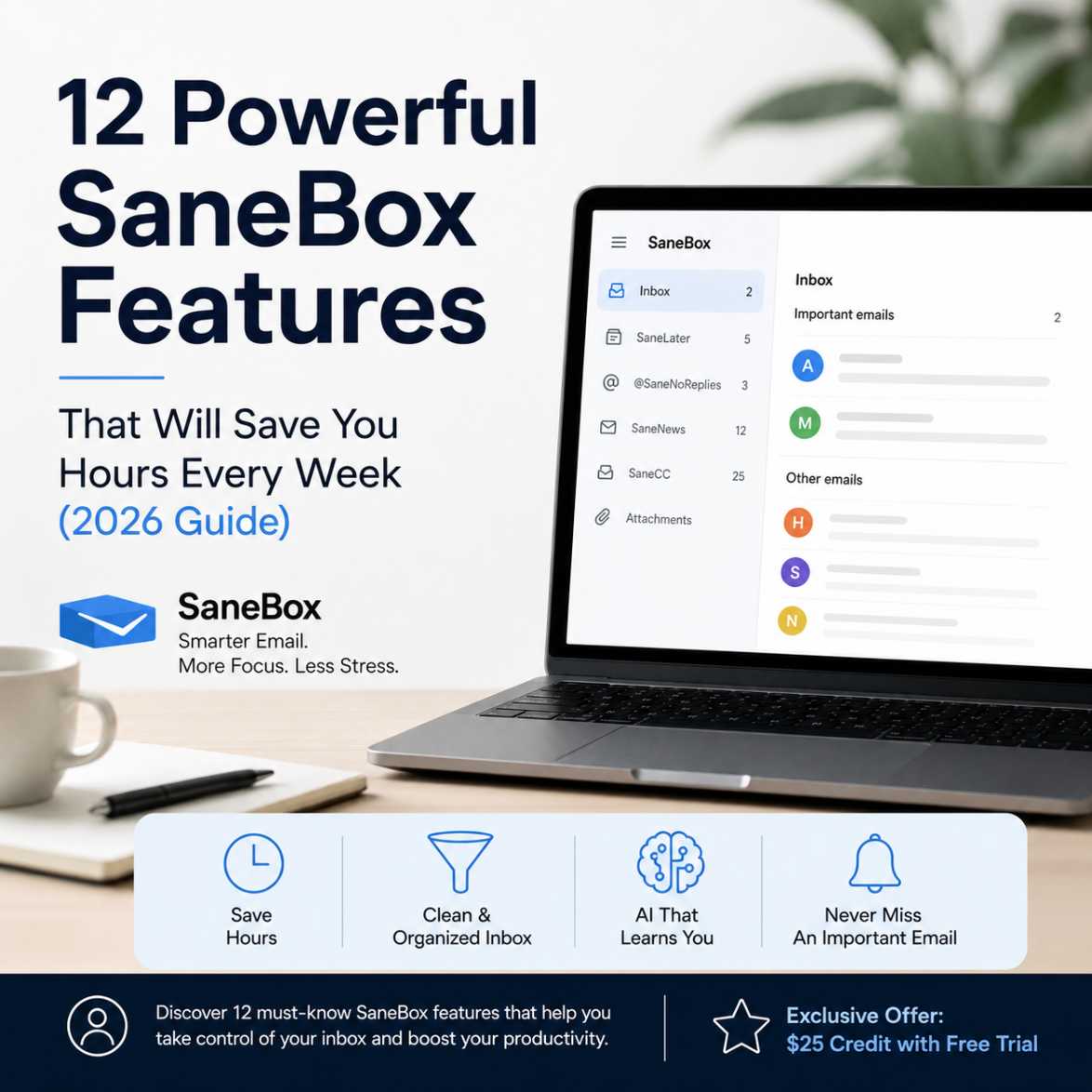
12 Powerful SaneBox Features That Will Save You Hours Every Week (2026 Guide)
12 Powerful SaneBox Features That Will Save You Hours Every Week (2026 Guide)
Tired of Spending Hours Managing Your Inbox?
If you're looking for a smarter way to manage your inbox, SaneBox offers AI-powered email organization that automatically sorts less important messages, prioritizes essential emails, reminds you to follow up, and helps you reach Inbox Zero without changing your email provider. Its intelligent features work with Gmail, Outlook, Apple Mail, Yahoo Mail, and most IMAP email services, making it one of the most effective email productivity tools for busy professionals in 2026.
Email remains one of the most important communication tools for businesses, freelancers, students, and professionals. Yet many people spend more time sorting emails than responding to the messages that truly matter.
Promotional emails, newsletters, notifications, and automated alerts can quickly bury important conversations, making your inbox feel overwhelming. Traditional folders and manual filters help to some extent, but they still require constant maintenance.
That's where SaneBox takes a different approach.
Instead of asking you to create dozens of rules, SaneBox uses artificial intelligence to learn how you manage your inbox. Over time, it automatically identifies important emails, moves distractions out of your way, reminds you about unanswered messages, and keeps your inbox organized with minimal effort.
New to SaneBox? Before exploring its individual features, you may find it helpful to understand how its AI-powered email management system works and why it has become a popular choice for professionals looking to simplify their inbox without changing their email provider.
The result is a cleaner inbox, fewer distractions, and more time to focus on meaningful work instead of repetitive email management.
In this guide, we'll explore twelve of the most valuable SaneBox features, explain how they work, and help you decide whether they're worth adding to your daily workflow.
Ready to see what an organized inbox feels like? You don't have to commit right away. Start with a free SaneBox trial through our exclusive partner offer, and you'll receive a $25 credit toward a SaneBox subscription if you decide it's the right fit. It's a simple way to explore all of the features while taking the first step toward reclaiming your inbox.
Why SaneBox Stands Out from Traditional Email Filters
Most email providers already include filters and spam protection. However, they typically rely on fixed rules that require manual setup and ongoing maintenance.
SaneBox works differently.
Rather than replacing your existing email service, it connects securely to your current inbox and intelligently analyzes email behavior—not the content of your messages—to determine which emails deserve your attention first.
As your habits change, SaneBox adapts automatically, making it a practical solution for professionals who receive dozens or even hundreds of emails every day.
If your long-term goal is reaching Inbox Zero without constantly creating filters or deleting emails manually, our detailed guide explains how SaneBox's AI organizer can make that process much more manageable.
Whether you use Gmail, Outlook, Apple Mail, Yahoo Mail, or another supported provider, SaneBox works quietly in the background while you continue using your preferred email application.
1. SaneLater – Automatically Prioritize What Really Matters
One of the most popular SaneBox features is SaneLater, an intelligent folder that automatically separates low-priority emails from important conversations.
Instead of interrupting your work every few minutes with newsletters, promotional offers, or routine notifications, SaneLater quietly moves them into a separate folder for you to review when you have time.
This means your primary inbox stays focused on emails that genuinely require your attention.
Why it matters
Imagine starting your day with only ten meaningful emails instead of one hundred mixed messages. That simple change reduces decision fatigue and helps you respond faster to clients, colleagues, and customers.
Best for:
- Business owners
- Freelancers
- Consultants
- Remote workers
- Busy professionals
- Students managing multiple projects
2. SaneBlackHole – Train Your Inbox to Ignore Unwanted Senders
We've all subscribed to newsletters we no longer read.
Instead of hunting for unsubscribe links or creating new rules, SaneBox lets you drag unwanted emails into the SaneBlackHole folder.
Once you do, future emails from that sender are automatically moved there without cluttering your inbox.
Over time, SaneBox learns your preferences, making inbox cleanup almost effortless.
Why users love it
Unlike deleting unwanted emails every day, this feature solves the problem permanently while giving you complete control.
It's particularly useful for recurring marketing emails that aren't technically spam but no longer provide value.
3. SaneReminders – Never Forget an Important Follow-Up
How many times have you sent an important email and forgotten to check whether someone replied?SaneReminders eliminates that problem.
Simply set a reminder when sending an email, and if no response arrives within your chosen timeframe, SaneBox sends you a reminder automatically.
This feature is especially valuable for:
- Sales professionals
- Customer support teams
- Recruiters
- Project managers
- Freelancers waiting for client approval
- Business owners following up on proposals
Instead of relying on sticky notes or calendar reminders, your follow-up system becomes part of your email workflow.
4. Snooze Emails Until You Actually Need Them
Not every email requires immediate action.Some are important—but only at a later date.
SaneBox lets you temporarily hide emails and automatically bring them back when they're relevant.
For example, if you're planning a conference three months from now, you can snooze confirmation emails until the week before the event instead of letting them occupy valuable inbox space.
This keeps your inbox focused on today's priorities without losing track of future tasks.
5. Daily Digest – Review Less Important Emails in Minutes
Many emails deserve your attention eventually—but not immediately.
Instead of checking them throughout the day, SaneBox compiles them into a convenient Daily Digest.
Rather than interrupting your workflow repeatedly, you receive a summary that allows you to review everything in one sitting.
The result is fewer interruptions, improved concentration, and more productive work sessions.
Professionals who practice time blocking often find this feature especially valuable because it encourages dedicated email review periods instead of constant inbox checking.
6. Deep Clean – Find Years of Hidden Email Clutter
Many inboxes contain thousands of old emails with large attachments that quietly consume valuable storage space.
The Deep Clean feature scans your mailbox and helps identify:
- Large attachments
- Old conversations
- Archived newsletters
- Unnecessary email clutter
- Storage-heavy messages
Instead of manually searching through years of emails, SaneBox presents organized suggestions that make cleanup much faster.
Besides freeing storage, a cleaner inbox often improves email search performance and makes finding important conversations significantly easier.
For professionals who've used the same email account for many years, Deep Clean can uncover gigabytes of unnecessary email data in just a few minutes.
7. SaneNews – Keep Newsletters Organized Without Unsubscribing
Newsletters can be valuable sources of information, but they often compete with important emails for your attention. Instead of cluttering your primary inbox, SaneNews automatically gathers newsletters and subscription emails into a dedicated folder.
This means you can still enjoy the content you signed up for—just on your own schedule.
Rather than stopping your workflow every time a newsletter arrives, you can review all of them during a convenient break or at the end of the day.
Why it matters
Many professionals subscribe to industry updates, blogs, and learning resources. SaneNews keeps these organized without forcing you to unsubscribe from content you still find useful.
Ideal for:
- Digital marketers
- Bloggers
- Researchers
- Students
- Business owners
- Anyone who follows multiple newsletters
8. SaneCC – Reduce Unnecessary CC Emails
Have you ever opened your inbox only to find dozens of emails where you were copied but didn't need to take any action?
SaneCC helps solve this common problem.
Emails where you're only copied (CC'd) can be automatically moved into a separate folder, allowing you to focus first on messages that require your direct attention.
You can always review CC'd emails later without letting them interrupt your work.
Why professionals appreciate SaneCC
If you work in large organizations or collaborate with multiple teams, CC emails can quickly overwhelm your inbox. SaneCC keeps them accessible while preventing them from becoming daily distractions.
9. Custom SaneFolders – Organize Your Inbox Your Way
Every professional manages email differently.
SaneBox allows you to create custom folders tailored to your workflow.
For example, you can create folders for:
- Client communications
- Finance
- Travel
- Purchase receipts
- Team updates
- Project notifications
- Vendor emails
Instead of manually creating complex email rules, SaneBox intelligently routes messages based on your preferences.
As your workflow evolves, the AI continues learning and refining its organization.
10. Do Not Disturb – Protect Your Focus Time
Deep work requires uninterrupted concentration.
The Do Not Disturb feature temporarily filters incoming emails so your inbox stays quiet during meetings, presentations, writing sessions, or focused work blocks.
Rather than constantly checking new notifications, you stay productive while SaneBox manages incoming messages in the background.
Once your focus session ends, your organized inbox is ready for review.
Great for
- Writers
- Software developers
- Designers
- Consultants
- Entrepreneurs
- Remote workers
11. Attachment Management – Find Large Files Faster
Searching for an attachment from months ago can be frustrating.
SaneBox makes attachment management much easier by helping you identify emails with large files and simplifying inbox cleanup.
Whether you're looking for project documents, presentations, contracts, or images, organizing attachments becomes far less time-consuming.
For professionals who regularly exchange files with clients or colleagues, this feature helps maintain a cleaner, more searchable mailbox.
12. AI That Learns From Your Email Habits
The most powerful feature isn't a folder—it's the intelligence behind the platform.
Unlike traditional email filters that rely on fixed rules, SaneBox continuously learns from how you interact with your inbox.
When you move emails between folders or mark messages as important, SaneBox adapts to your preferences over time.
This ongoing learning process reduces manual effort and makes inbox organization increasingly accurate.
The result is an email system that feels personalized without requiring constant adjustments.
Why SaneBox Is Worth It
Managing email isn't just about keeping your inbox tidy—it's about protecting your time.
Wondering what this looks like in everyday use? I recently shared my own experience using SaneBox and how it helped me reclaim several hours each week while keeping my inbox under control.
Every unnecessary interruption takes attention away from meaningful work. SaneBox addresses this challenge by quietly organizing your inbox behind the scenes, allowing you to focus on conversations that matter most.
Unlike many productivity tools that require learning a new interface, SaneBox works with the email service you already use. There's no need to switch providers or change your daily workflow.
Key benefits at a glance
- Saves time by automatically organizing incoming emails.
- Reduces inbox distractions without deleting important messages.
- Works with popular email providers, including Gmail, Outlook, Apple Mail, Yahoo Mail, and most IMAP accounts.
- Learns from your habits and improves over time.
- Helps maintain a cleaner, more organized inbox.
- Encourages better focus and productivity by minimizing email interruptions.
- Supports professionals, freelancers, teams, and businesses alike.
For anyone who spends a significant portion of the day managing email, these improvements can make daily communication more efficient and less stressful.
SaneBox Pricing Overview (2026)
SaneBox offers multiple subscription plans designed to suit different needs—from individuals to professionals managing high volumes of email.
While features vary by plan, subscribers generally receive access to a combination of AI-powered inbox organization, reminders, folder management, and advanced productivity tools.
One advantage is the ability to choose a plan that matches your workflow rather than paying for features you may not need.
Before subscribing, it's worth checking for any current promotions, free trial offers, or seasonal discounts available through the official SaneBox website or trusted affiliate partners.
Tip: If you're new to SaneBox, start with the free trial. It lets you experience how the AI organizes your inbox before committing to a paid plan.
Who Should Use SaneBox?
SaneBox is designed for anyone who receives more email than they'd like to manage manually.
It's particularly valuable for:
Business Owners
Running a business often means juggling customer inquiries, invoices, marketing emails, and supplier communications. SaneBox helps prioritize the conversations that directly impact your business.
Freelancers
Client projects, proposals, contracts, and invoices all arrive by email. SaneBox helps freelancers stay organized without spending excessive time sorting messages.
Sales Professionals
Following up with leads is easier using reminders, while unnecessary distractions are filtered out of the primary inbox.
Consultants
Client communication stays front and center, reducing the risk of missing important requests.
Remote Teams
Shared projects often generate hundreds of emails each week. SaneBox helps team members focus on actionable conversations.
Students and Researchers
Course announcements, newsletters, assignment reminders, and academic correspondence remain organized without overwhelming the inbox.
Anyone Seeking Inbox Zero
If your goal is to reduce email clutter and maintain a cleaner inbox, SaneBox provides practical tools to make that process easier.
SaneBox vs Traditional Email Filters
| Feature | SaneBox | Traditional Email Filters |
|---|---|---|
| Learns from your behavior | ✅ Yes | ❌ No |
| AI-powered prioritization | ✅ Yes | ❌ No |
| Automatic follow-up reminders | ✅ Yes | ❌ No |
| Snooze emails | ✅ Yes | Limited or manual |
| Daily Digest summaries | ✅ Yes | ❌ No |
| Smart newsletter organization | ✅ Yes | Manual rules required |
| Works with existing email provider | ✅ Yes | Yes |
| Requires constant rule updates | ❌ No | ✅ Often |
| Inbox cleanup assistance | ✅ Yes | Limited |
This comparison highlights why many users choose SaneBox over relying solely on built-in email filters. Its adaptive approach reduces the need for ongoing manual maintenance and supports a more efficient email workflow.
Ready to Spend Less Time Managing Email?
If your inbox feels more like a source of stress than a productivity tool, SaneBox offers a practical way to regain control without changing how you already use email.
By automatically organizing less important messages, reminding you about follow-ups, and helping you focus on what truly matters, SaneBox can simplify your daily routine and make email management far less time-consuming.
Whether you're a freelancer, business owner, student, or professional handling hundreds of emails each week, trying SaneBox is a low-risk way to see if AI-powered inbox organization fits your workflow.
Start with the free trial, explore the features that matter most to you, and experience firsthand how a more organized inbox can support better productivity.
If you're ready to work smarter—not harder—this could be the email assistant you've been looking for.
Frequently Asked Questions (FAQs)
1. What is SaneBox, and how does it work?
SaneBox is an AI-powered email management service that connects to your existing email account and automatically organizes incoming messages based on your email habits. Instead of replacing your email provider, it works alongside services like Gmail, Outlook, Apple Mail, Yahoo Mail, and other IMAP-supported accounts to help you prioritize important emails while reducing inbox clutter.
2. Does SaneBox work with Gmail and Outlook?
Yes. SaneBox integrates with popular email providers, including Gmail, Microsoft Outlook, Apple Mail, Yahoo Mail, Fastmail, and most email services that support IMAP. You can continue using your preferred email application while SaneBox organizes your inbox in the background.
3. Is SaneBox safe to use?
SaneBox is designed with security and privacy in mind. It organizes your emails without requiring you to switch email providers. Before signing up, it's always a good idea to review SaneBox's latest privacy policy and security practices to understand how your data is handled.
4. Can SaneBox help me achieve Inbox Zero?
Yes. One of SaneBox's primary goals is to make Inbox Zero easier to maintain. By automatically moving less important emails out of your primary inbox, it allows you to focus on messages that require your attention while reviewing newsletters and lower-priority emails at a convenient time.
5. Is SaneBox better than traditional email filters?
For many users, yes. Traditional email filters rely on manually created rules, while SaneBox continuously learns from your email habits and adapts over time. This reduces the need to create and maintain complex filtering rules yourself.
6. Does SaneBox delete my emails?
No. SaneBox doesn't automatically delete your emails. Instead, it organizes them into smart folders based on priority and your preferences. You remain in full control of your mailbox and can review or move emails whenever you choose.
7. Who benefits the most from using SaneBox?
SaneBox is particularly useful for professionals who receive a high volume of emails each day. Business owners, freelancers, consultants, sales professionals, remote workers, recruiters, and students can all benefit from a more organized inbox and fewer daily interruptions.
8. Will SaneBox improve my productivity?
Many users find that SaneBox helps reduce time spent sorting emails, allowing them to focus on more important work. While individual results vary depending on email volume and work habits, better inbox organization often leads to fewer distractions and improved efficiency.
9. Does SaneBox require installing software?
No. Since SaneBox works at the email server level, there's typically no need to install additional software or browser extensions. Once connected to your email account, it begins organizing your inbox automatically.
10. Can I customize how SaneBox organizes my emails?
Absolutely. Although SaneBox learns from your email behavior, you remain in control. You can create custom folders, train the system by moving emails between folders, and adjust your organization preferences as your workflow changes.
11. Is there a free trial available?
Yes. SaneBox generally offers a free trial that allows new users to experience its features before choosing a subscription plan. Since offers may change over time, it's worth checking the latest details on the official SaneBox website before signing up.
12. Is SaneBox worth paying for?
If email is a significant part of your daily work, SaneBox can be a worthwhile investment. Its intelligent organization, follow-up reminders, and productivity-focused features can save time and reduce inbox stress, making it especially valuable for users who handle a large number of emails each day.
If your inbox has become more of a distraction than a productivity tool, this is a great opportunity to see what AI-powered email management can do. By starting your free SaneBox trial through our link, you'll also receive an exclusive $25 credit toward a SaneBox subscription if you choose to continue after your trial. It's a practical way to experience the benefits for yourself while taking advantage of an offer available to Kuruntha Smarket readers.
Conclusion
Email isn't going away anytime soon, but the way we manage it can certainly improve.
Instead of spending valuable time sorting newsletters, deleting promotional messages, or searching for important conversations, you can let intelligent automation handle much of the routine work. That's exactly where SaneBox stands out. It doesn't ask you to abandon your favorite email provider or learn an entirely new system. Instead, it enhances the inbox you already use by quietly organizing messages, prioritizing what matters, and helping you stay focused throughout your workday.
Whether you're a freelancer juggling multiple clients, a business owner managing customer communications, a consultant balancing projects, or simply someone looking to regain control of an overflowing inbox, SaneBox offers practical tools that can simplify your daily email routine.
If you've been searching for an email management solution that combines artificial intelligence with ease of use, now is an excellent time to explore what SaneBox has to offer.
If you're building a more productive digital workspace, you might also enjoy our roundup of AI productivity tools that complement SaneBox and help automate other parts of your daily workflow.
Ready to Experience a Smarter Inbox?
Take advantage of the SaneBox free trial and see how its AI-powered features fit into your daily workflow. From intelligent email prioritization and follow-up reminders to newsletter organization and inbox cleanup, you'll have the opportunity to experience the benefits before committing to a paid plan.
If SaneBox helps you spend less time managing email and more time on meaningful work, it could become one of the most valuable productivity tools in your digital toolkit.
Ready to spend less time sorting emails and more time on meaningful work? Start your free SaneBox trial through Kuruntha Smarket today and enjoy an exclusive $25 credit toward your subscription if you decide to continue. It's a great opportunity to experience smarter email management while taking advantage of a reader-exclusive offer.
Related Articles You May Also Like
Continue learning about smarter email management with these guides from Kuruntha Smarket:
- SaneBox: The Ultimate AI Email Management Tool to Declutter Your Inbox
- Tame Your Inbox Chaos: How SaneBox's AI Organizer Brings Order to Your Emails
- SaneBox Black Friday Deal: Sign Up Now & Get a $25 SaneBox Credit
#SaneBox #EmailProductivity #InboxZero #EmailManagement #AIProductivity #BusinessProductivity #WorkSmarter #ProductivityTools #RemoteWork #SmallBusiness #Entrepreneur #Consultant #Freelancer #ArtificialIntelligence #AITools #SmartTechnology #DigitalProductivity #WorkflowAutomation #EmailAutomation #BusinessTechnology #Gmail #Outlook #EmailTips #TimeManagement #ProductivityHacks #BusinessSoftware #TechTools #OfficeProductivity
Disclosure:
This article may contain affiliate links. If you choose a service through our links, we may earn a commission at no extra cost to you.
This article was created with AI-assisted research and carefully reviewed by our in-house team before publication