Decktopus AI Prompts for Business: 4 Presentation Templates to Save Time in 2026
Decktopus AI Prompts for Business: 4 Presentation Templates to Save Time in 2026
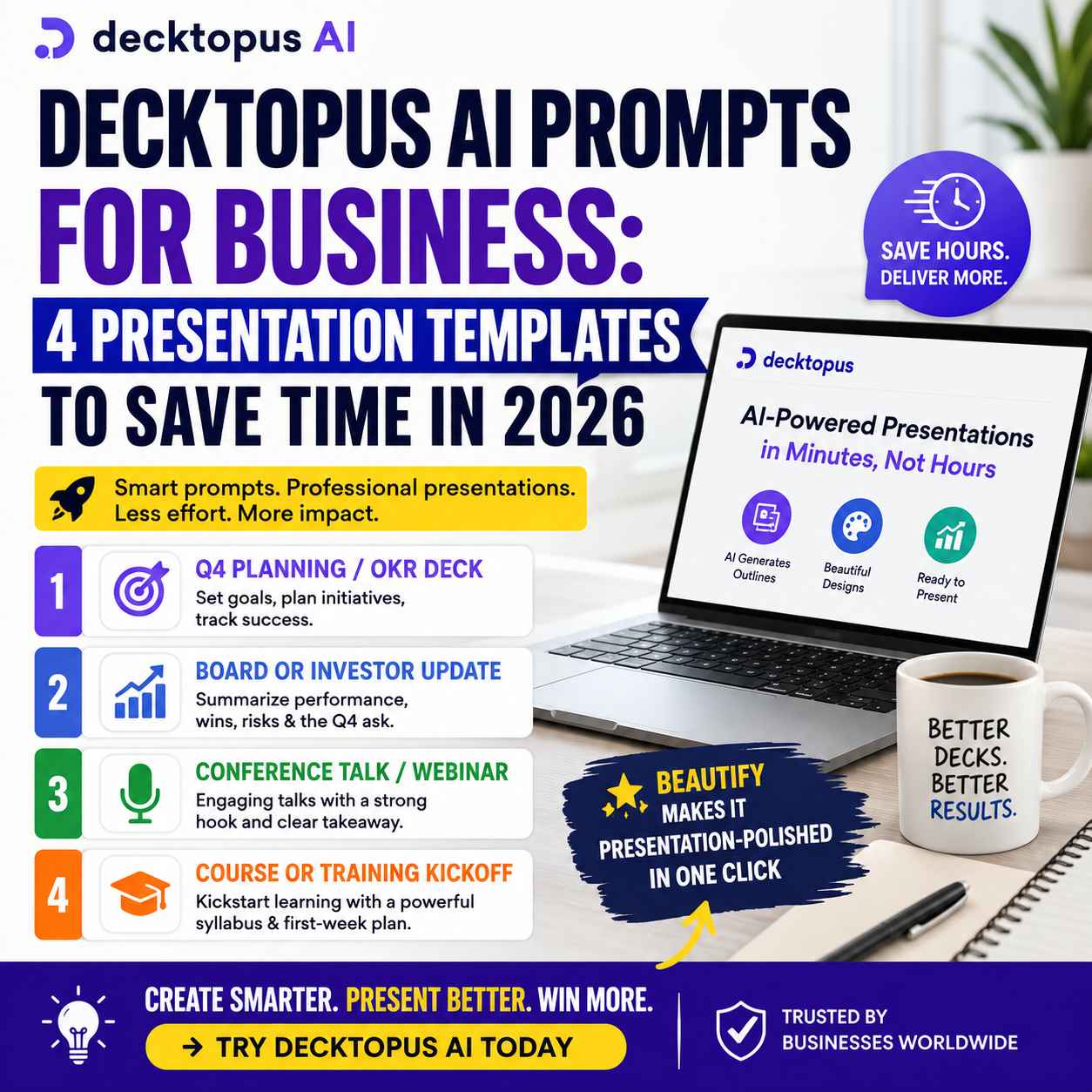
The best Decktopus AI prompts for business are specific instructions that tell Decktopus what type of presentation you need, who it is for, what information it should contain, and what outcome you want. For recurring business work, four particularly useful prompt types are Q4 planning and OKR presentations, board or investor updates, conference and webinar presentations, and course or training kickoff decks. Using a structured prompt can help turn a presentation idea into an organized first draft without starting from a blank slide.
Creating a presentation is rarely difficult because someone cannot open PowerPoint, Google Slides, or another presentation editor.
The real problem is everything that happens before the final slide is ready.
You need to decide what to say.
Then you need to organize the information.
Then comes the slide structure, headlines, supporting points, visuals, charts, branding, formatting and, eventually, the uncomfortable realization that a supposedly simple presentation has consumed half a day.
That is exactly where Decktopus AI prompts can become useful.Instead of treating AI as a button that magically creates a presentation, think of a prompt as a set of instructions for turning a business requirement into a usable presentation draft.
Decktopus currently allows users to describe what they are presenting and generate a complete presentation structure, content and design. It also supports prompt-based editing, AI-generated visuals, presentation practice and brand-oriented workflows.
For business users, that makes the quality of the starting prompt particularly important.
The following four presentation prompt templates are designed around situations that businesses repeatedly face throughout the year.
If you’re tired of staring at a blank slide and spending hours turning an idea into a polished presentation, Decktopus AI is worth a closer look. Start with one of the prompts below, see how quickly it can build your first draft, and decide for yourself whether it can save you time on your next business presentation.
Why Use Decktopus AI Prompts Instead of Starting From Scratch?
A blank presentation creates too many decisions.
You have to determine:
- What should the opening slide say?
- Which points deserve their own slide?
- How much information is enough?
- What should the audience remember?
- Where should charts or visuals appear?
- How should the presentation end?
- What should the audience do next?
AI can help reduce this initial workload.
Decktopus explains that users can enter a topic, provide supporting material such as a document or PDF, review the generated outline, adjust the structure and then build the presentation. The resulting presentation can be edited, presented, shared or exported.
That makes a good prompt more than a shortcut.
It becomes the foundation of the presentation.
If you want to see how Decktopus performs beyond individual prompts, our Decktopus AI Review 2026 breaks down its workflow, business use cases, strengths, limitations, and overall value before you decide whether it belongs in your toolkit.
The simple formula for a better Decktopus prompt
A useful business prompt should normally include:
Presentation type + audience + objective + required sections + timeframe + desired outcome
For example:
Create a Q4 planning presentation for the marketing team, covering quarterly goals, major initiatives, timeline, KPIs, resource requirements and expected business outcomes.
That is much more useful than simply typing:
Make a marketing presentation.
Specificity gives the AI more direction.
1. Decktopus AI Prompt for Q4 Planning and OKR Presentations
Q4 planning arrives every year.
So does the presentation nobody wants to build.
Leadership teams need to communicate priorities, departments need to align their objectives, and employees need to understand what matters before the year closes.
Instead of rebuilding the same planning deck every year, use a structured Decktopus AI prompt.
Ready-to-use Q4 planning prompt
Create a Q4 planning presentation for [team or department]. Cover our main objectives, key initiatives, quarterly priorities, timeline, owners, KPIs, expected outcomes, potential risks, required resources and success metrics. Structure the presentation for [executives/team members/stakeholders] and finish with clear next steps and accountability.
Customize these sections
Replace the brackets with information relevant to your business:
- [team or department] — Marketing, Sales, Product, HR, Finance, etc.
- [audience] — Executives, department heads, employees or investors
- [objectives] — Revenue growth, customer acquisition, retention, product launches
- [KPIs] — Revenue, leads, conversion rate, retention or other measurable indicators
Why this prompt works
It tells Decktopus more than just the subject.
It establishes the business purpose and the information that the presentation needs to communicate.
That distinction matters.
A useful Q4 deck should not simply list goals. It should connect:
Objective → Initiative → Timeline → Measurement → Accountability
That makes the resulting presentation more useful in an actual business meeting.
2. Decktopus AI Prompt for Board and Investor Updates
Board presentations and investor updates require a different approach.
The audience generally does not need every operational detail.
They need to understand what happened, why it happened, what matters now and what the business needs next.
Ready-to-use board update prompt
Build a board and investor update presentation summarizing Q3 performance for [company]. Include key financial and operational results, major wins, important milestones, challenges, risks, customer or market developments, lessons learned and priorities for Q4. Highlight significant changes from the previous quarter and conclude with the decisions, resources or support required from the board or investors.
Make the prompt more useful with your numbers
Where possible, provide actual information such as:
- Revenue
- Growth rate
- Customer numbers
- Conversion rate
- Churn
- Product milestones
- Marketing performance
- Major contracts
- Hiring changes
- Cash position
- Key risks
AI can organize information, but your business data should remain the source of truth.
Why this prompt has commercial value
Board and investor presentations are high-stakes documents.
Saving time is valuable, but accuracy and clarity matter more.
The best workflow is:
Business data → Decktopus first draft → human verification → executive editing → final presentation
Do not allow AI-generated assumptions to replace financial reporting or management judgment.
The purpose is to accelerate presentation production—not outsource responsibility.
3. Decktopus AI Prompt for Conferences and Webinars
A conference presentation has one major challenge that an internal meeting does not:
The audience does not owe you their attention.
A webinar can lose participants within minutes.
A conference audience can mentally leave long before the final slide.
That makes presentation structure critical.
Ready-to-use conference presentation prompt
Create a 10-slide conference presentation about [topic] for [target audience]. Begin with a strong hook that establishes why the topic matters, explain the central problem, present three to five key insights supported by examples or evidence, include practical recommendations, and finish with a memorable takeaway and clear next step. Keep the language accessible, avoid unnecessary text, and structure each slide around one primary idea.
Why specify the number of slides?
Because constraints improve focus.Without a defined scope, an AI presentation can become unnecessarily long.
A 10-slide instruction gives the presentation a practical boundary.
You can also modify the prompt:
Create a 15-slide webinar presentation...
or:
Create a 7-slide executive briefing...
The important point is to specify the intended format before generating the deck.
Make your webinar prompt conversion-focused
If the presentation is connected to a product, service or lead-generation campaign, add:
Include a practical problem-solving section and finish with a clear call to action directing the audience to [website/demo/free trial/contact form].
That gives the presentation a business objective instead of turning it into an information dump.
4. Decktopus AI Prompt for Course and Training Kickoffs
Training presentations have a different requirement.
The audience needs to understand:
What will I learn?
Why does it matter?
What do I need to do first?
That makes Decktopus useful for trainers, educators, course creators and internal learning teams.
Ready-to-use training kickoff prompt
Build a course kickoff presentation for [course or subject]. Introduce the purpose of the course, target learners, learning outcomes, syllabus structure, weekly schedule, required resources, assessment approach and first-week objectives. Include an engaging introduction, expectations for learners, practical activities and a clear explanation of what participants should accomplish after the first week.
Improve the prompt for corporate training
For employee onboarding or professional development, add:
Connect each learning objective to a practical workplace outcome and include examples of how employees can apply the material in their daily responsibilities.
This shifts the presentation from:
“Here is what the course contains.”
to:
“Here is why this training matters to your work.”
That is a much stronger learning experience.
How to Get Better Results From Decktopus AI Prompts
The four templates above are starting points.
You can improve almost any Decktopus presentation by giving the AI more useful context.
1. Identify the audience
Don't simply write:
Create a sales presentation.
Instead:
Create a sales presentation for mid-sized SaaS companies evaluating workflow automation software.
The second prompt gives the presentation a much clearer audience.
2. State the objective
Tell Decktopus what the presentation needs to accomplish.
Examples:
- Secure approval
- Generate leads
- Explain a strategy
- Train employees
- Win an investor meeting
- Introduce a product
- Report quarterly performance
3. Specify the desired length
Examples:
- 5-slide executive summary
- 10-slide webinar
- 12-slide investor presentation
- 15-slide training deck
This helps prevent unnecessary information.
4. Give the AI your source material
Decktopus supports adding supporting material such as PDFs or documents when creating presentations.
This is particularly useful when the presentation needs to reflect:
- Company reports
- Research
- Product documentation
- Training material
- Meeting notes
- Business plans
The more authoritative context you provide, the less you have to rely on generic AI-generated content.
5. Tell it what to avoid
This is an underrated prompting technique.
For example:
Avoid generic business clichés, excessive text, unsupported statistics and repetitive slides.
That gives the AI boundaries.
6. Ask for a logical narrative
Instead of requesting disconnected slides, tell Decktopus how the story should progress.
A useful structure is:
Problem → Context → Evidence → Solution → Benefits → Next Steps
This works particularly well for business pitches and sales presentations.
Decktopus AI Prompts vs Presentation Templates: What's the Difference?
A traditional presentation template primarily gives you a visual structure.
A prompt gives the AI instructions about what the presentation should accomplish.
That is a significant difference.A template might give you:
Title → Image → Text → Conclusion
A well-written AI prompt can define:
Audience → Objective → Content → Narrative → Structure → Tone → Call to Action
Decktopus combines AI generation with presentation layouts and editing capabilities, meaning users can begin with generated content rather than filling every slide manually.
For professionals who create presentations frequently, that can be a much bigger productivity gain than simply having more templates.
How Much Time Can Decktopus AI Save?
The honest answer is: it depends on the presentation.
A simple internal update may be generated and edited quickly.
A board presentation containing financial information, business metrics and sensitive decisions requires considerably more human review.
The biggest time saving generally comes from reducing the amount of work required to create the first usable draft.That matters because:
Editing a reasonable draft is usually faster than creating a presentation from an empty canvas.
Decktopus currently positions itself around eliminating blank-slide and formatting work, while its AI workflow can generate presentation structure, content and design from the user's instructions.
That is the real productivity proposition.
Is Decktopus AI Worth Paying For?
If you create presentations occasionally, a free or trial experience may be enough to determine whether the workflow suits you.
For professionals who regularly create business presentations, the calculation is different.
The question becomes:
How much is your presentation time worth?
Decktopus currently lists paid plans with AI credits, presentation generation, PDF/PPT export and sharing features; its current pricing page lists Pro annual pricing at $9.99 per month when billed annually, with higher-cost options for shorter billing periods, while Enterprise is positioned for organizations requiring company-wide deployment. Always verify the current price before purchasing because pricing can change.
Decktopus also uses AI credits for presentation generation and AI editing. Its help documentation currently states that generating one slide uses five AI credits, with additional credit packages available.
For someone producing presentations every week, the economics can make considerably more sense than for someone creating one deck every six months.
If you already know that presentation creation is eating too much of your workday, see what Decktopus can do for your next presentation and decide whether the time saved justifies the investment.
Who Should Consider Decktopus AI?
Decktopus AI is particularly relevant for:
- Business owners
- Startup founders
- Consultants
- Sales teams
- Marketing professionals
- Trainers
- Course creators
- Educators
- Webinar hosts
- Business analysts
- Internal communications teams
It is especially attractive when presentation creation is a recurring operational task.
If your team repeatedly builds:
Sales decks + proposals + training presentations + quarterly reports + webinars
then the time-saving potential becomes more meaningful.
Who May Not Need Decktopus AI?
Decktopus is not automatically the right choice for everyone.
You may prefer traditional presentation software if:
- You need pixel-level design control.
- Your organization already has a highly optimized PowerPoint workflow.
- Your presentations require complex custom animations.
- A professional designer creates every deck.
- You rarely create presentations.
- Your organization has strict presentation-production requirements.
AI presentation software is most valuable when it removes genuine friction.
There is little point paying for automation that your existing workflow already handles efficiently.
Decktopus AI vs Starting From a Blank Slide
The difference can be summarized simply:
| Traditional workflow | Decktopus AI workflow |
|---|---|
| Start with a blank presentation | Start with a prompt |
| Build the outline manually | Generate an initial structure |
| Write slide content | Generate a first draft |
| Select layouts manually | AI-assisted design |
| Format every section | Refine generated slides |
| Create presentation notes separately | Use AI-assisted presentation preparation |
| Spend more time on production | Spend more time refining the message |
The objective is not to remove the human from the presentation process.It is to move the human toward the work that matters.
Presentation automation is only one part of a larger productivity strategy. If you're looking at ways to reduce repetitive work across marketing, sales, customer support, and daily operations, see our Best AI Business Automation Tools in 2026 guide for a broader look at where AI can create measurable business value.
A Better Decktopus AI Workflow for Business
For recurring business presentations, I recommend this five-step process:
Step 1: Define the outcome
Ask:
What should happen after this presentation?
Approval?
Purchase?
Investment?
Training completion?
Strategic alignment?
Step 2: Write the prompt
Use one of the four templates in this article.
Step 3: Add your source material
Give Decktopus the documents, notes or information required to make the presentation relevant.
Step 4: Review the generated presentation
Check:
- Facts
- Numbers
- Claims
- Brand messaging
- Visuals
- Slide order
- Tone
- Call to action
Step 5: Practice and refine
Decktopus now also positions its workflow around presentation practice and AI feedback, so the process can extend beyond simply generating slides.
That creates a more complete workflow:
Prompt → Presentation → Edit → Practice → Present
Final Verdict: Are Decktopus AI Prompts Worth Using?
Yes—particularly if presentations are a recurring part of your work.
The biggest advantage of Decktopus AI prompts is not that they magically produce a perfect presentation.
They give you a structured starting point.
That distinction matters.
A good prompt can turn:
“I need a Q4 presentation.”
into:
“Create a Q4 planning presentation for our marketing team covering objectives, initiatives, KPIs, timeline, resource requirements, risks and next steps.”
The second instruction gives the AI something useful to work with.
For business users, that can reduce the repetitive work involved in planning and formatting presentations while leaving the important decisions—accuracy, strategy, judgment and messaging—in human hands.
If you regularly create investor decks, sales presentations, training materials, webinars, board updates or quarterly planning decks, Decktopus AI is worth testing against your existing workflow.
And if you want to understand the platform beyond these prompts—including its workflow, business use cases, strengths, limitations and overall value—read our Decktopus AI Review 2026 before deciding whether it deserves a place in your business toolkit.
Ready to spend less time building slides and more time preparing the message? Explore Decktopus AI and test these prompts with your next presentation.
Frequently Asked Questions About Decktopus AI Prompts
What are Decktopus AI prompts?
Decktopus AI prompts are instructions that tell Decktopus what type of presentation to create, who the audience is, what information should be included and what outcome the presentation should achieve.
What is the best Decktopus AI prompt for business?
A strong business prompt clearly identifies the presentation type, audience, objective, required sections, timeframe and desired outcome. Q4 planning, investor updates, webinars and training presentations are good starting use cases.
Can I use Decktopus AI prompts for Q4 planning?
Yes. A Q4 prompt can instruct Decktopus to organize objectives, initiatives, timelines, KPIs, risks, resources and next steps into a structured planning presentation.
Can Decktopus AI create investor presentations?
Yes. Decktopus can be used to structure investor and board presentations. However, financial information, forecasts, claims and performance data should always be reviewed carefully by the responsible business team.
Can I use Decktopus AI prompts for webinars?
Yes. You can specify the topic, audience, number of slides, opening hook, key lessons, examples and final call to action to create a structured webinar presentation.
Can Decktopus AI create training presentations?
Yes. Training prompts can include learning objectives, syllabus structure, weekly activities, assessments, resources and first-week goals.
How detailed should a Decktopus AI prompt be?
Generally, more useful context produces a better starting point. Include the audience, objective, presentation length, important sections, tone and relevant source material instead of providing only a topic.
Can Decktopus AI export presentations to PowerPoint?
Yes. Decktopus currently supports PowerPoint and PDF export, along with other presentation-sharing options.
Does Decktopus AI have a free plan?
Decktopus currently states that it does not offer a conventional free plan, but new users receive free credits at signup to create and test a three-slide presentation. Current plans and trial conditions should be checked directly before purchasing.
How does Decktopus AI pricing work?
Decktopus currently offers paid subscription options and AI credits. Its pricing page lists different billing periods and features, while its help documentation explains that AI credits are consumed when generating or editing slides. Because pricing and plan structures can change, verify the current pricing before subscribing.
Is Decktopus AI better than PowerPoint?
That depends on the workflow. PowerPoint provides extensive manual control, while Decktopus focuses on accelerating presentation creation with AI. If your biggest problem is starting from a blank presentation, Decktopus may provide more immediate productivity value.
Ready to put these prompts to work? If you create business presentations regularly, Decktopus AI can take you from a rough idea to a structured presentation without making you build every slide from scratch. Explore Decktopus AI today and see whether it fits the way you work.
Start With the Prompt, Not the Blank Slide
The next time a presentation appears on your calendar, don't begin by opening a blank slide deck.
Start with the outcome.
Tell Decktopus who the presentation is for, what it needs to accomplish and what information the audience needs.
Then let AI handle more of the repetitive production work.The four templates above give you a practical starting point for:
Q4 planning → Board updates → Conferences and webinars → Training
And once you've created one strong prompt, you can adapt it for the next presentation instead of rebuilding your workflow every time.
Your presentation calendar is not getting smaller. Your preparation time should.
#DecktopusAI #AIPresentation #PresentationTools #BusinessProductivity #AITools #PresentationDesign #BusinessTools #StartupTools #SalesEnablement #AIForBusiness #ProductivityTools #PresentationTips
Disclosure:
This article may contain affiliate links. If you choose a service through our links, we may earn a commission at no extra cost to you.
This article was created with AI-assisted research and carefully reviewed by our in-house team before publication