Jotform Tutorial for Beginners (2026): Create Your First Online Form in 10 Minutes Without Coding
Jotform Tutorial for Beginners (2026): Create Your First Online Form in 10 Minutes Without Coding
Jotform is a no-code online form builder that allows beginners to create professional forms in about 10 minutes without coding. Using its drag-and-drop editor, you can build contact forms, surveys, registrations, payment forms, and lead capture forms, then share them instantly or integrate them with business tools like Google Sheets, Salesforce, and Stripe.
Every business eventually reaches the same bottleneck: collecting information through emails, spreadsheets, or messaging apps becomes slow, inconsistent, and difficult to manage. Jotform allows beginners to create professional online forms in about 10 minutes without writing a single line of code, making it one of the easiest ways to streamline registrations, customer inquiries, surveys, payments, and internal workflows.
Whether you're a freelancer, educator, nonprofit, healthcare provider, or small business owner, learning how to build online forms is no longer optional. The faster you collect accurate information, the faster you can serve customers and grow your operations.
Still relying on emails or spreadsheets to collect information? Start with Jotform's free plan and build your first online form in just a few minutes. You can explore the latest features, templates, and pricing before deciding if it fits your workflow.
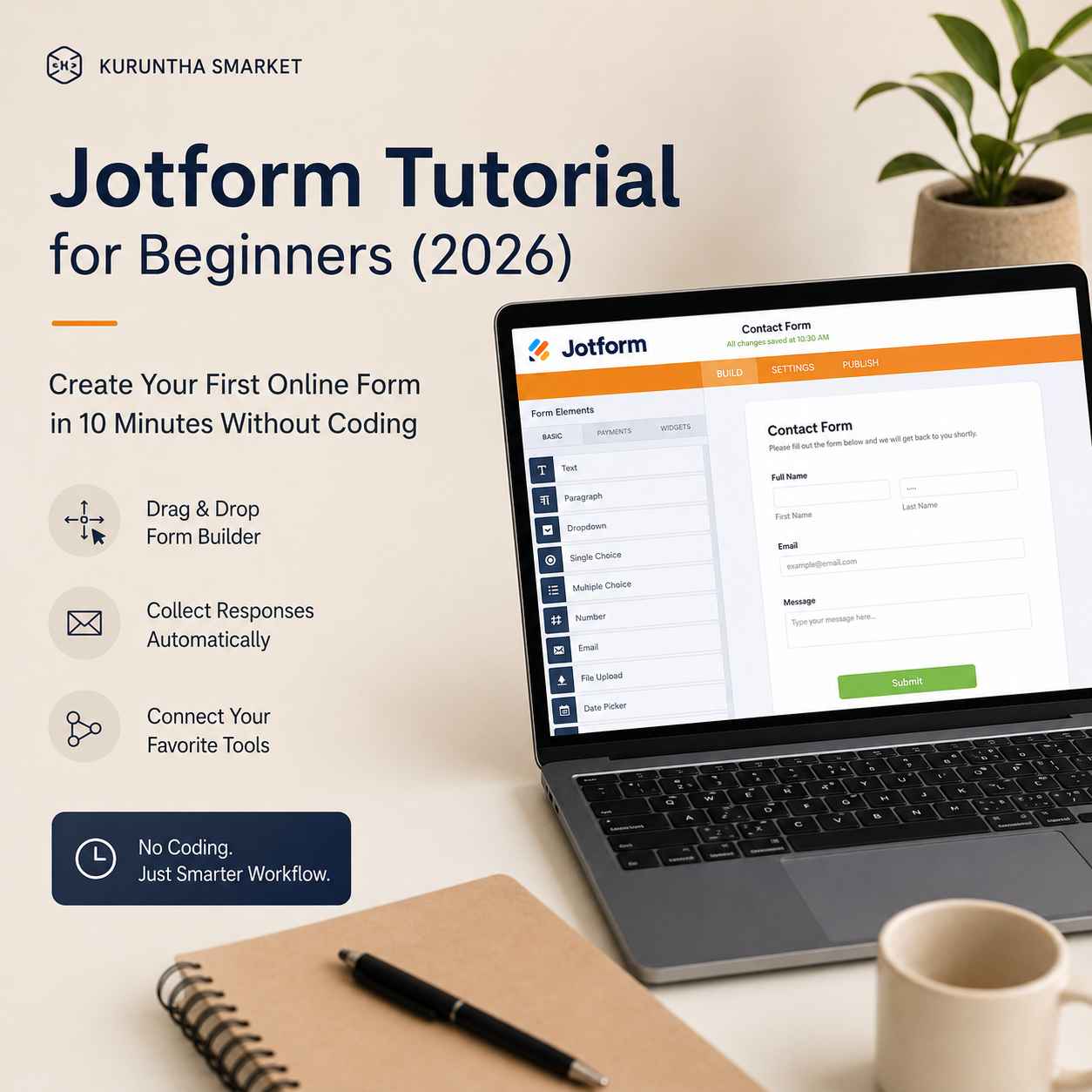
In this practical guide, you'll learn exactly how to create your first Jotform, understand what to expect during setup, avoid common beginner mistakes, and decide whether it's the right fit for your workflow.
Why Most Beginners Struggle with Online Forms
Many people assume creating forms is difficult because they associate it with coding or web development.
In reality, the biggest obstacle isn't technology.
It's deciding:
- What information should I collect?
- How should my form look?
- Where will responses go?
- Can I automate follow-up emails?
- Will it work on mobile devices?
Without a structured workflow, forms quickly become cluttered, confusing, and difficult for users to complete.
That's where Jotform stands out.
What is Jotform?
Jotform is a no-code online form builder that lets anyone create professional forms using a drag-and-drop interface.
Instead of hiring developers, you simply choose a template or start from scratch, add the fields you need, customize the design, and publish your form.
Common use cases include:
- Customer contact forms
- Lead generation
- Appointment booking
- Registration forms
- Surveys
- Payment collection
- Healthcare intake forms
- School admissions
- Internal employee requests
The platform is designed for beginners but includes advanced automation as your needs grow.
Creating Your First Jotform in 10 Minutes
Step 1: Create a Free Account
Visit Jotform and register using your email address or Google account.
The free plan is more than enough for learning the platform before deciding whether you need additional features.
Once you're comfortable creating forms manually, you don't have to start every project from scratch. Jotform's ChatGPT integration can generate complete forms, refine questions, and even analyze responses using simple prompts, making it an excellent next step as your workflow becomes more advanced.
See how AI can help you build and improve forms in minutes instead of hours.
Step 2: Choose a Template or Blank Form
After logging in, you'll have two options:
- Start with a blank form.
- Choose from thousands of ready-made templates.
For beginners, templates significantly reduce setup time while showing best practices for field placement and layout.
Step 3: Add Form Fields
Using the drag-and-drop editor, you can add:
- Name
- Phone number
- Multiple choice
- Dropdown menus
- File uploads
- Date pickers
- Signatures
- Payment fields
- Images
- Conditional questions
No coding knowledge is required.
Step 4: Customize Your Design
Brand consistency builds trust.
You can personalize your form by changing:
- Fonts
- Colors
- Background images
- Logos
- Button styles
Even basic customization makes your forms look far more professional.
Step 5: Configure Notifications
One of the easiest mistakes beginners make is forgetting email notifications.
Set up:
- Confirmation emails for users
- Internal notifications for your team
- Auto-replies
- Thank-you pages
This small step saves countless hours of manual follow-up.
Step 6: Publish Your Form
Once finished, you can:
- Share a direct link
- Embed it on your website
- Generate a QR code
- Share via email
- Post on social media
Your form is immediately ready to collect responses.
What Actually Happens After You Publish?
This is where many tutorials stop.
Once your form starts receiving submissions, you'll quickly discover new workflow challenges:
- Organizing responses
- Exporting data
- Filtering spam
- Following up with customers
- Sharing results with teammates
Creating the form is only the first step.
Managing information efficiently becomes the next priority.
As submissions begin to grow, organizing requests becomes just as important as collecting them. Jotform Boards transforms every submission into a visual task, helping you assign work, monitor progress, and keep projects moving without switching between multiple tools.
Explore how Jotform Boards turns form submissions into organized, actionable workflows.
The Real Learning Curve
Jotform is beginner-friendly, but that doesn't mean you'll master everything in one afternoon.
Most users become comfortable with the basics within a day.
Features such as conditional logic, approval workflows, advanced calculations, and integrations require more practice.
Fortunately, you don't need those features immediately.
Where Beginners Usually Get Stuck
Based on real user experiences, these are the most common issues:
Overcomplicated Forms
Trying to collect too much information reduces completion rates.
Poor Mobile Layout
Always preview your form on a smartphone before publishing.
Ignoring Notifications
Without email alerts, submissions can easily be missed.
No Thank-You Page
Users appreciate knowing their submission was successful.
Skipping Testing
Always complete your own form several times before sharing it publicly.
If you'd rather avoid these common setup mistakes, take a look at Jotform's template library and built-in automation features. Starting with a proven template can save time and help you launch with more confidence.
Integrations That Save Time
One reason businesses choose Jotform is its extensive integration library.
Popular integrations include:
- Google Sheets
- Google Drive
- Dropbox
- Slack
- Microsoft Teams
- Zoom
- Salesforce
- HubSpot
- PayPal
- Stripe
These connections reduce repetitive manual work and keep information synchronized across your existing tools.
If you're planning to automate customer management, you may also find our guide on Jotform Salesforce Integration helpful for connecting form submissions directly to your CRM.
Collecting information is only the first step. If your business depends on following up with leads quickly, connecting your forms to Salesforce can eliminate manual data entry and help your sales team respond while prospects are still engaged.
Discover how to send every new form submission directly into Salesforce without manual work.
Strengths of Jotform
Easy drag-and-drop builder
Large template library
Fast setup
Reliable mobile support
Payment collection options
Hundreds of integrations
Suitable for individuals and businesses
Where Jotform Falls Short
No platform is perfect.Before investing time, it's worth understanding the limitations.
Free plan limits can become restrictive as submissions increase.
Advanced automation requires some experimentation.
Highly customized enterprise workflows may need additional integrations.
Complex forms can become difficult to maintain if not planned carefully.
Knowing these trade-offs helps set realistic expectations.
Jotform vs Other Form Builders
If your primary goal is creating simple forms quickly, Jotform is one of the easiest platforms to learn.However, different tools serve different priorities.
Google Forms is suitable for basic surveys but offers fewer customization options.
Typeform focuses on conversational experiences but may become more expensive as usage grows.
Microsoft Forms works well within Microsoft 365 environments but has fewer design capabilities.
For most creators and small businesses looking for flexibility, Jotform strikes a practical balance between ease of use and advanced functionality.
How This Fits Into a Modern Workflow
A form should never exist in isolation.
An efficient workflow often looks like this:
Visitor submits form.
↓
Notification is sent instantly.
↓
Data is stored automatically.
↓
CRM is updated.
↓
Team receives alerts.
↓
Customer receives confirmation.
↓
Tasks are assigned.
↓
Business keeps moving.
That's where Jotform delivers long-term value—not just by collecting information, but by becoming part of a repeatable process.
If you're exploring AI-assisted workflows, our article on Jotform ChatGPT Integration explains how artificial intelligence can help generate, refine, and analyze forms more efficiently.
Once submissions start arriving, you can also organize projects visually using Jotform Boards, making it easier to track tasks and collaborate with your team.
Should You Use Jotform?
If you're creating your first online form, the answer is yes.
The platform removes much of the technical complexity while leaving room to grow as your business expands.
It's not the cheapest option for every scenario, nor is it designed for highly specialized enterprise systems.
But for creators, consultants, educators, nonprofits, healthcare professionals, and small businesses, it offers an excellent balance between simplicity and flexibility.
If you want to bypass the hassle of building forms from scratch, it's worth checking the current Jotform pricing, features, and free plan to see whether it fits your workflow.
Jotform is only one part of an efficient digital workspace. If you're looking to reduce repetitive work across your business, we've also reviewed several AI productivity tools that complement no-code workflows and help automate everyday tasks.
Explore the AI tools we recommend for building a more productive business.
Frequently Asked Questions
Is Jotform free for beginners?
Yes. Jotform offers a free plan that allows beginners to create forms, collect submissions, and explore the platform before upgrading. As your usage grows, paid plans unlock higher submission limits, additional storage, and more advanced features.
Can I accept payments using Jotform?
Yes. Jotform supports payment integrations with providers such as PayPal and Stripe, making it suitable for registrations, bookings, donations, and online purchases.
Does Jotform integrate with Google Sheets?
Yes. One of Jotform's most popular integrations automatically sends every form submission to Google Sheets, helping you organize and analyze responses without manual copying.
How long does it take to learn Jotform?
Most beginners can create and publish a basic form within 10–15 minutes. More advanced features, such as conditional logic and workflow automation, typically require additional practice but are not necessary for getting started.
Every efficient workflow starts with a single process that works consistently. If you're ready to replace manual data collection with professional online forms, it's worth taking a look at what Jotform offers today. Browse the current plans, compare features, and choose the option that matches your needs as your business grows.
Final Verdict
Jotform earns its reputation by making online form creation approachable without sacrificing room for growth. Its drag-and-drop builder, extensive template library, and broad integration ecosystem make it a practical choice for creators, educators, nonprofits, healthcare providers, and small businesses that want to replace manual data collection with structured workflows.
No platform is perfect, and you'll eventually encounter plan limits or more advanced automation needs. Still, for most beginners, the time saved and the reduction in manual work easily outweigh those limitations.
If you're ready to build your first professional online form, take a look at Jotform's current features, pricing, and free plan. Starting with the free version is a practical way to see how it fits into your workflow before deciding whether a paid plan is worthwhile.
#BuildSmarterWorkflows
Disclosure:
This article may contain affiliate links. If you choose a service through our links, we may earn a commission at no extra cost to you.
This article was created with AI-assisted research and carefully reviewed by our in-house team before publication