Passpack Mobile App Review 2026: iPhone Access, TOTP & Browser Security for Business Teams
Passpack Mobile App Review 2026: iPhone Access, TOTP & Browser Security for Business Teams
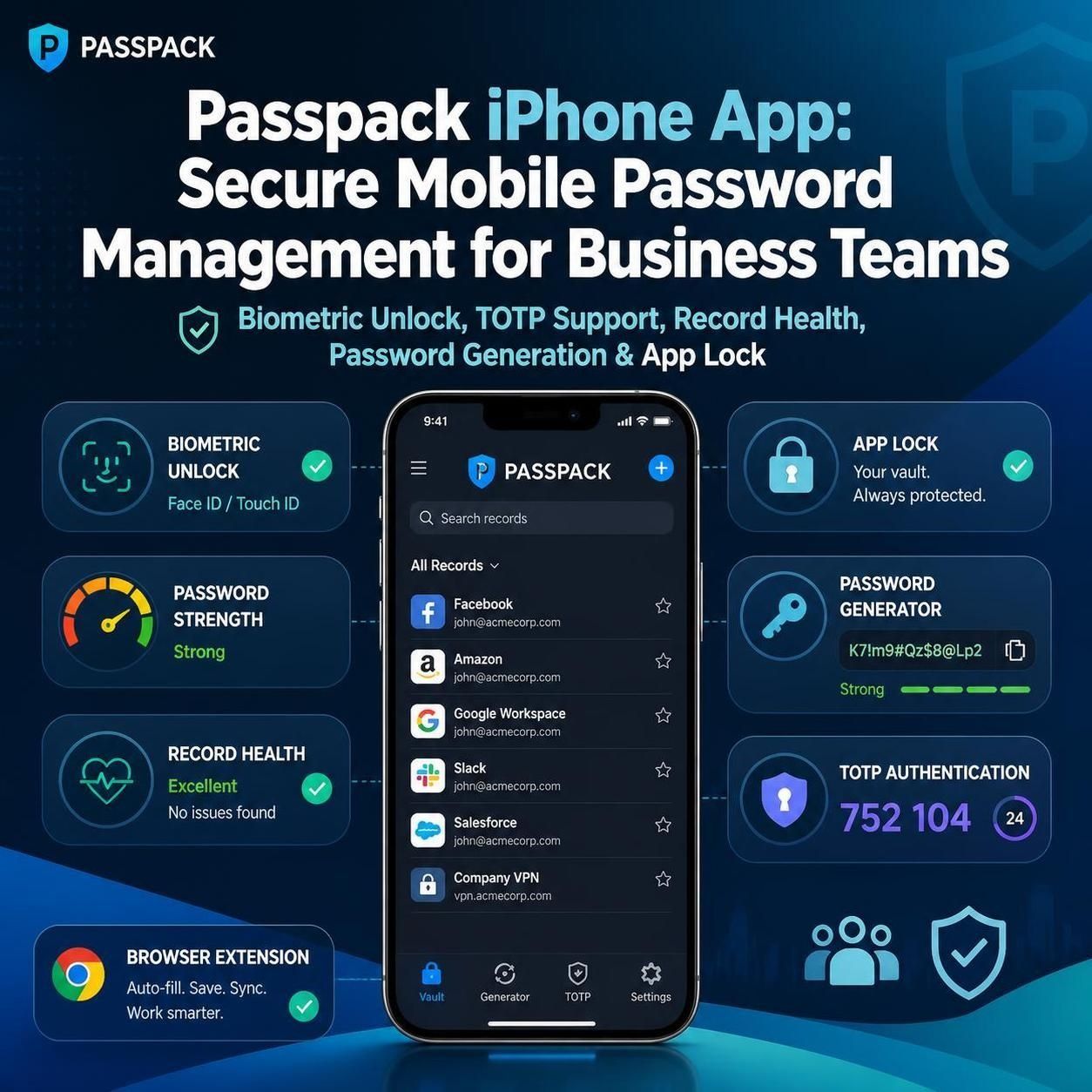
The Passpack mobile app brings secure credential management to iPhone users, allowing business users to access their Passpack vault from a mobile device while using features such as biometric unlocking, password-strength checks, Record Health, password generation and app-lock controls. Passpack has also expanded its security workflow with built-in TOTP support and browser extensions, giving teams a more connected way to manage passwords, authentication codes and everyday logins. The iPhone app became available on the App Store on August 16, 2026.
Work has changed.
Employees no longer stay inside one office, on one computer, or even in front of a desktop all day. A business credential might be needed from a laptop in the morning, a phone while travelling, or a browser session from another location later that afternoon.
That makes mobile access, authentication and credential governance much more than convenience features.
They are part of the modern security workflow.
Passpack has been steadily expanding in this direction throughout 2026. The latest product developments include its iPhone app, browser extension, built-in TOTP authentication and additional controls around credential security.
The important question for businesses is therefore no longer simply:
“Can Passpack store passwords?”
The better question is:
“Does the latest Passpack experience make secure credential management easier for a distributed business team?”
After looking at the latest product developments, the answer is increasingly yes—particularly for small businesses, agencies, consultants and remote teams that want centralized credential management without adopting an unnecessarily complicated enterprise platform.
Ready to See What Passpack Can Do for Your Team?
If you're looking for a simpler way to manage business passwords, shared credentials, and authentication codes across your team, now is a good time to see what Passpack offers. Check Passpack's current plans and features and see whether it fits the way your business actually works.
What’s New in Passpack in 2026?
Passpack's 2026 product development has moved beyond the traditional password-vault experience.
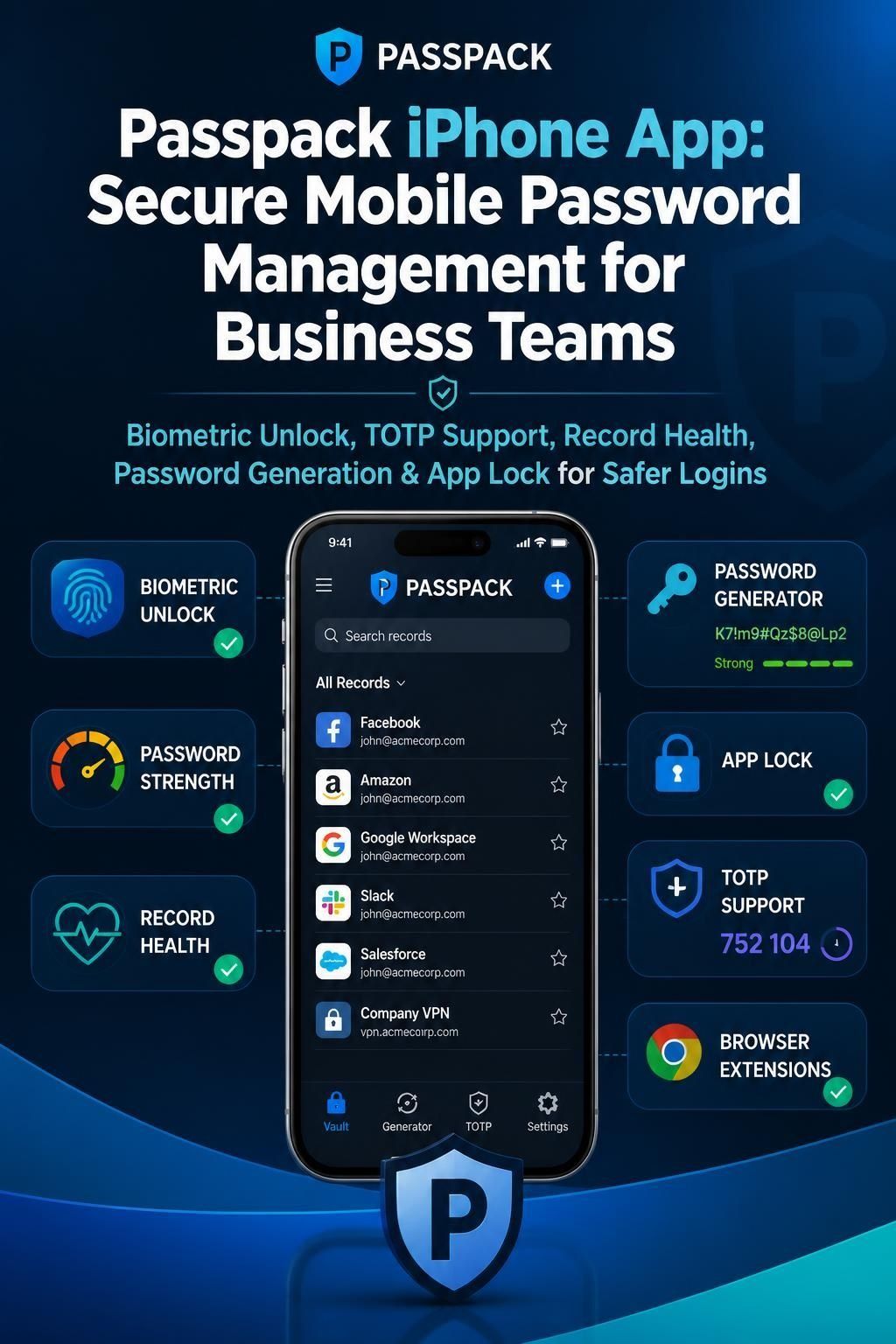
The major changes relevant to business users include:
- A Passpack iPhone app
- Biometric mobile unlocking
- Record Health checks
- Stronger password-generation capabilities
- Memorable passphrases
- Browser extension access
- One-click credential filling
- Built-in TOTP authentication
- Additional MFA and recovery-code capabilities
- Business-level access and device controls
- Continued improvements to credential privacy and security
Passpack's official release notes show the iPhone application launched on August 16, 2026, while the browser extension arrived earlier in June.
This matters because these aren't isolated features.
Together, they create a more complete business credential management workflow.
Passpack Mobile App: Why the iPhone Launch Matters
For years, password managers have primarily been associated with desktop browsers.
That model is increasingly outdated.Business users routinely work from smartphones while travelling, attending meetings, responding to customers, monitoring systems or handling urgent administrative tasks.
Passpack's iPhone application addresses this specific problem by putting the vault on the user's phone.
According to Passpack's release notes, the iPhone app can be unlocked using Face ID, Touch ID or the user's Packing Key.
That creates a much more natural mobile workflow.Instead of waiting until you return to your computer, you can access the credential you need from your phone.
Why this matters to business teams
Consider a consultant travelling to a client meeting.
They suddenly need access to:
- A CRM account
- A customer portal
- A hosting dashboard
- An advertising account
- A software subscription
- A two-factor authentication code
If those credentials are trapped inside a desktop-only workflow, the process becomes unnecessarily slow.
Mobile access changes that equation.
The phone becomes another controlled access point to the business credential environment.
Passpack Record Health: A Useful Security Upgrade
One of the more interesting additions to the Passpack iPhone experience is Record Health.
According to Passpack, the feature identifies:
- Weak passwords
- Reused passwords
- Passwords that have not been changed in more than a year
The report provides counts so users can identify where to start, and Passpack says the check runs entirely on the device.
This is more useful than simply telling users to “use strong passwords.”
Businesses accumulate credentials.
Over time, some passwords become weak, reused or unnecessarily old.
Record Health gives users a practical starting point for cleaning up credential hygiene.
Why buyers should care
A password manager should not merely become a digital filing cabinet.
It should help organizations improve the quality of the credentials inside it.
That distinction makes Record Health one of the more practical additions in the latest Passpack update.
Stronger Password Generation and Passphrases
Passpack has also improved password generation.
The latest iPhone release introduced memorable passphrases alongside random passwords, while new generated passwords default to 20 characters. Passpack also says its strength meter has been improved to better identify repeated words, keyboard patterns and lookalike characters.
This is consistent with modern password-security thinking.
NIST's digital identity guidance recognizes the security and convenience benefits of password managers, particularly their ability to generate unique passwords and store them securely.
For businesses, the practical benefit is straightforward:
Employees don't need to invent passwords.
The password manager can generate them.
That reduces predictable human behavior such as:
- Reusing old passwords
- Adding numbers to familiar passwords
- Using company names
- Using keyboard patterns
- Creating short credentials that are easy to remember but easier to attack
Passpack TOTP: Authentication Moves Into the Vault
This is arguably the most commercially interesting part of the update for business users.
Passpack supports Time-Based One-Time Passwords (TOTP) directly inside its application.
A TOTP works as an MFA mechanism by generating a six-digit code that changes every 30 seconds. Passpack stores the TOTP alongside the relevant credential record.
That can eliminate some of the fragmentation businesses experience when passwords and authentication codes live in separate applications.
Why integrated TOTP matters
Imagine a shared business account.
The team needs:
- Username
- Password
- MFA code
Traditionally, the password could be stored in one password manager while the TOTP lived in an authenticator app connected to a particular employee's phone.
That creates an operational problem.
What happens when the employee is unavailable?
What happens when the account needs to be accessed by another authorized team member?
What happens when a contractor needs temporary access?
Passpack's approach puts the TOTP with the credential record, allowing authorized users to access the authentication code through the same credential-management environment.
That is particularly relevant to agencies and distributed teams managing shared client accounts.
Is Passpack TOTP a Replacement for MFA?
No.
TOTP is a type of MFA mechanism, not a replacement for the concept of multi-factor authentication itself.
It provides an additional authentication factor alongside the password when the service being accessed supports TOTP-based MFA.
Passpack's documentation explains that its TOTP behaves like an authenticator application and generates a new six-digit code every 30 seconds.
For organizations, the advantage is centralization.
Instead of maintaining one password workflow and another authentication-code workflow, teams can manage both within the credential record.
That can reduce friction without abandoning MFA.
Passpack Browser Extension: Faster Everyday Logins
Mobile access solves one part of the problem.
Browser access solves another.
Passpack introduced its browser extension in June 2026, including one-click autofill, credential saving and password generation directly from the browser.
This is important because most business software is accessed through web applications.
Employees constantly move between:
- CRM platforms
- Marketing tools
- Accounting systems
- Cloud dashboards
- Social media platforms
- Customer portals
- Project-management applications
- SaaS subscriptions
Manually opening a password vault, finding a credential and copying each field creates unnecessary friction.
The browser extension reduces those steps.
Passpack's documentation explains that the extension can identify matching records and fill credentials, although some websites may require the user to select the appropriate record manually because login flows differ between websites.
That's an important qualification.
Autofill is useful, but it isn't magic.
Different websites use different authentication designs, so users should expect occasional manual interaction.
Passpack Autofill and Autologin
Passpack provides different browser-login behaviors.
With Autofill, the extension can populate credentials while the user completes the login process.
With Autologin, Passpack can attempt to advance through the login process as well.
However, the exact behavior depends on how the website's login flow is constructed.
For everyday business use, this means fewer interruptions.
The goal isn't simply saving seconds.
It is reducing the temptation to take shortcuts.
When secure access is convenient, employees are less likely to:
- Store passwords in browsers
- Write passwords in notes
- Keep credentials in spreadsheets
- Send passwords through chat
- Reuse credentials
That is where convenience becomes a security feature.
Passpack Mobile + Browser + TOTP: The Bigger Picture
Individually, each feature is useful.
Together, they are more significant.
Think about the modern employee's credential journey:
Phone → Passpack vault → Credential → Browser → Login → TOTP → Application
Passpack is increasingly positioned around that complete journey rather than simply storing passwords.
This is important for organizations because credential security is rarely a single-point problem.
A business needs to control:
- Where credentials are stored
- Who can access them
- How credentials are shared
- How strong they are
- How authentication codes are handled
- How employees access them remotely
- How permissions change when employees leave
- How administrators maintain visibility
Passpack's current Business features also include controls around SSO, domains, access, device registration and organizational policies.
Passpack for Remote Teams
Remote work increases the importance of secure credential access.
A distributed team might include employees working from:
- Home offices
- Coworking spaces
- Client locations
- Hotels
- Airports
- Different cities
- Different countries
A centralized password manager gives the organization a consistent credential-management layer.
The new mobile app makes that model more practical.
For example, a sales manager travelling for business may need to access a customer portal from an iPhone.
An agency owner may need to retrieve a client credential while away from their laptop.
An IT administrator may need to access an urgent service account outside normal office hours.
The mobile experience makes these scenarios less dependent on the desktop.
Passpack for Agencies and Client-Service Businesses
This is one of the strongest use cases.
Agencies frequently manage credentials belonging to clients.
Think about:
- Google Ads
- Social media
- WordPress
- Hosting
- Analytics
- Email marketing
- CRM systems
- Design platforms
- Domain registrars
The credentials may need to be accessed by several employees, freelancers or contractors.
Passpack's team-based sharing model is designed around sharing records with Teams rather than directly with individual users.
That provides a structured approach to shared credentials.Instead of asking:
“Who knows the password?”
the organization can ask:
“Which team is authorized to access this record?”
That is a much better operational model.
Passpack for Small Businesses
Small businesses are particularly interesting because they often have the biggest gap between the number of systems they use and the maturity of their credential-management processes.
A ten-person company can easily depend on dozens of SaaS services.
Yet password management may still happen through:
- Browser storage
- Spreadsheets
- Messaging applications
- Personal password managers
- Shared documents
That's where Passpack can make a meaningful difference.
The company does not necessarily need a massive identity-management deployment.
It needs a reliable way to:
- Store credentials.
- Share them securely.
- Control access.
- Improve password quality.
- Handle MFA.
- Support remote work.
- Remove access when responsibilities change.
The latest mobile and TOTP capabilities strengthen that proposition.
Passpack Business Security and SSO
One correction is important when comparing Passpack with enterprise password managers.
Passpack does support SSO.
Its current documentation states that Business Plan team members can use Single Sign-On through Google or Microsoft accounts, provided the email address matches the Passpack account.
The Business plan also includes additional organizational controls such as session controls, domain restrictions, device registration and Just-in-Time Provisioning.
So Passpack should not be described as having “no SSO.”
The more accurate distinction is that larger organizations with very sophisticated identity governance, privileged-access management or broad enterprise integration requirements may still prefer a more specialized platform.
That is a much fairer comparison.
Passwords aren't the only sensitive information remote teams need to protect. If your business also handles confidential client files, contracts, financial documents, or regulated information, our Tresorit business security review examines how encrypted file sharing can strengthen the other side of your security stack.
Passpack Security: What Has Improved?
The 2026 releases show that Passpack isn't standing still on security.
Recent updates include:
- Improved record privacy
- MFA backup codes
- More reliable record handling
- Encryption upgrades
- Stronger password-strength detection
- Mobile app security controls
- Clipboard clearing
- Configurable app locking
The iPhone release, for example, clears copied passwords from the clipboard after 90 seconds and allows users to configure app locking from immediately up to 15 minutes.
These are small details, but security is often built from small details.
Passpack Mobile App vs Desktop Access
| Capability | Mobile App | Browser/Web Experience |
|---|---|---|
| Access credentials | Yes | Yes |
| Mobile convenience | Excellent | Depends on device/browser |
| Biometric unlocking | Yes on supported iPhone devices | Not the same mobile workflow |
| Record Health | Yes | Passpack continues to provide broader vault functionality |
| TOTP | Yes | Yes |
| Browser autofill | Not the primary role | Yes |
| Password generation | Yes | Yes |
| Remote access | Yes | Yes |
The key point is not that mobile replaces desktop.
It doesn't.
Mobile complements desktop access.
A modern business needs both.
What I Like About the Passpack Mobile App
1. It solves a genuine business problem
People really do need credentials away from their desks.
2. Biometric access improves convenience
Face ID and Touch ID reduce friction without requiring users to type credentials every time.
3. Record Health is practical
Weak, reused and old passwords are exactly the kind of credential problems organizations should identify.
4. TOTP reduces tool fragmentation
Keeping passwords and authentication codes together can simplify shared-account workflows.
5. Browser integration makes everyday work faster
Autofill and credential saving reduce repetitive manual work.
6. It strengthens the overall Passpack proposition
The product is becoming more than a password vault.It is becoming a broader credential-access workflow for businesses.
If you're building a broader privacy-first technology stack for your business, don't stop at password management. Our pCloud vs Tresorit comparison breaks down the differences between affordable long-term cloud storage and more security-focused encrypted collaboration, helping you choose the right layer for your business data.
Where Passpack Still Has Room to Improve
A credible review shouldn't pretend every feature is perfect.
Android availability
At the time of this article's publication, the newsletter indicates that the Android application is expected soon, while the iPhone application is already available.
That means businesses with Android-heavy workforces should verify current availability before making a platform-wide mobile rollout.
Browser autofill isn't universal
Some websites have unusual authentication flows that prevent completely automatic filling. Passpack documents that users may sometimes need to select a record manually.
Enterprise requirements still matter
A small business may have everything it needs.
A large organization with complex IAM, privileged access management, advanced compliance requirements and extensive integrations should conduct a deeper enterprise evaluation.
Mobile should not replace security policy
Having credentials on a phone doesn't eliminate the need for device security, strong authentication, access controls and sensible employee policies.
Technology works best when paired with disciplined processes.
Is Passpack Mobile App Worth It for Business?
For the right organization, yes.
The strongest case is not simply the iPhone application itself.
It is the combination of:
Mobile access + password management + TOTP + browser autofill + team sharing + business controls.
That combination creates a more complete credential-management workflow.
If your business already uses Passpack, the mobile application and newer authentication capabilities make the platform more useful in day-to-day operations.
If you're evaluating Passpack for the first time, the latest features make the product considerably more interesting than a traditional password vault.
The new mobile and authentication features make Passpack more compelling, but if you're comparing the platform before committing your business to it, our full Passpack review for small businesses takes a broader look at its security, credential sharing, administration, strengths, and limitations.
Who Should Consider Passpack in 2026?
Passpack deserves serious consideration if you are:
- A small business owner
- Running a startup
- Managing a remote team
- Operating a marketing agency
- Managing client credentials
- Running an IT services business
- Working with contractors
- Managing multiple SaaS platforms
- Replacing spreadsheet-based password management
- Looking for centralized TOTP and password management
- Seeking mobile credential access
It may be less suitable if your organization requires an extremely broad enterprise identity ecosystem or specialized privileged-access-management capabilities.
Passpack vs Other Business Password Managers
There is no universal winner in password management.
The right choice depends on the organization's requirements.
Choose Passpack if you prioritize:
- Straightforward credential management
- Secure team sharing
- Business password organization
- Integrated TOTP
- Mobile access
- Browser-based workflows
- Practical administration
Consider broader enterprise platforms if you need:
- Extensive identity integrations
- Highly specialized privileged-access workflows
- Large enterprise deployment tooling
- Complex compliance environments
- A very broad security ecosystem
The smarter approach is to match the platform to the organization's actual security requirements.
For small and growing businesses, buying more software than you actually need can create its own operational burden.
Passpack Pricing and Plans
Passpack currently lists Teams, Business and Enterprise offerings.
Its pricing page currently shows:
- Teams: $20 per user/year when paid annually, for teams up to 20 people
- Business: $4.50 per user/month when paid annually, with a monthly option also available
- Enterprise: Custom pricing
Passpack also advertises a 28-day free trial.
Because pricing and commercial terms can change, buyers should verify the current plan details before subscribing.
For organizations specifically interested in SSO, advanced administration, device registration and organizational controls, the Business plan deserves particular attention.
Our Verdict: Should You Buy Passpack in 2026?
Yes—if your primary problem is secure business credential management rather than full-scale enterprise identity management.
The 2026 updates make Passpack considerably more compelling.
The iPhone app brings credential access to mobile users.
The browser extension reduces friction during everyday logins.
TOTP brings authentication codes into the same environment as the credentials they protect.
Record Health helps users identify weak, reused and aging passwords.
And Business controls give organizations more authority over access and authentication.
The result is a stronger overall product proposition.
Passpack doesn't need to become everything to everyone.Its strongest position is much clearer:
A practical business password manager that is becoming increasingly capable across mobile, browser and authentication workflows.
For a small business, startup, agency or distributed team trying to move away from spreadsheets, browser-stored passwords and fragmented authentication tools, that is a compelling proposition.
Our Recommendation
Best for: Small businesses, agencies, startups, consultants and remote teams.
Best new feature: Passpack mobile app and integrated TOTP.
Best productivity feature: Browser extension and autofill.
Best security improvement: Record Health and stronger password generation.
Best business advantage: Centralized credential access and governance.
Watch before buying: Android availability, enterprise integration requirements and your organization's specific IAM needs.
Overall verdict: Worth evaluating in 2026.
Frequently Asked Questions About Passpack Mobile App
Does Passpack have a mobile app?
Yes. Passpack launched its iPhone application on August 16, 2026. The app provides mobile access to the Passpack vault and supports Face ID, Touch ID or Packing Key unlocking.
Is the Passpack mobile app available for iPhone?
Yes. Passpack's release notes confirm that the iPhone app is available through the App Store.
Does Passpack support TOTP?
Yes. Passpack supports Time-Based One-Time Passwords directly within its application. The TOTP generates a six-digit code every 30 seconds and can be associated with the relevant credential record.
Can Passpack replace Google Authenticator for TOTP?
For services using compatible TOTP-based MFA, Passpack can provide the TOTP code directly instead of requiring a separate authenticator application. Businesses should still evaluate their own authentication and recovery requirements before consolidating tools.
Does Passpack have a browser extension?
Yes. Passpack launched its browser extension in June 2026, with features including autofill, credential saving and password generation.
Does Passpack support autofill?
Yes. The Passpack browser extension supports autofill, although some websites may require users to select the appropriate credential manually because authentication flows differ.
Is Passpack good for small businesses?
Passpack can be a strong option for small businesses that need centralized password storage, secure credential sharing and practical administrative controls without adopting a highly complex enterprise identity platform.
Does Passpack support SSO?
Yes. Passpack's Business Plan supports SSO through Google or Microsoft accounts when the email address matches the Passpack account.
Is Passpack suitable for remote teams?
Yes. Its centralized credential management, team sharing, browser access and mobile experience make it relevant to organizations where employees work across different locations and devices.
Is Passpack secure?
Passpack uses encrypted credential storage and provides additional security capabilities including MFA/TOTP, access controls, device controls and password-strength features. Businesses should evaluate the complete security architecture against their own risk and compliance requirements.
Is Passpack better than a browser's built-in password manager?
For individual users, a browser password manager can be convenient. For businesses, a dedicated platform such as Passpack can provide additional organizational capabilities around shared credentials, teams, access controls and business administration.
Does Passpack work with shared business accounts?
Yes. Passpack allows Records to be shared with Teams, creating a structured method for managing credentials used by multiple authorized users.
Is Passpack worth paying for?
For businesses that have outgrown spreadsheets, browser-only password storage or informal credential sharing, Passpack can be worth paying for because it combines secure credential management with team-oriented administration, mobile access, browser workflows and TOTP.
Ready to Upgrade Your Team's Credential Security?
If you're ready to move beyond browser-saved passwords, spreadsheets, and scattered authentication tools, explore Passpack's current business plans and see whether its mobile access, TOTP, browser tools, and team controls fit your organization.
Final Takeaway
The biggest Passpack story in 2026 isn't simply that the company launched an iPhone application.
It is that Passpack is connecting password management, mobile access, browser login and MFA into a more unified business credential workflow.
That matters because businesses don't experience security one feature at a time.
They experience it when an employee needs a password, an authentication code, access to a shared account or permission to use a business system—often from a device that isn't sitting on an office desk.
Passpack is moving in the right direction.
If you're a small business, agency, startup or remote team looking for a practical business password manager with mobile access, browser autofill and TOTP, Passpack deserves a place on your shortlist.
Before purchasing, compare your requirements with Passpack's current Teams, Business or Enterprise plans and confirm the latest mobile-platform availability.
For a broader assessment of Passpack's security model, collaboration capabilities and competitive position, read our Passpack Review 2026: A Practical Password Manager for Small Businesses.
Related Reading
- Passpack Review 2026: A Practical Password Manager for Small Businesses
- Secure Cloud Storage for Business: pCloud vs Tresorit
- Tresorit Review 2026: Is It Worth Paying for Secure File Sharing for Business?
#Hashtags#Passpack #PasswordManager #BusinessSecurity #CyberSecurity #PasswordSecurity #MFA #TOTP #SmallBusiness #RemoteTeams #SaaS #BusinessTechnology #CredentialManagement #DataSecurity #DigitalSecurity #BusinessProductivity
Disclosure:
This article may contain affiliate links. If you choose a service through our links, we may earn a commission at no extra cost to you.
This article was created with AI-assisted research and carefully reviewed by our in-house team before publication