9 Million Parents Trust Qustodio: The Parental Control App With AI Alerts and Smarter Screen Time Management
9 Million Parents Trust Qustodio: The Parental Control App With AI Alerts and Smarter Screen Time Management
The Modern Parenting Challenge Isn't Technology—It's Visibility
Qustodio is a parental control app with AI alerts designed to help families manage screen time, monitor online activity, and encourage healthier digital habits across Android, iPhone, Windows, Mac, and tablets. By combining screen time controls, activity monitoring, web filtering, and AI-assisted safety insights, Qustodio provides parents with a centralized way to oversee their children's digital wellbeing from a single dashboard.
Most parents are no longer asking whether their children use technology.
The real challenge is understanding how they use it.
A typical family today may have smartphones, tablets, school laptops, gaming consoles, and streaming devices all competing for attention. What begins as educational screen time can quickly become hours of unmanaged digital consumption spread across multiple platforms.
For working parents, the challenge becomes operational.
You cannot realistically sit beside your child every time they open a device.
You need visibility, consistency, and practical controls that work without creating constant conflict.
This is where parental control platforms have evolved beyond simple timers. The latest generation of tools focuses on digital wellbeing, behavior awareness, and proactive monitoring.
Qustodio is one of the most established players in this category.
But does it actually improve family workflows, or is it simply another monitoring tool adding complexity to an already busy household?
After evaluating its approach, the answer is more nuanced than marketing claims suggest.
If you're trying to balance your child's digital freedom with online safety, it may be worth exploring how Qustodio's AI-powered monitoring and screen time tools work in real-world family environments. You can review the latest features, supported devices, and current Premium offer before deciding whether it's the right fit for your household.
What Makes Qustodio Different From Traditional Parental Controls?
Many parental control tools still operate with an older mindset.
They focus heavily on blocking websites and restricting device access.While those functions remain useful, modern parenting often requires more context than simple restrictions.
Qustodio approaches the problem differently.
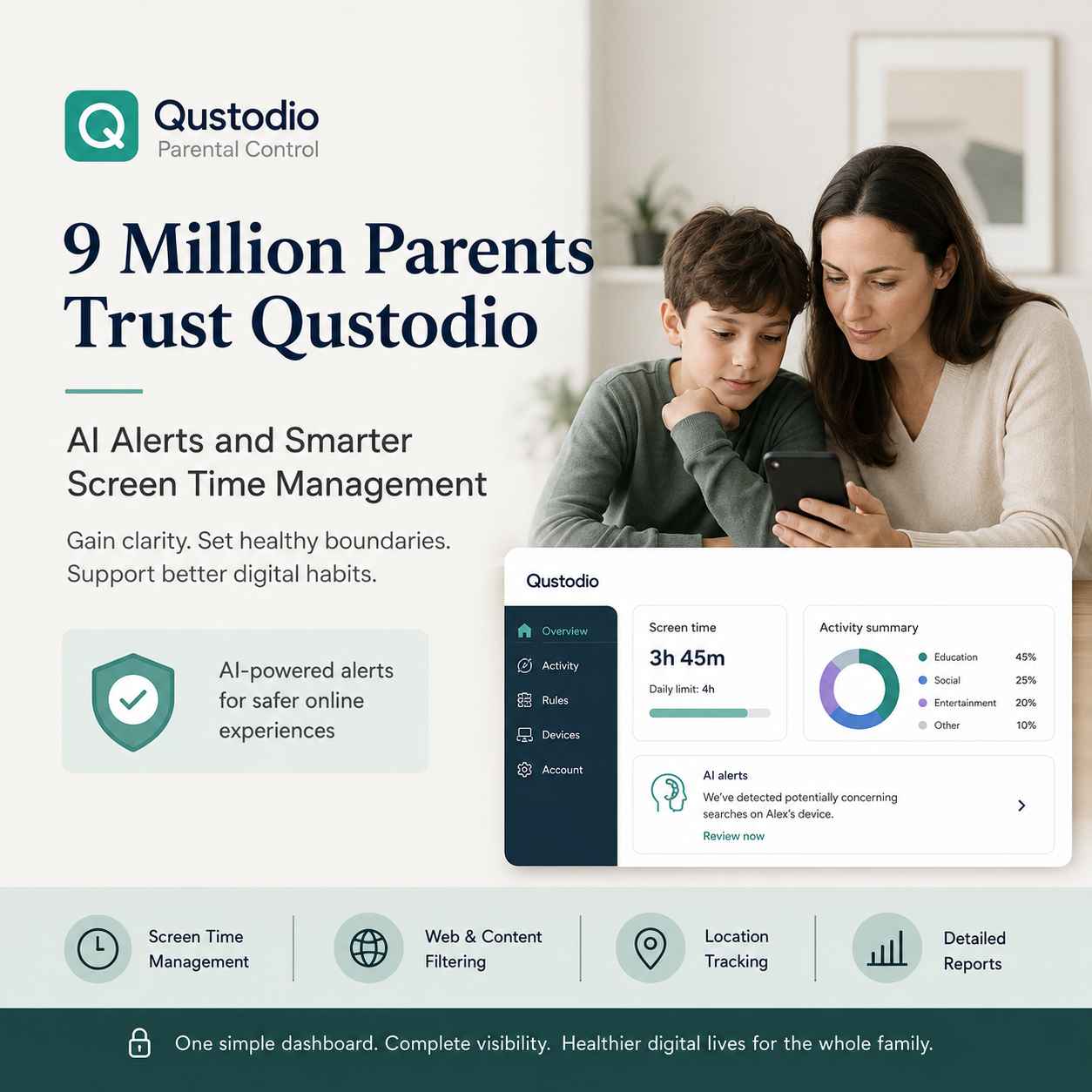
Rather than acting solely as a digital gatekeeper, it attempts to become a centralized family management system that helps parents understand digital behavior patterns while maintaining appropriate boundaries.
The platform combines:
- Screen time management
- App monitoring
- Website filtering
- Location tracking
- Activity reporting
- AI-assisted safety alerts
- Multi-device management
The result is less about punishment and more about informed oversight.
That distinction matters.Families tend to achieve better long-term technology habits when controls are paired with understanding rather than constant restriction.
AI Alerts: The Feature That Reflects Where Parental Controls Are Heading
Artificial intelligence is rapidly becoming part of online safety systems.
While AI alone cannot replace parental judgment, it can help surface potential concerns that might otherwise remain unnoticed.
Qustodio's AI-driven monitoring capabilities aim to identify patterns and interactions that may require parental attention.
From an operational perspective, this changes the workflow significantly.
Instead of manually checking devices, browsing histories, or application usage logs, parents receive prioritized information that helps them focus attention where it matters most.
This is particularly useful for:
- Busy working parents
- Families managing multiple children
- Households with mixed-device environments
- Parents navigating teenage online independence
The value is not that AI makes decisions.
The value is that AI reduces information overload.
Parents still remain responsible for interpretation and action.
Parents interested in how these monitoring capabilities have evolved can also explore our breakdown of Qustodio's latest AI-powered safety features and Digital Literacy Week updates, including how the platform approaches social monitoring and adaptive filtering.
Managing Screen Time Across Multiple Devices
One of the most common failures in family technology management is inconsistency.
Rules applied on one device often disappear on another.
A child may have restrictions on a smartphone but unrestricted access on a tablet or laptop.
This creates policy gaps that weaken overall digital wellbeing efforts.
Qustodio addresses this challenge through centralized management.Instead of configuring each device separately, parents manage rules through a unified dashboard.
This approach becomes increasingly valuable as families grow.
Consider a household with:
- Two smartphones
- One school laptop
- One gaming tablet
- Shared desktop access
Without centralized management, maintaining consistent policies becomes tedious.
With Qustodio, updates can be applied from a single location.
That operational simplicity is one of the platform's strongest advantages.
Digital Wellbeing Is Becoming More Important Than Device Restriction
Technology discussions often focus on limiting usage.
However, sustainable digital habits are usually built through balance rather than strict prohibition.
This is where Qustodio aligns with a broader digital wellbeing philosophy.
Instead of treating screen time as inherently negative, the platform helps families understand how time is being spent.
For example:
- Educational applications
- Communication tools
- Creative software
- Entertainment platforms
- Social media activity
Not all screen time delivers the same value.
Understanding these distinctions allows parents to make more informed decisions rather than relying on arbitrary limits.
This is an important shift in parental control thinking.
Families are increasingly treating digital wellbeing as part of a larger technology strategy, similar to how businesses build integrated digital systems instead of relying on disconnected tools and policies.
Workflow Analysis: What Daily Usage Actually Looks Like
The real test of any software platform is not its feature list.
It is how much ongoing effort it requires.
After initial setup, Qustodio generally follows a low-maintenance operational model.
Typical parent workflow:
- Install the software across devices.
- Configure family rules.
- Review dashboard insights periodically.
- Respond to alerts when necessary.
- Adjust settings as children grow and needs change.
Compared with manual monitoring approaches, this dramatically reduces administrative effort.
Parents spend less time checking devices and more time making informed decisions.
For many households, that efficiency alone justifies the investment.
Where Friction Still Exists
No parental control platform is perfect.
Qustodio has limitations that prospective users should understand.
Initial Setup Requires Commitment
Families with many devices may need time to complete onboarding properly.
Installation itself is straightforward, but configuration decisions require thought.
Parents must define:
- Screen time policies
- App permissions
- Monitoring preferences
- Family-specific boundaries
Those choices cannot be fully automated.
Older Children May Resist Monitoring
Technology alone cannot solve family communication challenges.
Teenagers may view monitoring differently than younger children.
Successful implementation often depends on transparency and discussion rather than hidden oversight.
Premium Features Drive Most Value
The free plan provides a useful introduction.
However, many of the platform's strongest capabilities are available through premium subscriptions.
Families seeking comprehensive protection will likely need a paid plan.
How Qustodio Compares With Other Parental Control Platforms
Several competitors compete for the same audience.
Qustodio vs Google Family Link
Google Family Link works well for basic Android management.
However, it offers less comprehensive cross-platform coverage and reporting.
Qustodio is generally stronger for households using multiple operating systems.
Qustodio vs Norton Family
Norton Family provides solid monitoring capabilities.
Qustodio typically offers a more approachable user experience and clearer dashboard organization.
Qustodio vs Manual Monitoring
Manual monitoring costs nothing financially.
It also demands significantly more time and consistency.
Most busy families eventually struggle to maintain manual oversight across multiple devices.
Qustodio's primary advantage is reducing that operational burden.
Who Should Use Qustodio?
Qustodio is particularly well suited for:
- Parents managing multiple devices
- Families seeking healthier screen time habits
- Households with children of different ages
- Parents who value proactive visibility
- Families looking for centralized management
The platform becomes more valuable as device complexity increases.
The larger the digital ecosystem, the stronger the operational benefit.
If you're still evaluating whether Qustodio fits your family's needs, our detailed review of why millions of parents trust the platform provides a deeper look at its strengths, limitations, and real-world family use cases.
Who May Not Need It?
Qustodio may be unnecessary if:
- Your children rarely use connected devices
- You only require basic Android controls
- You prefer fully manual supervision
- Your household uses a single device occasionally
In these situations, built-in operating system controls may be sufficient.
Current Premium Offer
At the time of writing, Qustodio is offering 15% off Premium plans.
For families already evaluating parental control software, the discount lowers the barrier to testing whether the platform fits their household workflow.
As always, the best approach is to evaluate whether the operational value justifies the subscription rather than purchasing solely because of a promotion.
Related Reading
If you're researching Qustodio in greater depth, you may also find these Kuruntha Smarket articles useful:
- Why Qustodio Is the Best Overall Parental Control App in 2025
- Qustodio Parental Control Software: New AI Monitoring Features and Digital Literacy Insights
Together, these articles provide additional context around the platform's evolution and feature development.
The best parental control system is the one your family will actually use consistently. If managing screen time across multiple devices has become difficult, now may be a good time to evaluate whether Qustodio's Premium plan can simplify that process while giving you greater visibility into your child's digital habits. The current 15% discount also makes it easier to test the platform with less upfront commitment.
FAQ Section
Is Qustodio a good parental control app for multiple devices?
Yes. Qustodio is particularly effective for families managing smartphones, tablets, laptops, and desktops across different operating systems because controls can be managed from a centralized dashboard.
Does Qustodio use AI alerts?
Yes. Qustodio includes AI-assisted monitoring features that help surface potential concerns and unusual activity patterns, allowing parents to focus on areas that may require attention.
Can Qustodio help reduce children's screen time?
Yes. The platform includes screen time scheduling, usage monitoring, and reporting tools that help parents create healthier digital habits and more balanced technology usage.
Is Qustodio available on Android and iPhone?
Yes. Qustodio supports Android and iPhone devices, along with Windows, Mac, and additional platforms, making it suitable for mixed-device households.
Is the free version of Qustodio enough?
The free version provides basic functionality and serves as a useful introduction. However, most advanced monitoring, reporting, and management features are available through premium plans.
How does Qustodio compare with Google Family Link?
Google Family Link works well for basic Android management, while Qustodio generally offers broader cross-platform support, deeper monitoring capabilities, and more comprehensive family management features.
Is Qustodio suitable for teenagers?
It can be, but implementation matters. Parents often achieve better results when monitoring policies are discussed openly rather than introduced without communication.
Building healthier technology habits isn't just about limiting access—it's about helping children develop long-term digital decision-making skills.
Final Verdict
Qustodio succeeds because it addresses a practical operational problem rather than chasing technology trends.
Families today are managing increasingly complex digital environments. Monitoring every device manually is unrealistic, and relying solely on built-in controls often creates fragmented oversight.
Qustodio's strongest advantage is not AI alerts, screen time limits, or activity reports individually.
Its real value comes from bringing those functions together into a single management workflow.
The platform is particularly compelling for families juggling multiple devices and seeking a structured approach to digital wellbeing.
It is not the cheapest option, and it does require thoughtful setup. Yet for households serious about building healthier technology habits while maintaining visibility into online activity, Qustodio remains one of the most practical parental control platforms available today.
For parents looking for a parental control app with AI alerts and smarter screen time management, Qustodio earns a strong recommendation.
Disclaimer:
This content is for informational purposes only and does not constitute medical advice. Always consult a qualified healthcare professional before making decisions related to your health options.
This article was created with AI-assisted research and carefully reviewed by our in-house team before publication
This article may contain affiliate links. If you choose to purchase through these links, we may earn a commission at no additional cost to you.