SurveyMonkey Pricing 2026: Plans, Features & Is It Worth It?

SurveyMonkey Pricing 2026: Plans, Features & Is It Worth It?
SurveyMonkey is an online survey and feedback platform that helps businesses collect customer opinions, employee feedback and market research data. It offers a free Basic plan with up to 10 questions per survey and paid individual and team subscriptions with additional features, response allowances, analytics and collaboration tools. The right plan depends on your survey volume, reporting requirements and budget.
Collecting feedback is relatively easy. Turning that feedback into decisions that improve customer relationships, employee experiences and business performance is a different challenge.
Businesses need more than a basic questionnaire when they want to understand customer satisfaction, evaluate employee engagement or investigate new market opportunities. They need a structured way to collect responses, organize information and identify useful patterns.
This is where SurveyMonkey enters the picture.
SurveyMonkey is an established online survey and feedback platform designed for individuals, businesses, research teams and organizations. It provides survey creation tools, templates, AI-assisted survey building, response analysis and features for managing feedback across different audiences.
But is SurveyMonkey worth paying for in 2026? How much does it cost, what does the free plan include, and which subscription makes sense for a growing business?
This guide examines SurveyMonkey's features, pricing structure, practical applications, limitations and alternatives to help you make an informed decision.
If you are considering a structured way to collect customer feedback or employee opinions, start by exploring SurveyMonkey's free plan and see whether its survey tools fit your requirements.

What Is SurveyMonkey?
SurveyMonkey is an online platform for creating surveys, collecting responses and analyzing feedback.
Instead of building questionnaires manually or managing responses across disconnected spreadsheets, users can create surveys, distribute them through different channels and review the information collected.
The platform supports several business applications, including:
- Customer satisfaction surveys
- Employee engagement and workplace feedback
- Market research and product development
- Event registration and post-event feedback
- Customer experience measurement
- Online forms and questionnaires
- Net Promoter Score (NPS) surveys
For a small business, this could mean asking customers about their experience after a purchase. For an HR department, it could involve measuring employee satisfaction. A marketing team might use surveys to understand purchasing preferences before launching a new product.
The underlying principle is straightforward: collect relevant information before making important decisions.
Official website: https://www.surveymonkey.com/
SurveyMonkey Features: What Do You Get?
SurveyMonkey offers more than a basic questionnaire builder. Its capabilities cover survey creation, distribution, response management and analysis.
1. Survey Creation and Templates
Users can create surveys using the platform's available question types and templates.
Templates can help businesses get started with common requirements, such as customer satisfaction, employee feedback, event registration and market research.
This is useful for organizations that do not have dedicated research teams but still need a structured way to collect opinions.
However, a template should be treated as a starting point. Questions still need to reflect the audience, objective and business decision being investigated.
2. AI-Assisted Survey Creation
SurveyMonkey includes an AI-powered survey-building feature.
Users can describe their survey objectives through a prompt, allowing the platform to generate a proposed survey that can subsequently be reviewed and edited.
For example, a small business could request a questionnaire designed to understand why customers abandon their shopping carts.
AI-assisted creation can reduce the initial effort involved in developing questions. It does not eliminate the need to review them.
Poorly worded questions, leading language and unnecessary questions can still produce unreliable feedback.
Availability of certain AI capabilities depends on supported regions and account access.
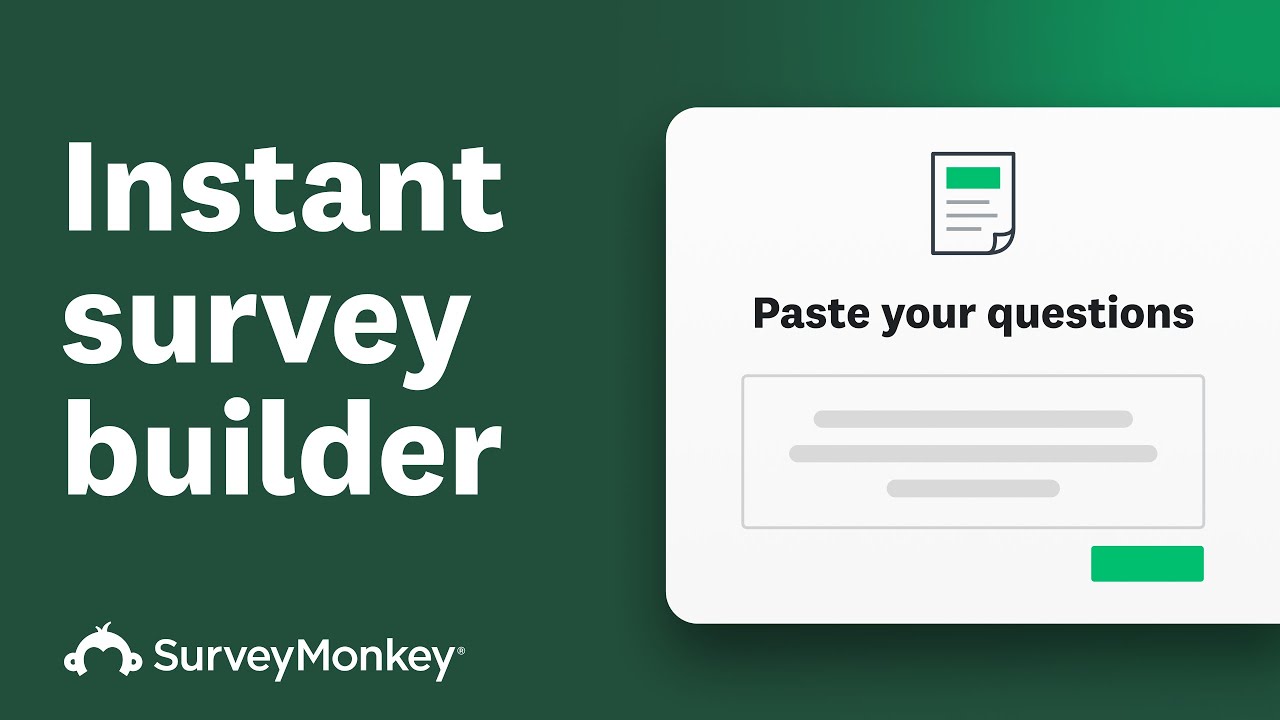
To see how this works in practice, watch how SurveyMonkey's AI-powered survey importer converts existing questions from documents or emails into a structured survey, automatically recognizing the question format and organizing the content.
3. Survey Logic and Question Branching
Survey logic helps tailor the questionnaire according to a respondent's previous answers.
For example, someone who indicates that they have already purchased a product could receive follow-up questions about their experience, while someone who has not purchased it could receive questions about their buying considerations.
This makes surveys more relevant and can reduce unnecessary questions.
Advanced logic capabilities vary by subscription.
4. Customer Feedback and Satisfaction Measurement
Businesses can use SurveyMonkey to gather feedback following purchases, customer support interactions or service experiences.
Common applications include:
- Measuring customer satisfaction.
- Understanding complaints and recurring problems.
- Identifying areas for service improvement.
- Collecting product suggestions.
- Measuring customer loyalty through NPS surveys.
The value is not simply the number of responses collected. It is whether the business uses the findings to improve its products and services.
5. Employee Engagement and Workplace Feedback
Employee feedback is another important application.
Organizations can create surveys to understand workplace satisfaction, employee engagement, management communication and training requirements.
Regular feedback can help HR teams identify issues that deserve attention before they become larger organizational problems.
However, organizations should establish clear privacy expectations before collecting employee responses. Anonymity should never be promised unless the survey configuration and collection process genuinely support it.
6. Response Analysis and AI Insights
SurveyMonkey provides reporting and analysis capabilities, with more advanced tools available through eligible paid plans.
Depending on the subscription, users can access features such as:
- Survey reports and data exports.
- Custom charts and reporting.
- Multi-survey analysis.
- Statistical significance tools.
- AI-assisted analysis.
- Thematic analysis of qualitative feedback.
These features become more relevant when businesses run recurring surveys rather than collecting responses for a single project.
Collecting customer opinions is only the beginning; businesses also need a process for acting on the findings. Explore how turning collected information into actionable workflows can help organize submissions, assign tasks and manage follow-up activities.
SurveyMonkey also demonstrates how human feedback and AI-assisted analysis can work together, helping businesses collect responses, identify emerging trends and turn survey data into more useful insights.

SurveyMonkey Pricing 2026: Free and Paid Plans
Pricing is one of the most important considerations when evaluating SurveyMonkey.
The platform offers a free Basic plan alongside individual and team subscriptions.
The following prices are reference figures displayed on SurveyMonkey's US individual and team pricing pages. Actual prices can differ according to billing country, currency and account eligibility.
Individual Plans
| Plan | Price | Response allowance |
|---|---|---|
| Basic | Free | Limited responses per survey |
| Standard Monthly | $149/month | 1,000 per month |
| Advantage Annual | $39/month | 15,000 per year |
| Premier Annual | $139/month | 40,000 per year |
Annual billing details:
- Advantage: $468 billed annually.
- Premier: $1,668 billed annually.
What Is Included in Each Plan?
Basic – Free
The Basic plan is suitable for individuals who want to explore the platform or conduct relatively simple surveys.
It includes:
- Unlimited surveys.
- Up to 10 questions per survey.
- Limited responses per survey.
- Basic question types.
- AI-assisted survey creation.
- Web-link distribution.
- Social sharing.
- Basic survey analysis.
The important limitation is that collecting more responses does not necessarily mean you can view all of them. The free response allowance is restricted.
Standard Monthly – $149/month
Standard is designed for individuals who need more flexibility without committing to annual billing.
It includes:
- Unlimited questions.
- 1,000 responses per month.
- Additional question types.
- Custom survey design.
- Skip logic.
- Email invitations.
- Data exports.
- Access to integrations.
This plan may be worth considering for a project with a defined duration or for someone who prefers monthly payments.
Advantage Annual – $39/month
Advantage is intended for users who need more advanced survey capabilities and recurring feedback collection.
It includes:
- Unlimited questions.
- 15,000 responses annually.
- Premium themes.
- Additional survey logic.
- Payment collection.
- Statistical significance tools.
- Multi-survey analysis.
- AI-assisted analysis.
- Thematic analysis.
The annual commitment is an important consideration. It is not equivalent to paying $39 for just one month.
Premier Annual – $139/month
Premier is designed for more demanding individual survey and research requirements.
Its additional capabilities include:
- 40,000 responses annually.
- White-label branding.
- Advanced survey logic.
- Block randomization.
- Multilingual surveys.
- Crosstab analysis.
- Phone support.
It is more appropriate for users who genuinely require these advanced capabilities rather than those who simply want to collect occasional customer feedback.
SurveyMonkey Team Plans
Businesses that need collaboration features can consider the team subscriptions.
| Plan | Price per user/month | Minimum users |
|---|---|---|
| Team Advantage | $30 | 3 |
| Team Premier | $92 | 3 |
Both prices are based on annual billing.
Team Advantage includes 50,000 responses annually, while Team Premier includes 100,000 responses annually.
Team features include shared brand assets, user permissions, collaboration and additional analysis capabilities. Premier adds capabilities such as white-label branding, advanced logic, multilingual surveys and crosstabs.
Enterprise subscriptions are available through a custom sales arrangement.
Important: Team subscriptions have a three-user minimum. A small business with only one or two people should compare individual subscriptions before considering a team plan.
For the latest prices and applicable regional rates, check the official pricing page
An Important SurveyMonkey Pricing Detail: Response Limits
One detail deserves particular attention before purchasing a subscription.
SurveyMonkey's pricing is influenced not only by the number of users but also by the number of responses collected.
On paid self-service subscriptions, responses above the applicable allowance can incur an additional charge of $0.15 per response, or the equivalent in the applicable billing currency.
For example, an organization expecting 1,200 responses against a 1,000-response monthly allowance should account for the additional 200 responses when calculating its potential cost.
That is a simplified illustration, not a quotation of an actual invoice.
There are other details worth understanding:
- Responses are counted across surveys according to the subscription's billing structure.
- Unused response allowances do not roll over.
- Responses that exceed free-plan limits may not remain accessible.
- SurveyMonkey Audience responses are a separate service and are not included in ordinary subscription allowances.
For organizations conducting regular customer feedback campaigns, these restrictions can materially affect the subscription decision.
Read the official response-limit documentation before upgrading
Is SurveyMonkey Worth It for Small Businesses?
SurveyMonkey can be a useful option for small businesses that need a structured approach to customer feedback.
Consider a business that sells products online.
It might use surveys to understand:
- Why customers choose one product over another.
- Whether customers are satisfied with delivery.
- Which product features need improvement.
- What customers expect from future releases.
- Whether customer support is meeting expectations.
A service-based business could use similar surveys after completing a project or customer engagement.
However, the subscription decision should reflect actual requirements.
A business collecting 50 responses occasionally has different needs from a company collecting thousands of responses every month.
For smaller organizations, starting with Basic and identifying the actual response volume is a sensible approach.
Upgrading should be based on a genuine need for additional features, reporting or capacity rather than the assumption that a paid subscription automatically produces better feedback.
Businesses evaluating survey platforms should also consider how feedback collection fits into their wider technology stack. Our guide to digital tools for small businesses explores other practical solutions for building and managing business operations.
SurveyMonkey for HR and Employee Engagement
Employee feedback is an important application for organizations that want to understand workplace experiences.
SurveyMonkey can support:
- Employee engagement questionnaires.
- Onboarding feedback.
- Training evaluations.
- Workplace satisfaction surveys.
- Internal communication assessments.
- Feedback on organizational changes.
The platform's survey and analysis capabilities can help HR teams organize recurring feedback.
However, collecting employee opinions is only one part of an engagement strategy.
Businesses must also communicate the purpose of surveys, protect respondent confidentiality and demonstrate that feedback is being considered.
Without appropriate follow-up, repeated employee surveys can create fatigue rather than improve engagement.
SurveyMonkey for Market Research
Market research requires a clear understanding of what information a business needs before launching a product or entering a new market.
SurveyMonkey can help collect opinions about:
- Customer preferences.
- Product features.
- Purchasing considerations.
- Brand perceptions.
- Service expectations.
- New product concepts.
Businesses can also investigate SurveyMonkey Audience if they need access to respondents matching particular demographic or other targeting criteria.
However, survey software and respondent recruitment are different requirements.
Purchasing access to a survey platform does not automatically provide a representative research sample.
Businesses should evaluate sample quality, audience relevance, response collection methods and research design before treating the results as evidence of wider market demand.
SurveyMonkey Advantages and Limitations
A balanced evaluation should consider both the platform's strengths and the restrictions that could influence purchasing decisions.
Advantages
1. Established survey platform
SurveyMonkey has a substantial product ecosystem and serves a wide range of survey and feedback requirements.
2. Free starting option
The Basic plan allows individuals to explore survey creation without immediately committing to a paid subscription.
3. AI-assisted creation
AI-assisted survey building can help users develop an initial questionnaire more quickly.
4. Multiple business applications
The platform supports customer feedback, employee engagement, event management and market research.
5. Advanced analysis options
Paid subscriptions offer capabilities beyond basic response collection, including advanced reporting and analysis.
Limitations
1. Free-plan restrictions
The 10-question limit and restricted response visibility can become obstacles for more demanding surveys.
2. Response-related charges
Additional responses can increase costs beyond the advertised subscription price.
3. Annual subscription commitments
Some of the more attractive individual and team prices require annual billing.
4. Team minimum requirements
Businesses with fewer than three users may not find team subscriptions appropriate.
5. Advanced capabilities require higher plans
Features such as advanced logic, white-label branding and sophisticated analysis are not available across every subscription.
6. Research quality still depends on methodology
A survey platform cannot independently guarantee representative samples, unbiased questions or accurate business conclusions.

SurveyMonkey Alternatives: What Else Should You Consider?
SurveyMonkey is not the only option available.
The right alternative depends on whether your priority is simple questionnaires, advanced forms, conversational surveys or enterprise research.
| Platform | Worth evaluating when |
|---|---|
| Google Forms | You need straightforward surveys without a separate paid survey subscription. |
| Jotform | You need flexible forms, submissions and business workflows alongside surveys. |
| Typeform | You prefer conversational, one-question-at-a-time survey experiences. |
| Zoho Survey | Your business already uses Zoho products and wants an integrated survey option. |
| Qualtrics | You need more extensive enterprise experience management and research capabilities. |
These are different products rather than interchangeable replacements.
For example, Jotform is particularly relevant when survey collection is part of a wider form, payment or workflow process.
Typeform is worth evaluating when presentation and the respondent experience are important.
Google Forms may be sufficient for simple internal questionnaires, while Qualtrics deserves consideration when research and experience management requirements become more complex.
Before switching platforms, compare response limits, exports, integrations, privacy requirements and the actual cost of your expected survey volume.
If your requirements extend beyond traditional surveys to AI-assisted form creation and workflow automation, it is worth examining Jotform's AI-powered form creation and analysis capabilities before deciding which platform better suits your business.
How to Choose the Right SurveyMonkey Plan
There is no reason to purchase the most expensive subscription simply because it offers more features.
Use the following decision framework.
Choose Basic if:
- You are exploring survey software.
- Your surveys are relatively simple.
- You can work within the free response allowance.
- You do not require advanced reporting or exports.
Consider Standard if:
- You need additional survey creation features.
- Your response requirements fit its monthly allowance.
- You prefer monthly billing.
Consider Advantage if:
- You conduct recurring surveys.
- You need AI-assisted analysis and additional reporting.
- Your annual response requirements fit its allowance.
- You are comfortable with annual billing.
Consider Premier if:
- You need advanced survey logic.
- White-label branding is important.
- You require multilingual surveys or crosstab analysis.
- Your research workload justifies the additional expense.
Consider Team plans if:
- Several employees need to collaborate.
- You require shared assets and permissions.
- Your organization can justify the minimum three-user subscription.
The most important purchasing decision is matching the plan to your actual survey workload.
Is SurveyMonkey Worth It in 2026? Our Verdict
SurveyMonkey deserves consideration from businesses that need more than a basic online questionnaire.
Its combination of survey creation, feedback collection, AI-assisted building and reporting capabilities makes it relevant to customer experience teams, HR departments, marketers and researchers.
The free Basic plan is a reasonable starting point for exploring the platform. Individual paid plans provide additional capacity and analysis features, while team subscriptions address collaborative requirements.
However, there are two important considerations before committing:
First, calculate your expected response volume. The cost of additional responses can make a meaningful difference to the total subscription expense.
Second, do not pay for advanced features unless your organization will actually use them.For freelancers, creators and small businesses conducting occasional surveys, the free plan may be sufficient.
For organizations running continuous customer feedback or employee engagement programmes, a paid subscription may offer more practical value.
Our recommendation: Start by evaluating the free Basic plan, identify your actual response requirements and compare the paid features against your business objectives before upgrading.
Ready to Explore SurveyMonkey?
If you are considering a survey platform for customer feedback, employee engagement or market research, start by examining the available plans and checking which features match your requirements.
You can explore the free starting option and assess the platform before making a paid commitment.
👉 Explore SurveyMonkey's free plan
👉 Compare current subscriptions
Frequently Asked Questions
1. Is SurveyMonkey free to use?
Yes. SurveyMonkey offers a Basic free plan that allows users to create unlimited surveys, with up to 10 questions per survey and a limited number of viewable responses.
2. How much does SurveyMonkey cost in 2026?
On its US individual pricing page, SurveyMonkey lists Standard Monthly at $149, Advantage Annual at $39 per month billed annually and Premier Annual at $139 per month billed annually. Team subscriptions start at $30 per user per month with a minimum of three users. Prices vary by billing country.
3. Is SurveyMonkey suitable for small businesses?
Yes. Small businesses can use it to collect customer feedback, evaluate satisfaction, understand product preferences and gather service improvement suggestions. The free plan is a sensible starting point for smaller requirements.
4. Does SurveyMonkey offer AI features?
Yes. SurveyMonkey offers AI-assisted survey creation and AI-powered analysis capabilities. Feature availability depends on the subscription, account and supported region.
5. What happens if I exceed my SurveyMonkey response limit?
Paid self-service plans can incur additional charges of $0.15 per response above the applicable allowance, or the local-currency equivalent. Free-plan responses exceeding the viewing allowance may not be accessible.
6. Does SurveyMonkey support employee engagement surveys?
Yes. Organizations can use the platform to collect employee feedback, evaluate engagement, assess training and understand workplace experiences.
7. Is SurveyMonkey better than Google Forms?
It depends on the requirements. Google Forms may be sufficient for basic questionnaires, while SurveyMonkey provides additional survey-specific capabilities and paid analysis options. Businesses should compare their required features and response limits before choosing.
8. What are the best alternatives to SurveyMonkey?
Options worth comparing include Google Forms, Jotform, Typeform, Zoho Survey and Qualtrics. Each addresses somewhat different survey, form-building and research requirements.
9. Can SurveyMonkey be used for market research?
Yes. Businesses can use it to collect customer preferences, opinions and product feedback. SurveyMonkey Audience is also available as a separate service for obtaining responses from targeted audiences.
10. Is SurveyMonkey worth paying for?
It can be worthwhile when you regularly collect feedback and need advanced survey logic, reporting, collaboration or higher response allowances. For occasional basic surveys, the free plan may be sufficient.
If SurveyMonkey matches your business requirements, compare its current subscriptions, response allowances and advanced features to identify the plan that offers the right balance of functionality and cost.
Final Thoughts
Customer and employee feedback is most valuable when it leads to meaningful action.
SurveyMonkey provides businesses with tools to collect and analyze that information, but choosing the right subscription requires a realistic assessment of response volume, required features and available budget.
For anyone evaluating survey software in 2026, the sensible approach is to start with the requirements rather than the subscription price.
Explore the free plan, compare the available features and upgrade only when the additional capabilities justify the investment.
Disclosure: This article is independently researched. Kuruntha may receive a commission if you use a qualifying affiliate link where one is provided. Any such commercial relationship does not determine our editorial assessment.

This article was created with AI-assisted research and carefully reviewed by our in-house team before publication
#SurveyMonkey #SurveySoftware #CustomerFeedback #BusinessTechnology #MarketResearch #EmployeeEngagement #AITools