Buddy Punch Review 2026: Employee Time Clock Software for Hourly Teams
Buddy Punch Review 2026: Employee Time Clock Software for Hourly Teams
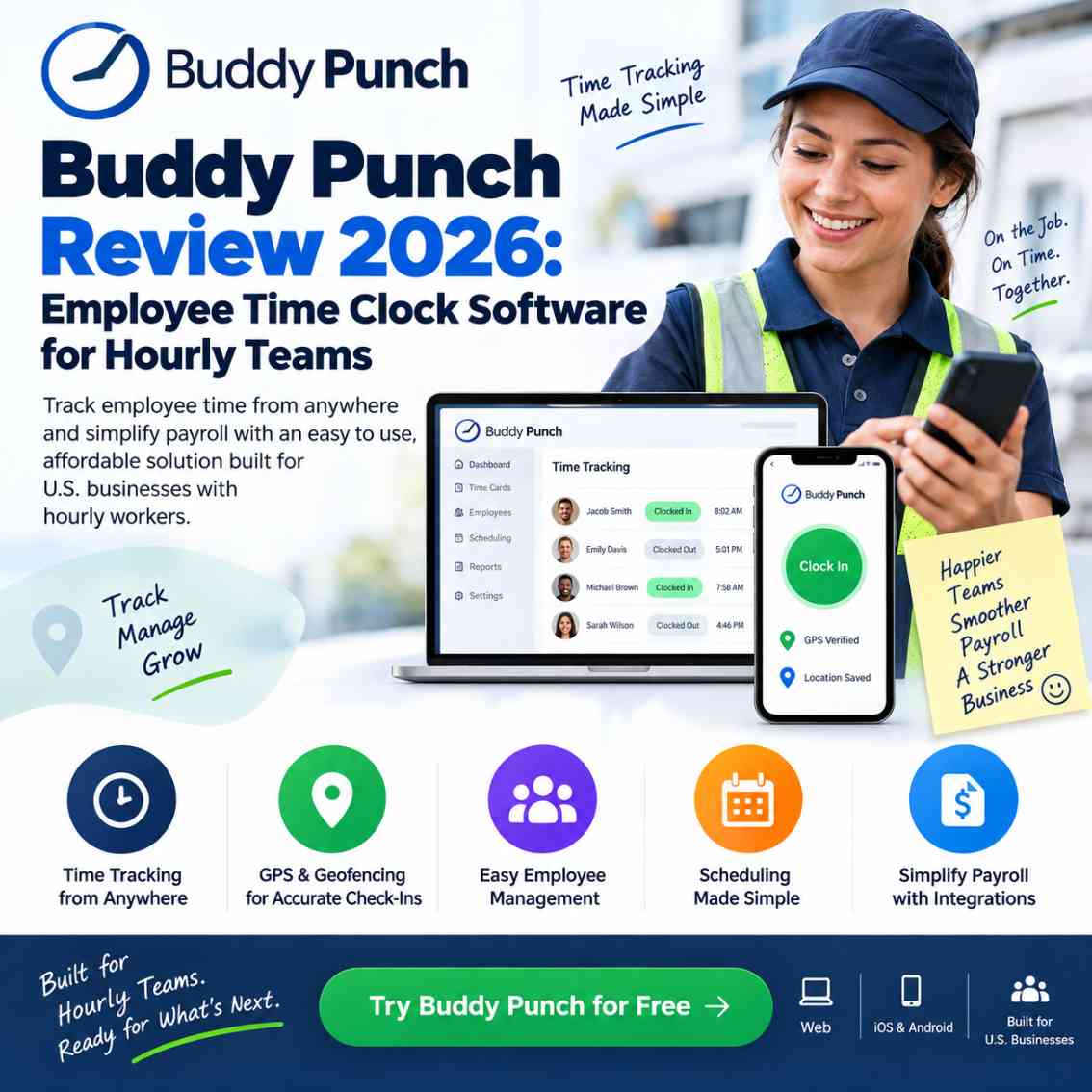
Employee time clock software helps businesses record employee clock-ins, clock-outs, working hours, overtime, attendance and time-off in one system. Buddy Punch is a cloud-based employee time tracking and attendance platform designed particularly for hourly and shift-based teams, with features such as mobile time tracking, GPS on punches, geofencing, scheduling, PTO tracking, reporting and payroll integrations. Its current plans start at $4.99 per user per month when billed annually, plus a $19 monthly base fee, with a 14-day free trial and no credit card required.
Managing hourly employees becomes complicated quickly when a business relies on paper timesheets, spreadsheets, manual attendance records or employees simply reporting their hours.
The real problem is not just recording time.
Businesses also need to know whether employees clocked in at the correct location, whether overtime is building up, whether someone forgot to clock out, whether timesheets are accurate and whether those hours can move into payroll without unnecessary manual work.
That is where employee time clock software becomes useful.
Buddy Punch is a cloud-based time tracking and attendance platform built around employee clock-ins, timecards, scheduling, PTO, GPS and payroll workflows. It supports web access, mobile apps and shared kiosk-style time clocks, making it relevant to offices, field teams and businesses with multiple locations.
But the important question for a business owner is not simply whether Buddy Punch has a long feature list.
Is Buddy Punch actually a practical employee time clock solution for your team in 2026?
This review looks at its pricing, time tracking, attendance controls, GPS capabilities, payroll connections, usability, limitations and the types of businesses that are most likely to benefit from it.
If you’re looking for a simpler way to track hourly employee time without relying on spreadsheets or manual timesheets, Buddy Punch is worth testing with your own team. You can start the 14-day trial and see whether its time tracking, attendance, GPS, and payroll workflow fits the way your business operates.
Quick Answer: Is Buddy Punch Worth Considering in 2026?
Buddy Punch is worth evaluating if your business primarily needs employee time tracking, attendance management, scheduling, PTO and payroll-ready timesheets rather than a huge all-in-one HR platform.
Its strongest use cases are hourly and shift-based teams that need more control over where and how employees clock in. GPS punches, geofencing, IP restrictions, photos and facial recognition can provide additional accountability, while payroll integrations help reduce repetitive data entry.
The main consideration is pricing structure.
Buddy Punch uses a per-user fee plus a monthly base fee, while some features are included only on higher plans or available as add-ons. Therefore, businesses should calculate their actual monthly cost instead of looking only at the advertised per-user price.
Try Buddy Punch free for 14 days without a credit card:
What Is Buddy Punch?
Buddy Punch is an online employee time clock and workforce time tracking platform designed to help businesses record employee hours and manage attendance.
Employees can clock in and out through supported devices, while administrators can review timecards, manage time-off requests, monitor attendance and prepare information for payroll.
The platform supports:
- Employee clock-in and clock-out
- Mobile time tracking
- GPS coordinates on punches
- Geofencing
- IP address restrictions
- Kiosk punching
- QR code punching
- PIN-based punching
- Photo capture on punches
- Facial recognition on supported Apple devices
- Overtime tracking
- PTO and time-off tracking
- Employee scheduling
- Job and location tracking
- Attendance reporting
- Payroll integrations
Buddy Punch also offers an optional payroll service rather than requiring businesses to purchase a separate payroll platform.
That makes the product more than a basic digital stopwatch.
It is designed around the operational problem of turning employee attendance into usable time records and payroll information.
Who Is Buddy Punch Designed For?
Buddy Punch is particularly relevant to businesses employing hourly, shift-based, mobile or multi-location workers.
Potential users include:
- Small businesses
- Service companies
- Construction businesses
- Retail operations
- Hospitality businesses
- Healthcare organizations
- Transportation companies
- Education providers
- Nonprofits
- Field service teams
- Multi-location businesses
- Office teams with hourly employees
The platform is primarily positioned toward U.S. businesses, which is important if your payroll, attendance and labor-management requirements are centered on the United States. Independent software research also describes Buddy Punch as a cloud-based time and attendance platform aimed primarily at hourly and shift-based workforces in the U.S. market.
Why Businesses Need Employee Time Clock Software
A basic spreadsheet can record hours.
That does not necessarily mean it provides good workforce control.
Consider a typical weekly workflow:
- Employees record their hours.
- Managers collect timesheets.
- Someone checks missing punches.
- Overtime is calculated.
- Corrections are requested.
- Managers approve changes.
- Payroll receives the final numbers.
- Someone discovers an error.
- The timesheet has to be corrected again.
An employee time clock software system can centralize much of this process.
The goal is not simply to digitize a paper punch card.
The goal is to create a consistent timekeeping workflow.
Buddy Punch Features
1. Employee Clock-In and Clock-Out
The fundamental job of Buddy Punch is straightforward: employees record when they start and finish work.
Employees can access Buddy Punch through the web and supported mobile applications. The company also supports shared-device kiosk approaches for workplaces where employees clock in from a central location.
This makes it possible to support different working environments without forcing every employee into exactly the same clocking process.
For example:
Office: computer-based clock-in
Retail or workplace: shared tablet kiosk
Field employee: mobile clock-in
That flexibility is useful for businesses with mixed work environments.
2. GPS Employee Time Tracking
For mobile and field teams, knowing the recorded working hours may not be enough.
Managers may also need to know where the employee clocked in.
Buddy Punch can capture GPS coordinates when employees punch in or out. Its higher-level GPS functionality can also provide more detailed location visibility.
This can be useful for:
- Field service companies
- Construction crews
- Delivery operations
- Mobile healthcare workers
- Cleaning companies
- Property services
- Multi-location businesses
However, businesses should establish clear employee privacy policies before enabling location-related features.
The technology should support accountability without becoming unnecessary surveillance.
3. Geofencing
Geofencing is one of Buddy Punch's more commercially useful features for businesses with defined work locations.
A company can establish a geographic boundary around a workplace and restrict employee punches to that approved area.
Buddy Punch states that geofencing is available on its Pro and Advanced plans, while Starter users can access it through the relevant add-on structure. Employees using geofencing must use the mobile app because the feature relies on GPS coordinates.
This addresses a common problem:
“Did the employee actually clock in from the job site?”
Geofencing does not automatically clock an employee in when they enter the area. The employee still has to punch in or out.That distinction matters.
4. Preventing Buddy Punching
“Buddy punching” occurs when one employee clocks in or out for another employee.
For businesses paying hourly wages, inaccurate punches can become a payroll and accountability problem.
Buddy Punch provides several controls designed to reduce this risk, including:
- Photos on punches
- Facial recognition
- Device restrictions
- IP address locking
- Geofencing
- Punch restrictions
Facial recognition uses Face ID on supported iPhone and iPad devices to verify the employee before the punch is accepted.
The platform also supports photo capture at punch time, allowing managers to review images alongside time records.
This makes Buddy Punch more relevant to businesses where time accuracy and employee accountability are major concerns.
5. Overtime Tracking
Overtime can create unexpected labor costs when managers do not have timely visibility into employee hours.
Buddy Punch includes overtime calculations and alerts designed to help managers identify employees approaching overtime.
That gives managers an opportunity to adjust schedules before unnecessary overtime accumulates.
For businesses with tight labor budgets, this is more valuable than simply having another timesheet.
6. PTO and Time-Off Tracking
Timekeeping becomes messy when vacation, sick leave and other time-off records exist separately from employee timesheets.
Buddy Punch combines time tracking with time-off management.
Managers can review and approve requests while paid time off can be reflected in employee time records for payroll purposes.
This can reduce the need for separate spreadsheets dedicated to employee leave.
7. Employee Scheduling
Scheduling is available within Buddy Punch, although the exact availability depends on the selected plan.
The Pro plan currently includes scheduling, while Starter customers can add scheduling separately.
Businesses can use scheduling features for:
- Shift planning
- Recurring schedules
- Employee availability
- Shift changes
- Mobile scheduling
- Early/late/absence reporting
This makes Buddy Punch more useful than a basic time tracker when employee schedules and attendance need to work together.
Buddy Punch Pricing 2026
Pricing is one of the most important parts of this review because the headline per-user figure does not represent the complete monthly bill.
As currently listed by Buddy Punch, annual billing starts at:
| Plan | Annual per-user price | Base monthly fee |
|---|---|---|
| Starter | $4.99/user/month | $19 |
| Pro | $6.99/user/month | $19 |
| Advanced | $12.99/user/month | $19 |
Buddy Punch also lists higher monthly per-user pricing, while annual billing can provide savings. The company currently offers a 14-day free trial with no credit card required.
Starter
Starter focuses on essential employee time tracking.
It includes features such as:
- Time tracking
- Mobile apps
- GPS on punches
- Time-off tracking
- Alerts and reminders
- Job tracking
- Payroll integrations
- Reporting
Some advanced functions, including geofencing and scheduling, can require additional fees on this tier.
Pro
Pro adds more workforce-control functionality, including:
- Geofencing
- QR code punching
- PIN/Kiosk punching
- Webcam photos
- Break compliance
- Scheduling
- API access
- Additional accountability controls
Real-time GPS remains an additional option on this tier.
Advanced
Advanced is designed for organizations requiring more administrative controls and reporting.
It adds capabilities such as:
- Advanced reporting
- Manager permissions
- SSO options
- Higher API/MCP limits
- Dedicated support
- Priority onboarding
Advanced also includes scheduling and real-time GPS according to the current plan information.
How Much Does Buddy Punch Cost for a Small Team?
The monthly base fee makes a simple calculation useful.
For example, using the currently listed annual Starter rate:10 employees:
10 × $4.99 + $19 = $68.90/month25 employees:
25 × $4.99 + $19 = $143.75/month50 employees:
50 × $4.99 + $19 = $268.50/month
These calculations represent the listed subscription price before optional add-ons or payroll services.
That distinction is important because a business that needs scheduling, real-time GPS, data retention or payroll should calculate the complete configuration rather than comparing only the $4.99 headline figure.
Buddy Punch currently lists payroll separately at $8 per user per month plus a $49 monthly base fee.
Pricing should always be rechecked before purchase because SaaS plans can change.
Buddy Punch Payroll Integration
Payroll is where employee time tracking becomes operationally important.
Buddy Punch currently lists integrations with payroll providers including:
- ADP RUN
- ADP Workforce Now
- Gusto
- Paychex Flex
- Paycor
- Paylocity
- QuickBooks Desktop
- QuickBooks Online
- Rippling
- SurePayroll
- TriNet Payroll
- Workday
- Wagepoint
and other supported providers.
For businesses already using one of these platforms, the ability to transfer time data into the payroll workflow can reduce manual re-entry.
Buddy Punch also offers its own payroll service with automated payroll payments, tax filings and direct deposit functionality.
For a buyer, the important question is therefore:
Does Buddy Punch fit the payroll system you already use?Check that before subscribing.
Is Buddy Punch Easy to Use?
The platform is deliberately focused on a relatively simple employee workflow.
For an employee, the basic task is usually:
Punch In → Work → Punch Out → Review Timecard
That simplicity matters.
Employees do not necessarily need access to every administrative feature available to managers.
Current customer-review data also points toward ease of use as a recurring theme. Capterra currently displays a 4.8/5 rating from more than 1,100 reviews, with ease of use and customer service both shown at 4.8/5. Review platforms are user-generated, so they should be treated as customer sentiment rather than proof of performance for every business.
Buddy Punch for Remote and Field Employees
A traditional punch clock assumes employees work in one physical location.
Modern businesses often do not.
Employees may:
- Travel between customer sites
- Work at construction locations
- Visit patients or clients
- Operate from multiple branches
- Work partly in an office and partly in the field
Buddy Punch supports mobile time tracking, GPS punches and location controls designed for these environments.
For a field-based business, this can be more useful than a desktop-only attendance system.
If your workforce extends beyond time tracking into scheduling, communication, tasks, training, and day-to-day field operations, see how Connecteam supports deskless workforce management across these workflows.
Buddy Punch for Small Businesses
Small businesses usually have a different software requirement from large enterprises.
They often need:
- Simple implementation
- Predictable costs
- Employee time tracking
- Attendance visibility
- Payroll compatibility
- Mobile access
- Basic scheduling
- Minimal administrative overhead
Buddy Punch is positioned toward small and medium-sized businesses and offers free administrator accounts, while active employees and managers count toward the paid user total.
However, small businesses should not assume the cheapest plan automatically represents the best value.
If your team requires geofencing, scheduling, advanced controls or payroll, compare the complete monthly configuration.
Buddy Punch vs. a Basic Time Tracker
A project timer and an employee time clock are not the same thing.
A project time tracker generally answers:
“How long did I spend on this task?”
An employee time clock answers:
“When did this employee work, where did they clock in, what hours should be paid, and did those hours follow our attendance rules?”
That distinction is important.
If your business has hourly employees, shifts, attendance policies and payroll, a dedicated employee time clock software platform can be more appropriate than a productivity timer.
If your requirements go beyond employee clock-ins and timesheets, our guide to Connecteam's all-in-one team management approach shows how scheduling, GPS time tracking, tasks, communication, and payroll workflows can work together.
Buddy Punch vs. Connecteam
Kuruntha already covers Connecteam as a broader workforce-management platform, including scheduling, time tracking, GPS, communication, HR workflows and operational tools.
The distinction is useful.
Buddy Punch is particularly focused on:
- Time tracking
- Attendance
- Punch controls
- GPS
- Geofencing
- Scheduling
- PTO
- Payroll workflows
Connecteam expands further into:
- Employee communication
- Tasks
- Training
- Forms
- HR workflows
- Workforce operations
- Scheduling
- GPS
- Time tracking
Therefore, the right choice depends on the operational problem being solved.
If the priority is primarily employee timekeeping and attendance control, Buddy Punch deserves consideration.
If the business wants a broader deskless workforce management ecosystem, a platform such as Connecteam may warrant a separate evaluation.
If you're comparing Buddy Punch with a broader workforce-management platform, our Connecteam Pricing 2026 guide breaks down its scheduling, GPS time tracking, payroll features, pricing structure, and overall fit for deskless teams.
For more context, see our existing Connecteam Pricing 2026 guide.
What I Like About Buddy Punch
Straightforward employee workflow
Clocking in and out is the core function, and the interface is designed around that task.
Strong accountability options
GPS, geofencing, IP restrictions, photos and facial recognition give managers several ways to control how employees record time.
Good fit for hourly teams
The platform is designed around attendance, timecards and payroll-related workflows rather than generic project timing.
Mobile support
Employees can record time using supported mobile apps, which is important for field and distributed workers.
Payroll connectivity
The number of supported payroll integrations reduces the need for manual transfer of time data.
Free trial
Businesses can test the system for 14 days without providing a credit card.
Things to Check Before Buying Buddy Punch
Buddy Punch is not automatically the right solution for every organization.
1. Calculate the complete cost
The subscription uses a per-user charge plus a base fee, with additional costs possible for selected features and payroll.
2. Check your required features
Do not choose Starter simply because it has the lowest advertised per-user price.
If your business needs geofencing, scheduling, real-time GPS or other controls, calculate those costs.
3. Check payroll compatibility
If payroll integration is important, confirm that your provider is supported.
4. Consider workforce complexity
A business looking for a full HR, communications, training and operations platform may need a broader system.
5. Establish employee privacy policies
GPS and facial recognition can be useful accountability tools, but businesses should implement them consistently and transparently.
Who Should Consider Buddy Punch?
Buddy Punch is particularly worth evaluating if you:
- Employ hourly workers
- Manage shift-based employees
- Operate multiple locations
- Have field employees
- Need mobile clock-ins
- Want GPS-based punch verification
- Need geofencing
- Want stronger protection against buddy punching
- Need payroll integrations
- Want employee scheduling alongside time tracking
- Are replacing paper timesheets or spreadsheets
It can be especially relevant when accurate time records directly affect payroll costs.
Who May Need Something Else?
Buddy Punch may not be the ideal starting point if your primary requirement is a complete enterprise HR platform covering every aspect of employee management.
Similarly, a freelancer who simply wants to measure personal project hours may not need a dedicated employee attendance platform.
The key is matching the software to the operational problem.
Don't buy a workforce platform just because it has more features.
Buy it because those features solve a problem your business actually has.
How to Evaluate Buddy Punch Before Paying
The 14-day trial is an opportunity to test the software using a real workflow rather than simply clicking through the interface.
I recommend testing these five things:
Test 1: Employee clock-in
Create a small group and have employees clock in and out using the devices they would actually use.
Test 2: Attendance exceptions
Test forgotten punches, late arrivals and manual corrections.
Test 3: Location controls
If your employees work in the field, test GPS and geofencing at an actual work location.
Test 4: Payroll workflow
Export or connect time information to your payroll process and verify that the resulting data matches your requirements.
Test 5: Manager workflow
Have the person responsible for payroll or attendance review the system.
If managers can understand the timecards without constantly asking for help, that is a positive operational signal.
Final Assessment: Is Buddy Punch Worth Trying in 2026?
Buddy Punch is positioned as an employee time clock software platform rather than a generic productivity timer.
Its strongest proposition is straightforward:
record employee time accurately, add accountability where needed, manage attendance and scheduling, and move usable time information toward payroll.
The combination of mobile clock-ins, GPS, geofencing, punch verification, scheduling, PTO and payroll integrations makes it relevant to businesses with hourly or distributed employees.
The biggest purchasing consideration is the pricing structure.
The advertised per-user price is only part of the calculation. Businesses should factor in the $19 monthly base fee, required add-ons and any payroll costs before making a final decision.
For a business replacing paper timesheets, spreadsheets or disconnected attendance processes, the best way to judge Buddy Punch is to test it with a real team during the free trial.
If accurate employee time tracking is currently costing your business time, money or administrative effort, this is the point where a practical trial makes more sense than another spreadsheet.
Try Buddy Punch Free for 14 Days →
Or, if you want to see the platform before implementing it:
Frequently Asked Questions
What is Buddy Punch?
Buddy Punch is cloud-based employee time clock and attendance software that helps businesses track employee hours, attendance, PTO, schedules and payroll-related time data. It supports web, mobile and shared-device clock-in workflows.
Is Buddy Punch good for hourly employees?
Buddy Punch is specifically designed around timekeeping and attendance workflows that are relevant to hourly and shift-based employees. Features such as overtime tracking, timecards, GPS and payroll integrations make it suitable for many hourly-workforce scenarios.
How much does Buddy Punch cost in 2026?
Buddy Punch currently lists annual Starter pricing at $4.99 per user per month, Pro at $6.99 and Advanced at $12.99, each with a $19 monthly base fee. Optional features and payroll can increase the total cost.
Does Buddy Punch have a free trial?
Yes. Buddy Punch currently offers a 14-day free trial and states that a credit card is not required to start the trial.
Does Buddy Punch track employee locations?
Yes. Buddy Punch can capture GPS coordinates when employees punch in and out. More advanced location tracking is available depending on the plan or add-ons.
Does Buddy Punch have geofencing?
Yes. Geofencing can restrict employee punches to approved geographic locations. Buddy Punch states that geofencing is available on Pro and Advanced plans, with relevant add-on availability on Starter.
Can Buddy Punch prevent buddy punching?
Buddy Punch provides several controls intended to reduce buddy punching, including photos on punches and facial recognition on supported Apple devices.
Does Buddy Punch integrate with payroll software?
Yes. Buddy Punch currently lists integrations with payroll providers including ADP, Gusto, Paychex, Paycor, Paylocity, QuickBooks, Rippling, Workday and others.
Does Buddy Punch include payroll?
Buddy Punch offers an optional payroll service in addition to its time tracking plans. Its current payroll pricing is listed at $8 per user per month plus a $49 monthly base fee.
Does Buddy Punch have a mobile app?
Yes. Buddy Punch supports mobile time tracking through its iOS and Android applications and also lists ChromeOS support.
Is Buddy Punch suitable for multiple locations?
It can be. GPS, geofencing, job/location tracking and different punch controls are designed to help businesses manage employees across defined work locations.
Does Buddy Punch include employee scheduling?
Yes. Scheduling is included with Pro and Advanced, while Starter can add scheduling separately.
Is Buddy Punch an HR platform?
Buddy Punch is primarily focused on time tracking, attendance, scheduling, PTO and payroll workflows. Businesses seeking a much broader HR or workforce-management suite should compare it against platforms that cover additional HR, communications and operational functions.
How does Buddy Punch compare with Connecteam?
Buddy Punch is more focused on employee timekeeping, attendance controls and payroll-related workflows, while Connecteam covers a broader set of deskless workforce-management functions. The appropriate choice depends on whether timekeeping or broader workforce operations are the primary requirement.
If accurate time records are taking too much time to manage, it may be worth putting Buddy Punch through a real-world test before making a decision. Start the 14-day free trial, add a few employees, and see how easily your team can move from clock-in to approved timesheets and payroll.
Final Takeaway
The best employee time clock is not necessarily the one with the longest feature list.
It is the one that fits the way your employees actually work.
For businesses with hourly workers, field employees, multiple locations or recurring payroll administration, Buddy Punch provides a combination of time tracking, attendance controls, mobile access, location verification, scheduling and payroll connectivity worth testing.
And because the platform currently offers a 14-day trial without requiring a credit card, businesses can evaluate it against their own workflow before committing.
Disclosure:
This article is intended for informational and educational purposes. This article may contain affiliate links. If you choose a service through our links, we may earn a commission at no extra cost to you.Product capabilities, availability, pricing, plans and integrations can change. Always verify current details with the provider before purchasing.
This article was created with AI-assisted research and carefully reviewed by our in-house team before publication
#BuddyPunch #EmployeeTimeClock #TimeTrackingSoftware #EmployeeTimeTracking #SmallBusinessSoftware #HourlyEmployees #EmployeeAttendance #PayrollSoftware #WorkforceManagement #TimeClockSoftware #HRTech #BusinessSoftware #EmployeeScheduling #PayrollAutomation #SmallBusinessTools