Connecteam Pricing 2026: Is This the Best Workforce Management App for Deskless Teams?
Connecteam Pricing 2026: Is This the Best Workforce Management App for Deskless Teams?
Managing deskless employees has become one of the biggest operational challenges for modern businesses. Whether you run a logistics company, healthcare service, retail chain, field service agency, restaurant, construction business, or cleaning operation, managing schedules, communication, payroll, tasks, and employee accountability manually can quickly become chaotic.
This is where Connecteam positions itself as an all-in-one workforce management platform designed specifically for deskless and frontline teams.
But the real question businesses are asking in 2026 is simple:
Is Connecteam actually worth the price, or is it just another workforce management tool with marketing hype?
After reviewing its pricing structure, features, scalability, and operational value, the answer depends heavily on the size and complexity of your workforce.
This detailed guide breaks down Connecteam pricing, features, business use cases, ROI potential, and whether it delivers enough value for growing companies looking to streamline workforce operations.
Businesses struggling with scheduling chaos, communication gaps, and manual workforce management can explore how Connecteam’s workforce platform helps frontline teams simplify daily operations without juggling multiple disconnected tools.
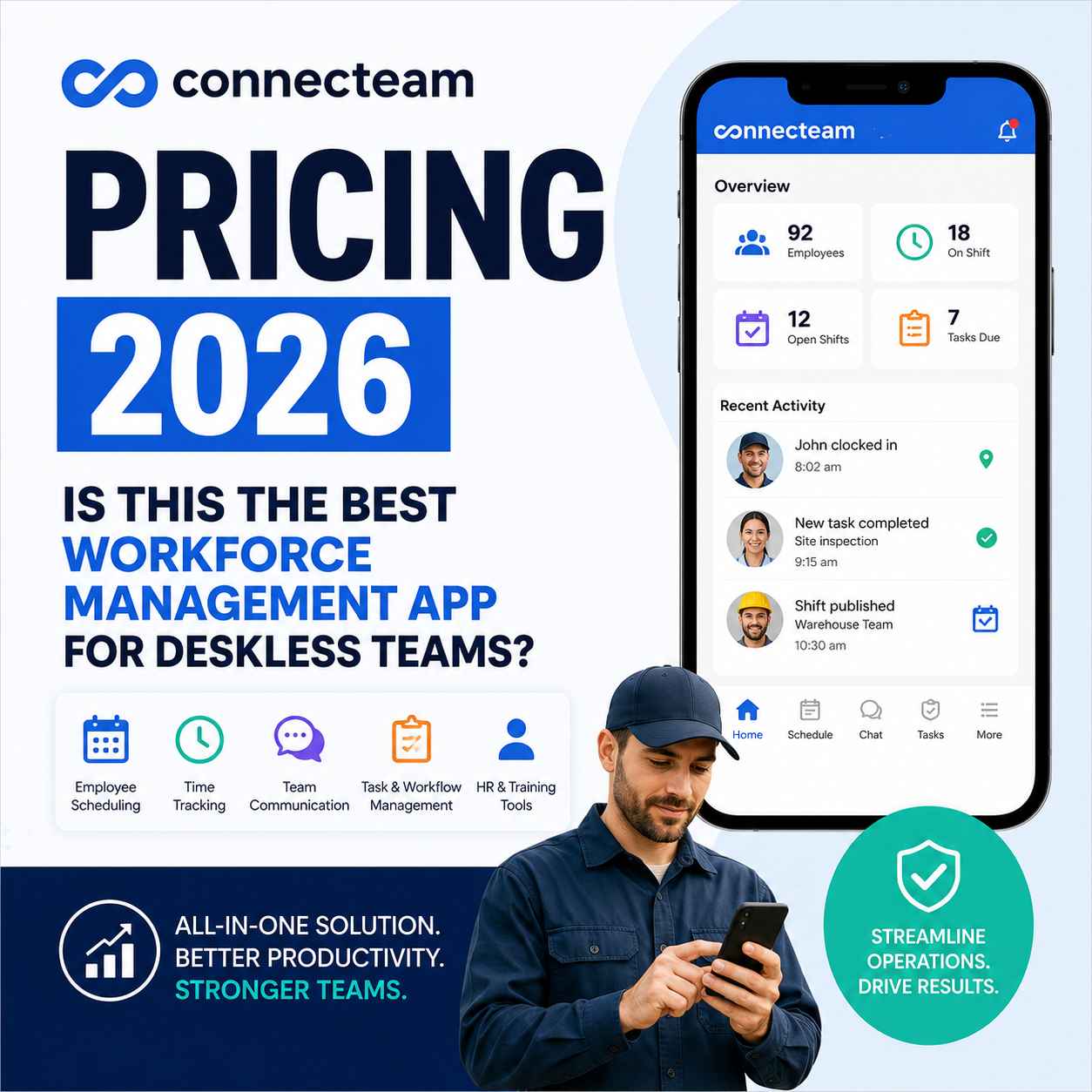
What Is Connecteam?
Connecteam is a workforce management platform built for businesses with deskless employees. Unlike traditional office-focused collaboration tools, Connecteam focuses on industries where employees work in the field, on-site, remotely, or across multiple locations.
The platform combines:
- Employee scheduling
- Time tracking
- Internal communication
- Task management
- HR workflows
- GPS tracking
- Payroll integration
- Employee training
- Digital forms and checklists
Instead of using separate apps for communication, scheduling, attendance, and operations, businesses can centralize everything into one platform.
That consolidation alone can significantly reduce operational friction.
Connecteam Pricing 2026 Overview
One reason Connecteam continues gaining traction is its flexible pricing model for small and mid-sized businesses.
As of 2026, Connecteam offers multiple pricing categories based on operational needs.
Main Pricing Categories
1. Operations Hub
Focused on scheduling, task management, forms, and workflow automation.
2. Communications Hub
Designed for internal communication, updates, announcements, chats, and employee engagement.
3. HR & Skills Hub
Includes onboarding, employee training, document management, and recognition features.
Businesses can subscribe to individual hubs or combine them for a full workforce management system.
Why Businesses Are Choosing Connecteam in 2026
Most businesses adopting workforce management software are trying to solve operational inefficiencies.
Common pain points include:
- Missed shifts
- Poor communication
- Manual scheduling errors
- Payroll inconsistencies
- Lack of employee accountability
- Time theft
- Inefficient onboarding
- Disconnected field teams
Connecteam directly addresses these operational gaps through automation and mobile-first workforce management.
For companies with deskless workers, mobile accessibility is no longer optional.
It is operational infrastructure.
Key Features That Make Connecteam Stand Out
1. Employee Scheduling
The drag-and-drop scheduling system simplifies workforce planning for managers handling multiple employees and shifts.
Features include:
- Shift templates
- Automated scheduling
- Shift conflict alerts
- Open shift management
- Employee availability tracking
This reduces scheduling mistakes and administrative overhead.
2. Time Tracking With GPS
One of Connecteam’s strongest operational features is GPS-enabled time tracking.
Managers can:
- Track clock-ins and clock-outs
- Verify employee locations
- Reduce buddy punching
- Improve payroll accuracy
- Monitor field activity
For field service companies, logistics teams, and construction businesses, this can significantly improve accountability.
Companies looking for a broader breakdown of Connecteam’s communication, scheduling, task management, and payroll tools can explore the platform’s complete all-in-one workforce management capabilities in more detail.
3. Workforce Communication
Many frontline businesses still rely on fragmented communication through messaging apps.
Connecteam centralizes communication with:
- Company announcements
- Team chats
- Employee updates
- Surveys
- Knowledge sharing
This reduces communication silos and keeps employees aligned.
Businesses replacing outdated communication systems or fragmented employee messaging tools may also benefit from exploring modern alternatives built specifically for frontline workforce collaboration.
4. Task & Workflow Automation
Businesses can automate repetitive operational processes including:
- Daily checklists
- Safety inspections
- Maintenance workflows
- Incident reports
- Employee forms
Operational automation improves consistency across teams and locations.
5. Employee Training & Onboarding
Training deskless employees traditionally requires significant manual effort.
Connecteam simplifies onboarding through:
- Mobile training modules
- Digital documents
- Quizzes
- Compliance tracking
- Policy acknowledgment
This helps businesses onboard employees faster while maintaining compliance standards.
Which Businesses Benefit Most From Connecteam?
Connecteam performs particularly well for operational businesses with distributed or mobile workforces.
Best Industries for Connecteam
- Construction companies
- Cleaning services
- Healthcare providers
- Delivery businesses
- Restaurants
- Security companies
- Retail chains
- Home service businesses
- Logistics companies
- Manufacturing operations
If your workforce spends most of its time away from desks, Connecteam becomes considerably more valuable.
Businesses managing mobile employees across construction, healthcare, logistics, or retail can also explore how a modern deskless workforce management system improves frontline coordination, accountability, and daily operations at scale.
Connecteam Pricing vs Competitors
Compared to competitors like:
- Homebase
- Deputy
- When I Work
- BambooHR
Connecteam stands out because it combines multiple workforce management functions into one ecosystem.
Many competitors focus heavily on:
- scheduling only
- HR only
- payroll only
- communication only
Connecteam’s operational advantage comes from consolidation.
That matters because businesses increasingly want fewer disconnected tools.
Is Connecteam Worth It for Small Businesses?
For small businesses managing growing teams, Connecteam can provide strong operational ROI if used properly.
Potential Business Benefits
- Reduced scheduling errors
- Faster communication
- Lower administrative workload
- Better payroll accuracy
- Improved employee accountability
- Streamlined onboarding
- Increased operational visibility
However, companies with very small teams may not fully utilize every advanced feature.
The real value appears when managing:
- multiple shifts
- multiple locations
- field workers
- remote operations
- high employee turnover
Businesses scaling remote or distributed teams should also understand how payroll compliance and workforce management work together when managing employees across multiple regions.
Hidden Value Most Businesses Ignore
Many companies evaluate workforce management software only by subscription cost.
That is a mistake.
The larger operational cost usually comes from:
- inefficient communication
- scheduling errors
- payroll mistakes
- employee turnover
- administrative overhead
- operational delays
If a workforce management platform reduces even a portion of those inefficiencies, the long-term savings can outweigh the software cost significantly.
This is where Connecteam performs better than many fragmented alternatives.
Potential Drawbacks
No software platform is perfect.
Businesses should also consider:
- learning curve for new managers
- feature overload for very small teams
- premium features locked behind higher tiers
- integration limitations depending on existing systems
Companies should evaluate operational fit before scaling usage organization-wide.
Should You Buy Connecteam in 2026?
If your business manages deskless employees, field teams, mobile workers, or frontline staff, Connecteam is one of the strongest workforce management platforms available in 2026.
It is particularly effective for businesses that need:
- scheduling
- communication
- HR workflows
- task automation
- employee accountability
- operational visibility
inside one unified platform.
For growing operational businesses, consolidating multiple workforce tools into one system can improve efficiency, reduce management friction, and strengthen internal coordination.
Final Verdict
Connecteam is not simply another employee scheduling app.
It is evolving into a centralized operational infrastructure platform for deskless businesses.
Companies still relying on spreadsheets, messaging apps, manual scheduling, and disconnected workforce tools are likely losing productivity daily.
The businesses gaining competitive advantage in 2026 are those investing in operational automation, workforce visibility, and mobile-first employee management systems.
For many frontline businesses, Connecteam checks those boxes effectively.
If your goal is to simplify workforce operations, improve team accountability, and reduce administrative chaos, Connecteam deserves serious consideration.
Frequently Asked Questions (FAQ)
Is Connecteam free for small businesses?
Connecteam offers free access for small teams with limited requirements. However, advanced operational features typically require paid plans.
What industries use Connecteam the most?
Industries with deskless or frontline workers benefit the most, including construction, healthcare, logistics, retail, cleaning services, and field operations.
Does Connecteam include employee scheduling?
Yes. Connecteam includes employee scheduling tools with shift management, availability tracking, automated scheduling, and notifications.
Can Connecteam track employee locations?
Yes. The platform offers GPS-enabled time tracking and location verification features for field employees.
Is Connecteam better than Homebase?
That depends on operational needs. Homebase performs well for scheduling-focused businesses, while Connecteam offers broader workforce management capabilities including communication, onboarding, task management, and workflow automation.
Does Connecteam work for remote and mobile teams?
Yes. The platform is designed specifically for mobile, deskless, and distributed workforces.
Is Connecteam suitable for growing businesses?
Yes. Businesses scaling multiple teams or locations often benefit from Connecteam’s centralized workforce management system.
Conclusion
Workforce management is no longer just about scheduling employees.
Modern businesses need operational visibility, mobile communication, automated workflows, and workforce accountability to remain competitive.
Connecteam positions itself as a comprehensive platform built specifically for that future.
For businesses managing deskless teams in 2026, it remains one of the most practical and scalable workforce management solutions currently available.
If your business is scaling field operations, managing remote staff, or trying to reduce scheduling and payroll inefficiencies, exploring Connecteam pricing and features could help you determine whether an all-in-one workforce management system is the right long-term investment for your team.
#Hashtags#Connecteam #WorkforceManagement #EmployeeScheduling #DesklessWorkforce #TeamManagement #HRSoftware #FieldServiceManagement #BusinessAutomation #EmployeeManagement #WorkforceSoftware #ProductivityTools #FrontlineWorkers #SchedulingSoftware #BusinessGrowth #OperationsManagement #RemoteTeams #MobileWorkforce #SmallBusinessTools #WorkforceAutomation #EmployeeCommunication
Disclosure:
This article may contain affiliate links. If you choose a service through our links, we may earn a commission at no extra cost to you.
This article was created with AI-assisted research and carefully reviewed by our in-house team before publication