HubSpot Agent Builder Review: Pricing, Features & AI Workflows
HubSpot Agent Builder Review: Pricing, Features & AI Workflows
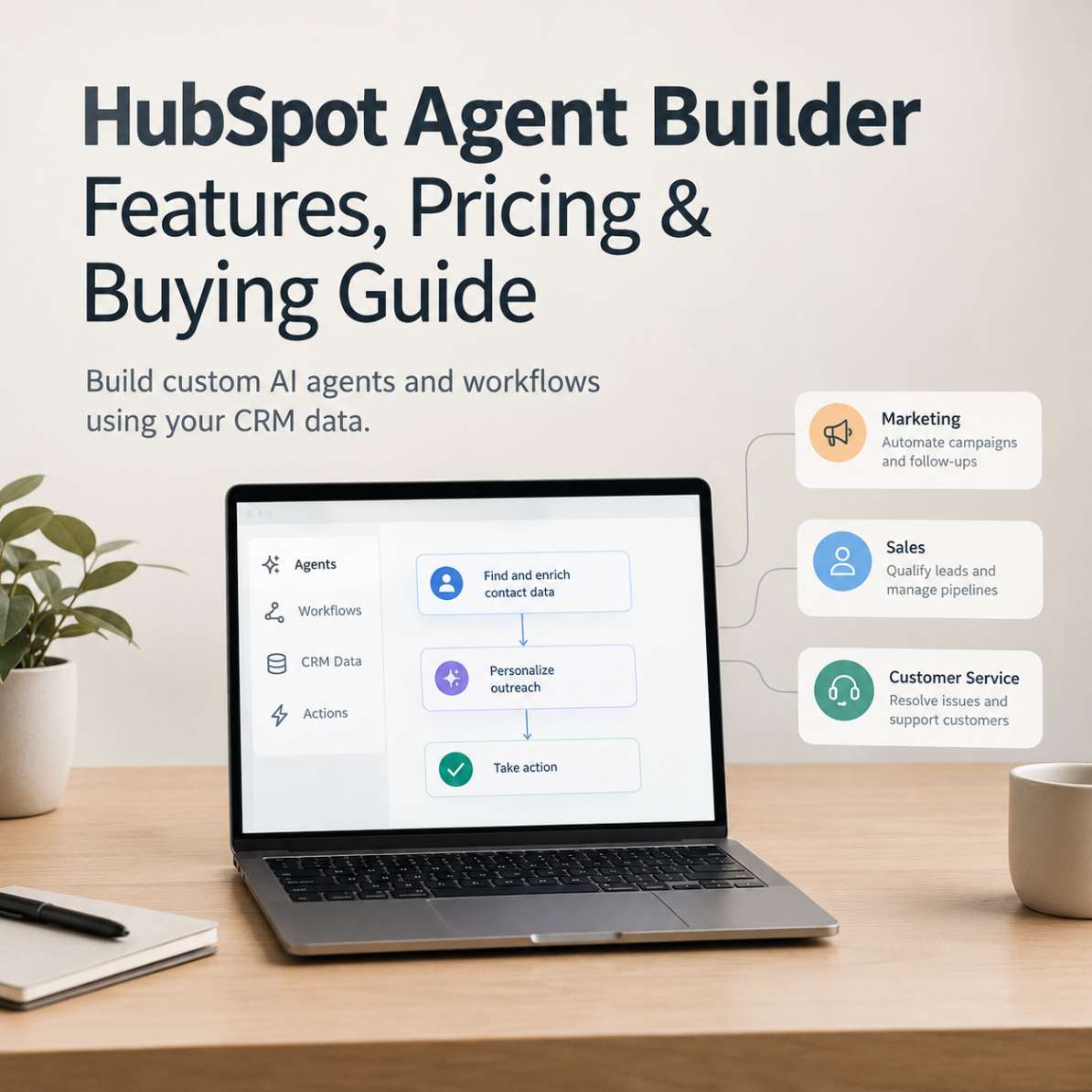
HubSpot Agent Builder is a no-code tool for creating custom AI agents and workflows using business instructions and existing CRM data. It is available through eligible HubSpot subscriptions, but custom agents consume HubSpot Credits. Before purchasing, businesses should check subscription pricing, workflow limits and potential AI usage costs to determine the total cost of automation.
Building AI agents used to sound like a developer's job. HubSpot is taking a different approach: let business teams describe a task, connect it to their CRM data and define how the resulting agent should work.
The interesting part is not just the ability to build an AI agent without writing code. It is the possibility of using that agent inside existing sales, marketing and customer-service processes.
But there is a practical question worth answering before signing up: Does HubSpot Agent Builder offer affordable automation, or can AI usage costs make a seemingly inexpensive starting price less attractive?
This guide examines its capabilities, pricing structure, business applications, limitations and alternatives to help you decide.
If you’re considering CRM-connected AI automation, review HubSpot Agent Builder’s current pricing and capabilities to see whether its features and subscription requirements fit your business.Check HubSpot Agent Builder’s current pricing and capabilities.
What Is HubSpot Agent Builder?
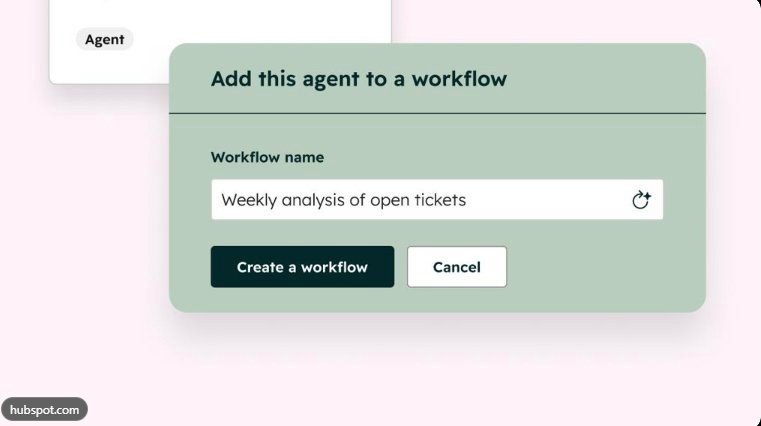
HubSpot Agent Builder is a visual tool for creating custom AI agents and workflows within the HubSpot ecosystem. Instead of building every automation from scratch in code, users can define what an agent should do, provide relevant business instructions and work with information already held in their CRM.
HubSpot's official product information describes a builder that brings agents, actions and handoffs together on one canvas. It also supports testing an agent before allowing it to operate independently.
For a small business, this could mean creating a repeatable process to prepare customer information, assist a sales representative or organize routine tasks around a contact or deal.
The important distinction is that an AI agent is not necessarily the same as a simple automation rule. A rule can execute a predefined action when a condition is met. An AI agent can interpret instructions and perform a sequence of actions, depending on its configuration and available tools.
That additional flexibility can be useful, but it also introduces more questions about reliability, permissions and usage costs.
What Can You Build With HubSpot Agent Builder?
The most useful applications are those tied to a clearly defined business process. Building an agent simply because AI is available is unlikely to justify the cost.
1. Sales preparation and lead management
Sales teams can explore agents that help organize information around prospects and customer records.
Possible workflows include:
- Preparing a summary of a prospect before a sales call.
- Organizing relevant information about a company or contact.
- Helping sales representatives follow a consistent qualification process.
- Supporting repeatable handoffs between sales activities.
The agent's actual capabilities depend on the instructions, connected information and actions available to it. Do not assume every research or CRM update task is automatically supported without configuration.
2. Marketing workflow support
Marketing teams often repeat similar tasks across campaigns, contacts and customer segments.
A CRM-connected agent may help organize campaign-related information, prepare outputs from approved business instructions or support processes that involve customer records.
For example, a team could investigate whether a defined workflow can prepare a first-pass campaign brief from its own customer context.
The appropriate test is whether the workflow reduces meaningful manual work while maintaining editorial quality and data accuracy.
3. Customer service operations
Businesses may investigate agents for reviewing customer context, supporting ticket workflows and assisting with consistent responses.
However, customer-facing automation requires more care than internal administrative assistance. Incorrect responses, inappropriate actions or missing context can affect customer trust.
Begin with a narrow use case, establish escalation rules and review the results before expanding automation.
4. Repeatable internal processes
An agent can be designed for an individual record or incorporated into a larger workflow, where the same process is repeated. HubSpot describes both patterns in its official product documentation.
This makes the tool worth investigating for teams that already manage customer relationships through HubSpot and want to standardize recurring tasks.
Explore the official product: HubSpot Agent Builder
Businesses looking to connect automation with quoting, billing and revenue operations can also consult our HubSpot Revenue Hub review.
HubSpot Agent Builder Pricing: Is the $7 Starting Price the Whole Cost?
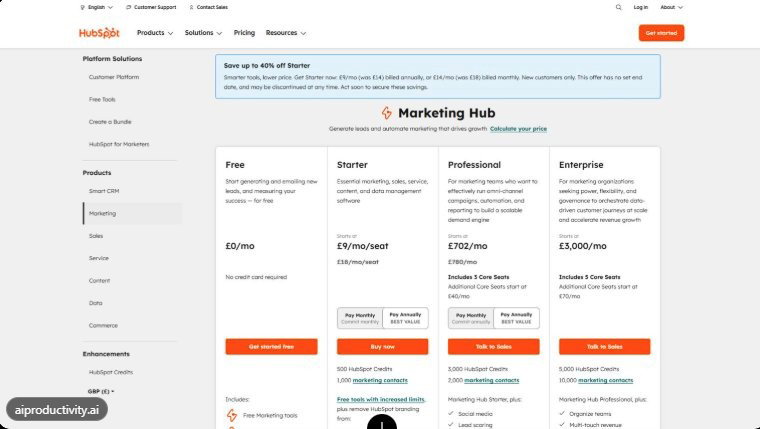
Pricing deserves careful attention because the advertised entry price and the cost of running AI agents are two different things.
The current Agent Builder marketing page advertises a $7 monthly entry price. However, the product's subscription access, billing basis and credit requirements need to be considered together.
Understand the two cost components
| Cost component | What to know |
|---|---|
| HubSpot subscription | Determines the available tools, workflow capabilities and plan entitlements |
| HubSpot Credits | Used by custom agents and other credit-consuming AI features |
| Additional credits | May be purchased in advance or through pay-as-you-go, depending on the account's billing arrangement |
| Advanced capabilities | Availability depends on the subscription and specific feature |
HubSpot's documentation says Agent Builder is available through Starter, Professional and Enterprise subscriptions, while the available workflow capabilities vary by tier. Standard workflow automation does not consume HubSpot Credits, whereas custom agents do.
That distinction matters. A business that needs a conventional rule-based workflow may have different costs from one that expects AI agents to process large volumes of customer records.
If you are still deciding whether HubSpot's broader platform fits your business, read our HubSpot Starter Customer Platform review before choosing a subscription.
How much do HubSpot Credits cost?
HubSpot's published credits information lists additional credits at $0.01 per credit, with packs of 1,000 credits priced at $10. The credits used by an agent depend on the task and the actions performed. Included credits, account billing arrangements and usage rates should be checked against the current terms applicable to your subscription. This means you should not calculate the total cost from the advertised subscription price alone.
Before committing, establish:
- The actual subscription price for your billing frequency.
- The number of seats required.
- The credits included with your account.
- The estimated credits needed for your intended agent.
- The cost of additional usage.
- Whether usage limits and alerts can be configured for your account.
Check HubSpot Agent Builder and current pricing before deciding whether it fits your operating budget.
Is HubSpot Agent Builder Suitable for Small Businesses?
It can be, particularly when the business already uses HubSpot to manage contacts, leads and customer interactions.
The case becomes weaker if you need a standalone agent builder that works independently of your CRM or if you are only trying to automate a small number of simple tasks.
Here is a practical assessment.
| Business situation | Assessment |
|---|---|
| Already using HubSpot CRM | Strong starting point |
| Small sales team with repeatable processes | Worth evaluating |
| Marketing team seeking CRM-connected automation | Potentially useful |
| Business with no established CRM workflow | Establish the workflow first |
| Team requiring extensive automation across unrelated applications | Compare alternatives |
| Organization with strict, predictable software budgets | Model credit consumption before deployment |
The central question is whether the agent can improve a process that already matters to the business.
For instance, saving a few minutes on a task performed hundreds of times may justify testing an agent. Automating a task that happens twice a month may not justify the additional setup and monitoring.
What Are the Main Limitations?
No-code tools reduce the need to write code. They do not eliminate the need to design, test and supervise a workflow.
Credit usage can complicate budgeting
Custom agents consume credits, and usage varies with the actions performed. Businesses should test representative workloads before estimating ongoing costs.
Advanced workflows may require a higher subscription tier
HubSpot distinguishes basic workflow automation from more advanced automation capabilities available in Professional and Enterprise editions. Confirm the exact functionality required before choosing a plan.
CRM dependence may limit the appeal
Agent Builder's principal advantage is its connection to HubSpot's business data. That is less compelling if your organization relies on a different CRM and does not want to migrate or connect its data.
Human review remains important
AI-generated summaries, recommendations and actions can be wrong. Businesses should define permissions, test edge cases and require human approval for sensitive or consequential operations.
Setup still requires business thinking
You need clear instructions, appropriate source data and a process for checking results. No-code is not the same as no configuration.
For a separate look at AI search visibility, see our HubSpot AEO review.
HubSpot Agent Builder Alternatives: What Should You Compare?
Not every business needs the same type of automation platform. The best alternative depends on where your data lives and how much control you need.
n8n — for technical flexibility:
n8n is worth evaluating if you want visual workflow design, integrations and the option to self-host. It can suit technically capable teams that want more infrastructure control, although self-hosting introduces maintenance responsibilities.
Official website: n8n.io
Zapier — for connecting applications:
Consider Zapier when the main requirement is connecting multiple business applications and automating handoffs across them. Check available integrations, task limits and agent-specific pricing before comparing total costs.
Official website: zapier.com
Microsoft Copilot Studio — for Microsoft-oriented organizations
Evaluate this option if your organization is built around Microsoft tools and needs to develop and manage agents within that environment. Licensing and usage arrangements should be checked against your existing Microsoft subscriptions.
Official website: Microsoft Copilot Studio
These are alternatives to evaluate, not a verified price-equivalent comparison. Features, licensing and product terms can change.
For a wider overview, HubSpot also publishes its AI agent builder comparison guide. For readers who need to assess the wider CRM platform first, Kuruntha's HubSpot Starter Customer Platform review provides a broader starting point.
How to Evaluate HubSpot Agent Builder Before Buying
The most reliable approach is to test one real workflow rather than judge the platform by its feature list.
- Choose one repetitive task. Pick a process with a clear input, expected output and measurable time requirement.
- Define the required data. Identify which CRM records, instructions and permissions the agent needs.
- Build and test the workflow. Check normal cases, incomplete records, unexpected inputs and failure scenarios.
- Measure credit consumption. Run representative tasks and record the usage associated with successful and unsuccessful attempts.
- Calculate the business case. Compare subscription and credit costs with the time saved, error reduction and operational value.
- Expand only after validation. Add more tasks after the first workflow performs consistently and its costs are understood.
A simple calculation can help:
Monthly net value = value of time saved + measurable operational savings − subscription and AI usage costs.
For example, if a workflow saves 10 hours per month, multiply those hours by the realistic cost of the time saved. Then subtract the full monthly cost of the software and any additional oversight required.
This is an evaluation method, not a promise that a particular agent will deliver those savings.
Our Verdict: Is HubSpot Agent Builder Worth It?
HubSpot Agent Builder is worth evaluating if your team already uses HubSpot and has repetitive, well-defined processes that could benefit from CRM-connected AI.
Its strongest proposition is the combination of a visual builder, existing customer context and the ability to incorporate agents into repeatable workflows without requiring users to write code.
However, the advertised entry price should not be the deciding factor. Subscription access, plan-specific capabilities and credit consumption all affect the real cost.
Our recommendation is straightforward:
- Consider it if you already use HubSpot and can identify a valuable, repeatable workflow.
- Test it first if AI usage costs or output reliability are uncertain.
- Compare alternatives if you need broad cross-application automation or greater infrastructure control.
- Wait before adopting it if your business processes are still poorly defined.
The right AI agent is not the one with the most impressive demonstration. It is the one that solves a real operational problem reliably, within a cost your business can justify.
Ready to evaluate it? Visit the official HubSpot Agent Builder page to check the current offer, subscription requirements and available capabilities.
Frequently Asked Questions
1. What is HubSpot Agent Builder?
HubSpot Agent Builder is a no-code tool for creating custom AI agents and workflows using business instructions, knowledge and CRM data.
2. How much does HubSpot Agent Builder cost?
HubSpot's current product page advertises a $7 monthly entry price. The actual billing basis and subscription terms should be confirmed at checkout. Custom agents also consume HubSpot Credits, which can create additional usage costs.
3. Is HubSpot Agent Builder free?
Do not assume that full custom-agent functionality is available on a free account. HubSpot documents Agent Builder access through eligible Starter, Professional and Enterprise subscriptions. Check the current plan requirements before signing up.
4. Does HubSpot Agent Builder require coding?
HubSpot describes its builder as a no-code tool. You can define an agent through instructions and a visual canvas, although configuring, testing and maintaining useful workflows still requires planning.
5. Do HubSpot AI agents consume credits?
Yes. Custom agents consume HubSpot Credits. Standard workflow automation has different usage rules, so distinguish ordinary workflows from AI-driven agent execution when estimating costs.
6. Is HubSpot Agent Builder suitable for startups?
It may suit startups already using HubSpot that want to automate repetitive sales, marketing or customer-service tasks. Businesses should assess plan limitations and credit consumption before expanding usage.
7. What is the difference between an AI agent and a workflow?
A conventional workflow generally follows predefined rules and actions. An AI agent can interpret instructions and perform a sequence of configured actions to complete a task. Which approach is appropriate depends on the complexity, predictability and risk of the process.
8. What are the best alternatives to HubSpot Agent Builder?
n8n, Zapier and Microsoft Copilot Studio are worth comparing. They serve different needs, including technical flexibility, application integration and Microsoft-oriented agent development. Compare actual licensing and usage costs rather than relying only on headline prices.
9. Can HubSpot Agent Builder work with an existing CRM?
Its primary advantage is access to HubSpot's CRM data. If your business uses another CRM, verify the required integrations and data access before assuming the same experience is available.
10. Is HubSpot Agent Builder worth the money?
It can be worthwhile when a tested agent saves enough time or operational cost to justify the subscription, credit consumption and oversight. The best way to decide is to pilot a real workflow and measure its results.
Disclosure: Kuruntha Smarket may earn a commission if you purchase through qualifying affiliate links, at no additional cost to you.

Our recommendations are based on product suitability, practical considerations and the information available at the time of publication.

This article was created with AI-assisted research and carefully reviewed by our in-house team before publication
#HubSpot #AIAgents #NoCodeAutomation #CRMSoftware #BusinessAutomation #MarketingTechnologyHubSpot Starter Customer Platform reviewHubSpot Revenue Hub review