NexGen Virtual Webex Review 2026: Pricing, Features & Is It Worth It?
NexGen Virtual Webex Review 2026: Pricing, Features & Is It Worth It?
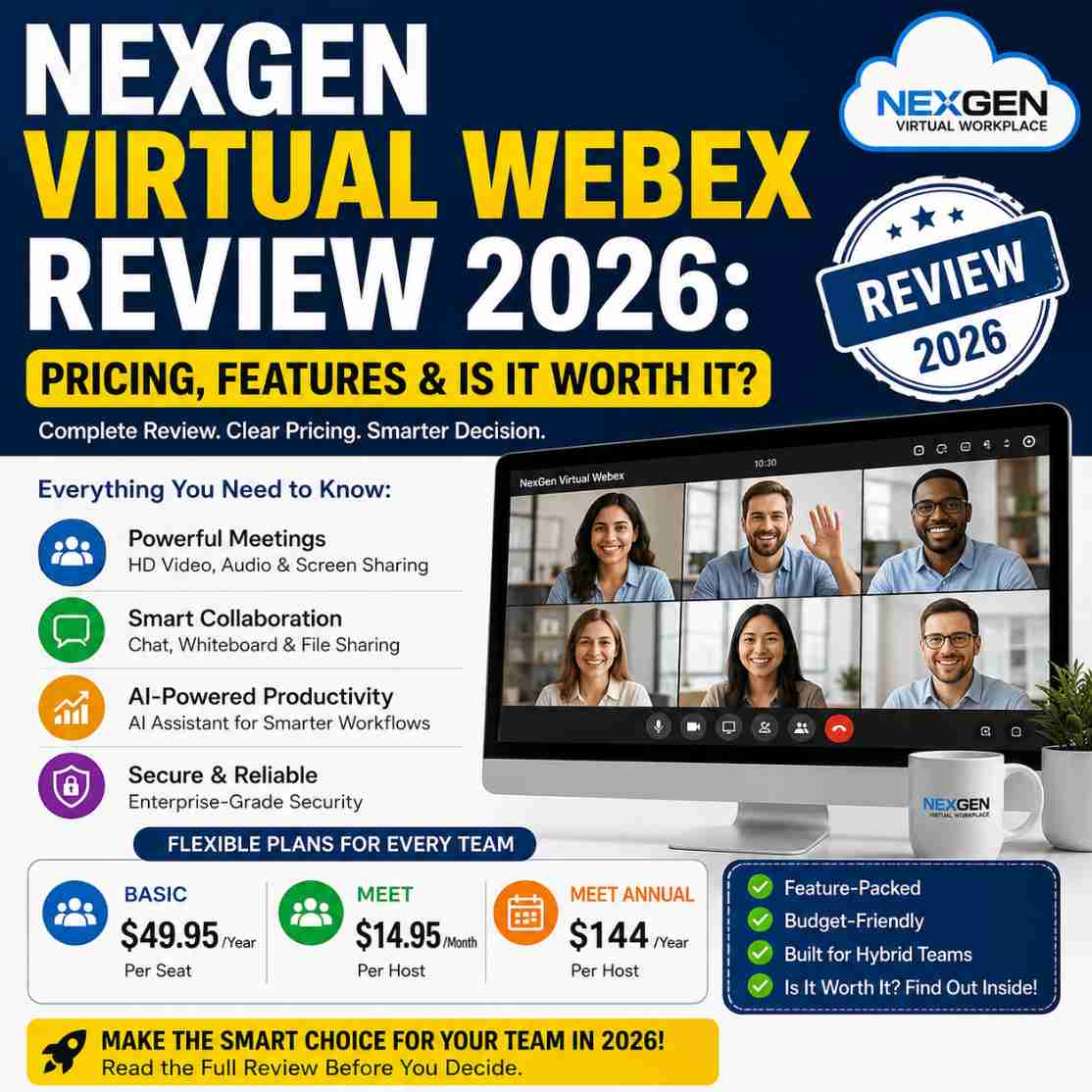
NexGen Virtual Webex 3.0 is a virtual workplace solution that integrates with Webex to give remote and hybrid teams a more interactive digital office environment. It offers Basic and Meet plans, with published pricing starting at $49.95 per year for Basic and $14.95 per month or $144 per year for Meet. Features include branded 3-D floor plans, video meetings, screen sharing, messaging, whiteboards, calendar integration and security features, while Meet adds an AI Assistant, meetings of up to 24 hours, up to 200 attendees, AI-powered cloud recording, Slido polling and Q&A, closed captions and advanced support.
Remote and hybrid work have solved one problem for businesses: employees no longer need to be in the same physical office every day.
But they have created another.
How do you recreate the visibility, spontaneous conversations and sense of being part of a team that people naturally get in a physical office?
That is the problem NexGen Virtual Webex 3.0 is designed to address.
Rather than replacing Webex, NexGen Virtual Webex adds a virtual workplace layer around the Webex experience. Teams can use interactive virtual office spaces, branded floor plans, presence indicators, meetings, messaging, screen sharing and other collaboration features to create a more connected digital workplace.
In this NexGen Virtual Webex Review 2026, we examine its pricing, features, plans, strengths, limitations and ideal use cases to answer the question buyers actually care about:
Is NexGen Virtual Webex worth paying for in 2026?
Quick verdict: NexGen Virtual Webex is worth considering for organizations that already use Webex and want a more immersive virtual-office experience for remote or hybrid employees. The Basic plan is particularly interesting for teams wanting an affordable entry point, while Meet is more suitable for organizations that need longer meetings, larger meeting capacity, AI assistance and advanced collaboration features.
If you’re considering NexGen Virtual Webex for your remote or hybrid team, check the current plans and features before you decide—it’s the quickest way to see whether the platform fits your team and budget.
What Is NexGen Virtual Webex 3.0?
NexGen Virtual Webex 3.0 is a virtual workplace solution designed to work with Webex.
The idea is straightforward.
Instead of treating remote work as a collection of video calls, chat messages and calendar invitations, NexGen creates a visual virtual workplace where employees can see the digital office environment, identify colleagues' availability and launch conversations more naturally.
The official Webex App Hub describes NexGen Virtual Webex as a virtual space designed to mimic the proximity of a traditional physical office. Its listed capabilities include interactive office floor plans, encrypted video conferencing, meeting recording, simultaneous screen sharing, guest experiences and custom floor plans and branding.
That positioning is important.
NexGen Virtual Webex is not simply another video-conferencing application. It is designed to make Webex feel more like a shared workplace.
If you want to understand the bigger picture before evaluating the Webex product itself, our guide to AI-powered virtual workplaces for hybrid teams explains how NexGen approaches remote collaboration, workflow visibility and the changing digital workplace.
NexGen Virtual Webex Pricing 2026
Pricing is one of the strongest reasons to look at NexGen Virtual Webex.
At the time of this review, NexGen publishes two purchasable tiers: Basic and Meet. A Suite tier is also presented as an upcoming option.
NexGen Virtual Webex pricing comparison
| Plan | Published price | Meeting limit | Attendees | Best for |
|---|---|---|---|---|
| Basic | $49.95/year | Up to 40 minutes | Up to 100 | Individuals and smaller teams |
| Meet Monthly | $14.95/month | Up to 24 hours | Up to 200 | Teams wanting monthly flexibility |
| Meet Annual | $144/year | Up to 24 hours | Up to 200 | Teams wanting annual value |
| Suite | Not yet published | — | — | Future calling requirements |
NexGen currently states that Basic subscribers receive two free months when signing up annually. For Meet, the company advertises additional free months for qualifying purchases of five or more seats.
Because software pricing and promotions can change, buyers should verify the current offer before purchasing.
Is NexGen Virtual Webex cheap?
The Basic annual plan is the standout entry-level option at $49.95 per seat per year.
That makes it considerably easier to test the virtual-workplace concept without immediately committing to a larger recurring monthly subscription.
Meet costs more, but it also adds substantially more functionality, including AI assistance, longer meetings, higher meeting capacity, cloud recording, closed captions and advanced support.
For businesses, the right comparison is therefore not simply:
Basic vs Meet = cheaper vs expensive.
It is:
Basic = affordable virtual workplace entry point.
Meet = more complete collaboration package for teams that need advanced meeting capabilities.
What Features Does NexGen Virtual Webex Offer?
NexGen Virtual Webex 3.0 combines workplace visualization with Webex collaboration.
Here are the major capabilities buyers should understand.
1. Interactive 3-D Virtual Office Floor Plans
One of the biggest differences between NexGen Virtual Webex and conventional meeting software is its virtual office environment.
The platform can use branded 3-D floor plans designed to mirror physical offices and buildings.
For distributed organizations, this can create a stronger sense of place than a list of chat channels or video-call links.
2. Employee Presence Visibility
Color-coded avatar status indicators provide a quick visual way to understand whether someone is available, in a meeting or away from their desk.
That can be useful for teams that rely heavily on spontaneous collaboration.
Instead of asking:
"Are you free?"
employees can potentially see availability directly within the virtual workplace.
3. Video Conferencing
Video meetings are central to the platform.
Basic supports meetings of up to 40 minutes with up to 100 attendees, while Meet increases the meeting duration to up to 24 hours and supports up to 200 attendees.
This makes Meet much more appropriate for businesses that conduct longer internal meetings, training sessions, workshops or larger virtual gatherings.
4. Screen Sharing and Annotation
Teams can share their screens and use annotation capabilities during collaboration.
This is particularly useful for:
- Product demonstrations
- Training
- Client presentations
- Design reviews
- Technical troubleshooting
- Team workshops
5. Encrypted Chat and File Sharing
Basic includes encrypted chat for document and video sharing, alongside unlimited messaging.
For organizations trying to keep workplace communication centralized, this can reduce the need to move between multiple communication tools.
6. Unlimited Whiteboards
The Basic plan includes unlimited whiteboards.
That gives teams a simple collaborative environment for brainstorming, planning and visual discussions.
7. Calendar Integration
Calendar service integration helps connect scheduling with the virtual workplace experience.
This matters because the best collaboration software is not simply about adding another destination. It needs to fit into the workflow employees already use.
8. Advanced Noise Cancellation
Background noise can become a genuine productivity problem in distributed workplaces.
NexGen Virtual Webex includes advanced noise cancellation, helping meetings remain more usable when participants are working from home, coworking spaces or other environments with background noise.
9. Vidcast Integration
The platform also includes the ability to create and share video through Vidcast.
That creates opportunities for asynchronous communication when a live meeting is unnecessary.
10. Security Features
Security is particularly important when business communication moves outside the traditional office.
NexGen lists advanced security capabilities on Basic and encrypted communication features within the platform.
Organizations with strict security, compliance or data-governance requirements should still perform their own vendor assessment before deployment.
What Does NexGen Virtual Webex Meet Add?
Meet is where the product becomes substantially more attractive to business buyers.
It includes everything in Basic plus several additional capabilities.
AI Assistant
Meet includes an AI Assistant.
This is strategically important because business collaboration software is increasingly moving toward AI-assisted meetings and workflows.
However, buyers should evaluate AI features based on practical use rather than simply checking whether an AI label appears on the product page.
The important questions are:
- Does it save employees time?
- Does it improve meeting productivity?
- Does it reduce administrative work?
- Does it fit existing workflows?
- Are there sufficient privacy and security controls?
Up to 24-Hour Meetings
Meet supports unlimited meetings with a duration of up to 24 hours.
For ordinary team meetings, that is far more capacity than most organizations will need.
The real advantage is flexibility for:
- Conferences
- Training
- Workshops
- Virtual events
- Extended collaboration sessions
- Large internal meetings
Up to 200 Attendees
Meet increases meeting capacity to 200 attendees.
That makes it more suitable for organizations that have outgrown smaller meeting limits.
10 GB AI-Powered Cloud Recording
Meet includes 10 GB of AI-powered cloud recording.
For organizations that regularly train employees, conduct demonstrations or need meeting records, cloud recording can be a meaningful operational feature.
Slido Polling and Q&A
Meet includes live polling and Q&A through Slido.
This is useful when meetings need audience participation rather than passive listening.
Closed Captions
Closed captions improve accessibility and can also help participants follow discussions in noisy environments or when English is not their first language.
Advanced Support
Meet also includes advanced support, which may matter more to businesses than individual users.
When collaboration software becomes part of daily operations, support quality becomes part of the product value.
If AI is becoming part of your team's daily workflow, our guide to AI productivity tools in 2026 offers a broader look at where intelligent software can reduce repetitive work, improve collaboration and support better business decisions.
NexGen Virtual Webex vs Traditional Webex
This is one of the most important questions buyers should ask.
NexGen Virtual Webex is not positioned as a replacement for Webex itself.
It works with Webex to provide a more immersive virtual workplace environment.
The Webex App Hub lists NexGen Virtual Webex as an integration and identifies features such as virtual office floor plans, video conferencing, meeting recording, screen sharing, guest experiences and custom branding.
That creates a useful distinction:
| Capability | Traditional Webex experience | NexGen Virtual Webex |
|---|---|---|
| Video meetings | Yes | Yes |
| Messaging | Yes | Yes |
| Virtual office environment | Limited | Core positioning |
| Interactive floor plans | No | Yes |
| Presence-oriented office experience | Limited | Yes |
| Custom virtual workplace branding | Limited | Yes |
| Webex integration | Native | Core requirement |
| AI Assistant | Depends on Webex plan/features | Included with Meet |
| Virtual-office experience | Not the primary focus | Major focus |
The practical takeaway is simple:
If your company already uses Webex and wants a stronger virtual-office experience, NexGen Virtual Webex is much more relevant than if you are simply looking for another basic video-meeting application.
Who Is NexGen Virtual Webex Best For?
NexGen Virtual Webex makes the most sense for organizations where remote collaboration is a permanent part of the operating model.
Remote-first companies
Remote companies can use a virtual workplace to create a stronger sense of shared space without requiring employees to return to a physical office.
Hybrid teams
Hybrid organizations may benefit from creating a common digital environment for employees who work across office and home locations.
Distributed agencies
Agencies managing employees across multiple locations can use virtual office spaces to make collaboration more visible.
Startups
Small companies often want enterprise-style collaboration without immediately adopting a complicated collection of workplace systems.
Training organizations
The larger meeting capacity and recording capabilities of Meet can be useful for training and educational sessions.
Organizations already using Webex
This is arguably the strongest target audience.
If your organization already uses Webex, NexGen Virtual Webex deserves a closer look because the product is specifically designed around the Webex ecosystem.
Who Should Probably Skip NexGen Virtual Webex?
No software is universally right.
You may not need NexGen Virtual Webex if:
- Your team is very small and communicates effectively through existing tools.
- Your employees rarely need spontaneous collaboration.
- Your organization has no interest in a virtual-office environment.
- You primarily need simple video calls.
- Your company does not use Webex.
- You are unwilling to introduce another layer into your collaboration stack.
- Your security or compliance team requires capabilities that have not been independently validated.
This is where buyers need to be disciplined.
Do not purchase virtual workplace software simply because the concept sounds innovative.
Buy it when the virtual workplace solves a real coordination problem.
NexGen Virtual Webex Pros and Cons
Pros
- Affordable Basic annual entry point
- Designed specifically around the Webex ecosystem
- Interactive virtual office concept
- Branded 3-D floor plans
- Presence visibility
- Video conferencing
- Screen sharing and annotation
- Unlimited messaging
- Unlimited whiteboards
- Calendar integration
- Advanced noise cancellation
- AI Assistant with Meet
- Up to 200 meeting attendees with Meet
- Up to 24-hour meetings with Meet
- AI-powered cloud recording
- Slido polling and Q&A
- Closed captions
- Advanced support with Meet
Cons
- Best suited to organizations already using or willing to use Webex
- The virtual-office concept may be unnecessary for teams that prefer simple collaboration tools
- Meet costs more than the entry-level Basic plan
- Suite features are presented as forthcoming rather than generally available
- Enterprise pricing is customized
- Businesses with strict compliance requirements should conduct their own technical and security review
NexGen Virtual Webex Basic vs Meet: Which Should You Buy?
For most buyers, this is the practical decision.
Choose Basic if:
You want to experiment with a virtual workplace at relatively low annual cost.
Basic provides the core virtual office experience, meetings, messaging, whiteboards, screen sharing, calendar integration, security features and other collaboration capabilities.
At $49.95 per year, it is the obvious starting point for price-sensitive buyers.
Choose Meet if:
Your team needs:
- AI Assistant
- Longer meetings
- Up to 200 attendees
- Cloud recording
- Closed captions
- Slido polling and Q&A
- Advanced support
For professional teams, Meet is the more compelling plan if those capabilities will actually be used.
Choose Suite when available if:
Your organization needs the broader communications capabilities NexGen has announced for the Suite tier, including business phone functionality, telephone calling, visual voicemail and device-to-device call movement.
Suite is currently presented as an upcoming tier, so buyers should verify availability and pricing before making purchasing plans.
Is NexGen Virtual Webex Worth It in 2026?
Yes—but only for the right type of buyer.
NexGen Virtual Webex is not automatically worth buying because it has an attractive virtual-office interface.
Its value comes from solving a specific problem:
making remote and hybrid employees feel more connected while giving them a shared digital environment for collaboration.
For a Webex-based organization that struggles with disconnected remote communication, the proposition is compelling.
For a business that simply needs occasional video meetings, it may be unnecessary.
Our verdict
NexGen Virtual Webex 3.0: Worth considering for Webex-based remote and hybrid teams.
Best entry point: Basic
Best overall option for professional teams: Meet
Best feature for distributed teams: Interactive virtual workplace
Best advanced feature: AI Assistant on Meet
Best value consideration: Basic annual pricing
Best use case: Organizations trying to recreate some of the visibility and spontaneity of a physical office in a remote environment
The deciding factor should therefore be your workflow—not the feature count.
How to Decide Before Buying NexGen Virtual Webex
Before purchasing, ask these seven questions:
- Does our team already use Webex?
- Do employees need better visibility into who is available?
- Would a virtual office improve spontaneous collaboration?
- Will we use AI-assisted meeting features?
- Do we need meetings of up to 200 attendees?
- Will cloud recording, captions and polling deliver measurable value?
- Can we justify another layer in our collaboration technology stack?
If you answer "yes" to most of these questions, NexGen Virtual Webex deserves a serious evaluation.
Before committing to another workplace subscription, it is worth looking beyond the feature list and considering how to evaluate business software before you invest, especially when pricing, integrations, scalability and long-term value matter.
NexGen Virtual Webex Alternatives: What Should Buyers Compare?
Do not compare software solely by price.
A proper comparison should examine:
- Video meeting quality
- Collaboration features
- Virtual-office capabilities
- AI functionality
- Security
- Integrations
- Meeting capacity
- Recording
- Administration
- Support
- Ease of adoption
- Total cost per employee
Traditional collaboration platforms may be better for companies that do not need a virtual-office environment.
On the other hand, organizations specifically trying to create a persistent digital workplace should evaluate whether a conventional meeting platform actually solves the underlying problem.
That is where NexGen Virtual Webex has a more differentiated proposition.
How NexGen Virtual Webex Fits Into a Modern Business Software Stack
A virtual workplace should not operate in isolation.
Your collaboration environment needs to work alongside your project management, CRM, automation, communication, marketing and business systems.
That is why choosing software based purely on individual features can be misleading.
Kuruntha Smarket's Business Software Buying Guide 2026 takes the same practical approach: evaluate software based on the business problem it solves, integration, pricing, scalability, implementation and long-term value—not simply the number of features listed on a sales page.
For teams building a broader technology stack, our Best AI Productivity Tools in 2026 guide is another useful starting point when evaluating productivity and automation platforms.
Final Verdict: Should You Buy NexGen Virtual Webex?
NexGen Virtual Webex 3.0 is an interesting proposition because it addresses a problem that traditional video conferencing does not completely solve.
Remote workers can attend meetings without ever feeling like they work together.
NexGen's virtual workplace approach attempts to close that gap.
Its interactive office environment, presence indicators, Webex integration, meetings, messaging, screen sharing and collaboration features create a more persistent digital workplace experience.
The $49.95 annual Basic plan makes the product accessible for buyers who want to test the concept. Meet is the stronger choice for organizations that need AI assistance, longer meetings, larger meeting capacity, cloud recording, captions, polling and advanced support.
Our view is straightforward:
If your organization already relies on Webex and wants to make remote collaboration feel more like a real workplace, NexGen Virtual Webex is worth evaluating in 2026.
If all you need is occasional video conferencing, save your money and stick with a simpler solution.
The best software investment is not the platform with the longest feature list.
It is the platform that removes the most expensive friction from your workflow.
Ready to Evaluate NexGen Virtual Webex?
Before you purchase, check the current plans, features and availability directly with NexGen Virtual Webex because pricing, promotions and upcoming Suite functionality can change.
Explore NexGen Virtual Webex 3.0 and evaluate whether it fits your remote or hybrid team's workflow.
Frequently Asked Questions About NexGen Virtual Webex
What is NexGen Virtual Webex?
NexGen Virtual Webex is a virtual workplace solution that integrates with Webex to create a more immersive digital office environment for remote and hybrid teams.
How much does NexGen Virtual Webex cost in 2026?
The published Basic plan costs $49.95 per year per seat. Meet is published at $14.95 per month or $144 per year per seat. Buyers should verify current pricing and promotions before purchasing.
What is NexGen Virtual Webex Basic?
Basic is the entry-level NexGen Virtual Webex 3.0 plan. It includes virtual office floor plans, meetings of up to 40 minutes, up to 100 attendees, screen sharing, encrypted chat, whiteboards, calendar integration, messaging, security features and other collaboration capabilities.
What is NexGen Virtual Webex Meet?
Meet includes everything in Basic and adds an AI Assistant, meetings of up to 24 hours, up to 200 attendees, 10 GB of AI-powered cloud recording, Slido polling and Q&A, closed captions and advanced support.
Does NexGen Virtual Webex work with Webex?
Yes. NexGen Virtual Webex is designed as a Webex integration. The Webex App Hub lists it as an integration and identifies NexGen Virtual Webex as a virtual workplace solution for Webex users.
Is NexGen Virtual Webex suitable for remote teams?
Yes. Remote and hybrid teams are among the primary use cases because the platform is designed to create a shared virtual workplace and provide greater visibility into employee presence and availability.
Is NexGen Virtual Webex better than Webex?
That is not the right comparison. NexGen Virtual Webex is designed to work with Webex rather than simply replace it. Its main differentiation is the virtual workplace experience, including interactive office environments and presence-oriented collaboration.
Can NexGen Virtual Webex support 200 attendees?
Yes. The Meet plan supports meetings with up to 200 attendees.
Does NexGen Virtual Webex have an AI Assistant?
Yes. The AI Assistant is listed as a Meet feature.
Does NexGen Virtual Webex offer cloud recording?
Yes. Meet includes 10 GB of AI-powered cloud recording.
Does NexGen Virtual Webex have a free plan?
The published product page currently lists paid Basic and Meet options rather than a conventional free plan. Buyers should check the current NexGen offer for any trial or promotional availability.
Is NexGen Virtual Webex worth buying?
It can be worthwhile for Webex-based remote and hybrid teams that need a stronger virtual-office experience. It is less compelling for organizations that only need basic video meetings and do not require a persistent digital workplace.
Who should buy NexGen Virtual Webex?
Remote-first companies, hybrid teams, distributed agencies, startups, training organizations and Webex users looking for a more interactive virtual workplace are the strongest potential buyers.
What is NexGen Virtual Webex Suite?
Suite is the planned higher-tier offering that is expected to add business phone numbers, telephone calling, visual voicemail, device-to-device call movement, six-way conference calling and other calling functionality. Pricing and availability should be confirmed directly with NexGen when the tier launches.
If NexGen Virtual Webex looks like the right fit for your team, explore NexGen Virtual Webex 3.0 and choose the plan that matches the way your team actually works.
Final Takeaway
NexGen Virtual Webex is not trying to win the video-conferencing market by simply adding another meeting button.
Its more interesting proposition is the virtual workplace itself.
For companies that want remote employees to experience more visibility, presence and spontaneous collaboration, that distinction matters.
Basic is the low-cost entry point. Meet is the stronger business option. The real question is whether your organization needs a virtual workplace rather than simply another meeting tool.
If the answer is yes, NexGen Virtual Webex 3.0 is worth putting on your 2026 shortlist.
Related Kuruntha Smarket Guides
- AI-Powered Virtual Workplace: How NexGen Solutions Are Transforming Hybrid Teams in 2026 — use this as the broader informational companion to this commercial review.
- Business Software Buying Guide 2026: 6 Tools to Evaluate Before You Invest — useful for readers comparing software before committing budget.
- Best AI Productivity Tools in 2026 — useful for readers evaluating the wider AI and productivity stack.
#NexGenVirtualWebex #NexGenVirtualWorkplace #Webex #WebexIntegration #VirtualWorkplace #VirtualOffice #RemoteWork #HybridWork #RemoteTeams #HybridTeams #BusinessSoftware #CollaborationTools #VideoConferencing #AITools #AIProductivity #WorkplaceTechnology #DigitalWorkplace #FutureOfWork #TeamCollaboration #BusinessTechnology #SaaS #SoftwareReview #SoftwareDeals #ProductivityTools #NexGenWebex
Disclosure:
This article may contain affiliate links. If you choose a service through our links, we may earn a commission at no extra cost to you.
This article was created with AI-assisted research and carefully reviewed by our in-house team before publication