Business Software Buying Guide 2026: 6 Tools to Evaluate Before You Invest
Business Software Buying Guide 2026: 6 Tools to Evaluate Before You Invest
A business software buying guide helps companies evaluate software before purchasing by comparing features, pricing, integrations, usability, security, scalability, implementation requirements, and expected business value. In 2026, buyers should look beyond attractive feature lists and promotional discounts and determine whether a platform solves a specific operational problem, fits existing workflows, integrates with current systems, and can continue delivering value as the business grows.
Buying business software used to be relatively straightforward. A company identified a problem, compared a few vendors, selected a product, and moved on.
That approach is becoming increasingly risky.
Businesses now operate across healthcare, ecommerce, remote hiring, creator commerce, online education, customer experience, automation, and AI-powered workflows. Each new software subscription can solve a genuine problem—but it can also create another disconnected system, another monthly expense, and another platform employees have to learn.
That is why how you evaluate software matters as much as which software you choose.
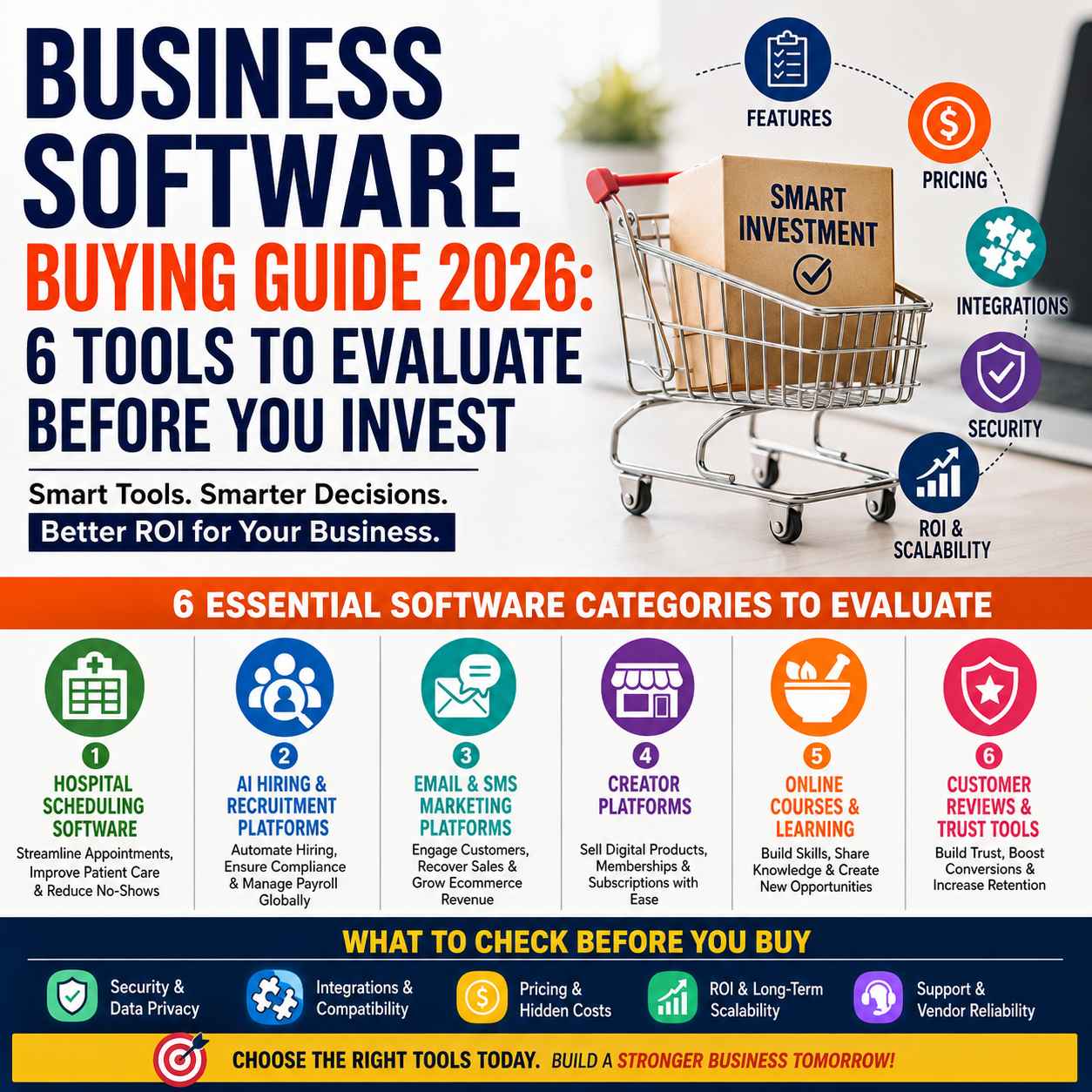
This week's Kuruntha Smarket review brings together six very different software and digital-product categories:
- Hospital scheduling software
- AI hiring and global workforce technology
- Ecommerce email and SMS marketing
- Creator commerce platforms
- Online herbalism education
- Customer review and feedback software
They serve different audiences, but they have one important thing in common:
Each represents a purchasing decision where choosing the wrong platform can cost more than the subscription price.
The goal of this guide is therefore not to tell every business to buy the same tool. Instead, it helps you identify what to evaluate before investing.
If you are comparing software across several categories, it also helps to step back and look at the wider technology-buying landscape. Our AI Tools, Software Deals & Business Platforms 2026 guide examines software from a practical buying perspective, including workflow impact, operational value and long-term usefulness—not simply feature counts.
Before you commit to another subscription, see which software investments are actually worth considering in 2026 →
Why a Business Software Buying Guide Matters in 2026
The biggest software-buying mistake is assuming that more features automatically mean better value.
They don't.
A platform can have dozens of impressive features and still be the wrong choice if:
- Your team will not use them
- The software does not integrate with your existing systems
- Implementation takes too long
- Pricing becomes expensive as you grow
- Important workflows require manual work
- Data cannot be exported easily
- Employees need excessive training
- Customer support is weak
- The platform does not fit your industry
- Switching away later becomes difficult
The right question is not:
"Which software has the most features?"
It is:
"Which software solves our most important problem with the least unnecessary complexity?"
That principle applies to every category discussed below.
1. Hospital Scheduling Software: Evaluate Workflow Before Features
Healthcare organizations cannot evaluate scheduling software like an ordinary calendar application.
Hospital scheduling involves doctors, departments, diagnostic services, patient availability, resources, appointments, follow-ups, reminders, and increasingly complex digital workflows.
Our detailed Hospital Scheduling Software Checklist (2026) identifies ten areas healthcare providers should examine before purchasing.
What should healthcare providers evaluate?
At minimum, look at:
- Multi-specialty appointment management
- Doctor availability and rostering
- Patient self-service booking
- Diagnostic and ancillary scheduling
- Role-based access
- Reporting and analytics
- Integration with existing healthcare systems
- Deployment flexibility
- Security and privacy
- Scalability
The important point is that scheduling software should not operate as an isolated calendar.
A hospital may already use an HMIS, EMR/EHR, laboratory system, radiology system, billing platform, patient communication system, and other operational applications. If staff have to enter the same information repeatedly, the software may create more administrative work instead of reducing it.
Buyer takeaway
Do not buy hospital scheduling software because the demonstration looks impressive.
Ask the vendor to demonstrate your actual workflow.
For example:
Can a patient move from consultation to diagnostic testing and follow-up without staff manually coordinating every appointment?
That practical test is far more valuable than a long feature list.
Read the full guide:
2. AI Hiring Software: Evaluate the Entire Hiring Workflow
Hiring technology is moving beyond applicant tracking and resume screening.
Modern organizations increasingly need to coordinate:
candidate sourcing → screening → interviews → hiring → onboarding → compliance → payroll
This becomes particularly important when companies hire internationally.
Our AI Hiring Workflow in 2026 article examines how AI recruitment connects with global hiring, compliance, onboarding, and payroll.
What should buyers evaluate?
Before purchasing an AI hiring or global workforce platform, ask:
- Can it automate repetitive recruitment tasks?
- Does it integrate with the existing hiring workflow?
- Can it support international employees or contractors?
- How are compliance requirements handled?
- Does it simplify onboarding?
- Can payroll and workforce administration be connected?
- What happens when the company expands into another country?
- How much human oversight remains necessary?
AI can accelerate recruitment, but speed alone does not make a hiring system effective.
A faster hiring process that creates compliance problems later is not a successful automation strategy.
Buyer takeaway
Evaluate AI hiring software as an end-to-end workflow, not merely an AI recruitment tool.
The strongest solution is the one that reduces administrative friction without turning compliance into another manual project.
Read the full guide:
AI Hiring Workflow in 2026: From AI Recruitment to Global Compliance & Payroll
3. Ecommerce Email & SMS Software: Look Beyond Email Sending
For ecommerce businesses, email marketing software is no longer simply about sending newsletters.
Modern platforms increasingly combine:
- Email automation
- SMS marketing
- Customer segmentation
- Behavioral triggers
- Abandoned-cart campaigns
- Product recommendations
- Customer journeys
- Analytics
- Personalization
Our Omnisend Review 2026 examines whether an AI-powered email and SMS marketing platform can be a suitable choice for ecommerce businesses.
What should ecommerce buyers ask?
Before paying for an email and SMS platform, consider:
1. Does it support the channels you actually use?
There is little value in paying for advanced functionality that your business never activates.
2. Can automation replace repetitive marketing work?
Look for workflows that respond to customer behavior instead of relying entirely on manual campaigns.
3. Can the platform scale with your customer database?
A low starting price can become less attractive if costs rise significantly with contacts or message volume.
4. Does the analytics layer help you make decisions?
Marketing software should help you understand what produces revenue—not merely tell you how many messages were delivered.
5. Does it integrate with your ecommerce environment?
Disconnected customer data limits personalization and creates unnecessary operational work.
Buyer takeaway
If your ecommerce business needs automated customer journeys across email and SMS, evaluate the platform based on automation depth, integration, customer segmentation, analytics, and total cost, rather than the number of templates included.
Read the full review:
Omnisend Review 2026: Is This the Best AI Email & SMS Marketing Platform for Ecommerce?
4. Creator Platforms: Compare Economics, Not Just Features
Creators selling digital products, courses, memberships, downloads, or other online products face a different software-buying decision.
The platform becomes part of the creator's commercial infrastructure.
That means the comparison should go beyond:
"Which platform has the better interface?"
Our Zolt vs Gumroad comparison looks at the two creator platforms from a practical purchasing perspective.
What should creators compare?
Before choosing a creator commerce platform, examine:
- Platform fees
- Payment processing
- Payout structure
- Product types supported
- Storefront capabilities
- Audience ownership
- Customer management
- Marketing tools
- Integrations
- Migration flexibility
- Long-term scalability
A creator who sells a few products today may have very different requirements after reaching hundreds or thousands of customers.
The hidden cost of creator platforms
The subscription price—or even the absence of one—is not the complete cost.
You should also consider:
- Transaction fees
- Payment fees
- Add-on services
- Marketing limitations
- Platform dependency
- Migration costs
- Lost flexibility as the business expands
Buyer takeaway
Choose a creator platform based on your business model, not someone else's success story.
A platform that works beautifully for a small digital-product seller may not be ideal for a creator building a larger independent business.
Read the full comparison:
5. Online Learning Platforms: Evaluate the Learning Experience
Not every software purchase is made by a corporate IT department.
Individuals also spend money on online education.
Our Herbalism as a Hobby guide looks at online courses for people who want to learn herbalism through a practical, enjoyable and hands-on approach.
At first glance, this seems very different from business software.
The buying principle, however, is identical:
Evaluate the outcome—not the feature list.
What should an online course buyer consider?
Look at:
- Course structure
- Instructor expertise
- Practical learning
- Lesson quality
- Downloadable resources
- Community access
- Learning pace
- Certification, where relevant
- Lifetime versus limited access
- Overall value for money
A course containing hundreds of lessons is not automatically better than a smaller, focused program.
For hobby learners, the best course may be the one that makes learning enjoyable and achievable rather than overwhelming.
Buyer takeaway
When evaluating online education, ask:
"What will I actually be able to do after completing this course?"
That is a better purchasing question than:
"How many lessons are included?"
Explore the full guide:
Herbalism as a Hobby: Best Online Courses for a Joyful, Hands-On Herbal Journey
6. Customer Review Software: Turn Feedback Into Business Value
Customer reviews can influence trust, purchasing decisions, retention and brand reputation.
But collecting reviews is only one part of the equation.
Our Stamped Discount 2026 guide examines the platform from a purchasing perspective, while Kuruntha also covers customer-feedback alternatives and comparisons.
What should businesses evaluate?
Before buying customer review software, consider:
- Review collection
- Automated review requests
- Product reviews
- Customer feedback
- Display options
- Ecommerce integrations
- Review management
- Analytics
- Customization
- Pricing
- Scalability
The key question is whether the software helps convert customer feedback into something commercially useful.For example:
Customer purchase → automated review request → authentic review → visible social proof → increased buyer confidence
That is a complete business workflow.
Buyer takeaway
Don't buy review software simply because it can collect more reviews.
Buy it when the platform can help you collect, manage, display and use customer feedback effectively.
See the current offer and review:
Stamped Discount 2026: Get 50% Off Reviews & Repeat for 3 Months
What These Six Software Categories Teach Us About Buying
Although these six categories are different, they reveal several common principles.
1. Solve the problem first
Before looking at software, define the problem.
For example:
Problem: Appointment conflicts
Potential solution: Healthcare scheduling software
Problem: International hiring administration
Potential solution: Global hiring and compliance technology
Problem: Manual ecommerce campaigns
Potential solution: Email and SMS automation
This prevents the common mistake of buying software simply because it is popular.
2. Calculate the total cost—not just the advertised price
Software pricing can include:
- Subscription fees
- User fees
- Usage fees
- Transaction fees
- Implementation costs
- Integration costs
- Training
- Premium features
- Migration expenses
A $20 monthly platform is not necessarily cheaper than a $50 platform if the cheaper product requires several additional tools.
Use total cost of ownership
A simple formula is:
Total software cost = subscription + usage + implementation + integrations + training + switching costs
You do not need a complicated financial model to make a better purchasing decision.
3. Evaluate integrations before falling in love with features
Integration is often invisible during a software demonstration.It becomes very visible after implementation.
Ask:
- Does it connect to the tools we already use?
- Is an API available?
- Can data be exported?
- Does information synchronize automatically?
- Will employees need duplicate data entry?
- Can the integration support future requirements?
A beautiful standalone application can become an expensive operational headache if it does not communicate with the rest of your technology stack.
These decisions become even more important when you're building a complete online business stack. From global hiring and digital selling to financial operations and business growth, the right combination of tools can reduce fragmentation and make growth easier to manage. Our Best Online Business Tools in 2026 guide explores that broader operational picture.
Building your business stack? Compare the platforms designed to support growth before adding another subscription →
4. Test the workflow with real scenarios
Don't ask a vendor only:
"Can your platform do X?"
Ask:
"Show me how our team would complete X from beginning to end."
This distinction matters.
For healthcare software, demonstrate a real patient journey.
For hiring software, demonstrate an international employee workflow.
For ecommerce software, demonstrate a customer journey from signup to purchase and follow-up.
For creator platforms, demonstrate product creation through payment and payout.
For review software, demonstrate the complete review collection and display process.
Real workflows expose weaknesses that feature lists hide.
5. Check scalability before purchasing
Software should not become a bottleneck when your business succeeds.
Consider what happens when you have:
- More customers
- More employees
- More transactions
- More departments
- More locations
- More products
- More data
Ask the vendor:
"What changes when our usage doubles?"
That one question can reveal future pricing, technical and operational limitations.
6. Don't underestimate switching costs
Switching software can be painful.You may have to migrate:
- Customer records
- Employee data
- Reviews
- Products
- Courses
- Marketing automation
- Historical reports
- Integrations
- Workflows
Therefore, software selection should consider not only:
"Can I afford this today?"
but also:
"What happens if I need to leave this platform three years from now?"
Data portability matters.
Choosing software individually can create another problem: a fragmented technology stack. Before committing to several separate subscriptions, consider how each platform will fit into the wider ecosystem of tools your business already depends on. Our Digital Stack 2026 guide looks at this connected approach to AI tools, creator platforms, health systems and business infrastructure.
Before adding another tool, see how a connected digital stack can work together →
Business Software Evaluation Checklist
Before purchasing any business software in 2026, use this checklist:
- Have we clearly defined the business problem?
- Does the software solve that problem directly?
- Does it fit our existing workflow?
- Have actual users tested it?
- Does it integrate with our current systems?
- Is pricing transparent?
- Have we calculated total cost of ownership?
- Are there additional usage or transaction fees?
- Can we export our data?
- Does the vendor provide adequate support?
- Are security and privacy requirements satisfied?
- Can the platform scale with our organization?
- Have we checked alternatives?
- Have we considered implementation and training?
- Do we understand the cancellation and migration process?
If several answers are unclear, don't buy yet.
A good vendor should be able to answer reasonable purchasing questions without creating unnecessary friction.
Six Software Buying Scenarios Compared
| Buying situation | What to prioritize | Main purchasing risk |
|---|---|---|
| Hospital scheduling | Workflow, integrations, security, scalability | Operational disruption |
| AI hiring | Automation, compliance, onboarding, payroll | Compliance gaps |
| Ecommerce marketing | Automation, segmentation, analytics, integrations | Rising costs without sufficient ROI |
| Creator commerce | Fees, ownership, payouts, flexibility | Platform dependency |
| Online education | Learning quality, structure, practical value | Paying for content you won't use |
| Customer reviews | Automation, integrations, display, analytics | Collecting feedback without using it |
This is the central lesson:
There is no universally "best" business software. There is only software that is a better or worse fit for a particular business problem.
Should You Buy Business Software in 2026?
If a manual process is already costing your business significant time, creating errors, limiting growth, or preventing better customer service, software can be a worthwhile investment.
But software should not be purchased simply because:
- It is powered by AI
- It has a limited-time discount
- Competitors use it
- An influencer recommends it
- It has hundreds of features
- The vendor says it is "the best"
The purchasing decision should come back to measurable business value.
A simple decision framework
Ask these five questions:
1. What problem does this solve?
If the answer is unclear, stop.
2. Who will use it?
A platform must work for the people operating it every day.
3. What will it replace?
If it does not replace anything, determine whether it genuinely adds enough value to justify another subscription.
4. What will it cost over three years?
Look beyond the introductory price.
5. What measurable improvement should we expect?
Examples include:
- Less administrative work
- Faster hiring
- Higher customer retention
- Better scheduling efficiency
- More sales
- Improved customer trust
- Reduced operational errors
This turns software purchasing from guesswork into a business decision.
Final Verdict: Buy the Solution, Not the Hype
The best business software in 2026 is not necessarily the platform with the biggest marketing budget or the longest feature list.
It is the platform that fits the organization's workflow, solves a meaningful problem, integrates with the existing technology stack, remains financially sensible, and creates measurable value.
The six categories reviewed this week demonstrate why software purchasing requires context.
A hospital needs reliable scheduling and operational coordination.
A global company needs hiring, compliance and payroll workflows.
An ecommerce brand needs customer communication and automation.
A creator needs a commercially viable selling platform.
A learner needs an education experience that delivers genuine value.
An ecommerce business collecting customer feedback needs a system that turns reviews into useful social proof.
Different problems require different solutions.
So before you purchase your next SaaS subscription, define the problem, compare the alternatives, test the workflow, calculate the total cost, and think about where your organization will be three years from now.
That is the foundation of a smarter software-buying decision.
Frequently Asked Questions
What is a business software buying guide?
A business software buying guide helps organizations evaluate software before purchasing. It typically covers features, pricing, integrations, usability, security, scalability, implementation, support, and expected business value.
How do I choose the right business software in 2026?
Start by identifying the specific business problem you want to solve. Then compare suitable platforms based on workflow fit, required features, integrations, total cost, scalability, security, support, and expected return on investment.
What should I consider before buying SaaS software?
Consider the subscription price, usage limits, additional fees, integrations, data portability, security, user management, customer support, scalability, cancellation terms, and the cost of switching platforms later.
Is the cheapest business software always the best option?
No. A cheaper platform can become more expensive if it requires additional software, manual work, integrations, customization, or frequent workarounds. Evaluate total cost and business value rather than the headline price.
How should businesses compare software pricing?
Compare the complete cost over the period you expect to use the platform. Include subscription charges, users, usage, transactions, premium features, implementation, integrations, training, and potential migration costs.
Should small businesses invest in business software?
Yes, when the software eliminates meaningful manual work, improves customer experience, increases revenue, reduces errors, or enables growth. Small businesses should prioritize simple platforms with clear value rather than buying excessive functionality.
What is the most important software feature for a business?
There is no single feature that matters to every business. Workflow fit is arguably the most important consideration because even a feature-rich platform provides little value if employees cannot use it efficiently within their existing processes.
Should businesses choose AI-powered software?
AI can provide significant productivity benefits, but businesses should evaluate what the AI actually does, how accurate and controllable it is, what human oversight is required, how data is handled, and whether the automation produces measurable value.
Why are integrations important when buying business software?
Integrations allow systems to exchange information instead of forcing employees to enter the same data repeatedly. Good integrations can reduce administrative work, improve consistency, and create a more efficient technology stack.
How can I avoid choosing the wrong software?
Define your requirements before watching vendor demonstrations, involve the people who will actually use the software, test real workflows, compare alternatives, calculate total cost of ownership, verify integrations, and understand data-export and cancellation procedures before signing up.
Is business software worth the investment?
Business software can be worth the investment when it produces measurable improvements that exceed its total cost. The strongest purchases reduce operational friction, save time, increase revenue, improve customer experience, or enable the organization to scale.
Explore This Week's Software Guides
If you are actively evaluating software, continue with the detailed Kuruntha Smarket guides:
Healthcare operations:
Hospital Scheduling Software Checklist (2026)
Global hiring:
Ecommerce marketing:
Creator commerce:
Online learning:
Customer reviews:
More business technology insights:
#BusinessSoftware #BusinessSoftware2026 #SoftwareBuyingGuide #SaaS #SaaS2026 #BusinessTechnology #AIForBusiness #BusinessAutomation #SoftwareComparison #SaaSBuyingGuide #DigitalBusiness #EcommerceTools #HealthcareTechnology #GlobalHiring #CreatorEconomy #CustomerExperience #BusinessGrowth #ProductivityTools #SoftwareSolutions #TechForBusiness
Disclosure:
This article may contain affiliate links. If you choose a service through our links, we may earn a commission at no extra cost to you.
This article was created with AI-assisted research and carefully reviewed by our in-house team before publication