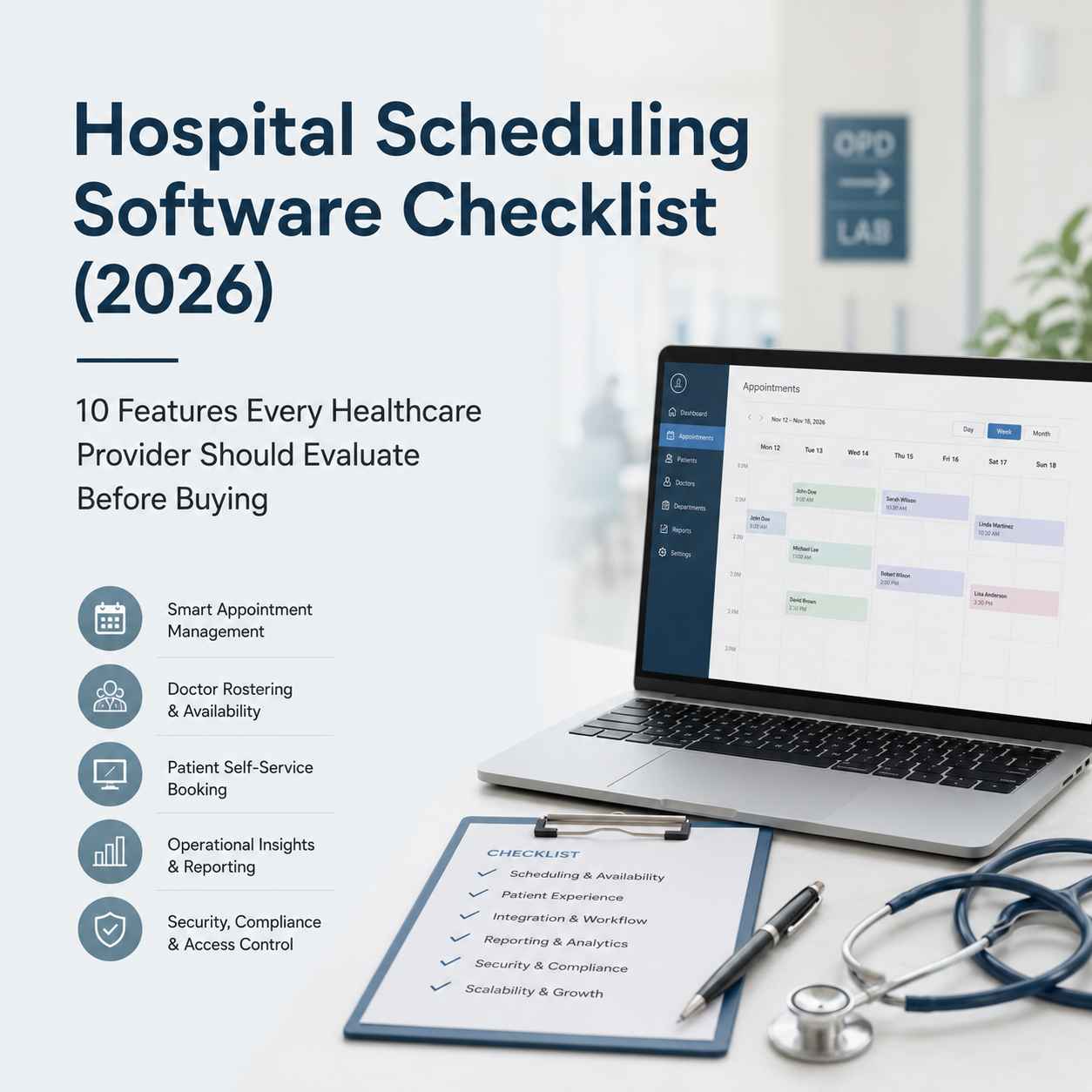
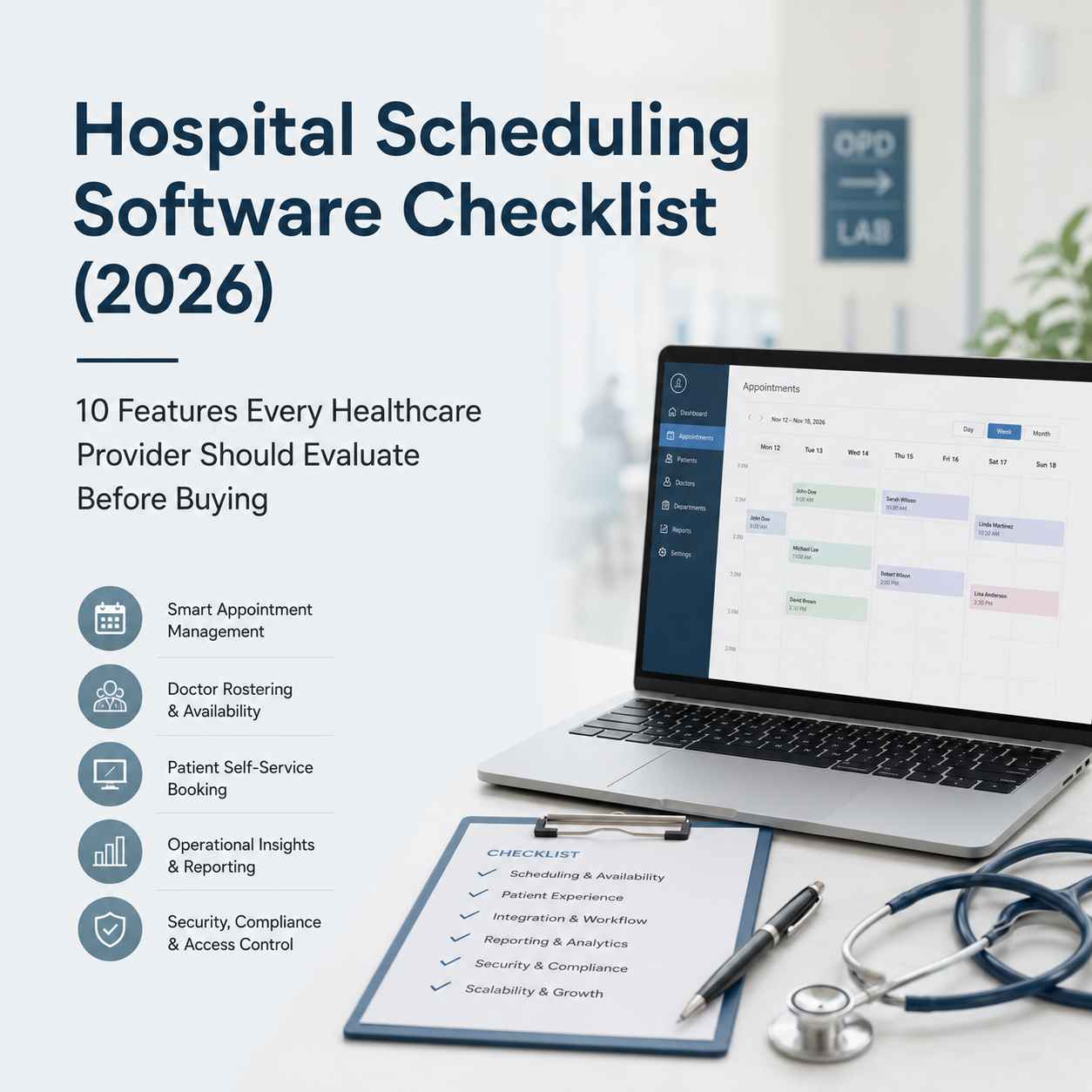
Hospital Scheduling Software Checklist (2026): 10 Features Every Healthcare Provider Should Evaluate Before Buying
Hospital Scheduling Software Checklist (2026): 10 Features Every Healthcare Provider Should Evaluate Before Buying
Hospital scheduling software helps healthcare providers manage appointments, doctor availability, diagnostic bookings, and patient workflows from a centralized platform. When evaluating a solution, hospitals should focus on workflow efficiency, integration capabilities, reporting, security, scalability, and patient experience rather than simply comparing feature lists. A structured evaluation reduces implementation risks and helps organizations choose software that supports long-term operational growth.
Few operational issues frustrate patients more quickly than scheduling delays. A missed appointment, an overbooked specialist, or a diagnostic test that conflicts with a consultation can ripple through an entire day's operations. While these problems often appear to be isolated incidents, they usually point to a larger issue: inefficient scheduling processes.
For many healthcare providers, appointment management has evolved far beyond maintaining a calendar. Modern hospitals coordinate multiple departments, specialist consultations, diagnostic services, follow-up visits, operating theatres, and increasingly, virtual consultations. Each interaction depends on accurate scheduling, clear communication, and efficient coordination across teams.
As healthcare organizations continue investing in digital transformation, scheduling software has become a strategic operational tool rather than an administrative convenience. The right platform can improve patient experience, optimize staff utilization, reduce no-shows, and support better decision-making through operational insights. The wrong platform, however, may introduce unnecessary complexity, create data silos, and slow clinical workflows.
Healthcare organizations evaluating scheduling platforms are often modernizing several operational systems at the same time. If you're planning a broader digital transformation, our guide to Best Business Software to Evaluate in 2026 explores additional platforms that improve security, workforce management, collaboration, and operational efficiency across growing organizations
See which business platforms complement a modern healthcare technology stack.
This guide is designed for hospital administrators, healthcare IT teams, clinic owners, and decision-makers evaluating scheduling software in 2026. Rather than focusing on individual vendors, it highlights the operational capabilities that healthcare providers should prioritize before making a purchasing decision.
Why Hospital Scheduling Has Become a Strategic Priority
Hospitals today operate in a far more complex environment than they did a decade ago. Patient expectations have changed, digital health adoption has accelerated, and healthcare providers are expected to deliver faster, more coordinated services with limited resources.
Scheduling sits at the center of many daily operations. It influences:
- Patient waiting times
- Doctor utilization
- Diagnostic department efficiency
- Administrative workload
- Revenue generation
- Patient satisfaction
- Resource planning
When scheduling processes rely heavily on manual coordination, spreadsheets, disconnected systems, or phone calls, operational bottlenecks become inevitable.
Consider a common scenario in a multi-specialty hospital.
A patient books a consultation with a cardiologist. During the visit, the physician requests blood tests and an echocardiogram before a follow-up appointment. If each department manages appointments independently, the patient may need to contact multiple reception desks, increasing the risk of scheduling conflicts, delays, or missed investigations.
A coordinated scheduling platform can streamline this journey by allowing appointments across departments to be planned together, improving both patient convenience and operational efficiency.
Scheduling, therefore, is no longer just about filling calendar slots. It is about orchestrating healthcare delivery across people, departments, and clinical workflows.
Section 1: Multi-Specialty Appointment Management
One of the first capabilities any healthcare provider should evaluate is support for multi-specialty scheduling.
Many hospitals begin with a basic appointment system suitable for a single clinic or specialty. As services expand, these systems often struggle to accommodate the complexities of larger organizations.
A modern scheduling platform should support:
- Department-specific appointment calendars
- Individual consultant schedules
- Shared clinical resources
- Multiple hospital branches
- Referral workflows between specialties
- Appointment prioritization
For example, an orthopedic patient may require consultations with radiology, physiotherapy, and rehabilitation services over several weeks. Coordinating these appointments manually increases administrative effort and introduces opportunities for error.
A centralized scheduling system enables departments to work from a unified operational framework while maintaining appropriate access controls and workflow flexibility.
Operator Perspective
During software evaluations, it is easy to become distracted by attractive user interfaces. However, the true test is how efficiently the platform manages complex patient journeys involving multiple specialties.
Hospitals should ask:
- Can appointments span multiple departments?
- Are referrals handled automatically?
- Can clinicians access relevant scheduling information without unnecessary administrative steps?
- Does the system reduce duplicate data entry?
These practical considerations often have a greater impact on daily operations than visual design alone.
Section 2: Intelligent Doctor Rostering and Availability Management
Doctor schedules rarely remain static.
Consultants attend surgeries, conferences, emergency cases, ward rounds, and outreach clinics. Managing these changing commitments manually becomes increasingly difficult as organizations grow.
An effective scheduling platform should provide:
- Flexible shift management
- Leave planning
- Holiday scheduling
- Recurring availability
- Temporary schedule adjustments
- Conflict detection
- Automatic appointment restrictions
Without accurate availability management, reception teams frequently encounter situations where appointments must be rescheduled after booking, creating frustration for both patients and clinicians.
Workflow Consideration
Imagine a specialist who performs surgeries every Tuesday morning but consults in the outpatient department during the afternoon.
Rather than manually blocking calendar slots each week, scheduling software should apply recurring availability rules automatically.
Small workflow improvements like this reduce administrative effort over hundreds or thousands of appointments annually.
While clinical scheduling requires specialized healthcare workflows, hospitals also need efficient workforce scheduling for administrative and support teams. Our review of Connecteam Pricing (2026) examines how workforce management platforms simplify shift planning, attendance, and frontline operations outside the clinical environment.
Evaluate whether workforce management software should complement your hospital scheduling platform.
Section 3: Patient Self-Service Booking
Healthcare consumers increasingly expect the same convenience they experience in banking, travel, and retail.
Calling a reception desk during office hours is no longer the preferred booking method for many patients.
Hospitals should evaluate whether scheduling software offers secure self-service booking through:
- Hospital websites
- Patient portals
- Mobile applications
- Online appointment links
- Appointment confirmation messages
However, convenience should never compromise operational control.
The software should allow administrators to define:
- Available appointment types
- Consultation durations
- Booking limits
- Department-specific rules
- New versus returning patient workflows
Practical Observation
Self-service booking does more than improve patient experience.
It also reduces routine administrative calls, allowing reception staff to focus on higher-value activities such as patient assistance, insurance verification, and care coordination.
Organizations often underestimate the cumulative productivity gains that result from reducing repetitive booking requests.
Section 4: Diagnostic and Ancillary Service Scheduling
Appointments rarely end with a consultation.
Many patient journeys involve additional services including:
- Laboratory testing
- Radiology
- Ultrasound
- CT scans
- MRI
- Physiotherapy
- Cardiology investigations
- Endoscopy
- Day-care procedures
When these services are scheduled independently, delays and communication gaps become common.
Healthcare providers should assess whether scheduling software supports:
- Cross-department coordination
- Equipment availability
- Diagnostic resource planning
- Technician scheduling
- Investigation dependencies
- Follow-up appointment planning
Real-World Scenario
Suppose a physician orders a fasting blood test followed by an abdominal ultrasound.
An intelligent scheduling system should recognize the relationship between these procedures and assist staff in coordinating appropriate appointment times.
Although this may seem like a minor operational improvement, it significantly enhances patient experience while reducing scheduling errors.
Section 5: Role-Based Access and Operational Governance
Healthcare organizations involve diverse teams with different responsibilities.
Receptionists schedule appointments.Consultants review clinical calendars.
Department managers oversee operational performance.
Administrators configure organizational settings.
Not every user requires access to every function.
Role-based access control is therefore an essential consideration during software selection.
The platform should support permission structures based on:
- Reception staff
- Doctors
- Department coordinators
- Billing teams
- Diagnostic departments
- Hospital administrators
- IT teams
Beyond improving security, clearly defined permissions simplify workflows by presenting users with only the tools relevant to their responsibilities.
Access control is only one part of healthcare security. As hospitals expand their digital infrastructure, identity management becomes equally important for protecting patient data and ensuring that the right users have access to the right systems. Our independent guide to Best Healthcare Identity & Access Management (IAM) Software in 2026 explores the security, authentication, and governance capabilities organizations should evaluate before selecting an IAM platform.
Explore the Healthcare IAM Buyer's Guide before planning your hospital security architecture.
Operator Perspective
One common implementation challenge occurs when software attempts to satisfy every user through a single interface.
The result is often unnecessary complexity.
Hospitals should prioritize systems that balance functionality with simplicity, ensuring each role can perform its daily tasks efficiently without navigating irrelevant options.
Section 6: Reporting, Analytics, and Operational Dashboards
Scheduling software should do more than manage calendars—it should help hospital leadership understand how their operations are performing.
Without meaningful reporting, administrators often rely on manual spreadsheets, disconnected reports, or incomplete data when making operational decisions.
A modern scheduling platform should provide dashboards that answer questions such as:
- How many appointments were completed today?
- Which departments experience the highest patient demand?
- What are the average waiting times?
- Which doctors have the highest cancellation rates?
- How many appointment slots remain unused?
- Which specialties require additional staffing?
These insights help administrators move from reactive problem-solving to proactive operational planning.
Operational data becomes valuable only when it supports better decisions. Our analysis of Best AI Productivity Tools in 2026 explores how organizations combine automation, analytics, and intelligent workflows to improve operational visibility beyond individual software platforms.
Discover how AI-driven productivity tools extend the value of operational reporting across your organization.
Workflow Perspective
Consider two hospitals with similar patient volumes.
One hospital reviews appointment data only during monthly meetings.
The other monitors scheduling trends daily through dashboards that identify bottlenecks before they become operational issues.
The difference isn't simply better reporting—it's faster decision-making.
Scheduling analytics should become part of routine operational management rather than an afterthought.
Section 7: Integration with Existing Healthcare Systems
Scheduling software should not become another isolated application within the hospital.
Healthcare organizations already rely on multiple digital systems, including:
- Hospital Management Information Systems (HMIS)
- Electronic Medical Records (EMR/EHR)
- Laboratory Information Systems (LIS)
- Radiology Information Systems (RIS)
- Pharmacy Management Systems
- Billing platforms
- Patient Communication Systems
- CRM solutions
- Insurance claim processing
If appointment data must be entered manually into multiple systems, the risk of duplicate records, inconsistencies, and administrative overhead increases significantly.
Instead, hospitals should evaluate whether the scheduling platform supports:
- API-based integrations
- HL7 or FHIR interoperability where applicable
- Automated patient record synchronization
- Billing workflow integration
- Digital notifications
- Calendar synchronization
- Future expansion capabilities
Operator Perspective
Integration often receives less attention during software demonstrations because it isn't visually impressive.
However, after implementation, integration quality frequently determines whether staff embrace the platform or develop workarounds outside the system.
A scheduling platform that communicates effectively with existing software reduces repetitive work and improves data consistency across departments.
Scheduling software is only one part of a clinician's daily workflow. Once appointments are confirmed, healthcare providers still spend considerable time documenting consultations. Our detailed comparison of Best AI Medical Scribe Software for Healthcare Providers (2026) explains how AI-assisted documentation can reduce administrative workload while supporting more efficient clinical workflows.
Compare today's leading AI medical scribe platforms before investing in clinical documentation software.
Section 8: Deployment Flexibility and Infrastructure Readiness
Every healthcare organization has different infrastructure requirements.
Some hospitals prefer cloud-based deployment for easier maintenance and remote accessibility.
Others may require on-premise installations due to internal policies, regulatory considerations, or existing IT investments.
Rather than assuming one approach is universally better, organizations should evaluate which deployment model aligns with their operational environment.
Questions worth asking include:
- Is cloud deployment available?
- Does the vendor support on-premise installation?
- What backup mechanisms are included?
- How is disaster recovery handled?
- What uptime commitments exist?
- Can deployment evolve as organizational needs change?
Sustainability Consideration
Cloud deployment often reduces the burden of managing physical infrastructure, while on-premise environments may provide greater control for organizations with dedicated IT resources.
The right decision depends less on technology trends and more on the hospital's operational capabilities, compliance requirements, and long-term digital strategy.
Section 9: Security, Privacy, and Compliance
Healthcare data requires a higher level of protection than many other industries.
Appointment systems may contain patient identities, clinical departments, physician schedules, contact information, and communication records.
Even though scheduling software is not always the primary clinical record, it still handles sensitive operational data.
Healthcare providers should evaluate whether the platform includes:
- Role-based security controls
- Multi-factor authentication
- Audit logs
- Data encryption during storage and transmission
- Secure backup procedures
- Activity monitoring
- Compliance with applicable healthcare regulations
Practical Observation
Security should not be treated as an optional feature purchased later.
It should form part of the evaluation process from the beginning.
Hospitals often focus heavily on functionality while assuming security is automatically addressed. In practice, security capabilities vary considerably between vendors.
Section 10: Scalability for Future Growth
Hospitals rarely remain operationally static.
New specialties are introduced.
Additional consultants join.
New diagnostic services become available.
Satellite clinics open.
Teleconsultation expands.
Patient volumes increase.
Scheduling software should accommodate this growth without requiring a complete replacement after only a few years.
Questions decision-makers should ask include:
- Can additional departments be added easily?
- Does the licensing model support growth?
- Can multiple branches operate from one platform?
- Will performance remain consistent as patient volumes increase?
- Does the vendor publish a clear product roadmap?
Workflow Perspective
Selecting software solely for today's requirements often creates tomorrow's migration project.
Hospitals should evaluate solutions based on where the organization intends to be in three to five years rather than where it stands today.
Common Mistakes Hospitals Make When Buying Scheduling Software
Technology purchases are often influenced by demonstrations that showcase polished interfaces and impressive feature lists. While these aspects matter, they should not outweigh operational suitability.
Some of the most common mistakes include:
Choosing Based on Price Alone
The lowest-cost option may require additional manual work, limited integrations, or costly customization later.
Ignoring Staff Workflows
Receptionists, clinicians, administrators, and IT teams interact with scheduling systems differently. A platform that works well for one group may create friction for another.
Overlooking Integration Requirements
Standalone scheduling software can increase administrative workload if information must be entered repeatedly across systems.
Underestimating Training Needs
Even intuitive software requires structured onboarding. Staff adoption depends as much on implementation planning as software quality.
Buying for Current Needs Only
Healthcare organizations evolve. Software should support future expansion rather than becoming a limitation.
Vendor Evaluation Checklist
Before signing any agreement, consider asking potential vendors the following questions:
Operational Capabilities
✓ Does the platform support multi-specialty scheduling?
✓ Can appointments span multiple departments?
✓ Is doctor availability managed automatically?
✓ Does it reduce manual administrative work?
Patient Experience
✓ Can patients book appointments online?
✓ Are reminders sent automatically?
✓ Is appointment rescheduling straightforward?
✓ Does the interface remain simple for non-technical users?
Integration
✓ Does it integrate with existing HMIS or EMR systems?
✓ Are APIs available?
✓ Can patient information synchronize automatically?
Reporting
✓ Are operational dashboards included?
✓ Can administrators customize reports?
✓ Are performance metrics available in real time?
Security
✓ Are user permissions configurable?
✓ Is activity logged?
✓ Is data encrypted?
Growth
✓ Can additional branches be added?
✓ Is pricing transparent as usage increases?
✓ Does the vendor actively improve the product?
Implementation Guidance
Choosing the right software is only part of the journey. Successful implementation depends on preparation, communication, and continuous improvement.
A practical implementation approach often includes:
Phase 1: Process Mapping
Document current appointment workflows before configuring new software. Identify bottlenecks, duplicate tasks, and manual workarounds.
Phase 2: Pilot Deployment
Start with one department or specialty rather than introducing the system across the entire organization at once. Early feedback helps refine workflows before wider adoption.
Phase 3: Staff Training
Tailor training to each role. Reception staff, clinicians, administrators, and IT personnel have different responsibilities and should not receive identical training.
Phase 4: Monitor Performance
Track indicators such as appointment utilization, cancellation rates, patient waiting times, and staff feedback. Use this information to fine-tune processes after deployment.
Phase 5: Plan for Continuous Improvement
Healthcare operations change over time. Review workflows regularly and update configurations as services, departments, or patient volumes evolve.
Conclusion
Hospital scheduling software is often evaluated as an administrative tool, but its impact extends much further. It influences patient satisfaction, clinician productivity, resource utilization, and the overall efficiency of healthcare operations.
The most effective platforms are those that fit naturally into existing clinical workflows while remaining flexible enough to support future growth. Features alone do not determine success. Integration, usability, governance, implementation planning, and long-term vendor commitment are equally important.
For healthcare providers, selecting scheduling software should be approached as an operational investment rather than a routine software purchase. A structured evaluation process reduces implementation risks and helps ensure the chosen platform continues delivering value as organizational needs evolve.
Frequently Asked Questions (FAQ)
1. What is hospital scheduling software?
Hospital scheduling software helps healthcare providers manage appointments, doctor availability, diagnostic bookings, patient scheduling, and related administrative workflows through a centralized platform.
2. Which features are most important when choosing hospital scheduling software?
Key considerations include multi-specialty appointment management, doctor rostering, patient self-booking, diagnostic scheduling, reporting, system integration, security, scalability, and deployment flexibility.
3. Can hospital scheduling software integrate with HMIS or EMR systems?
Many modern platforms support integration with HMIS, EMR/EHR, laboratory systems, billing software, and patient communication tools through APIs or healthcare interoperability standards. Integration capabilities should be verified during vendor evaluation.
4. Is cloud-based or on-premise deployment better for hospitals?
The choice depends on organizational requirements. Cloud deployments often simplify maintenance and remote access, while on-premise solutions may suit hospitals with specific infrastructure or compliance needs.
5. How does scheduling software improve patient experience?
Patients benefit from easier appointment booking, automated reminders, reduced waiting times, better coordination between departments, and fewer scheduling conflicts.
6. What should hospitals ask vendors before purchasing scheduling software?
Hospitals should evaluate workflow support, integration options, reporting capabilities, security measures, scalability, implementation services, training, ongoing support, and the vendor's product development roadmap.
7. Is scheduling software suitable for small clinics as well as large hospitals?
Yes. Many solutions are designed to scale from single-specialty clinics to multi-location hospitals. The key is selecting a platform that aligns with current operational needs while supporting future growth.
8. How long does implementation usually take?
Implementation timelines vary depending on the size of the organization, the complexity of existing systems, required integrations, data migration, and staff training. Planning and phased deployment often improve adoption.
Choosing hospital scheduling software is only one step toward building a connected healthcare technology ecosystem. As organizations continue modernizing operations, they should evaluate complementary platforms that improve clinical workflows, security, workforce coordination, and digital infrastructure over time.
Browse more Health Tech insights and independent software evaluations in the Kuruntha Smarket Knowledge Hub.
Final Verdict
Hospital scheduling software is no longer just a digital replacement for appointment books. It has become an operational foundation that influences patient access, staff productivity, departmental coordination, and long-term healthcare efficiency.
The strongest solutions are not necessarily those with the longest feature lists. They are the ones that simplify everyday workflows, integrate with existing healthcare systems, provide actionable operational insights, and remain adaptable as organizations grow.
Healthcare providers should resist the temptation to choose software based solely on pricing, visual demonstrations, or marketing claims. A careful evaluation of workflow compatibility, implementation readiness, security, and scalability is far more likely to deliver lasting value.
As healthcare continues its digital transformation, scheduling software should be viewed as part of a broader operational strategy rather than an isolated technology purchase. Organizations that invest the time to evaluate solutions methodically are better positioned to improve patient experiences, support clinical teams, and build more resilient healthcare operations.
Editorial Note
At Kuruntha Smarket, we evaluate healthcare technology independently with a focus on operational workflows, long-term usability, and practical implementation. Our goal is to help healthcare professionals make informed technology decisions by presenting balanced assessments that consider both strengths and limitations. If affiliate relationships exist now or in the future, they do not influence our editorial conclusions or product recommendations. This article was created with AI-assisted research and carefully reviewed by our in-house team before publication
#HealthcareTechnology #HospitalOperations #HealthIT #DigitalHealth #HealthcareLeadership #HospitalManagement #HealthInformatics #ClinicalOperations #HealthcareInnovation #KurunthaSmarket