Best Business Software to Evaluate in 2026: 6 Essential Tools for Security, Hiring, Forms, Cloud Storage & Team Management
Best Business Software to Evaluate in 2026: 6 Essential Tools for Security, Hiring, Forms, Cloud Storage & Team Management
Running a Business Today Isn't About Using More Software—It's About Choosing Better Software
Choosing the best business software in 2026 depends less on finding a platform with the longest feature list and more on selecting tools that solve specific operational problems. From workforce management and employee verification to cybersecurity, cloud storage, online forms, and email deliverability, the right software stack improves efficiency, reduces manual work, and supports sustainable business growth. This guide highlights six solutions worth evaluating and explains where each one fits into a modern business workflow.
Every growing business eventually reaches the same crossroads.
One team manages projects in spreadsheets while another tracks employees through chat messages. Hiring becomes slower because background checks take too long. Customer enquiries arrive through outdated forms that require manual data entry. Critical files are scattered across multiple cloud storage providers. Even business emails that appear properly configured still land in spam folders.
None of these problems seem urgent on their own.
Together, however, they quietly reduce productivity, increase operational costs, and create unnecessary friction across the organization.
Many companies respond by purchasing more software, hoping another subscription will solve the issue. In practice, that often creates a different problem: overlapping tools, disconnected workflows, higher costs, and more systems to maintain.
A more sustainable approach is to build a carefully selected software stack where every platform has a clear purpose and integrates naturally into daily operations.
At Kuruntha Smarket, we don't evaluate software based solely on feature lists or marketing promises. We look at how products fit into real business workflows, how difficult they are to implement, what ongoing maintenance they require, and whether they continue delivering value long after the initial setup.
This weekly roundup brings together six recently reviewed platforms that address different parts of modern business operations:
- managing deskless teams more efficiently
- simplifying employee background verification
- improving business email deliverability
- strengthening cybersecurity
- protecting important business files
- automating online forms without coding
Although these tools belong to different categories, they share one common objective: reducing operational friction so teams can spend less time managing systems and more time creating value.
Rather than searching for a single platform that attempts to do everything, successful organizations increasingly combine specialized tools that excel within their respective domains. That strategy often produces better results, lower long-term costs, and greater flexibility as business requirements evolve.
The sections below explore six software solutions that stood out during our recent evaluations, highlighting where each one performs well, where it may fall short, and which types of organizations are most likely to benefit from adopting it.
Why This Software Stack Matters in 2026
The conversation around business software has changed significantly over the past few years.
For many organizations, the challenge is no longer finding software—it is choosing between hundreds of platforms that often promise similar outcomes while approaching problems in very different ways.
Artificial intelligence has accelerated product development, automation has become easier to implement, and remote or hybrid work continues to reshape how businesses operate. At the same time, cybersecurity risks have increased, regulatory expectations have tightened, and customers expect faster, more reliable digital experiences.
These shifts mean that software decisions made in 2026 can influence operational efficiency for years to come.
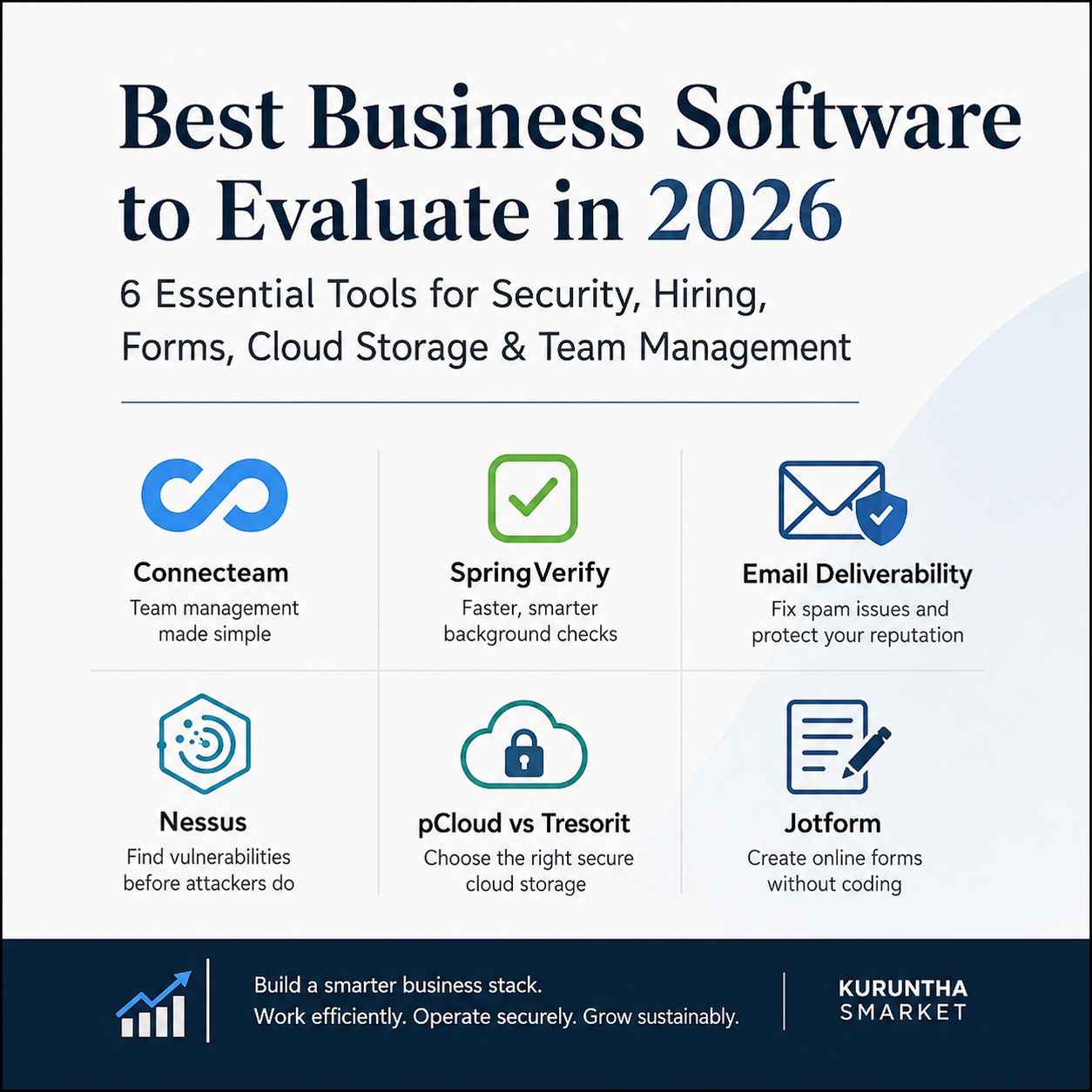
The six tools featured in this roundup represent different layers of a practical business technology stack:
- Connecteam focuses on workforce coordination, helping organizations manage schedules, communication, and field operations for deskless employees.
- SpringVerify streamlines background verification, enabling businesses to hire with greater confidence while reducing administrative effort.
- Email deliverability best practices ensure that business communications actually reach inboxes, protecting marketing campaigns, customer support, and transactional emails from avoidable delivery issues.
- Tenable Nessus helps organizations identify security vulnerabilities before attackers can exploit them, making proactive cybersecurity a routine part of IT operations.
- pCloud and Tresorit address secure cloud storage from different perspectives, balancing accessibility, privacy, collaboration, and long-term data protection.
- Jotform simplifies data collection by allowing businesses to build online forms and automate workflows without writing code.
Individually, each platform solves a specific operational challenge. Together, they form a balanced software ecosystem that supports people, processes, data, and infrastructure across multiple stages of business growth.
Not every organization will need every tool discussed here. A small consultancy may prioritize secure cloud storage and online forms, while a larger employer may benefit more from workforce management, hiring automation, and vulnerability scanning. The value lies in understanding where each platform fits, rather than adopting software simply because it is popular.
The following sections examine each solution in greater detail, drawing on our dedicated reviews to explain the workflows they improve, the limitations worth considering, and the types of businesses most likely to see meaningful returns from implementation.
If you're still deciding which software category deserves your attention first, our broader guide to the Best Online Business Tools in 2026 compares leading platforms across hiring, AI, creator businesses, productivity, and business growth before you invest in any individual solution.
Explore our complete business software buying guide before building your technology stack.
Workforce Management: Why Connecteam Stands Out for Deskless Teams
For businesses with field employees, retail staff, healthcare workers, logistics teams, or service technicians, managing people efficiently is often more challenging than managing projects.
Unlike office-based employees who spend most of their day inside collaboration platforms, deskless workers need quick access to schedules, announcements, task lists, forms, and communication from a mobile device. Switching between multiple apps creates confusion, increases training requirements, and often results in missed updates.
That is where Connecteam positions itself.
Rather than trying to replace every business system, Connecteam focuses on bringing together everyday workforce operations into one mobile-first platform. Scheduling, time tracking, internal communication, digital checklists, employee training, and task management are all accessible through a single interface designed for employees who spend most of their working hours away from a desk.
Where Connecteam Fits Best
During our evaluation, Connecteam appeared particularly well suited for organizations such as:
- Cleaning and facility management companies
- Healthcare support teams
- Home care providers
- Construction businesses
- Retail operations
- Hospitality businesses
- Delivery and logistics companies
- Maintenance contractors
These industries share a common challenge: coordinating employees across multiple locations while maintaining consistent communication and operational visibility.
Workflow Improvements
Instead of relying on spreadsheets, messaging apps, printed schedules, and separate attendance systems, Connecteam centralizes several routine operational processes.
For example, a field technician can:
- View today's assigned jobs
- Clock in from a mobile device
- Complete inspection checklists
- Upload photographs
- Report incidents
- Receive company announcements
- Access training materials
—all without switching between multiple applications.
Reducing these small workflow interruptions can have a noticeable impact on operational consistency over time.
Where It May Not Be the Right Choice
Connecteam is optimized for deskless operations.
Businesses whose employees already spend most of their day using platforms such as Microsoft Teams, Slack, Jira, or Asana may find less value in adopting another workforce application.
Similarly, organizations seeking highly customized enterprise resource planning (ERP) capabilities will likely require additional software alongside Connecteam.
The platform solves workforce coordination effectively, but it is not intended to replace broader business management systems.
Hiring Faster Is Only Valuable If You Hire the Right People
Recruitment delays affect far more than HR departments.
When background verification becomes a bottleneck, onboarding slows down, project timelines shift, hiring managers become frustrated, and vacant positions remain unfilled longer than necessary.
Many growing organizations still rely on fragmented verification processes involving multiple agencies, manual document collection, and extensive follow-up communication.
That approach rarely scales well.
SpringVerify: Simplifying Background Verification Without Adding Administrative Burden
Among the hiring tools evaluated recently, SpringVerify stood out because it focuses on one operational objective—making employee background verification more structured and transparent.
Rather than forcing HR teams to coordinate multiple vendors and verification processes manually, the platform centralizes verification requests into a single workflow.
This becomes particularly valuable for organizations hiring:
- Remote employees
- Contractors
- Technology professionals
- Financial services staff
- Healthcare personnel
- Customer support teams
where verifying identity, employment history, education, and criminal records is often part of standard onboarding.
Workflow Advantages
One aspect that deserves recognition is visibility.
Instead of repeatedly asking candidates or verification agencies for updates, HR teams can monitor verification progress through a centralized dashboard.
This reduces repetitive communication while providing hiring managers with better insight into onboarding timelines.
Organizations processing dozens or hundreds of hires each month are likely to appreciate these efficiencies more than businesses hiring only occasionally.
Practical Considerations
Background verification software is most valuable when integrated into an existing recruitment process.
Businesses with inconsistent hiring workflows or poorly documented recruitment procedures may not experience the same productivity gains until those underlying processes improve.
Technology can accelerate an organized workflow, but it cannot compensate for one that lacks structure.
Where SpringVerify May Fall Short
Although the platform supports numerous verification services, organizations with highly specialized compliance requirements or country-specific regulations should carefully confirm regional coverage before implementation.
International hiring requirements vary considerably, and no verification platform is equally strong in every market.
For smaller businesses hiring only a few employees annually, a dedicated verification platform may also represent more capability than they currently require.
Once candidate verification is complete, businesses hiring across multiple countries must also manage contracts, payments, and compliance. Our Deel Contractor Management 2026 guide explains how global teams can simplify those operational challenges.
See how global businesses streamline hiring after background verification is complete.
Email Deliverability: The Business Problem Most Companies Discover Too Late
Many organizations assume that configuring SPF, DKIM, and DMARC automatically guarantees successful email delivery.
Unfortunately, inbox providers evaluate much more than authentication records.
A technically correct email can still be filtered into spam if sender reputation declines, engagement drops, mailing practices become inconsistent, or infrastructure issues accumulate over time.
The result is often invisible.Marketing campaigns underperform.
Customer support emails go unnoticed.Invoices arrive late.
Password reset messages fail.Sales outreach loses effectiveness.
The business may never realize that email deliverability—not email sending—is the actual problem.
Why Email Deliverability Deserves a Place in Every Business Software Strategy
Unlike the other platforms discussed in this roundup, email deliverability is not a software product.It is an operational capability.
Businesses invest significant time creating newsletters, transactional emails, onboarding sequences, and customer communications. Yet those investments produce little value if messages consistently fail to reach the inbox.
Improving deliverability requires ongoing attention to several areas:
- Sender reputation
- List hygiene
- Authentication records
- Engagement quality
- Domain reputation
- Content practices
- Infrastructure monitoring
Organizations that treat deliverability as a continuous operational process generally experience more consistent communication performance than those that only react after problems appear.
Operational Impact
Reliable email delivery supports multiple business functions simultaneously:
- Marketing automation
- Customer onboarding
- Sales outreach
- Account notifications
- Security verification emails
- Internal communications
Because so many workflows depend on email, even small improvements in inbox placement can create measurable business benefits.
Common Misconceptions
One misconception encountered repeatedly is that authentication alone guarantees inbox placement.
It does not.
Authentication establishes legitimacy.
Deliverability depends on reputation, sending behavior, engagement patterns, and ongoing operational discipline.
Businesses that recognize this distinction are generally better positioned to maintain healthy email performance over the long term.
Workflow Analysis: How These Three Solutions Complement Each Other
Although Connecteam, SpringVerify, and email deliverability address different operational challenges, they naturally support adjacent stages of the employee lifecycle.
A practical workflow might look like this:
Step 1 — Recruit and Verify
Candidates complete background verification through SpringVerify, allowing HR teams to make informed hiring decisions while reducing administrative overhead.
↓
Step 2 — Onboard Employees
Once hired, employees receive operational information, schedules, policies, and training through Connecteam, creating a more structured onboarding experience.
↓
Step 3 — Maintain Reliable Communication
Business emails—including onboarding instructions, payroll notifications, policy updates, and customer communications—benefit from sound email deliverability practices to ensure they actually reach recipients.
Instead of operating as isolated solutions, these tools reinforce one another by supporting different operational phases.
The result is a workflow that is more consistent, easier to manage, and less dependent on manual coordination.
Honest Limitations
No software stack is universally appropriate, and adopting additional tools always introduces some degree of complexity.
Several considerations stood out during our evaluations:
Connecteam
- Primarily designed for deskless teams rather than office-based knowledge workers.
- Some advanced capabilities may require higher subscription tiers.
- Organizations already invested in comprehensive workforce management systems may encounter overlapping functionality.
SpringVerify
- Delivers the greatest value for businesses with ongoing recruitment activity.
- Regional verification coverage should always be confirmed before implementation.
- Smaller organizations with infrequent hiring may find manual verification sufficient.
Email Deliverability
- Requires continuous monitoring rather than one-time configuration.
- Success depends on organizational sending practices, not simply technical settings.
- Results often improve gradually instead of immediately.
The common theme across all three is that successful implementation depends as much on operational discipline as it does on software selection.
Strengthening Your Security Posture Before Problems Become Incidents
Most organizations don't discover security gaps during routine operations—they discover them after a failed audit, a ransomware attack, or an unexpected system compromise.
By then, remediation becomes significantly more expensive than prevention.
While endpoint protection and firewalls remain important, they cannot identify every outdated service, missing security patch, exposed port, or configuration weakness across an organization's infrastructure.
That is where vulnerability assessment becomes an essential operational practice rather than a one-time IT task.
Tenable Nessus: Choosing the Right Vulnerability Assessment Strategy
Among the cybersecurity tools evaluated this week, Tenable Nessus stands out because it addresses one of the most practical security questions every IT team eventually faces:"What vulnerabilities already exist inside our environment?"
Rather than waiting for attackers or external audits to identify weaknesses, Nessus enables organizations to scan systems proactively and prioritize remediation based on identified risks.
For businesses responsible for protecting customer data, financial information, healthcare records, or internal infrastructure, this proactive approach supports both operational resilience and regulatory preparedness.
Where Nessus Fits Best
Nessus is particularly well suited for:
- Managed service providers (MSPs)
- Internal IT departments
- Cybersecurity consultants
- Compliance-driven organizations
- Educational institutions
- Healthcare providers
- Medium to large businesses with growing infrastructure
Its greatest strength lies in helping technical teams understand where vulnerabilities exist before they become operational disruptions.
Operational Benefits
A structured vulnerability management process delivers several practical advantages:
- Earlier detection of security weaknesses
- Better prioritization of remediation efforts
- Improved compliance readiness
- More efficient security reporting
- Reduced exposure to preventable attacks
Instead of reacting to incidents, organizations gain greater visibility into their infrastructure and can schedule remediation work more strategically.
Professional vs Expert: Why the Choice Matters
One of the more common purchasing questions isn't whether to use Nessus—it's which license is appropriate.
For many organizations, Nessus Professional provides sufficient capabilities for routine vulnerability assessments.
Businesses requiring broader attack surface visibility, external exposure analysis, or more advanced security workflows may benefit from Nessus Expert.
The decision should reflect operational requirements rather than simply selecting the highest-tier license available.
If you're comparing both editions in detail, our dedicated Nessus Professional vs Expert (2026) guide explores licensing differences, ideal use cases, and purchasing considerations.
Honest Considerations
Although Nessus is widely respected, it assumes a certain level of technical knowledge.
Understanding vulnerability reports, prioritizing remediation, and interpreting scan results requires experience or dedicated IT resources.
For very small businesses without internal technical expertise, outsourced security services or managed providers may represent a more practical starting point.
Security tools identify risks—they don't automatically resolve them.
If you're still deciding between commercial and open-source vulnerability scanners, our detailed Nessus vs OpenVAS (2026) comparison explains the operational trade-offs for SMBs, Linux administrators, and growing IT teams.
Compare commercial and open-source vulnerability management before choosing your security platform.
Secure Cloud Storage Is No Longer Just About Extra Space
Cloud storage decisions once centered around capacity and pricing.
Today, businesses evaluate providers based on privacy, encryption, collaboration capabilities, regulatory requirements, and long-term data ownership.
As remote work and distributed teams continue to grow, storing files securely has become a core operational requirement rather than a convenience.
pCloud vs Tresorit: Two Different Approaches to Secure Storage
Both pCloud and Tresorit prioritize data protection, but they approach secure cloud storage from different perspectives.
Understanding those differences helps businesses select a platform that aligns with their workflows instead of simply comparing storage quotas.
pCloud: Balancing Flexibility and Long-Term Value
pCloud appeals to organizations and creators looking for:
- Cross-platform compatibility
- Flexible file synchronization
- Optional client-side encryption
- Media streaming capabilities
- Lifetime storage plans
Its lifetime pricing model also distinguishes it from many subscription-based competitors, making it attractive for users planning long-term storage.
For freelancers, consultants, educators, and content creators, that pricing approach may reduce recurring operational costs over time.
Tresorit: Privacy First
Tresorit focuses more heavily on organizations with stricter security and compliance requirements.
Its emphasis on end-to-end encryption, controlled file sharing, and enterprise-oriented security makes it particularly relevant for:
- Legal firms
- Financial organizations
- Healthcare providers
- Research institutions
- Businesses handling confidential client information
The trade-off is that enhanced security controls may introduce a slightly steeper learning curve for new users.
Choosing Between Them
Neither platform is objectively "better."
The appropriate choice depends on organizational priorities.
Choose pCloud if you value:
- long-term affordability
- flexible everyday collaboration
- media-friendly storage
- optional encrypted vaults
Choose Tresorit if your priorities include:
- stronger default privacy
- enterprise compliance
- highly sensitive business information
- controlled collaboration environments
That distinction is explored in greater detail in our pCloud vs Tresorit (2026) comparison.
Businesses leaning toward pCloud may also want to evaluate whether its lifetime pricing offers better long-term value. Our detailed pCloud Family Lifetime Plan Review breaks down when the one-time investment makes financial sense.
Calculate whether lifetime cloud storage could lower your long-term software costs.
Collecting Business Information Shouldn't Require a Development Team
Every organization depends on forms.Customer enquiries.
Support requests.
Job applications.
Event registrations.
Lead generation.
Internal approvals.
Surveys.
Despite their importance, many businesses still rely on outdated PDF documents, email attachments, or developer-built forms that require technical intervention whenever changes are needed.
That creates unnecessary delays.
Jotform: Making Business Data Collection More Practical
Among the no-code platforms reviewed recently, Jotform continues to stand out because it lowers the technical barrier to building online forms.
Rather than involving developers for routine updates, business users can create forms through a visual interface and publish them within minutes.
For organizations embracing digital transformation without expanding engineering resources, this flexibility can significantly reduce operational friction.
Practical Business Applications
Jotform supports workflows such as:
- customer enquiries
- appointment requests
- employee onboarding
- registration forms
- payment collection
- surveys
- internal requests
- document submissions
Because these forms connect with numerous business applications, collected data can move directly into existing workflows instead of requiring manual entry.
Workflow Advantages
No-code automation offers several practical benefits:
- Faster implementation
- Reduced dependency on developers
- Easier experimentation
- Quicker process improvements
- Lower maintenance requirements
These advantages become especially noticeable for growing businesses that frequently modify forms or launch new campaigns.
Where Jotform Isn't the Perfect Fit
Organizations requiring highly customized enterprise applications or complex workflow orchestration may eventually outgrow visual form builders.
Similarly, businesses with extensive proprietary systems may require additional integrations or custom development.
For the majority of small and medium-sized organizations, however, Jotform provides an excellent balance between simplicity and flexibility.
Our Jotform Tutorial for Beginners (2026) explains how new users can build their first online form without writing code.
Workflow Integration: Building a Practical Business Technology Stack
One of the biggest mistakes businesses make is evaluating software in isolation.
Individual platforms rarely create significant operational improvements on their own.
The real gains appear when those tools support connected workflows.
The six solutions featured throughout this roundup illustrate that principle well.
A simplified operational journey might look like this:
Recruit with confidence
SpringVerify helps HR teams complete background verification before onboarding begins.
↓
Organize your workforce
Connecteam provides scheduling, communication, training, and operational coordination for employees.
↓
Capture information efficiently
Jotform collects enquiries, registrations, onboarding documents, customer requests, and internal submissions through no-code forms.
↓
Protect business information
pCloud or Tresorit stores business documents according to the organization's collaboration and security requirements.
↓
Secure your infrastructure
Nessus identifies technical vulnerabilities before they become operational risks.
↓
Keep communication reliable
Strong email deliverability practices ensure customers, employees, and partners actually receive important messages.
Rather than functioning as unrelated software purchases, these tools complement different stages of modern business operations.
The result is a technology stack that supports people, processes, data, and infrastructure without excessive overlap.
Software alone doesn't improve productivity. The biggest gains come from combining efficient business systems with AI-assisted workflows. Our review of the Best AI Productivity Tools in 2026 explores additional platforms that help automate repetitive work and improve operational efficiency.
Discover AI tools that complement the software stack discussed in this guide.
Sustainability and Linux Considerations
At Kuruntha Smarket, we believe sustainable technology isn't only about reducing environmental impact—it is also about adopting software that remains useful, maintainable, and adaptable over the long term.
That perspective influences how we evaluate business tools.
Long-Term Operational Sustainability
Software that requires frequent replacement, expensive migrations, or unnecessary complexity often creates hidden costs.
The platforms featured in this roundup generally support sustainable operational practices by helping organizations:
- reduce repetitive manual work
- digitize paper-based processes
- improve resource utilization
- streamline communication
- minimize duplicate data entry
- simplify long-term maintenance
Selecting tools with clear operational value often delivers greater long-term returns than continuously replacing systems in search of marginal feature improvements.
Linux Compatibility
Many readers of Kuruntha Smarket use Linux either professionally or as part of a sustainable computing strategy.
Although Linux support varies across these solutions, several integrate well within Linux-based workflows:
- Jotform operates through modern web browsers, making it platform-independent.
- pCloud offers a native Linux desktop client, an advantage for users seeking seamless synchronization across Linux systems.
- Tresorit also supports Linux, providing secure encrypted storage for privacy-conscious users.
- Connecteam is primarily cloud-based and accessed through web browsers and mobile applications, making desktop operating system choice less critical.
- SpringVerify functions as a web platform, enabling access regardless of the underlying operating system.
- Tenable Nessus supports Linux deployments for vulnerability scanning, making it a practical option for organizations managing Linux servers or workstations.
This cross-platform accessibility allows businesses to build technology stacks without locking themselves into a single operating system ecosystem.
For organizations adopting Linux to extend hardware lifespan, reduce licensing costs, or support open technologies, that flexibility contributes to both operational resilience and long-term sustainability.
How These Six Tools Work Together as a Modern Business Stack
No single platform can run an entire business effectively.
Despite what software marketing often suggests, successful organizations rarely depend on one application to solve every operational challenge. Instead, they build an ecosystem where each tool has a clearly defined responsibility and complements the others.
The six solutions featured in this roundup illustrate that philosophy well.
Rather than replacing one another, they strengthen different stages of the business lifecycle—from hiring and workforce management to secure collaboration, cybersecurity, and customer communication.
Here's what that journey can look like in practice.
Stage 1: Hire the Right People
Every productive team begins with good hiring decisions.
Using SpringVerify, HR teams can streamline background verification before extending final employment offers. Employment history, education, identity, and other verification checks become part of a structured onboarding process rather than an administrative bottleneck.
This reduces hiring delays while improving confidence in recruitment decisions.
↓
Stage 2: Organize Daily Operations
Once employees join the organization, operational coordination becomes the next priority.
Connecteam provides a centralized environment where managers can schedule shifts, assign tasks, share announcements, monitor attendance, and distribute training materials without relying on multiple disconnected applications.
This is particularly valuable for businesses with deskless or distributed teams.
↓
Stage 3: Collect Business Information Efficiently
Every growing company depends on information flowing into the business.
Using Jotform, organizations can build online forms for:
- Customer enquiries
- Job applications
- Event registrations
- Support requests
- Internal approvals
- Employee onboarding
- Surveys
- Feedback collection
Because forms integrate with many business applications, information moves into workflows much faster than manual email processing.
↓
Stage 4: Protect Business Data
As organizations collect more documents, protecting those assets becomes increasingly important.
Depending on operational priorities:
- pCloud offers flexible cloud storage suitable for collaboration and long-term value.
- Tresorit emphasizes stronger privacy controls for organizations handling confidential or regulated information.
Both reduce dependence on scattered local storage while improving accessibility for remote teams.
↓
Stage 5: Strengthen Cybersecurity
Business growth inevitably increases the attack surface.
Servers, workstations, cloud infrastructure, remote employees, and internet-facing services all introduce security risks.
Tenable Nessus helps identify vulnerabilities before they develop into incidents, allowing IT teams to prioritize remediation instead of reacting after an attack.
↓
Stage 6: Keep Communication Reliable
Even the best workflows break down if communication fails.
Whether sending invoices, customer updates, password reset emails, newsletters, or onboarding instructions, strong email deliverability practices help ensure important messages actually reach recipients instead of spam folders.
Reliable communication quietly supports every other layer of the technology stack.
The Bigger Picture
Viewed together, these six solutions create a balanced operational ecosystem:
| Business Function | Recommended Solution |
|---|---|
| Employee verification | SpringVerify |
| Workforce management | Connecteam |
| Online forms | Jotform |
| Secure cloud storage | pCloud or Tresorit |
| Vulnerability management | Tenable Nessus |
| Email reliability | Deliverability best practices |
Rather than purchasing software because it is popular, organizations benefit most when every platform solves a clearly defined operational problem.
That approach leads to fewer overlapping subscriptions, simpler maintenance, and more sustainable long-term growth.
Buying Recommendations
Not every business needs every platform discussed in this roundup.
The right investment depends on where your biggest operational bottlenecks exist today.
Choose Connecteam if:
✔ Your workforce is primarily mobile or deskless.
✔ Scheduling, attendance, and communication currently rely on multiple disconnected tools.
✔ You want to simplify daily operations without introducing unnecessary complexity.
Choose SpringVerify if:
✔ Your business hires regularly.
✔ Manual background verification slows recruitment.
✔ Compliance and hiring confidence are becoming increasingly important.
Improve Email Deliverability if:
✔ Marketing campaigns generate disappointing engagement.
✔ Transactional emails occasionally fail.
✔ Customers report missing important communications.
✔ Your domain reputation requires ongoing monitoring.
Choose Nessus if:
✔ You manage business infrastructure.
✔ Cybersecurity audits are becoming more frequent.
✔ Vulnerability management is still reactive rather than proactive.
✔ Compliance requirements continue to increase.
Choose pCloud if:
✔ You want flexible cloud storage.
✔ Lifetime pricing aligns with your budget.
✔ Media management and everyday collaboration are priorities.
Choose Tresorit if:
✔ Your organization handles confidential information.
✔ Security and privacy outweigh subscription costs.
✔ Regulatory compliance influences software decisions.
Choose Jotform if:
✔ You frequently create online forms.
✔ You want to reduce developer involvement.
✔ No-code automation fits your organization's workflow strategy.
Frequently Asked Questions
What is the best business software to evaluate in 2026?
There is no universal "best" platform. Businesses should select software based on operational priorities. Workforce management, hiring, cybersecurity, cloud storage, forms, and reliable communication each require different tools, making a carefully planned software stack more effective than relying on a single all-in-one solution.
Which software is best for managing deskless employees?
Connecteam is a strong choice for organizations with field workers, retail teams, healthcare staff, logistics operations, and service businesses that require mobile scheduling, communication, task management, and attendance tracking.
Is background verification software necessary for small businesses?
Not always. Businesses hiring occasionally may manage verification manually. However, organizations with consistent recruitment or compliance requirements often benefit from dedicated platforms like SpringVerify that reduce administrative effort and improve visibility throughout the hiring process.
Why do emails still reach spam after SPF, DKIM, and DMARC are configured?
Authentication confirms that emails are legitimate but does not guarantee inbox placement. Sender reputation, engagement, list quality, sending practices, and domain health all influence long-term email deliverability.
Which secure cloud storage service is better: pCloud or Tresorit?
The answer depends on business priorities.
Choose pCloud for flexibility, long-term affordability, and everyday collaboration.
Choose Tresorit when stronger privacy controls, end-to-end encryption, and regulatory compliance are the primary concerns.
Is Tenable Nessus suitable for small businesses?
Yes, provided the business has sufficient technical expertise to interpret scan results and manage vulnerability remediation. Smaller organizations without dedicated IT staff may prefer working with a managed security provider.
Can Jotform replace custom-developed online forms?
For many organizations, yes. Jotform handles a wide range of business forms without coding. Businesses requiring highly specialized applications or complex enterprise workflows may still require custom development.
Should businesses replace all their software with one platform?
In most cases, no.
A modular software ecosystem typically provides greater flexibility, avoids vendor lock-in, and allows organizations to adopt the best solution for each operational requirement.
Final Verdict
Business software should never be evaluated by the number of features listed on a pricing page.It should be judged by how effectively it removes friction from everyday operations.
Across this week's reviews, one pattern became clear: the strongest platforms are those that solve a specific business problem exceptionally well rather than attempting to become an all-in-one replacement for every workflow.
Connecteam simplifies workforce coordination for deskless teams. SpringVerify brings structure to hiring and background verification. Jotform enables businesses to digitize data collection without coding. pCloud and Tresorit address secure cloud storage from different perspectives, while Tenable Nessus helps organizations identify security weaknesses before they become costly incidents. Underpinning all of these is reliable email deliverability, ensuring that communication reaches the people it is intended for.
Adopting every tool discussed here is unnecessary for most businesses. The better approach is to identify your most significant operational constraint and invest in the software that addresses it first. As your organization grows, you can expand your technology stack deliberately rather than accumulating overlapping subscriptions.
At Kuruntha Smarket, our goal is not to recommend software simply because it is popular. We evaluate platforms based on their practical value, implementation effort, and long-term role within modern business workflows. That perspective helps businesses make informed decisions grounded in operational needs rather than marketing claims.
If one of the challenges covered in this roundup reflects your own business experience, explore the linked in-depth reviews to gain a deeper understanding before making your next software investment.
If you're planning a broader technology refresh this year, our guide to the Best AI Tools, Business Software & Wellness Platforms in 2026 explores additional platforms across AI, automation, customer engagement, and digital wellness to help you make more informed software decisions.
Explore more expert-reviewed software before making your next technology investment.
Conclusion
Technology should simplify work, not complicate it.
The businesses that thrive in 2026 are unlikely to be those with the largest software budgets. Instead, they will be the ones that build intentional, interoperable systems where every platform serves a clear purpose.
Whether you're improving hiring, coordinating field teams, strengthening cybersecurity, securing business data, creating smarter forms, or ensuring your emails reach the inbox, thoughtful software choices create lasting operational advantages.
We hope this weekly roundup helps you evaluate the tools that matter most and build a technology stack that supports sustainable, efficient growth.
#BusinessSoftware #SaaS #WorkflowAutomation #CyberSecurity #CloudStorage #NoCode #Productivity #DigitalTransformation #BusinessOperations #KurunthaSmarket
Disclosure:
This article may contain affiliate links. If you choose a service through our links, we may earn a commission at no extra cost to you.
This article was created with AI-assisted research and carefully reviewed by our in-house team before publication