Training Provider Software 2026: Pricing & LearnWorlds
Training Provider Software 2026: Pricing & LearnWorlds
Training provider software is technology that helps commercial training businesses create, sell, deliver and manage learning for multiple clients and learners. Depending on the platform, it can include course creation, learner management, certification, payments, reporting, automation, branding and integrations. For B2B providers, multi-client management and reporting can be as important as the course builder itself.
Running a training business is straightforward when you have a few courses and a small learner base. The operational problems appear when the business starts serving multiple clients, cohorts, instructors and learner groups.
That is where training provider software becomes more than another piece of software.
The right platform should help you create courses, manage learners, handle commercial transactions, issue certificates, report results and reduce repetitive administration. For B2B providers, it should also make it practical to deliver training repeatedly to different organisations without rebuilding the operation every time.
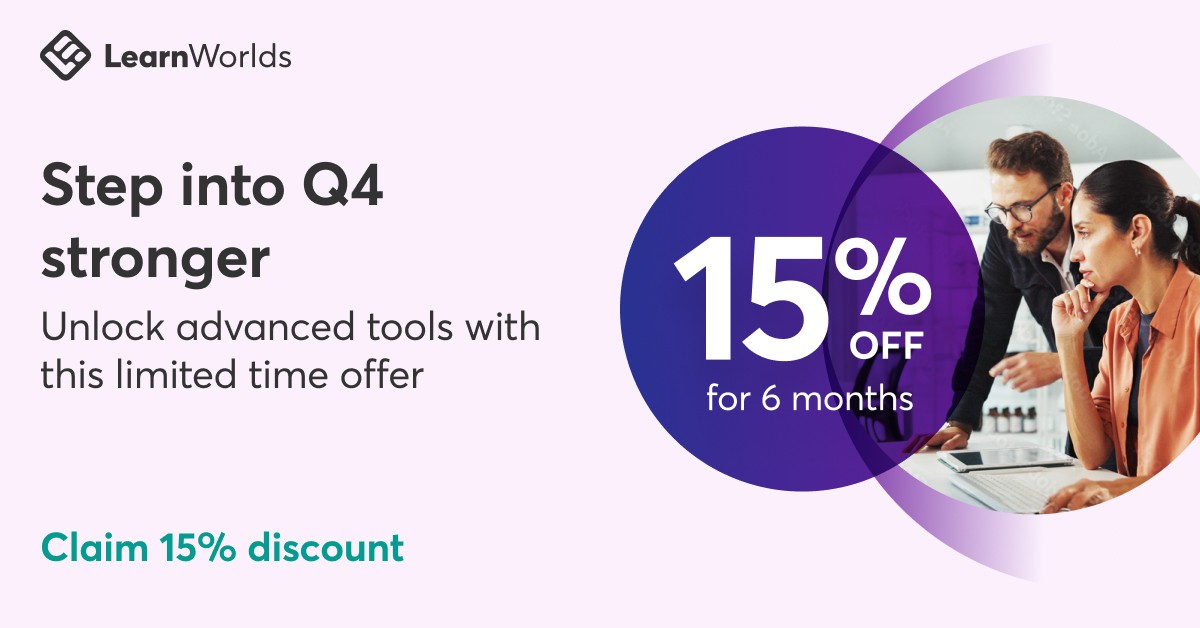
One platform worth evaluating in this category is LearnWorlds. Its current plans range from a $29/month Starter tier to $99/month Pro Trainer and $299/month Learning Center on monthly billing. The platform is also currently displaying 15% off Pro Trainer and Learning Center monthly pricing, with the discounted pricing shown as $84.15 and $254.15 respectively for the promotional six-month period.
There is also a current October promotion supplied to Kuruntha through the LearnWorlds partner programme: eligible new customers and trial users can receive 15% off their first six months on a monthly subscription, with the same discount applying to eligible monthly plan upgrades and Mobile App upgrades. The stated deadline is October 5, 2026 at 11:59 PM PDT.
The important question, however, is not simply whether you can save 15%.
It is whether the platform fits the way your training business actually operates.
If LearnWorlds looks like a fit for your training operation, it is worth checking the current plans and 15% six-month offer before the October 5 deadline.
What Is Training Provider Software?
Training provider software is technology used by commercial training businesses to create, deliver, sell, administer and measure training.
Depending on the platform, this can include:
- Course creation
- Learning paths
- Learner management
- Client management
- Assessments
- Certification
- Payments
- Subscriptions
- Reporting
- Automation
- Branding
- Integrations
- Mobile learning
The distinction between ordinary course software and training-provider software becomes important as the business grows.
A creator selling one self-paced course may need little more than course hosting, payments and basic learner management.
A training company serving 20 corporate clients has a completely different problem.
It may need separate learner groups, client-level reporting, administrator permissions, recurring enrolment, certification, branded delivery and repeatable workflows.
That is why buying an LMS based purely on the number of features listed on its homepage can be misleading.
The Real Problem: Scaling Delivery Without Scaling Administration
Imagine a training company has one successful compliance programme.
Client A purchases 100 seats.
Client B purchases another 250.
Client C wants the same programme for 500 employees.
Client D wants different reporting and branding.
A manual operation can quickly become:
Course → spreadsheet → enrolment emails → learner access → progress tracking → certificate → client report
That may work for the first few customers.
It becomes a serious operational burden when the volume increases.
The goal of training provider software should therefore be simple:
Build the learning infrastructure once, then deliver and improve it repeatedly.
The software does not replace the training business.It provides the operating infrastructure around it.
What Should Training Providers Look For?
Before comparing vendors, define the actual requirements of your business.
1. Multi-client management
If you sell training to businesses, this should be near the top of the evaluation list.
Ask whether you can:
- Separate client organisations
- Control learner access
- Assign administrators
- Manage different learner groups
- Report by client
- Reuse courses across customers
- Maintain appropriate branding
A platform can have an excellent course builder and still be a poor fit for a multi-client training operation.
For a deeper look at the operational requirements of serving multiple corporate customers, see our guide to an LMS for training providers.
2. Course reusability
Your core intellectual property should not need to be rebuilt every time a customer buys training.
Look for ways to reuse:
- Courses
- Learning paths
- Assessments
- Certificates
- Content
- Enrolment structures
This becomes increasingly important as the number of customers grows.
3. Certification
Certification can be a central part of the commercial model for professional and compliance training.
Check whether the platform supports the certification workflow you actually need, including:
- Completion rules
- Assessments
- Passing requirements
- Certificate generation
- Expiration
- Verification
- Reporting
- Learner history
Do not assume that every LMS handles certification in the same way.
4. Client-level reporting
Corporate customers often want evidence that training has actually been completed.
Your platform may need to provide information about:
- Enrolments
- Attendance
- Progress
- Completion
- Assessment results
- Certificates
- Learner activity
Reporting requirements should be defined before purchasing rather than after the first corporate customer asks for a report.
5. Branding and white-label delivery
Branding matters more when the training itself is part of your commercial proposition.
Look for:
- Custom domains
- Branded learning environments
- Logo controls
- Custom pages
- Communications
- White-label functionality
But check which plan includes each capability.
Paying for an inexpensive plan and discovering later that an important branding feature requires a higher tier is not a useful saving.
6. Payments and course commerce
Commercial training businesses need more than course hosting.
Depending on the business model, useful capabilities include:
- One-time payments
- Subscriptions
- Payment plans
- Course bundles
- Discounts
- Offers
- Payment gateways
- Multiple currencies
LearnWorlds currently supports one-time payments, subscriptions and payment plans for applicable learning products.
7. Automation
Automation should remove repetitive work.
Good candidates include:
- Learner enrolment
- Notifications
- Access management
- Course assignments
- Completion workflows
- Certificate processes
- Reporting
- Recurring training
The objective is not to accumulate automation features.
The objective is to eliminate unnecessary administrative steps.
8. Integrations
A training provider rarely operates in isolation.
The wider technology stack might include:
- CRM
- Payment processing
- Email marketing
- Webinar software
- Analytics
- HR systems
- Automation platforms
- Customer-support tools
Before buying, identify which integrations are actually required and whether they are included in your chosen plan.
9. Scalability
Do not evaluate software only against today's learner count.
Ask what happens when you move from:
100 learners → 1,000 → 5,000
Look at:
- Active learner limits
- Administrator limits
- Client limits
- API availability
- Reporting
- Storage
- Support
- Pricing
A platform that works perfectly at 200 learners may become considerably more expensive or restrictive at higher volumes.
10. Total cost of ownership
The subscription price is only one part of the calculation.Consider:
Software + payment processing + integrations + migration + administration + training + support
A platform costing less per month may require several additional services.
Conversely, paying more for an integrated platform can make financial sense if it removes substantial manual work.
If you're still defining what your training operation actually needs, our training provider software guide breaks down the core requirements, from client management and certification to reporting, automation and scalability.
LearnWorlds for Training Providers
LearnWorlds is relevant to this category because its current positioning explicitly includes B2B training, customer education, branded academies and commercial learning delivery.
Its current pricing structure is also organised around different business stages.
Starter — $29/month
The monthly Starter price is currently $29, with a $5 fee per paid enrollment.
The plan is positioned for launching a first paid course.
LearnWorlds currently lists features including:
- Course hosting
- AI course builder and quizzes
- Stripe or PayPal payments
- Live sessions
- 1 administrator
- Up to 1,000 active learners per month
For a small course operation, this may be sufficient.
However, the $5 enrollment fee and lower limits are important considerations if you expect substantial sales volume.
Pro Trainer — $99/month
The standard monthly Pro Trainer price is currently $99.
The plan removes enrollment fees and adds capabilities including:
- Subscriptions
- Memberships
- Payment plans
- Unlimited courses and learning paths
- Course certificates
- Up to 20 SCORM uploads
- 50+ built-in integrations
- Up to five administrators
- Up to 2,000 active learners per month
The current pricing page displays a 15% discount, bringing the promotional monthly price to $84.15.
Over six months, that represents roughly $89.25 in savings compared with $99/month.
Learning Center — $299/month
Learning Center is currently priced at $299/month on monthly billing.
It adds capabilities aimed more directly at branded academies and training teams, including:
- Full white-labeling
- Up to 25 administrators
- Training for up to 10 client groups
- Automation workflows
- Scheduled course reports
- Additional academy-management capabilities
The current displayed 15% promotional price is $254.15/month.
That works out to roughly $269.25 in savings over six months compared with the standard $299 monthly price.
Corporate
High-volume and corporate requirements move into custom pricing.
This is relevant when the standard plan limits are no longer sufficient for the organisation's learner volume, administrators or multi-organisation requirements.
What About the Current LearnWorlds 15% Offer?
This is where the October opportunity becomes commercially relevant.
According to the current partner communication supplied to Kuruntha, the September LearnWorlds promotion has been extended through October 5, 2026 at 11:59 PM PDT.
The partner-provided terms state:
| Item | Current offer |
|---|---|
| Discount | 15% |
| New customers | Eligible |
| Trial users | Eligible |
| Billing | Monthly subscription |
| Discount duration | First six months |
| Monthly plan upgrades | Eligible upgrades |
| Mobile App upgrades | Eligible upgrades |
| Deadline | October 5, 2026, 11:59 PM PDT |
The public LearnWorlds pricing page independently confirms that 15% is currently being displayed on Pro Trainer and Learning Center monthly pricing, including six-month savings calculations.
Because promotional eligibility can depend on the specific account, plan and upgrade path, buyers should confirm the final discount displayed during checkout.
Is the 15% Discount Actually Meaningful?
It depends on what you are buying.
For Pro Trainer at $99/month:15% off = $84.15/month
Over six months:
Standard cost: $594
Discounted cost: $504.90
Approximate saving: $89.10
For Learning Center at $299/month:
15% off = $254.15/month
Over six months:
Standard cost: $1,794
Discounted cost: $1,524.90
Approximate saving: $269.10
The difference is not trivial, but the discount should not determine the platform decision.
If the software does not fit your delivery model, saving 15% does not fix the underlying problem.
What About the LearnWorlds Mobile App?
LearnWorlds offers a branded Mobile App Builder as an additional subscription.
Its current public product information lists the branded mobile app from $149/month, separate from the main LearnWorlds academy subscription.
The mobile app can support branded iOS and Android learning experiences, and LearnWorlds' documentation confirms that the mobile app is an add-on rather than simply something included automatically with every base subscription.
The October partner offer states that eligible Mobile App upgrades can also receive the 15% discount.
Because the exact eligibility can depend on the account and upgrade path, verify the promotional price before completing the purchase.
Also remember that publishing mobile apps introduces additional Apple and Google developer-account requirements and potential app-store fees.
LearnWorlds' 30-Day Trial
If you are not certain whether LearnWorlds fits your training operation, the trial is arguably more important than the discount.
LearnWorlds currently offers a 30-day free trial without requiring a credit card.
That gives a training business an opportunity to test its actual workflow before paying.
Do not simply create a sample course and declare the platform suitable.
Use the trial to test your real requirements.
A better trial checklist
Create one realistic programme.
Then test:
- Course creation
- Learner enrolment
- Client or group structure
- Assessment
- Certification
- Reporting
- Payment workflow
- Administrator permissions
- Automation
- Branding
- Integrations
- Mobile requirements, if applicable
If your team cannot reproduce the workflow you expect to sell to customers, the platform deserves another look before you commit.
Who Is LearnWorlds Most Relevant For?
LearnWorlds is worth investigating if you are operating or building:
- A professional online academy
- A B2B training company
- A certification business
- A corporate training operation
- A customer education programme
- A coaching education business
- A professional development platform
- A structured course business
- A branded learning academy
It may be unnecessary if you simply want to upload one inexpensive course and sell it occasionally.
That distinction matters.
You should buy software for the operating model you actually need—not the business you imagine having five years from now.
When You Should Look Beyond LearnWorlds
LearnWorlds is not automatically the right answer for every training provider.
Look more broadly if your main requirement is:
Very simple course selling
If you need only basic courses, checkout and a straightforward website, a more lightweight platform may be sufficient.
Community-first learning
If community interaction, live events and member networking are the centre of the product rather than structured course delivery, community-first platforms deserve consideration.
Large-scale enterprise learning
If you have complex enterprise requirements, very high learner volumes, extensive HR integration or strict procurement requirements, enterprise LMS products may warrant evaluation.
Heavy classroom administration
If your business depends heavily on physical venues, instructor scheduling, resource allocation and complex classroom logistics, an LMS alone may not replace a dedicated training management system.
If you're comparing LearnWorlds with a more creator-focused platform, our LearnWorlds review and Podia comparison provides a broader look at pricing, features and platform fit.
How to Choose Training Provider Software Without Overpaying
Before signing up, document your business.
Step 1: Count your clients
How many organisations do you serve today?
How many could you serve in two or three years?
Step 2: Count your learners
Measure current learners and realistic projected volume.
Step 3: Map your delivery model
Identify whether you deliver:
- Self-paced courses
- Live classes
- Cohort programmes
- Blended training
- Certification
- Corporate academies
- Customer education
Step 4: Identify administrative bottlenecks
List the five tasks consuming the most staff time.
Those are the workflows your software should improve first.
Step 5: Define reporting requirements
Determine what information learners, trainers, managers and corporate customers need.
Step 6: Calculate total cost
Include the subscription, payment fees, integrations, migration and administration.
Step 7: Run a real trial
Do not buy based on a feature list.
Use a realistic programme and sample client workflow.
That will reveal more than a dozen product demonstrations.
The Bigger Business Question
Training provider software should ultimately be judged by operational leverage.
Suppose a business grows from:
10 clients × 100 learners = 1,000 learners
to:
50 clients × 100 learners = 5,000 learners
The objective is not for administration to increase fivefold along with learner volume.
The technology should absorb a meaningful portion of the repetitive work.
That allows the team to spend more time on:
- Course quality
- Client relationships
- Sales
- Instruction
- New programmes
- Customer success
- Business development
That is the more useful definition of scalability.
Current LearnWorlds Offer: Who Should Act?
The October promotion is most relevant to buyers who have already decided that LearnWorlds fits their requirements and are now choosing when to subscribe.
It makes less sense to rush a platform decision simply because a discount expires.If you are still unsure, use the trial first.
If you have already tested the platform and know which plan you need, the current 15% six-month offer provides a straightforward reduction in the initial subscription cost.
For Pro Trainer and Learning Center buyers, the public pricing page currently reflects the 15% promotional pricing. The partner-provided campaign deadline is October 5, 2026 at 11:59 PM PDT.
Final Takeaway
Training provider software should be treated as business infrastructure, not simply as a place to host online courses.
The important questions are operational:
Can you manage multiple clients?
Can you reuse your training content?
Can you issue and track certification?
Can clients receive the reports they need?
Can your team automate repetitive administration?
Can the platform support your commercial model as learner volume increases?
LearnWorlds is particularly relevant for businesses that want a more structured learning environment, branded academy capabilities, commercial course delivery and tools for professional training operations.
Its current 15% six-month promotion adds a timely financial incentive, but the stronger reason to evaluate the platform is whether it fits the way your training business needs to operate.
For buyers still evaluating, the 30-day free trial provides a sensible starting point. For buyers who have already completed that evaluation, the current promotional window may reduce the initial cost of moving forward.
The right decision is not the platform with the biggest feature list.It is the platform that lets your training business deliver more learning without creating the same amount of additional administrative work.
If you have worked through the requirements, pricing and limitations above and LearnWorlds fits your model, you can review the available plans and start the trial directly from the official site.
Frequently Asked Questions
What is training provider software?
Training provider software helps commercial training businesses create, deliver, sell, manage and measure training. Depending on the platform, it can include LMS functionality, client management, certification, payments, reporting, automation and integrations.
What should training providers look for in an LMS?
Key requirements can include multi-client management, course reusability, certification, reporting, branding, payments, automation, integrations, scalability and total cost of ownership.
Is LearnWorlds suitable for training providers?
LearnWorlds currently markets functionality for B2B training and branded academies, including client management, certifications, reporting and commercial course delivery. Suitability still depends on your learner volume, client structure, workflow and budget.
How much does LearnWorlds cost in 2026?
Current monthly pricing is $29 for Starter, $99 for Pro Trainer and $299 for Learning Center. Annual billing has lower monthly-equivalent pricing. Corporate pricing is custom.
Does LearnWorlds offer a free trial?
Yes. LearnWorlds currently offers a 30-day free trial without requiring a credit card.
Does LearnWorlds charge transaction fees?
Starter currently carries a $5 fee per paid enrollment. Pro Trainer and Learning Center currently have no LearnWorlds enrollment fees, although payment processors can charge their own processing fees.
What is the LearnWorlds 15% discount?
The current promotion provides 15% off eligible monthly subscriptions for six months. The partner-provided October campaign also states that eligible trial users and monthly plan or Mobile App upgrades can receive the discount.
When does the current LearnWorlds offer end?
According to the partner communication supplied to Kuruntha, the current offer ends October 5, 2026 at 11:59 PM PDT.
Is LearnWorlds' Mobile App included?
The branded Mobile App Builder is an additional subscription rather than a standard feature included automatically with every base plan. LearnWorlds currently lists it from $149/month.
Should every training provider use an LMS?
No. A small provider selling one low-volume course may not need sophisticated training software. The requirement increases as client count, learner volume, certification, reporting and administrative complexity increase.
Is an LMS the same as training management software?
Not necessarily. An LMS generally focuses on learning delivery, learner progress and assessment, while training management software often handles operational requirements such as scheduling, instructors, venues and training logistics. Some platforms overlap both areas.
How should I test training provider software?
Use a realistic programme during the trial. Test learner enrolment, client management, reporting, certification, payments, administration, automation and integrations before committing.
#TrainingProviderSoftware #LMS #LMSForTrainingProviders #B2BTraining #CorporateTraining #LearnWorlds #TrainingTechnology #OnlineTraining #eLearning #LearningManagementSystem #TrainingBusiness
Disclosure:  This article is intended for informational and educational purposes. This article may contain affiliate links. If you choose a service through our links, we may earn a commission at no extra cost to you.

Product capabilities, availability, pricing, plans and integrations can change. Always verify current details with the provider before purchasing.

This article was created with AI-assisted research and carefully reviewed by our in-house team before publicationLMS for training providers