Training Provider Software 2026: How to Scale Courses, Clients & Certification Without More Admin
Training Provider Software 2026: How to Scale Courses, Clients & Certification Without More Admin
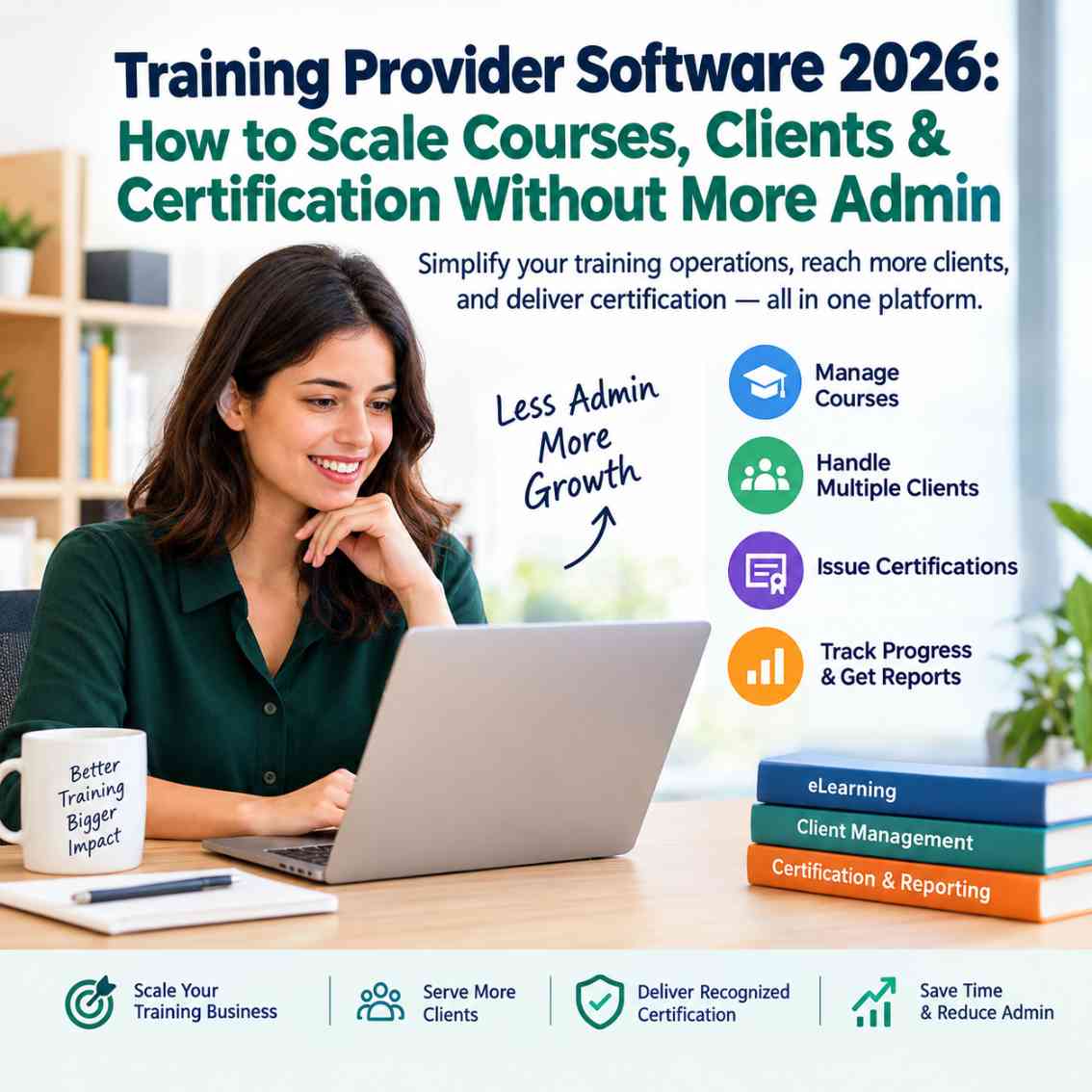
Training provider software is a platform or connected technology stack that helps commercial training businesses create, deliver, sell, manage and measure training for multiple clients and learners. Depending on the platform, it can include course creation, learner management, client portals, enrolment, payments, assessments, certification, reporting, automation, branding and integrations. For training companies serving external organisations, the ability to reuse courses while keeping client delivery organised can be particularly important as the business grows.
Running a training business is relatively simple when you have a handful of courses and a few clients. The operational challenge appears when the same training has to be delivered repeatedly to different organisations, cohorts and learners.
Suddenly, the team is maintaining spreadsheets, sending enrolment emails, creating certificates, preparing client reports, tracking payments and answering the same administrative questions again and again.
That is where training provider software becomes commercially important.
The right platform should not simply host your courses. It should help you turn your expertise into a repeatable delivery system that can support more clients without requiring the same increase in administrative work.
Looking for a platform to build and sell professional training? LearnWorlds currently offers a 30-day free trial with no credit card required, allowing training businesses to test the platform before committing. Its current September 2026 promotion also advertises 15% off for six months on eligible plans through September 30, 2026.
Why Training Providers Need Different Software
A training provider is not simply an organisation that uploads videos to an LMS.
The business may have to manage:
- Multiple corporate clients
- Different learner groups
- Private and public courses
- Instructor-led and online programmes
- Assessments
- Certificates
- Client-specific reporting
- Payments and subscriptions
- Course updates
- Compliance requirements
- Branding
- Customer support
- Renewals and repeat training
That makes the technology requirement different from an organisation that only needs an internal employee-learning system.
Recent 2026 buyer guides increasingly distinguish between software designed for internal learning and platforms designed for commercial training businesses. Multi-client delivery, white-labeling, e-commerce, certification and scalable administration are repeatedly identified as important requirements for external training providers.
The key question is therefore not:
“Does this platform have an LMS?”
It is:
“Can this platform support the way my training business actually sells and delivers learning?”
What Does Training Provider Software Actually Do?
Training provider software brings multiple parts of the training operation into a more structured workflow.
Depending on the platform, this can include:
Course creation
Create structured learning programmes, lessons, assessments, resources and learning paths.
Learner management
Organise learners, enrolments, progress, completion status and access.
Client management
Separate or segment learners and programmes for different corporate customers.
Certification
Issue certificates or maintain completion records when learners satisfy defined requirements.
Reporting
Give training providers and clients visibility into participation, completion and learning activity.
Payments
Support paid courses, subscriptions, payment plans or other commercial models where available.
Automation
Reduce repetitive administrative tasks such as enrolment, notifications and user management.
Branding
Present a professional learning environment that reflects the training company's brand.
Integrations
Connect learning workflows with other business systems when supported.
The exact feature set varies substantially between vendors, so buyers should verify capabilities against their actual delivery model before purchasing.
The Biggest Scaling Problem: Every New Client Creates More Work
Imagine a training company has one successful compliance course.
Client A wants 100 seats.
Client B wants 250 seats.
Client C wants a private version for 500 employees.
Client D wants the same programme with different branding and reporting.
A manual system can quickly turn this into:
Course → duplicate course → spreadsheet → email → manual enrolment → manual report → manual certificate
That process may work at low volume.
It becomes increasingly difficult to manage when dozens of clients and thousands of learners are involved.
A scalable training platform should allow the provider to standardise the underlying learning experience while controlling how it is delivered to different audiences.
This is the core idea behind:
Build Once. Deliver Repeatedly.
The objective is not necessarily to make every client experience identical.
The objective is to avoid rebuilding the operational foundation every time you win another customer.
If the bigger challenge is not finding more clients but delivering existing training more efficiently, our 80/20 Training Model for scaling corporate training explains how providers can standardize the core learning experience while leaving room for client-specific customization.
Multi-Client Training: The Feature Buyers Should Examine Closely
For B2B training providers, multi-client management can be more important than having hundreds of minor LMS features.
Look for capabilities such as:
- Separate client groups
- Client-specific access
- Multiple academies or portals
- Client-level reporting
- Different branding options
- Administrator permissions
- Bulk learner management
- Private training programmes
- Client-specific enrolment workflows
Some platforms describe this architecture as multi-tenancy, while others use terms such as multiple schools, portals, branches or client environments.
The terminology matters less than the actual workflow.
Before buying, ask the vendor:
Can I deliver the same course to several companies while keeping their users, branding, access and reporting appropriately separated?
That single question can reveal whether a platform is genuinely suited to commercial training delivery.
LearnWorlds, for example, currently markets its platform specifically for B2B training providers and highlights multiple client management, branded academies, certifications, reporting and enterprise requirements.
LMS vs Training Management System: What's the Difference?
This distinction is important because LMS and TMS are often treated as interchangeable terms.
They are not necessarily the same thing.
A Learning Management System (LMS) generally focuses on the learning experience:
- Courses
- Learning content
- Assessments
- Learner progress
- Completion tracking
- Certificates
- Learning records
A Training Management System (TMS) generally focuses more heavily on operational training administration:
- Scheduling
- Instructor management
- Venues
- Registrations
- Training logistics
- Resources
- Budgets
- Operational reporting
Modern platforms increasingly overlap these areas, particularly for blended and commercial training.
Which one does a training provider need?
It depends on the business model.
A provider selling mainly self-paced digital courses may be able to operate primarily with an LMS.
A provider running complex classroom programmes across multiple locations may need stronger TMS capabilities.
A blended training company may need both functions or a platform that combines enough of them to avoid maintaining disconnected systems.
This is why buying an LMS simply because it appears high on a generic “best LMS” list can be a mistake.
10 Features to Look for in Training Provider Software
1. Multi-Client Management
If your customers are businesses, the platform should make it practical to manage different organisations and learner groups.
2. Course Reusability
You should be able to maintain a central course structure rather than manually recreating learning content for every client.
3. Client-Level Reporting
Corporate customers often want evidence of participation, completion and performance.
Reporting should therefore work at the appropriate learner, cohort and client levels.
4. Certification
If your training leads to certificates, check:
- Certificate generation
- Completion rules
- Expiration dates
- Verification
- Reporting
- Customisation
Do not assume that every LMS handles certification in the same way.
5. White-Label Branding
For agencies and B2B training companies, branding can influence how professional the client experience feels.
Look for options such as:
- Custom domain
- Logo
- Colours
- Branded portal
- Branded communications
- Removal of vendor branding
The exact availability often depends on the plan.
6. Payments and Course Commerce
If you sell training directly, consider whether the platform supports:
- One-time payments
- Subscriptions
- Payment plans
- Course bundles
- Discounts
- Multiple currencies
- Payment gateways
LearnWorlds, for example, currently supports one-time payments, subscriptions and payment plans for applicable learning products.
7. Automation
Automation should remove repetitive work rather than simply add another dashboard.
Look for workflows around:
- Enrolment
- Learner access
- Notifications
- Completion
- User management
- Reporting
8. Integrations
Your training platform may need to communicate with:
- CRM
- Payment systems
- Webinar tools
- Email platforms
- Analytics
- HR systems
- Automation platforms
Check exactly which integrations are included in the plan you intend to buy.
9. Scalability
Ask what happens when your business moves from:
100 learners → 1,000 → 10,000
Pricing, active-user limits, administrator limits, API access and reporting capabilities can all become important.
10. Total Cost of Ownership
Do not compare platforms only by monthly subscription price.
Calculate:
Software + payment fees + integrations + administration + migration + training + support
A cheaper platform that requires several additional tools may ultimately create a more expensive technology stack.
Can Training Provider Software Replace Spreadsheets?
Sometimes.
But the better question is:
Which spreadsheet workflows should disappear first?
Start with repetitive processes such as:
- Learner enrolment
- Course assignment
- Completion tracking
- Certificate tracking
- Client reporting
- Renewal reminders
- Basic learner administration
Not every spreadsheet needs to disappear.
A sensible migration strategy is to automate the workflows that consume the most human time and create the greatest risk of errors.
That gives the training provider a measurable return from the software investment.
How AI Is Changing Training Provider Software
AI is becoming part of the training technology stack, but buyers should focus on useful workflows rather than the word “AI” itself.
Potential applications include:
- Course-content assistance
- Question generation
- Learning-content structuring
- Learner support
- Data analysis
- Content recommendations
- Administrative assistance
- Reporting
- Personalisation
LearnWorlds, for example, currently promotes AI-powered course creation and AI capabilities within its platform, while its September 2026 product updates include AI-assisted mobile app creation and updates.
The better buying question is:
What specific task will this AI feature remove from my team's workload?
If the answer is unclear, the feature may not justify a higher subscription.
AI is also becoming part of the wider training workflow, from course creation and learner support to administration and recurring training. If you are evaluating where these capabilities are heading, our LearnWorlds Roadmap 2026 analysis covers the platform's upcoming AI agents, course-creation tools and retraining direction.
Training Provider Software for Certification Businesses
Certification changes the software requirement.
A provider may need to manage:
Training → Assessment → Completion → Certification → Renewal
That creates additional requirements around:
- Passing scores
- Assessment records
- Completion rules
- Certificate issuance
- Expiration
- Recertification
- Audit trails
- Learner history
If certification is a major revenue stream, treat it as a core software requirement rather than an optional feature.
Training Provider Software for Corporate Clients
Corporate customers can have different expectations from individual learners.
A corporate buyer may want:
- Central purchasing
- Bulk enrolment
- Employee access
- Progress reporting
- Completion data
- Certificates
- Client administrators
- Private programmes
- Custom branding
- Data exports
- Repeat training
That is why B2B training software deserves its own evaluation criteria.
A platform designed primarily for individual course creators may be excellent for selling one course at a time but less suitable for managing dozens of corporate accounts.
When a Training Provider Should Consider an LMS
An LMS becomes increasingly useful when you need to:
- Sell structured courses
- Deliver learning online
- Manage large learner groups
- Track progress
- Issue certificates
- Create learning paths
- Support recurring training
- Provide client reporting
- Reduce manual administration
If your business is already delivering structured programmes to multiple organisations, the next question is how an LMS can handle that delivery model in practice. Our LMS guide for training providers looks specifically at building courses once and delivering them across different client groups.
When an LMS Alone May Not Be Enough
An LMS may not cover every operational requirement of a training business.
You may need additional TMS functionality if your organisation manages:
- Complex instructor schedules
- Physical venues
- Equipment
- Travel
- Large classroom programmes
- Resource allocation
- Detailed training logistics
- Complex invoicing workflows
In that situation, evaluate whether your preferred platform includes these capabilities or integrates cleanly with a dedicated training management system.
Current industry comparisons continue to make this distinction: LMS products generally centre on learning delivery, while TMS products focus more heavily on the operational side of training.
How to Choose Training Provider Software Without Overpaying
Before signing a contract, write down your actual workflow.
Step 1: Count your clients
How many organisations do you serve today?
How many do you expect within two to three years?
Step 2: Count your learners
Look at current and projected learner volumes.
Step 3: Map your delivery model
Do you provide:
- Self-paced courses?
- Live classes?
- Cohort programmes?
- Blended training?
- Certification?
- Corporate academies?
Step 4: Identify your administrative bottlenecks
Find the five tasks that consume the most staff time.
Step 5: Define your reporting requirements
Determine what you need to report to:
- Learners
- Trainers
- Managers
- Corporate clients
- Regulators
Step 6: Calculate your software budget
Include hidden costs such as integrations, migration and administration.
Step 7: Test before committing
A trial is useful because product pages cannot reproduce your real workflow.
Build one realistic programme.
Add sample learners.
Create a client workflow.
Test reporting.
Test certification.
Test payments.
Then decide.
LearnWorlds as an Example for Training Providers
LearnWorlds is particularly relevant to this discussion because it explicitly markets its platform toward training providers and B2B training businesses.
Its current product positioning includes branded academies, multiple client management, certifications, compliance tracking, reporting, integrations and e-commerce capabilities.
Its current pricing page also separates plans around different business models, including first-course creators, solo trainers, branded academies and enterprise or multi-organisation training.
For a training provider, that makes it worth evaluating when the requirement is more sophisticated than simply uploading courses.
However, the correct decision should still depend on your actual requirements.
A training provider with a handful of self-paced courses does not necessarily need an enterprise-level learning platform.
A B2B provider managing multiple client organisations may have very different requirements.
That is why a trial is valuable.
LearnWorlds currently offers a 30-day free trial without requiring a credit card, although some advanced functions are restricted during the trial, including certain integrations, API access, white-labeling, payment gateways and bulk-management functions.
If you want to go beyond the training-provider use case and examine the platform from a broader buying perspective, our LearnWorlds vs Podia review compares their positioning, features, pricing considerations and suitability for different types of course businesses.
A Practical Training Provider Software Buying Checklist
Before purchasing, ask:
| Requirement | Question to Ask |
|---|---|
| Multi-client | Can I manage multiple organisations? |
| Client portals | Can each client have controlled access? |
| Course reuse | Can I deliver the same programme repeatedly? |
| Branding | Can I create a professional branded experience? |
| Certification | Can certificates be generated automatically? |
| Reporting | Can clients receive relevant reports? |
| Payments | Can I sell courses and programmes? |
| Automation | Which repetitive workflows can be automated? |
| Integrations | Does it connect to my existing stack? |
| Scalability | What happens when learner volume increases? |
| Administration | How many administrators can I have? |
| Security | What controls are available for business data? |
| Support | What support is included? |
| Pricing | What will the complete annual cost be? |
| Migration | How difficult will it be to move existing courses? |
The Economics of Scaling a Training Business
The real value of training provider software is not another dashboard.
It is the ability to increase revenue without increasing operational complexity at exactly the same rate.
Consider a simplified example.If a training company has:
10 clients × 100 learners = 1,000 learners
and later grows to:
50 clients × 100 learners = 5,000 learners
the business has increased its learner volume fivefold.
The goal should not be to make administrative work five times larger.
Instead, the technology should absorb a meaningful portion of the repetitive workload.
That does not mean software eliminates the need for people.
It means your people spend less time maintaining spreadsheets and more time on:
- Course quality
- Client relationships
- Sales
- Instruction
- New programmes
- Customer success
- Business development
That is the more defensible definition of scalable training technology.
Build Once, Improve Continuously
There is another advantage to centralising your training operation.
When a course needs updating, the provider can maintain a controlled source of truth rather than searching through multiple duplicated versions.
That can make it easier to:
- Update outdated content
- Add new assessments
- Improve explanations
- Refresh examples
- Change certification requirements
- Introduce new learning activities
The objective is therefore not simply build once.
It is:
Build systematically, deliver repeatedly, measure results and improve centrally.
That is a much more sustainable operating model.
What About Tools Outside the LMS?
An LMS does not have to do everything.
Your wider training technology stack might include:
LMS → learning delivery
TMS → training operations
CRM → sales and customer relationships
Forms → information collection
Webinar platform → live delivery
Presentation software → training materials
Payment platform → commercial transactions
Analytics → performance measurement
The important question is whether these systems work together or create additional administrative work.
For example, Kuruntha has also covered tools such as Decktopus AI for business presentations and NexGen Virtual Webex for virtual collaboration. Those can be considered supporting components around the central training platform rather than replacements for it.
Who Should Consider Training Provider Software?
Training provider software can make sense for:
- Corporate training companies
- B2B education businesses
- Professional certification providers
- Compliance training providers
- Consultants selling structured programmes
- Coaching businesses with larger learner volumes
- Professional education providers
- Customer education teams
- Online academies
- Organisations delivering recurring external training
It may be unnecessary for a small creator who sells a single low-volume course and has little administrative overhead.
The software should match the business—not the other way around.
The Bottom Line
Training provider software should be evaluated as business infrastructure, not simply as an online course website.
The right platform can help organise courses, learners, clients, certification, payments, reporting and automation into a repeatable operating model.
For growing training businesses, the biggest question is not:
“Which platform has the most features?”
It is:
“Which platform can help us serve more customers without creating the same amount of additional administrative work?”
That is the question worth taking into a product demo.
If your training business needs an LMS capable of supporting branded academies, commercial course delivery and multiple client requirements, LearnWorlds is one platform worth putting through a real-world trial rather than evaluating only from a feature list. Its current free trial gives prospective users an opportunity to test the platform before committing.
Frequently Asked Questions
What is training provider software?
Training provider software is technology used by commercial training businesses to create, deliver, manage, sell and measure training. Depending on the platform, it can include LMS functionality, client management, certification, payments, reporting, automation and integrations.
What is the best software for training providers?
There is no universal best platform for every training business. The appropriate choice depends on whether you provide self-paced courses, instructor-led training, blended programmes, corporate training, certification or multiple client academies.
What is the difference between an LMS and training management software?
An LMS primarily manages learning delivery, learner progress, assessments and completion. Training management software focuses more heavily on operational activities such as scheduling, instructors, bookings, resources and training logistics. Some modern platforms combine parts of both.
Can an LMS manage multiple corporate clients?
Some LMS platforms are specifically designed for multi-client or multi-tenant delivery. Before purchasing, verify whether the platform supports client separation, permissions, branding, reporting and learner management at the level your business requires.
What is a multi-client LMS?
A multi-client LMS allows a training provider to deliver learning to multiple organisations or customer groups from a central platform while controlling access, administration and reporting for each audience.
Do training providers need a white-label LMS?
Not necessarily. White-label functionality becomes more important when a training provider wants clients or learners to experience the academy primarily under the provider's own brand or domain.
Can training provider software issue certificates?
Many LMS and training platforms support certificates, but capabilities vary. Check whether the system supports automatic issuance, completion rules, expiry dates, verification and reporting if certification is central to your business.
Can training provider software sell courses?
Many commercial LMS platforms support course sales through one-time payments, subscriptions, payment plans or other commerce features. The exact options and transaction fees vary by provider and subscription plan. LearnWorlds, for example, currently supports one-time payments, subscriptions and payment plans for applicable learning products.
Can training software reduce administrative work?
Yes, when it automates repetitive workflows such as enrolment, learner access, notifications, completion tracking, certification and reporting. The actual time savings depend on the platform and how well it matches the provider's workflow.
Should a training company use an LMS or TMS?
It depends on the delivery model. An online course provider may primarily need an LMS, while a provider running complex instructor-led programmes may need TMS capabilities as well. Some businesses use both or choose a platform that combines relevant functionality.
Is LearnWorlds suitable for training providers?
LearnWorlds currently markets dedicated functionality for training providers, including B2B training, branded academies, client management, certifications, reporting and commercial course delivery. Its suitability should still be evaluated against your specific workflow, learner volume, client requirements and budget.
Does LearnWorlds offer a free trial?
Yes. LearnWorlds currently offers a 30-day free trial without requiring a credit card. Some advanced capabilities are restricted during the trial, so prospective buyers should test the functions that matter most to their business before choosing a paid plan.
How should I evaluate training provider software before buying?
Start with your business model. Define your number of clients, learners, delivery formats, certification requirements, reporting needs and administrative bottlenecks. Then test shortlisted platforms using a realistic training programme instead of relying only on marketing pages.
If you’re ready to move beyond spreadsheets and disconnected tools, the next step is to test your training workflow with a platform that is designed for commercial learning delivery. Try LearnWorlds free for 30 days and use a real course, sample client and learner group to evaluate the experience before choosing a paid plan.
Final Takeaway
The future of training businesses is not simply about creating more courses.
It is about creating a repeatable training operation.
Build your intellectual property carefully. Deliver it through an appropriate technology stack. Separate client workflows where necessary. Automate repetitive administration. Measure learner and client outcomes. Then use those insights to improve the next programme.
That is how training providers can pursue growth without allowing administration to grow at the same pace.
Disclosure: This article is intended for informational and educational purposes. This article may contain affiliate links. If you choose a service through our links, we may earn a commission at no extra cost to you.

Product capabilities, availability, pricing, plans and integrations can change. Always verify current details with the provider before purchasing.

This article was created with AI-assisted research and carefully reviewed by our in-house team before publication
#TrainingProviderSoftware #TrainingManagementSoftware #LMS #LMSForTrainingProviders #TrainingCompanies #CorporateTraining #B2BTraining #TrainingBusiness #LearningManagementSystem #MultiClientLMS #WhiteLabelLMS #OnlineTraining #TrainingAutomation #TrainingTechnology #eLearning #ProfessionalTraining #CorporateLearning #TrainingCertification #LearningTechnology #DigitalLearning