How to Reduce Screen Time: A Digital Health Guide for Better Eyes, Sleep, Focus & Cognitive Wellbeing
How to Reduce Screen Time: A Digital Health Guide for Better Eyes, Sleep, Focus & Cognitive Wellbeing
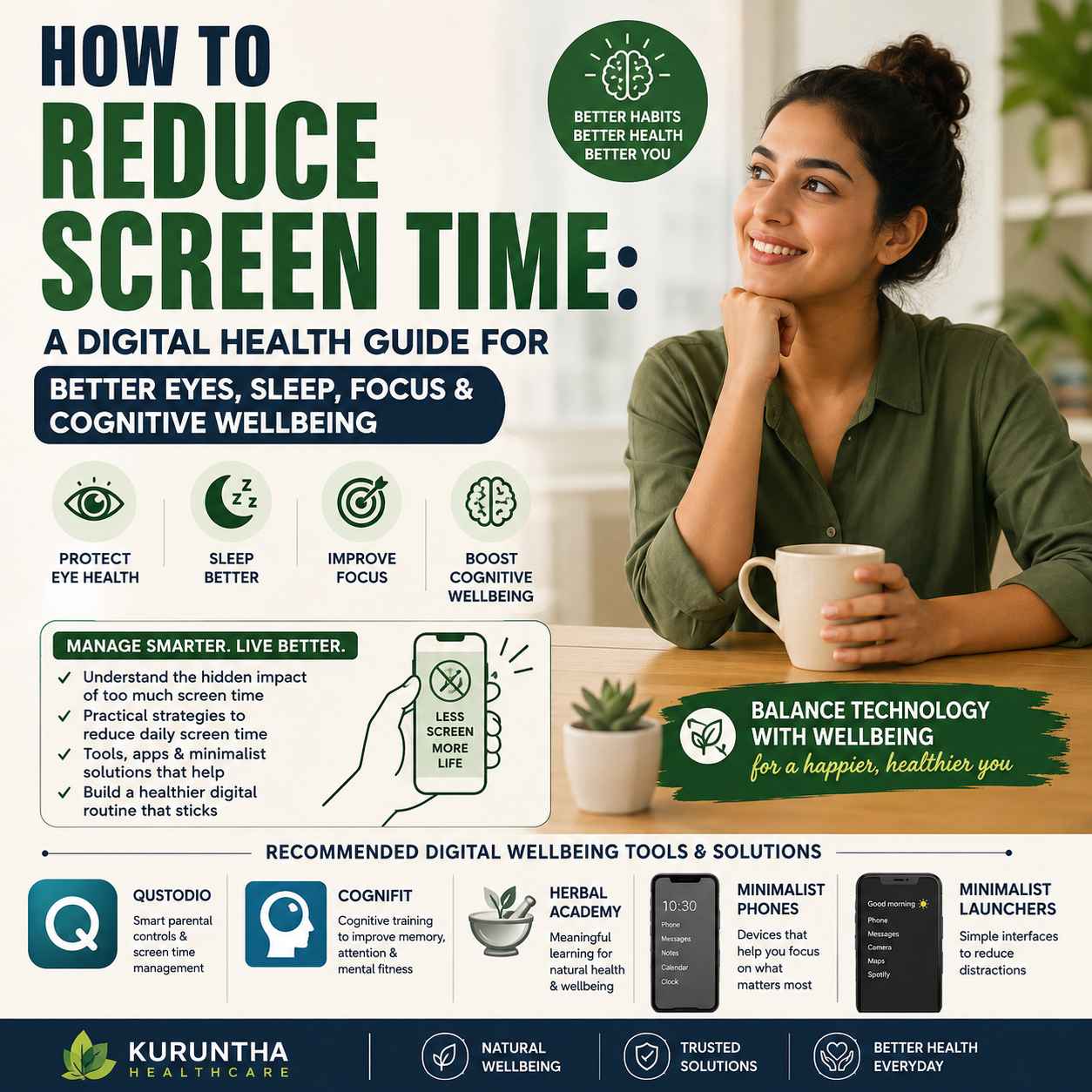
The most effective way to reduce screen time is not necessarily to eliminate smartphones or technology. Start by measuring where your time goes, remove unnecessary notifications and distracting apps, establish screen-free periods around sleep and meals, use app or parental controls where appropriate, and replace passive scrolling with purposeful activities such as reading, exercise, hobbies, learning or offline wellness routines. For families, tools such as Qustodio can help establish limits and screen-free schedules, while minimalist launchers and purpose-built minimalist phones can reduce the number of digital distractions competing for attention.
Smartphones have become essential tools for communication, work, education, navigation, entertainment and even healthcare.
The problem is not that technology exists.
The problem begins when checking one notification turns into thirty minutes of scrolling, when bedtime becomes another hour of video consumption, or when every quiet moment automatically triggers a phone check.
That makes screen time management a genuine digital health issue—not because every minute spent looking at a screen is harmful, but because excessive, poorly timed or highly distracting screen use can interfere with healthier habits.
If you are trying to reduce screen time, the goal should therefore be bigger than simply watching a number fall in your phone's weekly report.
The real objective is to build a healthier relationship with technology.
That means protecting time for sleep, movement, concentration, relationships, outdoor activity, learning and offline interests while still keeping the technology that genuinely improves your life.
This guide explains how to do exactly that.
What Is Screen Time?
Screen time is the amount of time a person spends interacting with digital displays such as:
- Smartphones
- Tablets
- Computers
- Televisions
- Gaming devices
- Smart displays
- Other connected screens
But total screen time can be misleading.
Two people could each spend five hours using screens and have completely different digital-health profiles.
One person might spend five hours working, studying and attending necessary video meetings.
Another might spend five hours switching between social media, short videos, games and notifications.
The number is identical.
The experience is not.
That is why digital wellbeing is about more than simply counting hours.
A better question is:
Is my screen use helping me accomplish something important, or is it consuming attention that I would rather spend elsewhere?
Why Should You Reduce Screen Time?
Reducing unnecessary screen use can create more space for several fundamental health behaviors.
These include:
- Sleep
- Physical activity
- Outdoor time
- Face-to-face relationships
- Reading
- Concentration
- Hobbies
- Relaxation
- Learning
- Family interaction
The evidence also gives us legitimate reasons to pay attention to screen exposure.
A 2025 systematic review and dose-response meta-analysis published in JAMA Network Open examined 45 studies involving 335,524 people and found an association between greater digital screen exposure and higher odds of myopia. An additional hour of daily screen time was associated with higher odds of myopia in the analysis. However, the researchers rated the overall certainty of evidence as low and emphasized that most included studies were observational, so the findings should not be interpreted as proof that screen exposure alone causes myopia.
That distinction matters.
Good digital health advice should not scare people away from technology.
It should help them use it more intelligently.
Screen Time and Eye Health: What You Need to Know
One of the most common concerns surrounding prolonged screen use is eye health.
People who spend long periods working on computers or staring at phones may notice discomfort such as:
- Dry or irritated eyes
- Temporary blurred vision
- Headaches
- Difficulty maintaining visual comfort
- Eye fatigue
- Discomfort after prolonged near-focus work
Screen use can also become part of a broader lifestyle pattern involving long periods indoors and less outdoor activity.
The relationship between screen exposure and myopia is particularly important for children and young people.
The 2025 JAMA Network Open meta-analysis found a dose-response association between digital screen exposure and myopia, but it also emphasized limitations such as substantial heterogeneity and the observational nature of much of the evidence. The authors specifically caution against treating their findings as a simple “safe number of hours” for everyone.
The practical takeaway
Instead of obsessing over a single daily screen-time number, build better visual habits:
- Take regular breaks from near-focus work.
- Look away from the screen periodically.
- Avoid holding phones extremely close to your face.
- Adjust brightness and text size for comfortable viewing.
- Spend meaningful time outdoors.
- Avoid using screens continuously for hours without interruption.
- Arrange professional eye examinations when vision changes or persistent symptoms occur.
If you experience persistent eye pain, significant vision changes or other concerning symptoms, speak with an eye-care professional rather than trying to solve the problem with a screen-time app.
Does Screen Time Affect Sleep?
This is another reason to examine when you use screens, not merely how many hours you use them.
A 2026 umbrella review covering 84 reviews of media use and sleep in people aged 0–18 found that screen time generally had a negative relationship with sleep, although the strength and quality of evidence varied considerably.
A separate 2026 scoping review also examined the relationship between electronic-device use and sleep quality in children and adolescents and identified sleep-related concerns associated with excessive device use.This doesn't mean:
“Every screen before bed automatically ruins your sleep.”
Real life is more complicated.
Content, timing, emotional stimulation, interactive use, notifications and individual habits can all matter.
But there is a straightforward principle worth testing:
Make your bedroom less digital.
Try:
- A screen-free period before sleep.
- Charging your phone outside the bedroom.
- Turning off unnecessary nighttime notifications.
- Using a traditional alarm clock.
- Reading a physical book.
- Listening to calm audio without actively browsing.
- Creating a consistent bedtime routine.
If your phone is your alarm clock, this is one of the easiest habits to change.
The objective is simple:
Don't make the device that competes for your attention the first and last object you interact with every day.
Screen Time and Focus: The Hidden Cost of Constant Checking
The biggest problem with modern smartphone use may not be the screen itself.
It may be the interruption.
A notification can break a work session.
A message can interrupt reading.
A social-media alert can trigger another app.
A quick search can become an hour of browsing.
This creates a pattern of constant context switching.
Instead of asking:
“How many hours was I on my phone?”
also ask:
“How many times did my phone interrupt what I was doing?”
That is a much more useful digital-wellbeing question.
Digital Overload and Cognitive Wellbeing
Your brain is constantly processing information.
Modern digital environments add:
- Notifications
- Messages
- Emails
- Social feeds
- Videos
- News
- Advertising
- Work applications
- Search results
- AI tools
- Multiple open tabs
The answer isn't to stop using technology.
It is to create periods where your attention is allowed to settle.
That means building intentional periods for:
deep work
reading
exercise
conversation
learning
restsleep
and offline hobbies.
This is where the concept of cognitive wellbeing becomes useful.
Cognitive wellbeing is not simply about having a high score on a brain-training platform.
It is about building everyday conditions that support attention, learning, mental engagement and healthy routines.
The Better Solution: Build a Digital Health Stack
Rather than relying on one solution, think about screen-time reduction as a system.
A practical digital health stack can contain five layers:
1. Measure
Understand where your time is going.
2. Manage
Set boundaries around unnecessary use.
3. Simplify
Reduce the number of distractions competing for attention.
4. Replace
Give yourself better alternatives to scrolling.
5. Engage
Use technology intentionally for activities that provide genuine value.
This is where different products and services can play different roles.
Screen-time reduction works best when it becomes part of a broader wellness routine, not an isolated challenge; our Modern Mother Wellness Stack 2026 explores how sleep, cognitive wellness, natural health education and everyday recovery habits can work together.
Qustodio: A Practical Screen-Time Management Tool for Families
For families, reducing screen time can be considerably harder than doing it individually.
Children may use:
- Smartphones
- Tablets
- School computers
- Gaming devices
- Streaming services
- Social platforms
Parents therefore need visibility as well as rules.
Qustodio provides tools for monitoring activity, setting time limits, restricting apps and websites, scheduling screen-free periods and managing digital activity across supported devices.
Qustodio allows parents to establish daily limits and screen-free periods such as bedtime or study time. It can also apply rules to individual apps or categories.
Who is Qustodio best suited for?
It makes the most sense for parents who want:
- Centralized screen-time management
- App restrictions
- Website filtering
- Activity visibility
- Scheduled screen-free periods
- Family digital rules
Qustodio isn't a replacement for parenting.
It is a tool that can make consistent boundaries easier to implement.
If managing screen time across your family's phones, tablets and computers has become a daily battle, our Qustodio Review 2026 breaks down the features, practical limitations and situations where upgrading to a dedicated parental-control solution actually makes sense.
Don't Just Restrict Screens—Change the Phone
This is where digital minimalism becomes interesting.
A traditional smartphone is deliberately designed to make more things possible:
- More apps
- More notifications
- More entertainment
- More feeds
- More services
- More engagement
That flexibility is useful.
But it can also create distraction.
If you repeatedly fail to reduce phone use through willpower alone, changing the environment may be more effective.
There are two ways to do that.
Option 1: Change the software
Use a minimalist launcher.
Option 2: Change the hardware
Use a minimalist phone.
Minimalist Launchers: Reduce Distractions Without Buying a New Phone
Before spending money on a new device, try simplifying the phone you already own.
A minimalist launcher can replace a visually busy home screen with a cleaner interface.
One example is Niagara Launcher.
Niagara describes its Android launcher as a minimalist, list-based interface designed to reduce digital clutter and help users spend less time on their phones. Its Pro version also includes a usage-breaker feature intended for digital wellbeing.
This is a sensible first step because you don't have to replace your smartphone.
You can instead:
- Remove distracting widgets.
- Hide social-media apps.
- Remove app badges.
- Reduce home-screen clutter.
- Keep only essential applications visible.
- Make frequently distracting apps harder to reach.
- Turn off unnecessary notifications.
The principle is simple:
Make the behavior you want easier and the behavior you don't want slightly harder.
That is often more sustainable than relying on willpower.
Minimalist Phones: When Software Isn't Enough
Some people eventually discover that their smartphone is simply too powerful for the way they want to live.
That has created a growing category of minimalist phones.
The market includes different approaches, including:
- E Ink phones
- Feature phones
- Minimalist smartphones
- Limited-function devices
- Privacy-focused phones
- Phones designed around reduced notifications
Examples worth researching include:
- The Minimal Phone
- Light Phone
- Mudita Kompakt
- Punkt
- Selected Nokia feature phones
- Other purpose-built minimalist devices
The important point is that these devices are not identical.
Some focus on removing apps.
Some focus on E Ink displays.
Some reduce notifications.
Some deliberately limit smartphone functionality.
Some attempt to provide essential smartphone features without recreating the entire app ecosystem.
So don't buy a minimalist phone simply because it is fashionable.
Buy one because its limitations match the behavior you want.
Mudita Kompakt: An Interesting E Ink Approach
Mudita Kompakt is one example of a minimalist E Ink phone.
Mudita describes Kompakt as a minimalist phone designed around focus, privacy and reduced digital distractions. It uses a 4.3-inch E Ink display and a custom operating system rather than a conventional smartphone experience.
Its E Ink display is designed to provide a paper-like viewing experience, but that should not be interpreted as proof that the phone prevents myopia or eliminates every form of eye strain.
The bigger digital-health advantage is behavioral:
fewer distractions can mean fewer reasons to pick up the phone.
That is the distinction buyers should understand.
E Ink Isn't a Magic Health Fix
E Ink devices are attractive for digital minimalism because they can create a different visual and behavioral experience.
But don't fall for simplistic claims such as:
“E Ink means your eyes are completely protected.”
That is not how eye health works.
Eye comfort depends on many factors, including viewing distance, lighting, duration, visual demands and individual eye conditions.
Likewise, myopia has multiple contributing factors.
The strongest reason to consider an E Ink device is therefore:
It may help you create a less stimulating and more intentional digital environment.
That's a much more defensible claim.
Minimalist Launcher vs Minimalist Phone: Which Should You Choose?
You don't necessarily need to spend hundreds of dollars to reduce screen time.
Start with the cheapest intervention that can realistically change your behavior.
Choose a minimalist launcher if:
- You like your current phone.
- You need your existing apps.
- Notifications are your biggest problem.
- You want to experiment before buying hardware.
- You want a low-cost intervention.
Consider a minimalist phone if:
- You repeatedly reinstall distracting apps.
- You want strong physical boundaries.
- You don't need a full smartphone ecosystem.
- Your smartphone has become your default entertainment device.
- You want technology to become less central to your daily life.
The smartest approach?
Try the software change first.
If that doesn't work, consider hardware.
CogniFit: Turning Some Screen Time Into Purposeful Cognitive Activity
Here's where CogniFit fits into the digital health stack.
Reducing screen time doesn't mean every minute spent with a screen is bad.
There is a major difference between:
passive scrolling
and
purposeful cognitive activity.
CogniFit provides cognitive assessment and training programs covering areas such as memory, concentration, perception, reasoning, coordination and other cognitive abilities. CogniFit says its training programs are personalized and designed to stimulate different cognitive abilities. Its sessions typically take around 10–15 minutes.
That makes it potentially useful as part of a broader cognitive-wellness routine.
The important distinction is this:
CogniFit isn't a cure for screen-related cognitive problems.
It is a structured cognitive-training platform.
The value comes from intentional engagement rather than endless consumption.
If you want to replace some passive scrolling with structured cognitive activity, see our CogniFit Review 2026, where we examine its assessments, personalized training, progress tracking and who may actually benefit from the platform.
How to Replace Scrolling With Better Activities
This is one of the most overlooked parts of reducing screen time.
You can't simply remove a habit.
You need something to replace it.
Instead of:
Instagram → boredom
try:
book → learning
Instead of:
YouTube Shorts → waiting
try:
walking → movement
Instead of:
late-night scrolling → sleep
try:
physical book → wind-down
Instead of:
constant digital entertainment → empty time
try:
learning a practical skill
This is where offline wellness education becomes relevant.
Herbal Academy: Turning Digital Time Into Meaningful Learning
At first, an online herbalism platform might seem like an odd recommendation in a screen-time article.
But there is a useful distinction.
Not all screen time has the same purpose.
Spending an hour mindlessly scrolling through social feeds is very different from spending 30 minutes intentionally learning a subject that you care about.
Herbal Academy offers structured online herbal education for people interested in learning about herbalism.
The opportunity here is not to claim that herbs “repair” screen damage.
They don't.
Instead, herbal education can become part of a broader offline-oriented wellness lifestyle when the learning leads to activities away from the screen, such as:
- Studying plants
- Gardening
- Preparing herbal products where appropriate
- Exploring traditional plant knowledge
- Building mindful routines
- Spending time outdoors
That is a much healthier way to think about the relationship between technology and wellness.
If you're looking for something more meaningful to replace passive scrolling, our Herbal Academy Clinical Herbalist Path review explores how structured herbal education can turn screen time into purposeful learning and encourage interests that extend beyond the screen.
The Digital Health Stack: A Practical Framework
The products discussed above make more sense when viewed as a system.
| Digital-health problem | Possible approach | Example |
|---|---|---|
| Don't know where time goes | Measure usage | Built-in device tools / Qustodio |
| Children exceed agreed limits | Set family rules | Qustodio |
| Too many notifications | Simplify interface | Niagara Launcher |
| Constant smartphone temptation | Change hardware | Minimalist phones |
| Want a less stimulating display | Consider E Ink | Mudita Kompakt |
| Passive scrolling dominates free time | Replace the habit | Reading, walking, hobbies |
| Want structured cognitive activity | Cognitive training | CogniFit |
| Want purposeful wellness learning | Learn an offline-oriented skill | Herbal Academy |
| Phone keeps you awake | Create a screen-free bedroom | Alarm clock + charging station |
This is the bigger idea:
Digital wellbeing isn't one product. It's an environment.
How to Reduce Screen Time Without Becoming Anti-Technology
You don't have to throw your smartphone into a drawer.
You don't have to delete every social network.
You don't have to buy a $400 minimalist phone.
And you certainly don't need to declare technology “bad.”
Instead, start with friction.
Step 1: Measure
Look at your actual screen-time report.
Don't guess.
Identify your three biggest time-consuming apps.
Step 2: Identify the problem
Ask:
- Is social media the problem?
- Is video the problem?
- Is gaming the problem?
- Is work the problem?
- Is bedtime scrolling the problem?
- Is constant messaging the problem?
Step 3: Remove unnecessary notifications
Keep notifications for genuinely important communications.
Everything else can wait.
Step 4: Move distracting apps
Don't keep your most addictive apps on the first screen.
Better still, remove them temporarily.
Step 5: Establish screen-free periods
Start with:
- Meals
- First 30 minutes after waking
- Last 30–60 minutes before sleep
- Family conversations
- Exercise
- Reading
Step 6: Create a phone parking place
Choose one location where your phone stays when you're working, eating or sleeping.
Step 7: Replace the habit
Have something ready:
- Book
- Journal
- Walk
- Hobby
- Music
- Gardening
- Conversation
- Exercise
- Learning
Step 8: Review after seven days
Don't obsess over perfection.
Ask:
“Do I feel more in control of my attention?”
That's the metric that matters.
A Simple 7-Day Screen-Time Reset
Day 1: Measure
Don't change anything.
Just observe your current usage.
Day 2: Notifications
Turn off unnecessary notifications.
Day 3: Home Screen
Remove distracting apps from the first screen.
Consider a minimalist launcher.
Day 4: Meals
Make meals phone-free.
Day 5: Evening
Create a screen-free period before bedtime.
Day 6: Replace
Choose one offline activity to replace scrolling.
Day 7: Review
Compare your usage and, more importantly, how you feel.
Then decide whether you need stronger intervention.
What About Children?
Children need a slightly different strategy.
A parent shouldn't simply announce:
“No more phones.”
That often creates conflict rather than healthier digital habits.
Instead, create predictable rules around:
- Homework
- Sleep
- Meals
- Physical activity
- Family time
- Entertainment
- School-related technology
For families that need stronger technical controls, Qustodio can provide daily limits, app restrictions, screen-free schedules and activity monitoring across supported platforms.
But technology should support the family agreement—not replace the conversation.
The best digital-wellbeing system combines:
clear expectations + consistent boundaries + parental involvement + appropriate technology.
What About Adults?
Adults often have a harder problem because nobody is enforcing the rules.
You may need your phone for:
- Work
- Banking
- Healthcare
- Navigation
- Communication
- Business
- Authentication
Therefore, complete disconnection isn't realistic for many people.
Instead, create purpose-based phone use.
Before unlocking the phone, ask:
What am I opening this device to accomplish?
If you don't have an answer, put it back down.
That one question can interrupt a surprising amount of automatic scrolling.
Should You Buy a Minimalist Phone?
A minimalist phone can be worthwhile—but only when the limitation is useful to you.
Consider buying one if you have already tried:
- App limits
- Notification reduction
- Minimalist launchers
- Removing social apps
- Screen-free periods
and you still repeatedly return to the same habits.
A minimalist phone is essentially an environmental intervention.
It changes what the device can do.That can be much more powerful than another productivity app.
But remember:
a $400 minimalist phone cannot fix a habit you haven't understood.
Start with behavior.
Then buy hardware if hardware is the missing boundary.
When Screen Time Becomes a Healthcare Question
Technology can contribute to unhealthy routines, but not every symptom someone experiences is caused by screen time.
Persistent or significant symptoms deserve appropriate professional evaluation.
Consider speaking with a healthcare professional if you experience:
- Persistent eye pain
- Significant or worsening vision changes
- Frequent unexplained headaches
- Major sleep disruption
- Persistent daytime fatigue
- Significant concentration problems
- Symptoms that interfere with school, work or daily life
Apps, minimalist phones and digital-wellbeing tools can support healthy habits.
They are not substitutes for diagnosis or treatment.
The Most Important Lesson About Screen Time
The goal isn't to achieve the smallest possible screen-time number.
A surgeon, programmer, designer, student, researcher and content creator may legitimately need very different amounts of screen exposure.
The better goal is:
Reduce unnecessary screen time.
Use technology for:
- Work
- Learning
- Communication
- Creativity
- Healthcare
- Connection
- Purposeful entertainment
And protect the rest of your day for:
- Sleep
- Movement
- Relationships
- Outdoor time
- Reading
- Hobbies
- Reflection
- Real-world experiences
That's digital wellbeing in practical terms.
Our Recommended Digital Health Stack
If you're building a more intentional relationship with technology, here's the approach I would consider first:
For families
Qustodio → screen-time visibility and parental controls
For distracted smartphone users
Niagara Launcher → simpler Android interface
For people who need stronger boundaries
Minimalist phone → fewer digital temptations
For people exploring E Ink
Mudita Kompakt → minimalist E Ink phone
For cognitive engagement
CogniFit → structured cognitive assessment and training
For offline-oriented wellness education
Herbal Academy → structured herbalism learning
The right combination depends on the problem you're trying to solve.
You don't need all of them.
You need the tools that address your actual bottleneck.
Final Verdict: Reduce Screen Time by Designing Your Environment
The strongest way to reduce screen time isn't to fight your phone every hour.
It is to redesign the environment around it.
Measure your usage.
Remove unnecessary notifications.
Create screen-free periods.
Protect your sleep.
Give your eyes regular breaks.
Simplify your smartphone.
Use parental controls when appropriate.
Replace passive scrolling with meaningful activities.
And when necessary, consider whether a minimalist phone or E Ink device can create stronger boundaries.
For cognitive wellbeing, purposeful tools such as CogniFit can occupy a very different category from passive scrolling, while structured learning through platforms such as Herbal Academy can turn some digital time into education that encourages activities beyond the screen.
The common thread is intentionality.
Technology should be a tool you use—not a place where your attention disappears.
That is the real objective of digital wellbeing.
Frequently Asked Questions About Reducing Screen Time
What is the best way to reduce screen time?
Start by measuring your actual usage, identify the apps consuming the most time, disable unnecessary notifications, establish screen-free periods and replace passive scrolling with another activity. If software changes aren't enough, consider a minimalist launcher or minimalist phone.
How can I reduce screen time on my phone?
Remove distracting apps from the home screen, disable nonessential notifications, use built-in digital wellbeing controls, establish app limits and create phone-free periods around meals, work and sleep.
How can I reduce screen time before bed?
Create a consistent screen-free period before sleeping, keep the phone away from the bed, disable unnecessary nighttime notifications and use a traditional alarm clock if your smartphone is encouraging late-night checking.
Does screen time affect eye health?
Prolonged screen use can be associated with visual discomfort and other eye-related concerns, while research has also found an association between greater digital screen exposure and myopia. However, screen exposure is only one part of a complex picture, and current evidence does not justify simplistic claims that screens alone cause all eye problems.
Does screen time affect sleep?
Research generally finds an association between screen or media use and poorer sleep outcomes in children and adolescents, although the strength of evidence varies and the relationship depends on factors such as timing and type of use.
What is digital minimalism?
Digital minimalism is an approach to technology that prioritizes intentional use and reduces digital activities that provide little value. It doesn't necessarily mean abandoning smartphones or the internet.
Are minimalist phones worth buying?
They can be worthwhile for people who repeatedly struggle with smartphone distractions despite using software-based controls. A minimalist phone works by changing the device environment rather than relying entirely on self-control.
Is a minimalist launcher enough to reduce screen time?
For some people, yes. Simplifying the home screen, reducing notifications and making distracting applications less accessible can reduce automatic checking. Niagara Launcher is one example of an Android launcher built around a cleaner, less cluttered interface.
Is E Ink better for your eyes?
E Ink provides a different viewing experience from conventional smartphone displays and can be comfortable for many reading situations. However, it should not be presented as a cure for eye problems or a guarantee against myopia.
Can CogniFit reverse the effects of excessive screen time?
There is no basis for presenting CogniFit as a treatment that reverses “screen damage.” CogniFit is a cognitive assessment and training platform designed to stimulate and track cognitive abilities.
Can Herbal Academy help with screen-time problems?
Herbal Academy does not treat screen-time-related medical problems. Its relevance is educational: learning herbalism can become a purposeful activity that encourages people to develop interests and routines beyond passive digital consumption.
Is reducing screen time the same as a digital detox?
Not necessarily. A digital detox usually implies a temporary break from particular technologies, while digital minimalism focuses on developing a sustainable, intentional relationship with technology.
What is more important: screen-time hours or how I use my screen?
Both matter, but total hours alone don't tell the whole story. A productive work session and several hours of compulsive scrolling are very different experiences. Consider duration, purpose, timing, interruptions and what the screen use replaces.
Build Your Own Digital Health Strategy
There is no single perfect screen-time number and no universal device that works for everyone.
The smarter approach is to identify the specific problem first.
Too much family screen time? Look at Qustodio.
Too many smartphone distractions? Try a minimalist launcher.
Can't control your smartphone habits? Consider a minimalist phone.
Interested in a different display experience? Explore E Ink devices such as Mudita Kompakt.
Want purposeful cognitive engagement? Explore CogniFit.
Looking for a meaningful offline-oriented learning interest? Explore Herbal Academy.
The objective isn't less technology for its own sake.
It is more control over how technology fits into your life.
Affiliate & Editorial Disclosure
Some products and services mentioned in this article may be available through affiliate relationships. If you purchase through an eligible link, Kuruntha Smarket may earn a commission at no additional cost to you. Our recommendations are intended to help readers evaluate solutions based on their use case; an affiliate relationship does not mean every product is suitable for every reader.
Health Disclaimer
This article is for general educational and informational purposes and is not medical advice, diagnosis or treatment. Research surrounding screen exposure, eye health, sleep and cognitive wellbeing continues to evolve. If you have persistent or concerning symptoms, consult an appropriately qualified healthcare professional.
Related Kuruntha Resources
#DigitalWellbeing #ScreenTime #DigitalHealth #DigitalMinimalism #HealthyTech #EyeHealth #SleepHealth #CognitiveWellbeing #FocusAndProductivity #ScreenTimeManagement #MinimalistPhone #MindfulTechnology