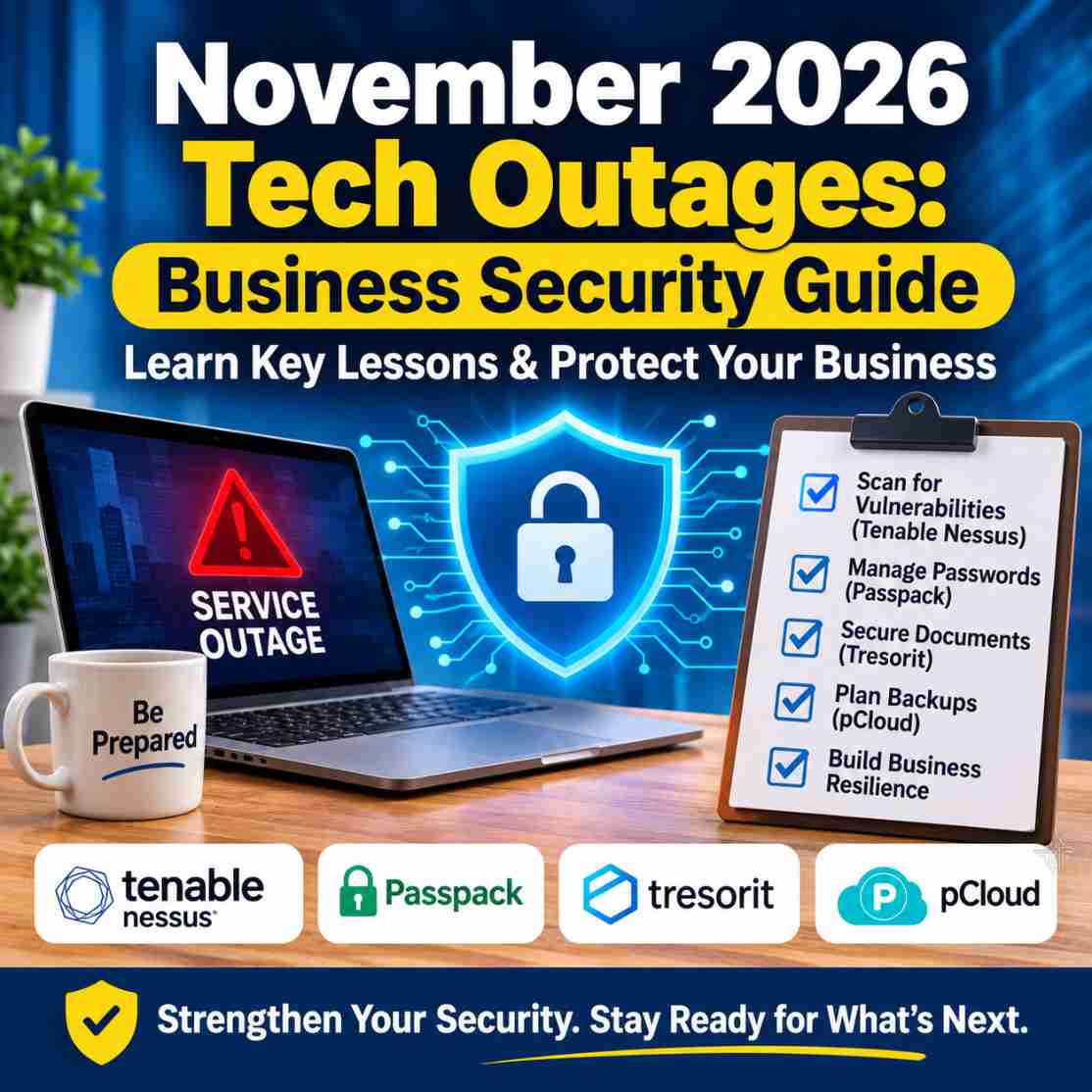
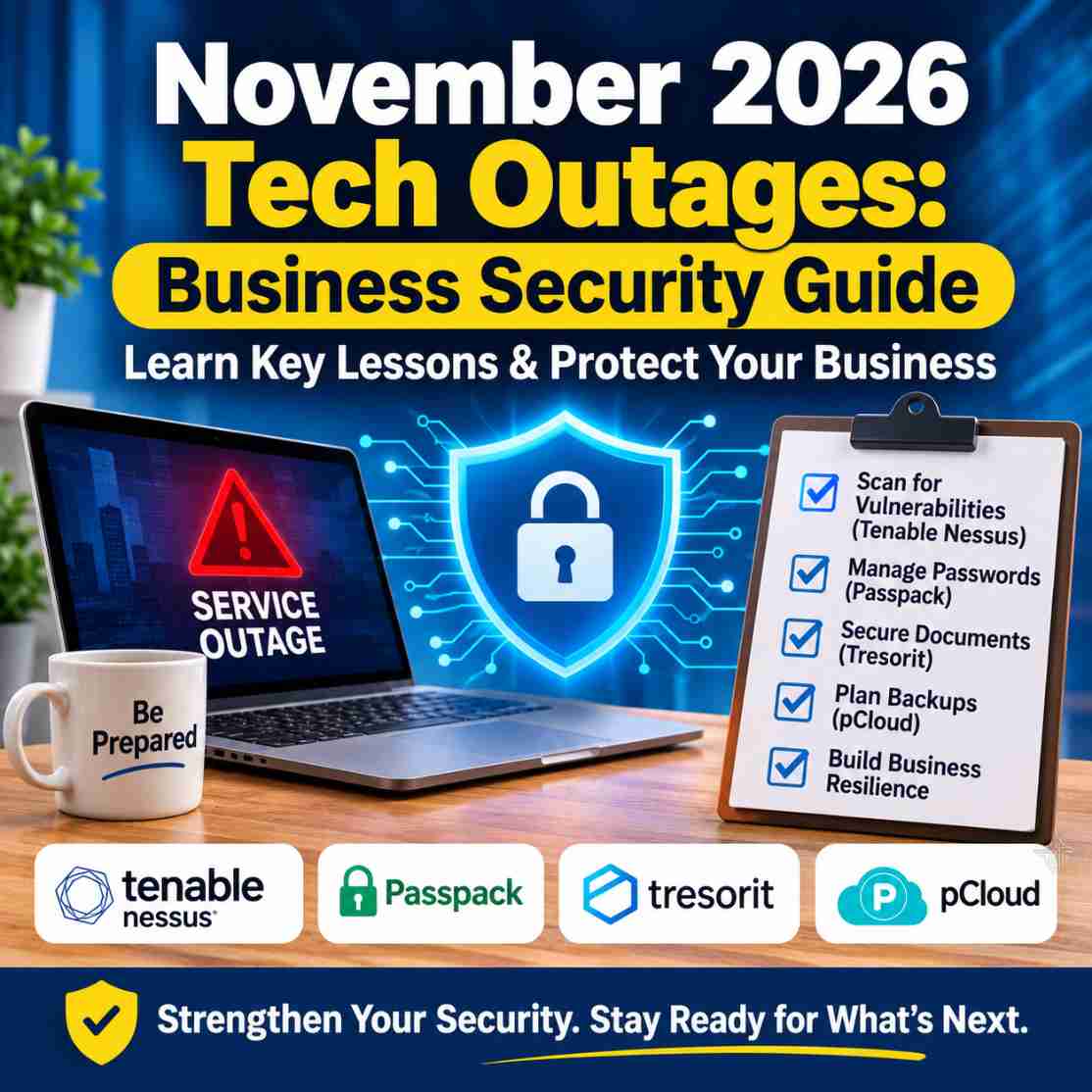
November 2026 Tech Outages: A Business Security Guide
November 2026 Tech Outages: A Business Security Guide
November 2026 technology outages demonstrate why businesses need more than reliable cloud services. Organizations should assess IT vulnerabilities, secure employee credentials, protect confidential documents, maintain independent backups and test business continuity procedures. Tools such as Tenable Nessus, Passpack and Tresorit address different parts of this security strategy.
November 2026 has provided businesses with a timely reminder of how dependent modern operations have become on digital infrastructure.
Between November 12 and November 17, several widely used technology services experienced disruptions. Microsoft 365, Workday, AWS, US aviation systems, banking services and other organizations reported separate technical incidents.
For businesses that depend on cloud applications, online communication, customer databases and digital payment systems, these events raised an important question:
What happens to your business when an essential technology service suddenly stops working?
It is tempting to look at several major outages happening within a few days and assume that a coordinated cyberattack must be responsible. However, the available reporting does not establish such a connection. Several organizations attributed their problems to software defects, infrastructure issues, maintenance or other technical failures.
The bigger lesson is about preparation.
Businesses need to understand their technology dependencies, identify vulnerabilities, protect employee credentials, secure confidential documents and maintain reliable recovery arrangements.
In this guide, we examine the November 2026 disruptions, explain what businesses should learn from them and explore practical security solutions, including Tenable Nessus, Passpack and Tresorit.
What Happened During the November 2026 Technology Outages?
Between November 12 and November 17, a series of separate technology disruptions affected organizations across different industries.
Some of the reported incidents included:
| Organization | Reported disruption |
|---|---|
| Microsoft 365 | Outlook, Exchange Online and dependent services experienced widespread access problems. |
| Workday | Certain customers experienced disruption to HR, payroll and related business functions. |
| US Federal Aviation Administration | Technical problems disrupted air traffic operations and departures. |
| Amazon Web Services | Authentication and connectivity issues affected services in the US-East-1 region. |
| JPMorgan Chase | A software problem delayed certain banking transactions and customer access. |
| United Airlines | A technology disruption affected flight operations and caused departure delays. |
| National Security Agency | Internal systems experienced temporary degradation. |
| Apple | Several services, including App Store, Apple Music and iCloud-related services, experienced disruptions. |
These incidents were reported separately. Their causes and levels of impact were not identical.
According to TechRepublic's November 2026 technology outage timeline, the disruptions involved different technical circumstances.
The Associated Press report on the JPMorgan Chase disruption also clarified that the banking problem was caused by an internal software issue rather than a cyberattack.
The Cloud Security Alliance subsequently examined the broader pattern in its November 18 research note, The November Outage Cluster: Correlated Fragility and Attribution.
Its central observation is particularly relevant to businesses: interconnected technology can create operational dependencies that are difficult to see until something fails.
Were the November 2026 Outages Caused by a Cyberattack?
There is no verified evidence establishing that the reported incidents were one coordinated cyberattack.
Some organizations identified technical or infrastructure problems, while the causes of other incidents had not been fully disclosed in the reporting available at the time.
This distinction matters.
A service outage can result from:
- Software defects.
- Network configuration problems.
- Hardware failures.
- Infrastructure capacity limitations.
- Failed updates.
- Maintenance activities.
- Cyberattacks or malicious activity.
A cyberattack can cause an outage, but an outage alone is not evidence of an attack.
Businesses should respond to confirmed information rather than speculation.
However, the absence of a cyberattack does not mean an organization is secure. A company can experience a serious operational disruption even when its security controls have not been compromised.
That is why infrastructure resilience and cybersecurity need to be considered together.
Why These Technology Disruptions Matter to Small Businesses
Large technology providers have dedicated infrastructure teams, engineering departments and incident response specialists.
Small businesses usually operate with fewer resources.
Yet they depend on many of the same digital services.
Consider a small company that uses:
- Microsoft 365 or Google Workspace for communication.
- A cloud CRM for customer information.
- Online accounting software.
- Cloud storage for business documents.
- A password manager for shared credentials.
- Website hosting and online payment services.
- Remote access applications.
- Project management and collaboration platforms.
If one critical service becomes unavailable, employees may struggle to complete everyday tasks.
If several connected services depend on the same infrastructure, the impact can become more complicated.
The problem is not limited to large enterprises. A small agency, consultancy, healthcare business or online retailer can experience missed deadlines, interrupted customer communication and delayed transactions.
The practical lesson is straightforward: businesses should know what they depend on and how they will respond when those dependencies fail.
7 Business Cybersecurity Lessons From the November Outages
1. Identify Vulnerabilities Before Attackers Discover Them
A business may have strong passwords and secure cloud storage but still operate vulnerable servers, outdated applications or incorrectly configured network devices.
These weaknesses can create opportunities for attackers.
Common examples include:
- Missing security patches.
- Vulnerable software versions.
- Misconfigured services.
- Exposed network ports.
- Weak system configurations.
- Vulnerabilities in internet-facing applications.
- Inadequately secured infrastructure.
This is where vulnerability assessment becomes important.
Rather than relying only on antivirus software or occasional manual checks, organizations should periodically assess their systems and investigate identified weaknesses.
Where Tenable Nessus fits
Tenable Nessus is a vulnerability assessment solution designed to help security professionals identify weaknesses across IT environments.
It can help organizations discover vulnerabilities, identify missing patches, assess configurations and produce reports that support remediation.
Nessus is particularly relevant to:
- IT administrators.
- Security consultants.
- Managed service providers.
- Small and medium-sized businesses with managed IT infrastructure.
- Organizations conducting internal security assessments.
- Teams responsible for compliance-related security checks.
Tenable offers different Nessus editions.
Nessus Professional
Professional is suitable for organizations primarily interested in vulnerability scanning, configuration assessment, compliance checks and reporting.
Nessus Expert
Expert includes the core vulnerability assessment capabilities and adds features such as Dynamic Application Security Testing (DAST), external attack surface scanning and Infrastructure as Code scanning.
The distinction matters when choosing a licence.
A consultant conducting internal network assessments may have different requirements from a business managing multiple internet-facing applications and cloud-related development environments.
If you are comparing the two editions, our existing guide explains the differences:
Read: Nessus Professional vs Nessus Expert (2026): Which Should You Buy?
You can also explore our Nessus vs OpenVAS comparison if you are evaluating commercial and open-source vulnerability scanners.
Important: Nessus identifies vulnerabilities within its authorized scanning scope. It does not prevent every cyberattack, repair vulnerabilities automatically in every situation or prevent a cloud provider from experiencing an infrastructure outage. Businesses must investigate findings, prioritize risks and implement appropriate fixes.
2. Manage Business Passwords and Shared Credentials Properly
Password management remains one of the most overlooked areas of small-business security.
Many organizations still share credentials through:
- Spreadsheets.
- Email messages.
- Messaging applications.
- Shared browser profiles.
- Informal documents.
- Notes stored on employee devices.
These arrangements may appear convenient when a business has only a few employees.
As the organization grows, however, controlling access becomes increasingly difficult.
Consider what happens when:
- A new employee joins.
- A contractor needs temporary access.
- An employee changes departments.
- Someone leaves the organization.
- A shared account needs its password changed.
- Several employees require access to the same application.
Without proper credential management, businesses may struggle to determine who has access to important accounts.
Where Passpack fits
Passpack provides business-focused password management and encrypted credential sharing.
Its features include:
- Password storage and organization.
- Secure sharing between authorized users and teams.
- Password generation.
- Two-factor authentication support.
- TOTP authentication.
- Administrative functionality.
- Browser-based credential access.
- Mobile access.
Passpack's 2026 product developments include its iOS and Android applications, an improved browser experience and stronger authentication support through TOTP.
The company has also outlined its 2027 development direction, including credential folders, secure document sharing and password policy enforcement.
These 2027 additions are roadmap items and should not be treated as currently available features.
The broader direction is particularly interesting: businesses need more than a place to store passwords. They need better visibility into who can access credentials and how access changes when employees join, move roles or leave.
If your organization still relies on shared password spreadsheets, Passpack is worth evaluating.
Read our Passpack Review for Small Businesses for a closer look at its features, plans and suitability.
You can also explore our Passpack Mobile App Review for its mobile and TOTP capabilities.
A practical recommendation: A password manager should complement MFA, access reviews and appropriate recovery procedures. Avoid treating the convenience of storing passwords and authentication codes together as a replacement for a properly designed authentication strategy.
3. Protect Confidential Documents and Business Information
Passwords are not the only information businesses need to protect.
Organizations handle sensitive material such as:
- Customer contracts.
- Financial statements.
- Employee records.
- Business proposals.
- Healthcare-related documents.
- Intellectual property.
- Legal documents.
- Confidential project files.
The way these documents are stored and shared matters.
Businesses should understand the encryption model, access permissions, sharing restrictions and administrative controls provided by their cloud storage platform.
Where Tresorit fits
Tresorit focuses on encrypted cloud storage and secure file collaboration.
Its end-to-end encryption and zero-knowledge security architecture make it relevant to organizations that handle confidential documents and need controlled file sharing.
Depending on the selected subscription, businesses can evaluate capabilities such as:
- Encrypted cloud storage.
- Secure file-sharing links.
- Access permissions.
- Administrative controls.
- Audit and collaboration features.
- File recovery and version history.
Tresorit is particularly worth considering for consultants, agencies, professional services and organizations that regularly exchange sensitive documents with external clients.
If you are evaluating encrypted storage for your organization, start with our Tresorit business security review.
Tresorit Cyber Sale 2026: A Current Opportunity
Businesses already considering encrypted cloud storage may also want to examine Tresorit's current Cyber Sale.
The campaign runs from November 16 to December 6, 2026.
| Eligible subscription | Advertised discount |
|---|---|
| Personal plans | Up to 60% off |
| Business plans | Up to 50% off |
Important conditions:
- New paid subscriptions only.
- Monthly subscriptions receive the discount for one month.
- Annual subscriptions receive the discount for 12 months.
- eSign, Email encryption and Marketplace add-ons are excluded.
- Automatic renewal applies at the applicable regular subscription price after the promotional period.
The advertised maximum discount does not apply equally to every plan.
If secure file collaboration is already on your purchasing shortlist, compare the eligible subscriptions and final checkout prices before committing.
Explore the Tresorit Cyber Sale 2026: Plans, Discounts and Conditions.
4. Understand the Difference Between Cloud Storage and Backup
Having files stored in the cloud is useful, but cloud storage and a proper backup strategy are not necessarily the same thing.
A synchronization service can make documents accessible across devices, but accidental deletions or unwanted changes may also propagate across synchronized locations.
Businesses should maintain independent, recoverable copies of important information.
A sensible backup strategy should consider:
- Regular automated backups.
- Separate backup locations.
- Offline or isolated backup copies where appropriate.
- Version history.
- Access restrictions.
- Retention policies.
- Restoration testing.
- Clear recovery responsibilities.
Where pCloud fits
pCloud offers cloud storage, file synchronization and file-access capabilities.
For individuals, freelancers and professionals, it can be useful for storing documents and accessing files across supported devices.
Its Business offering also provides team-oriented storage and administration features.
However, businesses should evaluate the actual backup, recovery, retention and access-control requirements of their chosen plan rather than assuming that cloud synchronization alone provides complete disaster recovery.
Kuruntha also has a current pCloud Black Friday campaign.
pCloud Black Friday 2026
The current promotion advertises savings of up to 62% on selected Lifetime plans, with prices starting at:
- 500 GB Lifetime: $159.
- 2 TB Lifetime: $379.
- 10 TB Lifetime: $1,099.
- 3-in-1 Lifetime Bundle: $579.
The 3-in-1 Bundle includes 3 TB of storage, pCloud Encryption and pCloud Pass Premium.
The advertised campaign ends November 28, 2026.
An important distinction: the 3-in-1 Bundle is a Lifetime bundle, not a replacement for a managed business backup and disaster-recovery solution.
Also, lifetime storage should not be the only copy of important business information.
If you are evaluating long-term cloud storage, see our pCloud Black Friday 2026 buying guide for the full plan comparison and promotional conditions.
5. Review Employee Access and Credential Governance
A business can invest in security software and still have problems if employees retain unnecessary access to important systems.
This commonly happens during onboarding, internal transfers and employee offboarding.
For example, a former employee may still have access to:
- Customer databases.
- Shared business applications.
- Cloud storage.
- Marketing accounts.
- Financial platforms.
- Website administration.
- Third-party services.
Businesses should establish an access-management process that includes:
- Granting access according to job responsibilities.
- Requiring approval for sensitive systems.
- Reviewing permissions periodically.
- Removing temporary access when it is no longer required.
- Revoking access promptly when employees leave.
- Reviewing shared credentials and rotating them when necessary.
Passpack's stated interest in credential governance is relevant here.
Its planned 2027 developments indicate a move towards giving administrators more control over shared credentials and organizational access.
For larger organizations, credential management may also need to be supported by identity and access management systems, single sign-on and centralized security policies.
No single password manager should be expected to replace an entire identity-governance program.
6. Look Beyond Individual Security Tools
One of the biggest mistakes businesses make is evaluating security one application at a time.
A password manager addresses credential risks.
A vulnerability scanner identifies weaknesses in IT infrastructure.
Encrypted storage protects confidential files.
Backups support data recovery.
These solutions are complementary, not interchangeable.For organizations managing more complex environments, broader exposure management may also be necessary.
Where Tenable One fits
Tenable One is Tenable's broader exposure management platform.
It is relevant to organizations that need a more comprehensive view of cyber exposure across their digital environments rather than relying solely on individual vulnerability scans.
Nessus and Tenable One serve different purchasing requirements.
A smaller IT team primarily interested in vulnerability assessment may find Nessus more appropriate.
A larger security team managing broader exposure visibility and prioritization requirements may want to evaluate Tenable One.
For a more focused discussion, see our existing article:Tenable One and Claude Mythos 5: What Security Teams Should Understand.
Buyers should check current product scope, licensing and availability directly with Tenable before making a purchasing decision.
7. Prepare for Business Continuity, Not Just Cybersecurity Incidents
The November disruptions demonstrate why business continuity deserves attention alongside conventional cybersecurity.
A business should be able to answer some basic questions:
- What happens if the primary email platform becomes unavailable?
- How will employees communicate?
- Can customer information be recovered?
- Who is responsible for restoring essential services?
- What happens if the website or payment system stops working?
- Are alternative arrangements documented?
- Have backup restoration procedures been tested?
A continuity plan does not need to begin as a complicated enterprise document.
A small organization can start by identifying its essential systems, documenting responsibilities and creating practical fallback procedures.
The NIST Cybersecurity Framework 2.0 Small Business Quick-Start Guide is a useful starting point.
NIST's November 2, 2026 publication, Small Business Cybersecurity: Non-Employer Firms, is also particularly relevant to solopreneurs and businesses with limited IT resources.
Its recommendations include MFA, strong unique passphrases, password managers and understanding the important services on which a business depends.
Which Cybersecurity Tools Should a Business Consider?
Different organizations have different security requirements. A small business does not necessarily need the same technology stack as a large enterprise.
The following comparison explains where the products discussed in this guide fit.
| Business requirement | Relevant solution | Main purpose |
|---|---|---|
| Vulnerability assessment | Tenable Nessus | Identify weaknesses in authorized IT environments |
| Broader exposure management | Tenable One | Understand and prioritize cyber exposure |
| Password management | Passpack | Organize and share business credentials |
| Encrypted document collaboration | Tresorit | Protect confidential files and sharing |
| Cloud storage | pCloud | Store, synchronize and access files |
| Backup and recovery | Dedicated backup solution | Maintain independent recoverable copies |
The important point is to choose a product according to the problem you are trying to solve.
Nessus vs Passpack vs Tresorit: What Is the Difference?
These products are sometimes grouped under cybersecurity, but they do not perform the same job.
Tenable Nessus assesses vulnerabilities in systems and infrastructure.
Passpack manages passwords and shared credentials.
Tresorit focuses on encrypted cloud storage and secure document collaboration.
A business that needs all three capabilities may have a reason to evaluate all three products.
However, buying one does not eliminate the need for the others.
For example, installing Nessus does not automatically protect employee passwords, and using Tresorit does not mean your business infrastructure is free from vulnerabilities.
The best approach is to map security requirements first and select the appropriate tools afterwards.
Practical Business Cybersecurity Checklist for 2026
Before investing in additional security software, review the following checklist.
Infrastructure and vulnerability management
- Identify servers, network devices and business-critical systems.
- Maintain an inventory of internet-facing assets.
- Review missing patches and outdated software.
- Conduct vulnerability assessments on authorized systems.
- Prioritize critical findings for remediation.
- Review configurations and compliance requirements.
- Repeat assessments after significant infrastructure changes.
Password and account security
- Replace shared password spreadsheets with controlled credential management.
- Use strong and unique passwords or passphrases.
- Enable MFA wherever supported.
- Prioritize phishing-resistant authentication where available.
- Review administrator accounts.
- Remove unnecessary employee and contractor access.
- Maintain secure recovery procedures.
Document and data protection
- Review cloud storage permissions.
- Use encryption for confidential documents.
- Restrict external file-sharing access.
- Maintain independent backups.
- Test backup restoration.
- Establish data retention policies.
- Protect backup copies from unauthorized access.
Business continuity
- Identify essential technology dependencies.
- Establish alternative communication arrangements.
- Document incident-response responsibilities.
- Define recovery priorities.
- Maintain emergency contact information.
- Test continuity procedures periodically.
Businesses do not need to implement every advanced security feature immediately.
The priority should be to establish the basic controls, identify significant weaknesses and improve the security programme as the organization grows.
Frequently Asked Questions
1. What can businesses learn from the November 2026 technology outages?
Businesses should understand their dependence on cloud infrastructure, identify critical technology services, maintain alternative communication arrangements and prepare for unexpected service disruptions. They should also review password management, vulnerability assessment, data protection and backup procedures.
2. Were the November 2026 technology outages caused by a coordinated cyberattack?
The available reporting does not establish a coordinated cyberattack. Several organizations attributed their incidents to technical or infrastructure problems, while some causes had not been publicly confirmed. The incidents should be treated as separate events unless further evidence establishes a connection.
3. What is Tenable Nessus used for?
Tenable Nessus is used for vulnerability assessment. It helps security professionals identify weaknesses, missing patches, configuration issues and other vulnerabilities in authorized IT environments. The findings help organizations prioritize remediation.
4. What is the difference between Nessus Professional and Nessus Expert?
Both editions provide vulnerability and compliance scanning. Nessus Expert adds capabilities such as Dynamic Application Security Testing, external attack surface scanning and Infrastructure as Code scanning. The appropriate edition depends on the organization's assessment requirements.
5. Can Nessus prevent technology outages?
No. Nessus is a vulnerability assessment tool, not an infrastructure availability or disaster-recovery platform. It can help identify security weaknesses in systems within its scanning scope, but it cannot guarantee continuous availability or prevent failures at third-party service providers.
6. Why should a business use a password manager?
A business password manager helps employees generate, store and share credentials more securely. It can reduce password reuse, informal credential sharing and difficulties managing access when employees change roles or leave.
7. Is Passpack suitable for business teams?
Passpack offers business-focused credential management, encrypted password sharing, TOTP and administrative functionality. Its suitability depends on team size, integration requirements, security policies and the selected subscription.
8. Is encrypted cloud storage enough to protect business data?
No. Encryption helps protect information, but businesses also need appropriate access controls, independent backups, recovery procedures and tested restoration arrangements. Secure storage and disaster recovery are complementary requirements.
9. Is pCloud a backup solution?
pCloud offers cloud storage and file synchronization, which can be useful for storing and accessing files. However, businesses should not automatically treat synchronized storage as their complete backup strategy. Maintain independent backup copies and verify the recovery capabilities of the selected service.
10. What should a small business do first to improve cybersecurity?
Start with a basic inventory of important systems and data. Enable MFA, use strong unique passwords, review employee access, update software, maintain backups and establish a practical recovery plan. Consider vulnerability assessment when managing servers, networks or internet-facing applications.
Final Thoughts: Build a Business That Can Recover, Not Just Operate
The November 2026 technology disruptions are a useful reminder that even widely used digital services can experience unexpected failures.
For businesses, the lesson is not to abandon cloud platforms or become suspicious of every technology provider.
It is to understand the dependencies behind everyday operations and prepare for situations in which essential services become unavailable.
Vulnerability assessment helps identify weaknesses in IT infrastructure. Password management improves credential security. Encrypted cloud storage protects confidential documents. Independent backups and continuity planning support recovery.
These are different responsibilities, but together they form a more practical approach to business security.
For organizations beginning their journey, the first step may be as simple as replacing shared password spreadsheets and enabling MFA.
Businesses with more complex IT environments should also consider structured vulnerability assessment through solutions such as Tenable Nessus.
Good business security is not about buying every available tool. It is about identifying the risks that matter, choosing the right controls and knowing how to respond when something goes wrong.
That is a lesson worth taking from November 2026.
Disclosure: This article contains affiliate links. Kuruntha Smarket may earn a commission if you purchase through qualifying links, at no additional cost to you.

Our recommendations focus on product relevance, practical use cases and informed buying decisions.

This article was generated with the assistance of AI tools and carefully reviewed by our in-house team before publication.
#Cybersecurity #TenableNessus #Passpack #BusinessSecurity #Tresorit #DigitalResilience #SmallBusinessTechnology