Tools to Visualize Product Launch Timelines: Best Platforms for Campaign Planning (2026)
Tools to Visualize Product Launch Timelines: Best Platforms for Campaign Planning (2026)
If you’re struggling to manage product launches or marketing campaigns, you don’t need another spreadsheet—you need clarity.
The fastest way to visualize product launch timelines and campaign deliverables is by using structured tools that map tasks, dependencies, and deadlines in one place. These platforms eliminate guesswork, reduce delays, and give teams a clear execution path.
In 2026, the difference between a chaotic launch and a successful one comes down to how well you visualize and manage your timeline.
Planning a launch right now?
👉 Start with a tool that actually shows your entire campaign timeline in one place—no confusion, no missed deadlines.
It’s the fastest way to turn your ideas into a structured, executable plan.
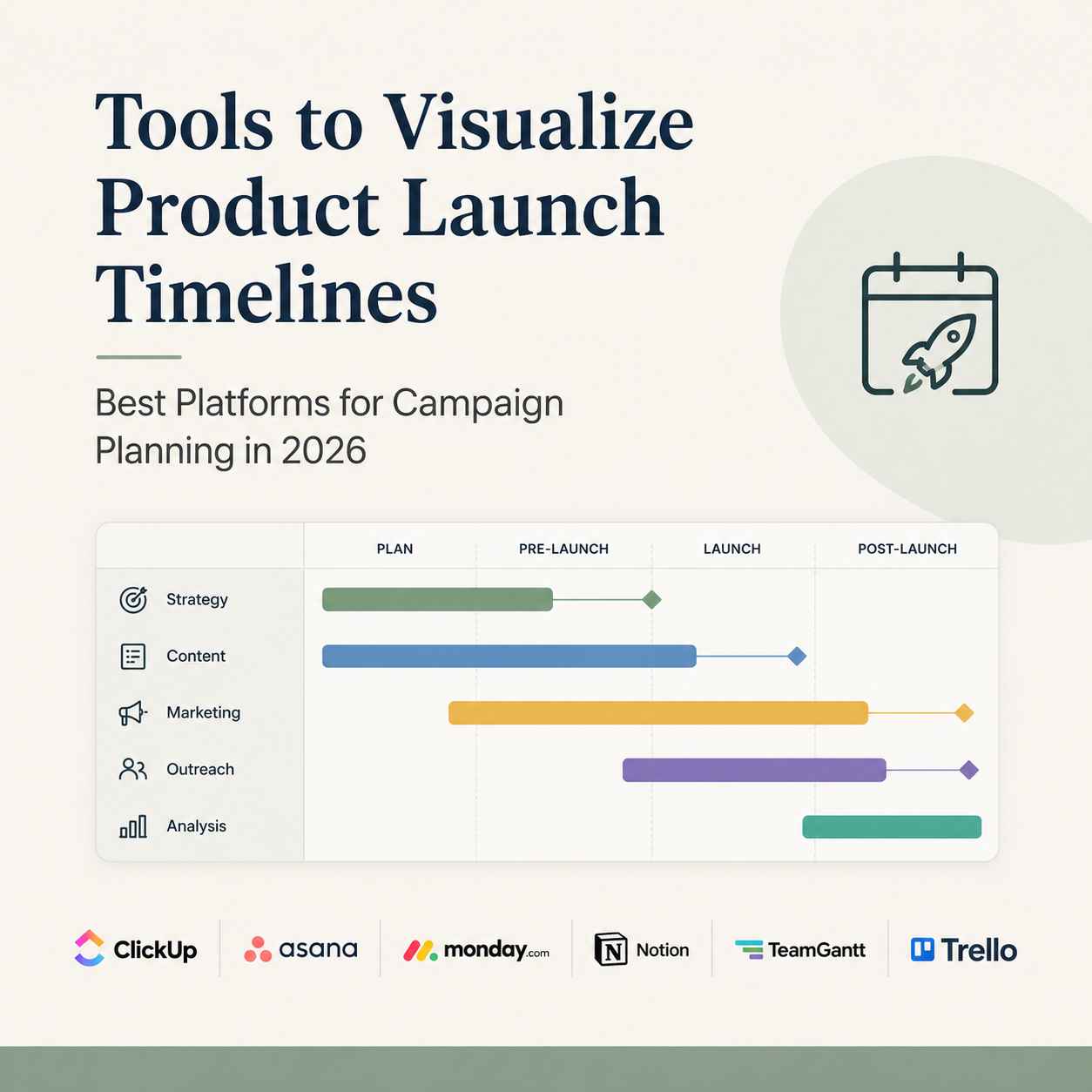
📊 Quick Comparison: Best Timeline Visualization Tools
| Tool | Best For | Key Strength | Free Plan |
|---|---|---|---|
| ClickUp | All-in-one teams | Advanced timeline + automation | Yes |
| Asana | Marketing teams | Clean campaign workflows | Yes |
| Monday.com | Agencies & scaling teams | Visual dashboards + tracking | Limited |
| Notion | Startups & creators | Flexible, no-code setup | Yes |
| TeamGantt | Timeline purists | Dedicated Gantt chart clarity | Limited |
| Trello | Simple workflows | Easy visual boards | Yes |
🚀 Best Tools to Visualize Product Launch & Campaign Timelines
1. ClickUp – Best All-in-One Timeline Platform
If you want one tool that does everything—timeline visualization, task tracking, automation—this is it.
Why it works:
- Multiple timeline views (Gantt, calendar, workload)
- Built-in automation reduces manual follow-ups
- Ideal for complex product launches
Best for: Teams managing multi-phase launches with dependencies
If you’re specifically looking to build structured timelines with dependencies, you can also explore how to build effective Gantt charts faster for more control over your campaign planning.
2. Asana – Best for Marketing Campaign Planning
This is where structure meets simplicity. Perfect for campaign-driven teams.
Why it works:
- Timeline view tailored for marketing workflows
- Easy task dependencies and milestone tracking
- Strong collaboration features
Best for: Marketing teams running coordinated campaigns
3. Monday.com – Best for Visual Campaign Tracking
Highly visual and customizable. Built for teams that want clarity at scale.
Why it works:
- Drag-and-drop timeline building
- Visual dashboards for stakeholders
- Automation for repetitive campaign tasks
Best for: Agencies and fast-growing teams
4. Notion – Best No-Code Timeline Builder
If flexibility matters more than structure, this is your tool.
Why it works:
- Fully customizable timeline databases
- Combines documentation + planning
- No-code workflows
Best for: Startups, solopreneurs, and content teams
5. TeamGantt – Best for Pure Timeline Visualization
No distractions—just timelines done right.
Why it works:
- Clean Gantt charts
- Easy dependency tracking
- Focused project planning
Best for: Teams that prioritize timeline clarity over extra features
6. Trello – Best for Simple Campaign Workflows
Minimalist but effective.
Why it works:
- Visual boards for quick campaign tracking
- Easy to set up
- Great for small teams
Best for: Beginners and lightweight campaign planning
🧠 How to Choose the Right Timeline Tool
Let’s be clear—there’s no “best tool” universally. There’s only the best fit for your workflow.
- Complex product launches? Go with ClickUp
- Marketing-heavy campaigns? Choose Asana
- Visual reporting needed? Monday.com wins
- Flexibility over structure? Notion is your play
- Strict timeline focus? TeamGantt delivers
- Simple workflows? Trello gets it done
For a deeper breakdown of use cases and real-world workflows, check out these timeline visualization tools for marketing campaigns that simplify multi-channel planning.
💡 What Actually Improves Campaign Success
Tools don’t fix poor planning. But the right tool will:
- Eliminate missed deadlines
- Clarify task ownership
- Align teams around milestones
- Reduce back-and-forth communication
In short: execution becomes predictable.
🔥 Pro Tip for Faster Results
To rank and convert better, structure your campaigns like this:
- Define milestones (launch date, pre-launch, post-launch)
- Break into deliverables (ads, emails, content)
- Assign timelines visually (Gantt or calendar)
- Track dependencies (what must happen before what)
Every tool above supports this—you just need to execute.
If you prefer a quick, presentation-ready option, you can also create a professional timeline in PowerPoint in just a few minutes.
❓ FAQ: Product Launch Timeline Tools
What tools help visualize product launch timelines?
Tools like ClickUp, Asana, and Monday.com allow you to map tasks, deadlines, and dependencies visually using timeline or Gantt views.
What is the best tool for marketing campaign timelines?
Asana and Monday.com are strong choices for marketing teams due to their structured workflows and visual dashboards.
Are there free tools for timeline visualization?
Yes. Tools like Notion, Trello, and ClickUp offer free plans suitable for startups and small teams.
How do timeline tools improve campaign performance?
They improve visibility, reduce delays, and ensure teams stay aligned on deliverables and deadlines.
Do I need a complex tool for small campaigns?
No. For smaller campaigns, simple tools like Trello or Notion are more than enough.
🚀 Final Take
If you’re still managing product launches with scattered tools, you’re slowing yourself down.
The right timeline visualization tool doesn’t just organize your work—it accelerates execution and improves outcomes.
Choose one, implement it properly, and your campaigns will stop feeling chaotic—and start delivering results.
If your campaigns still feel scattered, it’s not a strategy problem—it’s a visibility problem.
👉 The right timeline tool changes that instantly.
Pick one, set up your next campaign properly, and you’ll see the difference in execution within days.
#ProductLaunch #MarketingCampaign #ProjectManagementTools #TimelinePlanning #SaaSTools #StartupTools #NoCodeTools #CampaignStrategy #DigitalMarketingTools #GrowthTools #BusinessAutomation #MarketingPlanning #EntrepreneurTools
Disclosure:
This article may contain affiliate links. If you choose a service through our links, we may earn a commission at no extra cost to you.
This article was created with AI-assisted research and carefully reviewed by our in-house team before publication