Emailable Review: Pricing, Features & Email Verification
Emailable Review: Pricing, Features & Email Verification
Emailable is an email verification service that helps businesses check email addresses before sending campaigns. It offers bulk list verification, an email verification API and real-time verification options. Its pricing page lists 250 free credits and paid plans starting with a 5,000-credit purchase. It can help identify invalid or risky addresses, but email verification alone cannot guarantee inbox placement.
Email marketing depends on more than a well-written message. If your contact database contains invalid, outdated or risky email addresses, campaigns can generate unnecessary bounces and complicate sender-reputation management.
That is where email verification services come in.
Emailable is a service designed to help businesses validate email addresses through bulk verification, individual checks and API-based workflows. It is worth evaluating if you regularly send newsletters, maintain customer databases, collect leads or manage email campaigns for clients.
But should you pay for a dedicated verification service, and is Emailable a suitable fit for your workflow?
This review examines its published pricing, main capabilities, practical uses, limitations and the checks worth completing before purchasing credits.
What Is Emailable?
Official website: Emailable
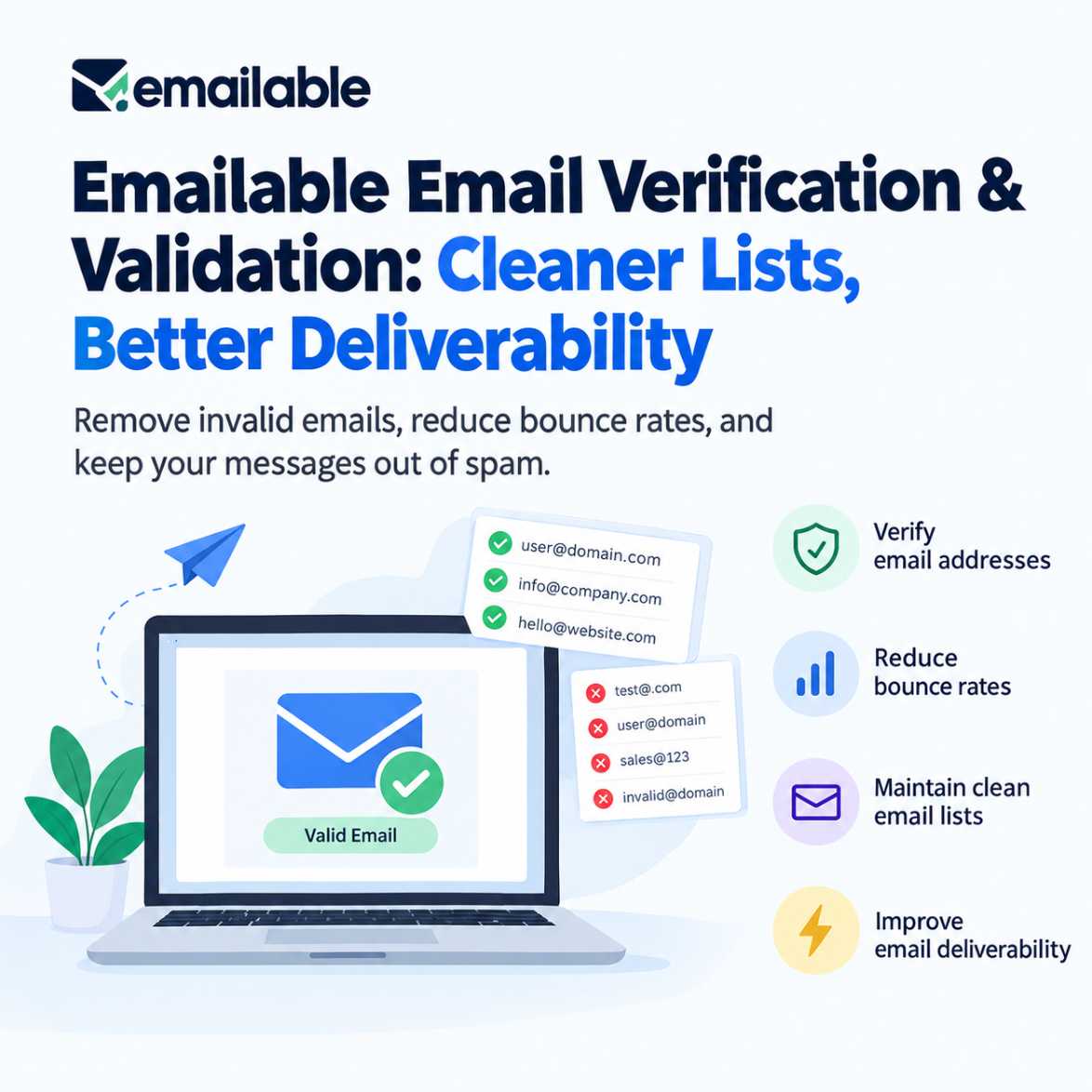
Emailable provides email verification and related deliverability tools. Its main purpose is to help businesses assess the quality of email addresses before sending messages to them.
The platform offers several ways to verify addresses, depending on how a business operates:
- Bulk email verification: Check an existing contact list before a campaign.
- Individual verification: Check a specific address when you need to assess it separately.
- Email verification API: Incorporate verification into applications or automated processes.
- Real-time validation widget: Add email validation to supported website workflows.
- Deliverability tools: Access additional products for inbox-placement reporting and blacklist monitoring.
These capabilities are described on Emailable's official website. Emailable+1
The important distinction is that verification is a data-quality step, not a complete email marketing solution. Emailable is not a substitute for a campaign platform, consent management, domain authentication or a broader deliverability strategy.
Who Should Consider Emailable?
Emailable is most relevant to organisations that already have email contacts and need a repeatable way to assess their quality.
Small businesses and newsletter operators
Businesses with established mailing lists can assess list quality before major announcements, newsletters or customer campaigns.
Marketing agencies
Agencies managing multiple client lists may benefit from a consistent verification workflow before sending campaigns.
Developers and SaaS teams
Teams building registration forms or data-entry workflows can investigate API-based verification to assess addresses before they enter a database.
CRM and sales operations teams
Teams maintaining business contact records can use verification as one part of a broader data-quality process.
A dedicated service may be unnecessary if you only validate a handful of addresses occasionally. For larger or recurring workloads, the decision should depend on verification volume, integration requirements, billing terms and the cost of maintaining poor-quality data.
Emailable Pricing: What Does It Cost?
Emailable uses a credit-based pricing model. Its official pricing page currently displays the following entry-level options.
Free trial credits
$0/250 verification creditsUse the initial credits to test a sample of your own contacts before committing to a purchase.👉 Check official pricing
Pay-as-you-go
$38
5,000 credits · displayed standard price
The pricing page also displays $32.30 per month for the subscription option at this volume, reflecting a stated 15% saving. Confirm the billing terms and final checkout price before purchasing.
Higher verification volumes
Available selections include 10,000, 25,000, 50,000, 100,000 and larger credit packages, with custom pricing available above one million credits.
Prices shown in USD. Verified against the published pricing page on 11 October 2026; prices and availability can change.
How does the credit system work?
According to Emailable's pricing information:
- One credit is used per verification request for bulk, individual, API and widget verification.
- Duplicate entries and results classified as unknown are credited back after the verification process finishes.
- Unused purchased credits do not expire.
- Subscriptions advertise a 15% saving and can be cancelled.
- Volume discounts may lower the cost per verification.
The no-expiry policy is particularly relevant for businesses that clean their lists occasionally rather than every month. A recurring subscription may make more sense for teams verifying new contacts continuously, but compare the actual volume and billing terms first.
Buyer recommendation: Start with the free credits and test a representative sample. Do not purchase a large package just because the cost per credit appears lower.
Emailable's Main Features: What Matters in Practice?
1. Bulk email verification
Bulk verification is useful when you already have a contact database and want to assess it before sending a campaign.
A practical workflow might look like this:
- Export the relevant contacts from your email marketing platform or CRM.
- Remove duplicates and confirm that the list was collected appropriately.
- Upload a suitable sample or list to the verification service.
- Review the returned classifications, paying attention to risky and unknown results.
- Apply a cautious suppression or review policy before sending.
This approach is useful for newsletter operators, agencies and businesses preparing a campaign after a long period of inactivity.
Do not automatically treat every uncertain address as safe to email. Investigate ambiguous results and use your email platform's suppression rules to prevent sending to addresses you have decided not to contact.
2. Email verification API
An API is worth considering when verification needs to happen as part of an application rather than as a manual spreadsheet task.
For example, a developer might want to assess an address during registration, lead intake or contact-record creation.
Before integrating Emailable, check the official API documentation for authentication, request limits, response classifications, error handling and the appropriate batch workflow. Confirm that the documentation covers your intended use case.
API verification should also be implemented with sensible fallback behaviour. A temporary API failure should not silently mark an address as valid, and a verification result should not replace confirmation that a user controls the address.
3. Real-time email validation
Real-time validation can be useful when addresses enter your database through a website form or registration process.
The business objective is to catch some address-quality problems earlier, rather than waiting until a large campaign is about to be sent.
However, validation does not prove that a person genuinely wants to receive marketing messages. A technically plausible address and a properly consented subscriber are two different things.
4. Deliverability-related tools
Emailable also lists inbox reports and blacklist-monitoring products on its pricing page. These are separate usage categories with their own credit costs: the published page lists 100 credits per inbox report and five credits per blacklist-monitoring check.
This matters when estimating total expenditure. A business evaluating only the price of basic verification could underestimate the cost of adding these other checks.
Check which tools you actually need instead of assuming every deliverability activity is included in a single verification credit.
Email verification is only one part of a healthy sending strategy. If you also need to understand authentication, sender reputation and inbox placement, start with our guide to email deliverability fundamentals.
Does Emailable Improve Email Deliverability?
Emailable can contribute to better list hygiene by helping identify addresses that should be investigated, corrected or excluded before a campaign.
But it is important to separate the product's function from the overall outcome.
Email verification does not guarantee that messages will reach the inbox.
Inbox placement also depends on factors such as:
- SPF, DKIM and DMARC configuration.
- Sending-domain and IP reputation.
- Recipient engagement and spam complaints.
- Permission-based list acquisition.
- Message content and sending patterns.
- Mailbox-provider filtering decisions.
A list with fewer invalid addresses can still perform poorly if the sender has authentication problems, a weak reputation or a history of sending unwanted messages.
For the technical foundations, read Kuruntha's existing email deliverability course guide. For a broader approach to list hygiene, see the mailfloss automated email list-cleaning guide.
What about Emailable's deliverability guarantee?
Emailable advertises a 99% deliverability guarantee for addresses classified as deliverable. This is a vendor-stated guarantee, not independent proof that every customer's campaign will achieve 99% inbox placement.
Read the official guarantee carefully and confirm the eligibility requirements, definitions, exclusions and remedies before relying on it commercially.
Emailable vs Other Email Verification Tools
Emailable is not the only option. The right comparison depends on whether you need occasional bulk cleaning, ongoing automated verification, CRM integrations or broader deliverability monitoring.
| Tool | Consider it when | What to evaluate |
|---|---|---|
| Emailable | You want credit-based verification and API options | Credit costs, unknown results and batch limits |
| Bouncer | You want to evaluate verification alongside related deliverability tools | EU data hosting, integrations and the tools required for your workflow |
| mailfloss | You prefer ongoing automated list cleaning | Supported integrations, automatic cleanup rules and recurring costs |
| ZeroBounce | You want to compare verification with additional data and deliverability features | Pricing at your volume, extra-credit charges and which features are included |
These are use-case comparisons, not the result of an independent head-to-head accuracy test. Features and prices should be verified directly with each provider.
Kuruntha already has related articles on Bouncer's email verification platform and Bouncer's verification service. Readers should use those alongside this review when comparing different approaches to list hygiene.
Is Emailable cheaper than Bouncer?
There is no universal answer without specifying the volume and billing method. Emailable's published pricing lists $38 for 5,000 credits and $60 for 10,000 credits in its one-time pricing comparison, while Bouncer's published comparison lists $35 and $60 for those volumes respectively.
The difference is small at those example volumes, and price alone is not a sufficient reason to choose one service. Compare the handling of unknown results, required integrations, data policies and the time needed to manage each workflow.
If you're comparing providers, our review of the Bouncer email verification platform offers another reference point for assessing bulk verification, API-based validation and list hygiene.
Limitations and Checks Before Buying
Emailable is worth evaluating, but there are several practical considerations before you use it for a business-critical campaign.
Verification is not consent management. Cleaning an address list does not give you permission to send marketing messages. Follow applicable privacy and electronic-marketing rules.
Some addresses remain uncertain. Catch-all domains and unknown results can complicate decisions. Avoid treating an uncertain classification as a definitive confirmation that the mailbox is active.
Accuracy claims need context. A vendor's published guarantee is not the same as an independent, controlled test on your particular list. Compare results against your own operational needs.
Credit costs depend on the workflow. Verification, inbox reports and blacklist monitoring have different credit requirements. Calculate the total cost rather than looking only at the entry-level verification price.
Data handling deserves scrutiny. Before uploading customer or prospect data, read the provider's privacy policy and security documentation. Check retention, deletion, access controls and any contractual requirements that apply to your organisation.
Verification cannot repair every deliverability problem. If your domain authentication or sender reputation is poor, fixing list quality alone may not solve the issue.
These are not reasons to reject Emailable outright. They are the checks a responsible buyer should complete before making it part of a regular marketing process.
How to Evaluate Emailable Before Committing
For a small business or marketing team, a controlled pilot is more useful than relying entirely on a feature list.
- Choose a representative sample. Use a suitable, lawfully collected segment of your actual contact database.
- Check the classifications. Understand how the tool labels deliverable, undeliverable, risky and unknown addresses.
- Measure the operational benefit. Assess how many records need correction, exclusion or further review.
- Test the workflow. If you need API or form validation, check the integration and error-handling behaviour before deployment.
- Calculate the total cost. Include verification credits, any deliverability checks and the time required to process results.
- Review your sending process. Ensure authentication, consent, suppression rules and monitoring are already in place.
Do not deliberately send campaigns to addresses identified as invalid just to test a vendor's promise. Use controlled samples, appropriate safeguards and existing campaign analytics.
If the pilot fits your workflow, you can make a better-informed decision about purchasing credits or adopting a recurring plan.
If you prefer ongoing list maintenance rather than periodically uploading a list for verification, explore our guide to automated email list cleaning to understand how that workflow differs.
Is Emailable Worth It?
Emailable is worth considering for businesses that need bulk email verification, API-based validation or a credit-based approach to maintaining contact quality.
Its published entry-level pricing, 250 free credits and non-expiring credits give buyers a way to assess the service before committing to a larger purchase. It is less compelling to purchase a dedicated tool if your contact volume is tiny, your existing email platform already meets your needs, or your main problem is poor domain reputation rather than invalid addresses.
My recommendation is straightforward: test Emailable against your own use case before paying for a larger volume. Compare its results, workflow and total cost with alternatives, and treat verification as one part of email deliverability—not a replacement for sound sending practices.
Evaluate Emailable for your workflow

Start by reviewing the official pricing, free credits, API documentation and terms. Make the purchase decision after confirming the service meets your needs.👉 View Emailable pricing (Official provider link. No discount or exclusive promotion has been verified for this article.)
Frequently Asked Questions
1. Is Emailable free?
Emailable's pricing page lists 250 free credits for new accounts. Paid verification begins with a minimum purchase of 5,000 credits. Check the official pricing page for current terms.
2. How much does Emailable cost?
The published pricing page displays $38 for 5,000 credits on a pay-as-you-go basis and $32.30 per month for the subscription option at that volume. Higher-volume pricing may vary, so verify the final price and billing terms before buying.
3. Do Emailable credits expire?
Emailable states that unused credits do not expire. Subscription credits are reloaded according to the billing cycle, with unused credits rolling over under the stated subscription terms. Confirm the current terms before purchase.
4. Does Emailable offer an API?
Yes. Emailable lists an email verification API for integrating verification into applications and workflows. Developers should consult the official documentation for supported requests, limits and response formats.
5. Can Emailable guarantee inbox placement?
No email verification service should be treated as a guarantee that every message will land in the inbox. Emailable advertises a deliverability guarantee for addresses classified as deliverable, but overall inbox placement depends on additional technical and sending factors. Read the official guarantee's conditions before relying on it.
6. Is Emailable suitable for small businesses?
It can be suitable if a small business maintains a meaningful email list, runs recurring campaigns or needs to validate new contacts. The free credits allow an initial evaluation. Businesses with very low verification needs should compare the minimum purchase with their expected usage.
7. How does Emailable compare with Bouncer?
Both offer email verification capabilities. Emailable may suit buyers who prefer its credit model and API workflow; Bouncer is another option to evaluate for list cleaning and related deliverability features. Compare current pricing, classifications, integrations and data-handling terms before deciding.
8. Should I verify my email list before every campaign?
Not necessarily. Verification frequency depends on list age, how quickly contacts change, how addresses are collected and how often you send. Consider checking older or newly acquired lists and validating new addresses where appropriate. Maintain regular suppression and consent practices regardless of verification frequency.
Disclosure: Kuruntha Smarket may earn a commission if you purchase through qualifying affiliate links, at no additional cost to you.

This review is based on published product information and editorial assessment; inclusion does not imply a paid endorsement.

This article was created with AI-assisted research and carefully reviewed by our in-house team before publication
#Emailable #EmailVerification #EmailDeliverability #EmailMarketing #MarketingAutomation #SmallBusinessTools